Does Low Latency Profile Cause Thermal Throttling or Poor Battery Life?
After conducting extensive tests on Windows 11’s Low Latency Profile, we can confidently confirm that it does not harm your CPU, drain your battery, or cause your PC to overheat. Our testing involved multiple sessions with tools like HWiNFO and Task Manager running, while closely monitoring battery status. Microsoft’s CPU Boost technology functions as intended, and the concerns circulating online about overheating or processor damage are based on a misunderstanding of the difference between CPU Speed boost and CPU Utilization.
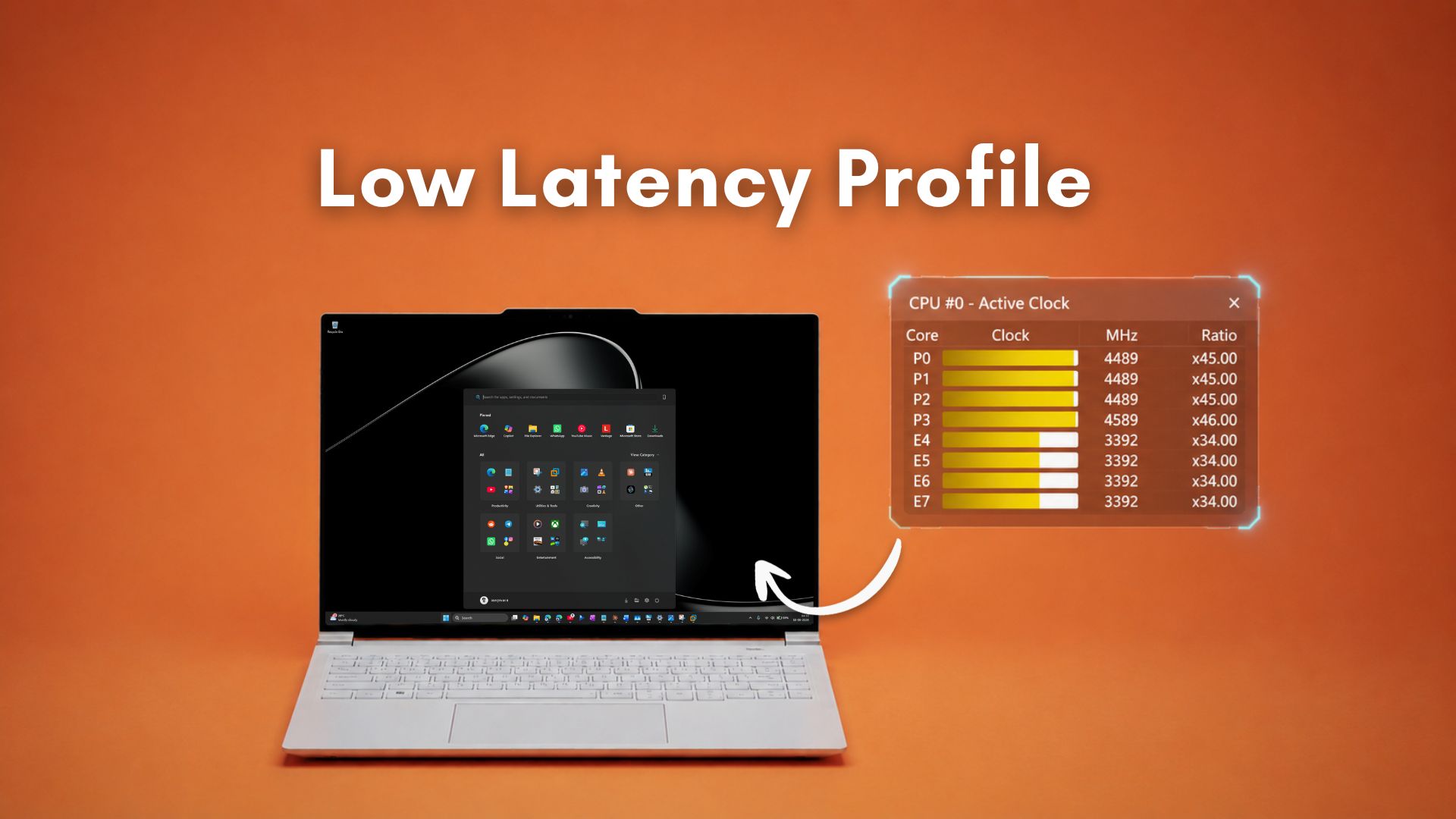
The Low Latency Profile is part of the June 2026 Patch Tuesday update (KB5094126) and is now rolling out to all Windows 11 PCs running versions 24H2 and 25H2. This feature introduces a scheduler-level enhancement that instantly spikes the CPU clock speed to its maximum turbo frequency for one to three seconds whenever users interact with the Start menu, Windows Search, or Action Center. We initially tested this feature back in May, during its Insider build phase, and the results then and now remain consistent: faster, smoother shell experiences with no observable thermal or battery penalties.
It’s worth emphasizing that the Low Latency Profile is not a “lazy fix”. If anything, the real question is why Microsoft didn’t implement this years ago. The feature causes no harm because, although CPU speed temporarily increases, CPU utilization barely changes, as our testing has shown.
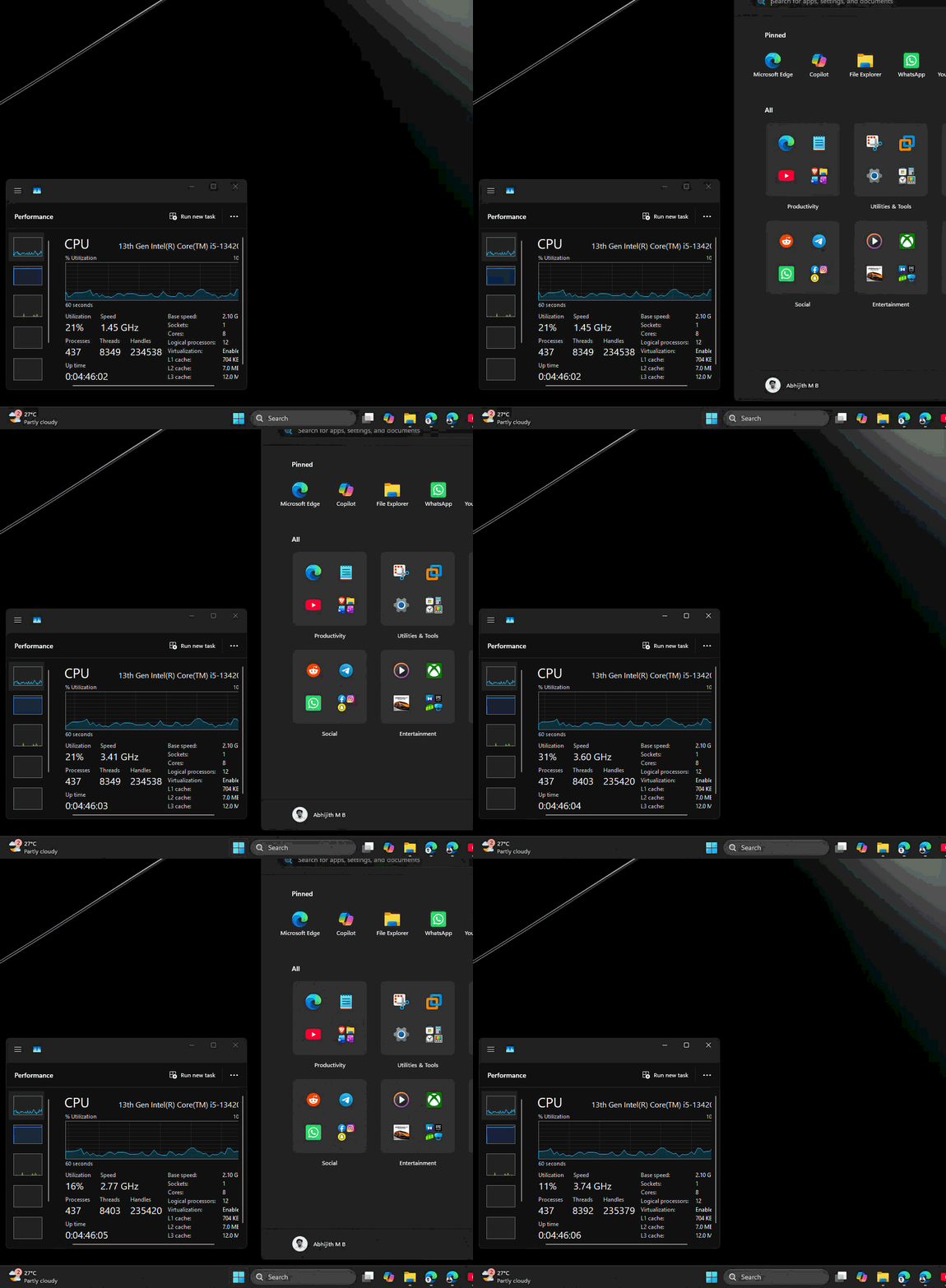
Testing CPU Usage with Low Latency Profile Enabled
To verify the behavior of the Low Latency Profile, we ran Task Manager and HWiNFO alongside screen recordings during three core shell interactions: the Start menu, Windows Search, and Action Center with Quick Settings. At the time of testing, CPU utilization on my machine ranged between 20% and 30%, reflecting the additional load from screen recording software, numerous open Edge tabs, and WhatsApp consuming over 1.2GB of RAM. This setup simulated a typical, slightly loaded environment rather than an idle system.
Start Menu Performance
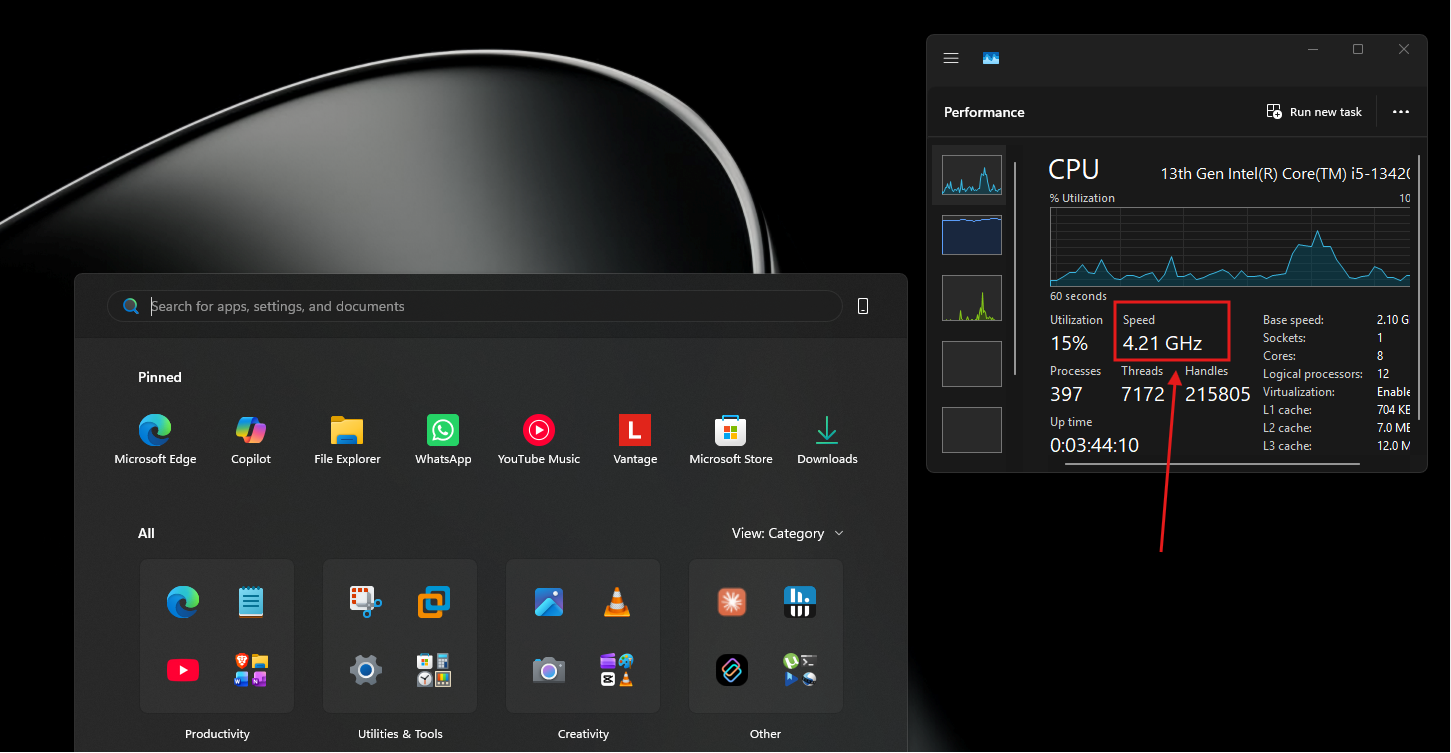
Prior to enabling Low Latency Profile, the Start menu would exhibit a slight hesitation, noticeable on budget hardware. After enabling the feature, the menu opened instantaneously. During repeated tests with Task Manager running, the CPU clock consistently spiked above 4GHz, reaching as high as 4.5GHz, every time the Start menu was triggered. Importantly, CPU utilization remained within its pre-existing range of 20% to 30%, underscoring that the frequency boost did not increase the CPU workload.
Windows Search Responsiveness
For Windows Search, the June 2026 update introduced several improvements, including the ability to search with just two characters. With Low Latency Profile enabled, interactions with the Search bar became noticeably faster. During idle, CPU frequency hovered between 2GHz and 3GHz, while utilization ranged from 10% to 25%. Upon clicking the Search bar, the CPU frequency spiked above 4GHz, enhancing responsiveness, though utilization remained unchanged.
Action Center and Quick Settings
Tests on the Action Center and Quick Settings areas yielded similar results. Idle CPU frequency ranged between 2GHz and 3GHz, while utilization was between 15% and 25%. Triggering the Action Center caused the CPU clock to jump above 4GHz, producing a smoother experience with no corresponding increase in CPU utilization. Even when combining multiple triggers—Start menu, Search, Action Center, and Quick Settings—back-to-back, the CPU speed climbed above 4.5GHz, yet utilization remained constant.
It’s worth noting that on underpowered PCs with minimal resources (e.g., 4GB RAM and dual-core processors), CPU utilization might occasionally hit its maximum. However, this is a limitation of the hardware itself, not the Low Latency Profile feature.
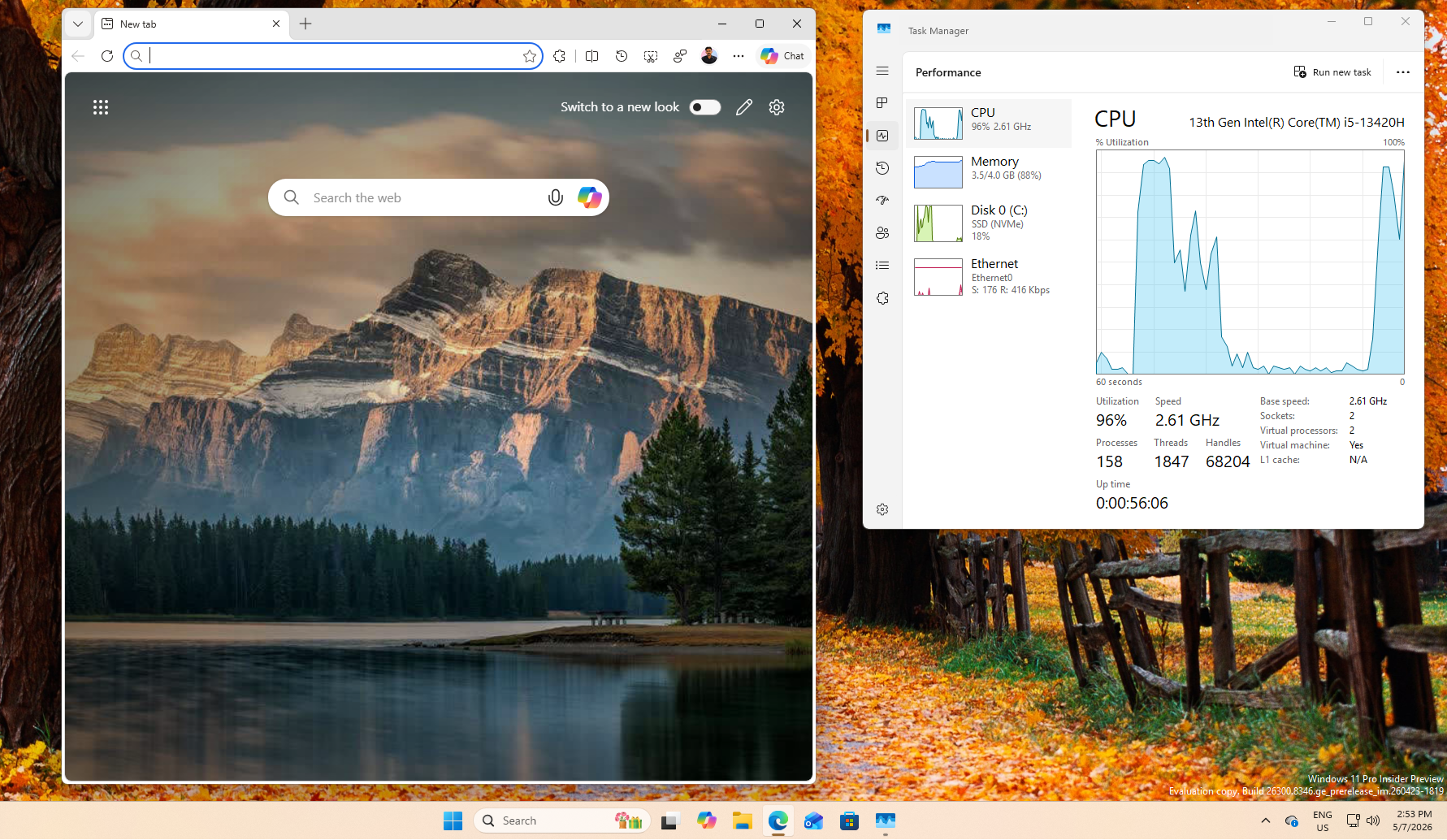
Understanding CPU Frequency vs. CPU Utilization
Many concerns about Low Latency Profile causing overheating or damaging the processor stem from a conflation of two distinct metrics: CPU Frequency and CPU Utilization.
- CPU Utilization: Represents the percentage of time the processor spends performing actual work. High CPU utilization (e.g., 90% or above for extended periods) generates heat, drains battery, and can lead to thermal throttling.
- CPU Frequency: Refers to the speed at which the processor executes clock cycles. The frequency fluctuates constantly throughout the day, increasing during short tasks and decreasing during idle states to conserve power.
Low Latency Profile leverages existing turbo boost technology to spike CPU frequency instantly when interacting with the Windows shell. This spike lasts for a brief one-to-three-second window and has minimal impact on heat generation because CPU utilization does not increase.
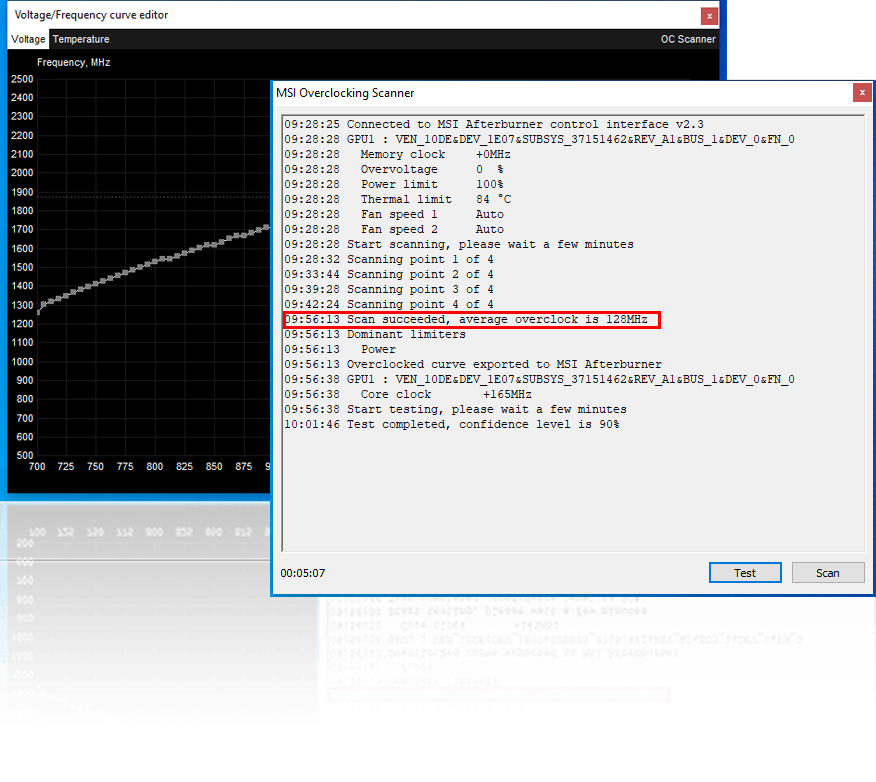
To clarify, this is not akin to overclocking, which involves permanently running a CPU beyond its rated specifications, often by modifying voltages. Overclocking increases heat and can reduce the lifespan of the processor, whereas Low Latency Profile operates entirely within the CPU’s designed specifications and causes no such risks.
“Race to Sleep” and Modern OS Power Management
The concept behind Low Latency Profile is called “race to sleep”, where a CPU performs tasks at maximum speed to return to a low-power state as quickly as possible. This principle is widely used in chip design and modern operating systems. Devices like Apple’s macOS and Android already implement similar techniques to enhance performance while maintaining efficiency.
Microsoft’s adoption of this approach for Windows 11 is not a groundbreaking innovation but rather a step toward aligning with modern power management practices. On ARM-based processors, like Qualcomm’s Snapdragon X series, transitions between power states occur even faster, amplifying the benefits of Low Latency Profile. x86 devices also benefit significantly.
Low Latency Profile: Not a Lazy Fix
Critics initially labeled Low Latency Profile as a “band-aid” solution to Windows 11’s performance issues. However, this criticism is unfounded. Microsoft is actively rewriting core shell components, such as the Start menu, in WinUI 3, replacing the older, web-based frameworks that have contributed to inefficiency. These improvements are being developed alongside Low Latency Profile, not in place of it.
The combination of a rewritten, lightweight shell and an optimized CPU scheduler will result in a faster and more efficient Windows experience. Low Latency Profile is a step forward, not a shortcut, and aligns Windows 11 with power management principles already embraced by other platforms.
In conclusion, Low Latency Profile will not harm your CPU, drain your battery, or overheat your machine. It is a well-designed feature that enhances responsiveness without compromising hardware integrity, showcasing that Windows is finally catching up with modern OS standards.
