Windows 11's Copilot: A New AI-Powered Feature with Notable Limitations
Windows 11 is testing a new AI-driven feature that enables Copilot to analyze system resource usage, such as CPU and RAM consumption, and help identify the root causes of performance issues. Ironically, Copilot for Windows, which includes a private copy of Microsoft Edge and operates as a web app, can itself consume up to 1GB of RAM even when idle.
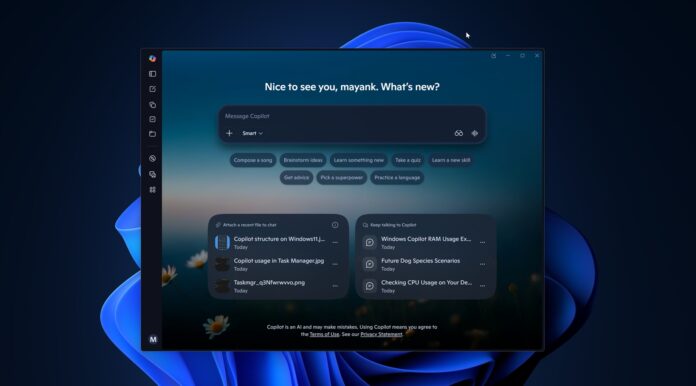
Introducing Copilot's "PC Insights"
In testing, Windows Latest discovered a feature called "PC Insights" within Copilot. As the name suggests, it focuses on analyzing system performance and storage issues. However, this feature is not yet widely available, as Microsoft is gradually rolling it out in the United States.
Although the feature hasn’t appeared for all users, details about PC Insights were uncovered through a support document and the app’s codebase.
What is Copilot's "PC Insights"?
PC Insights is an optional feature that allows users to query details about their Windows PC and receive contextually accurate answers based on their device’s current hardware and software status.
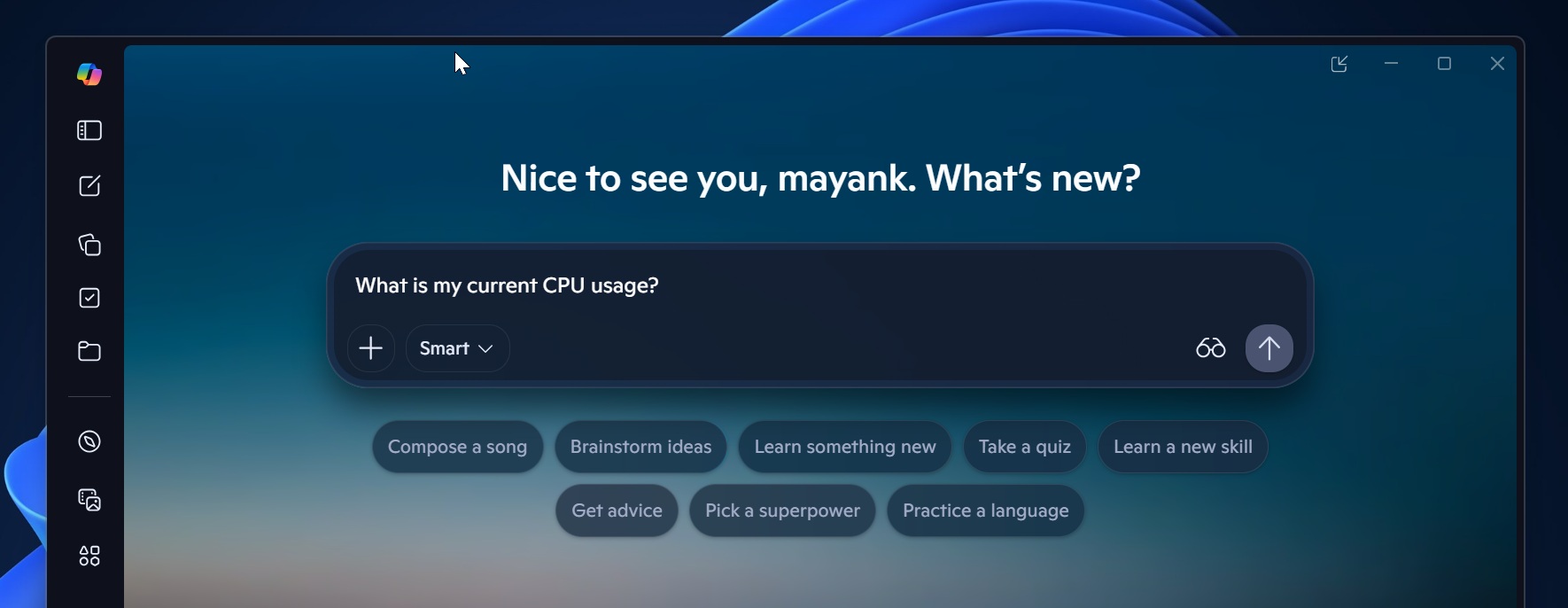
For example, while tools like ChatGPT or Claude provide generalized answers based on extensive web-trained data, Copilot’s PC Insights offers system-specific insights. This is possible because it leverages Windows APIs to analyze real-time hardware and software data.
By default, Copilot does not monitor PC specifications, running processes, or connected hardware. However, with recent updates, it can now gather and interpret system details, such as:
- Current CPU usage
- Available storage space
- Installed graphics card
For instance, if you ask Copilot about available storage, it might report 87GB free. You could then follow up by asking whether you can install a game like GTA V, and Copilot could inform you that the game requires at least 100GB, suggesting file cleanup to create space.
Microsoft positions Copilot as a simpler alternative to manually inspecting system details via Task Manager, Settings, or File Explorer. With user permission, Copilot gathers relevant information and explains it in plain language, enabling faster decision-making.
Example questions supported by Copilot include:
- "Do I have enough space for a 100GB game?"
- "What graphics card do I have?"
- "What's my current CPU usage?"
Privacy and Permissions
Copilot currently has read-only access, meaning it cannot fix issues but can offer recommendations. Microsoft emphasizes that the feature is opt-in and will not access system data without explicit user permissions. Users can set permissions to either "Ask every time" or "Always allow."
Microsoft further asserts that it will not use personal files or system information to train its AI models. Instead, only conversation activity, such as prompts and responses, may be utilized to enhance AI functionality, depending on user settings.
Resource Usage: Copilot's Hypocrisy
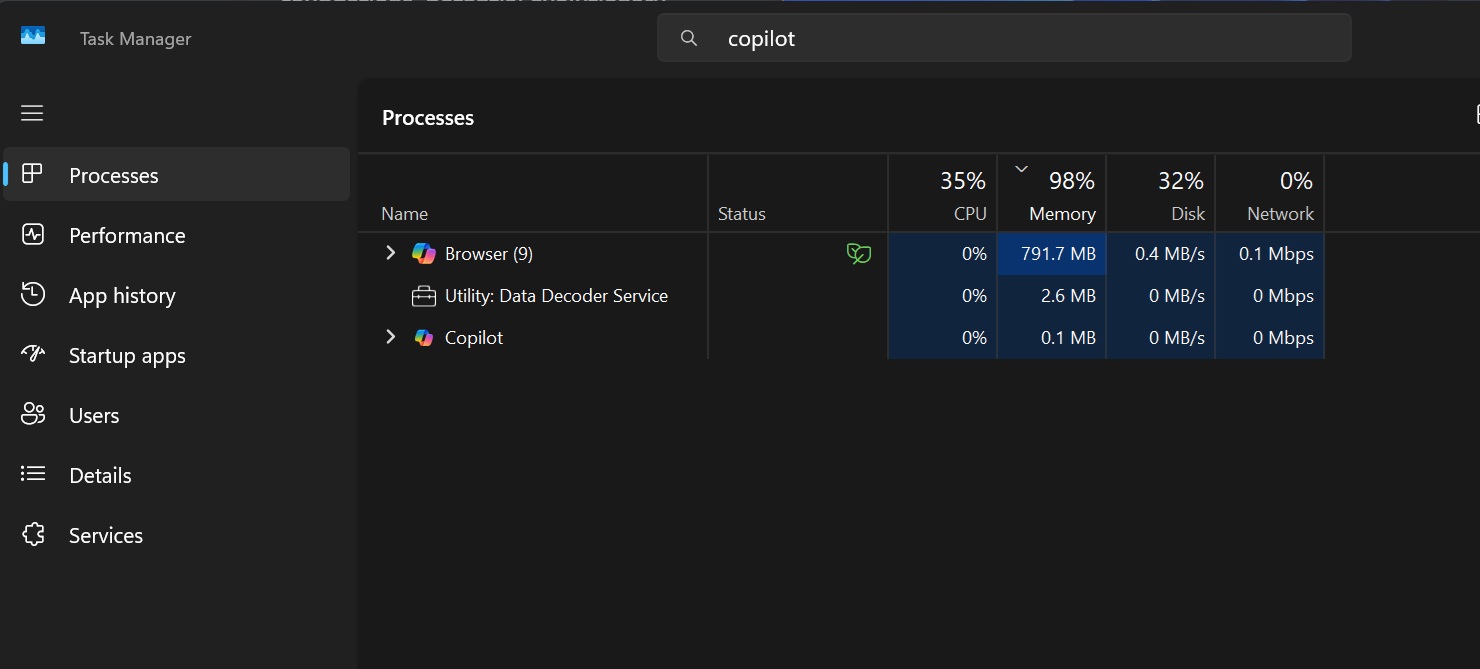
While Copilot aims to simplify system diagnostics, it is itself a significant resource hog. For example, it can consume 800MB to 1GB of RAM even while idle. This raises questions about Microsoft’s commitment to optimizing its own applications, such as Copilot, Microsoft Teams, and Outlook, which are frequently criticized for consuming excessive system resources.
Architecture and Functionality Issues
Copilot was initially introduced as an Edge-based sidebar, later rebuilt as a native Windows app using WinUI, which improved performance. However, following organizational changes, it has reverted to being a web app, bundled with its own private installation of Microsoft Edge.
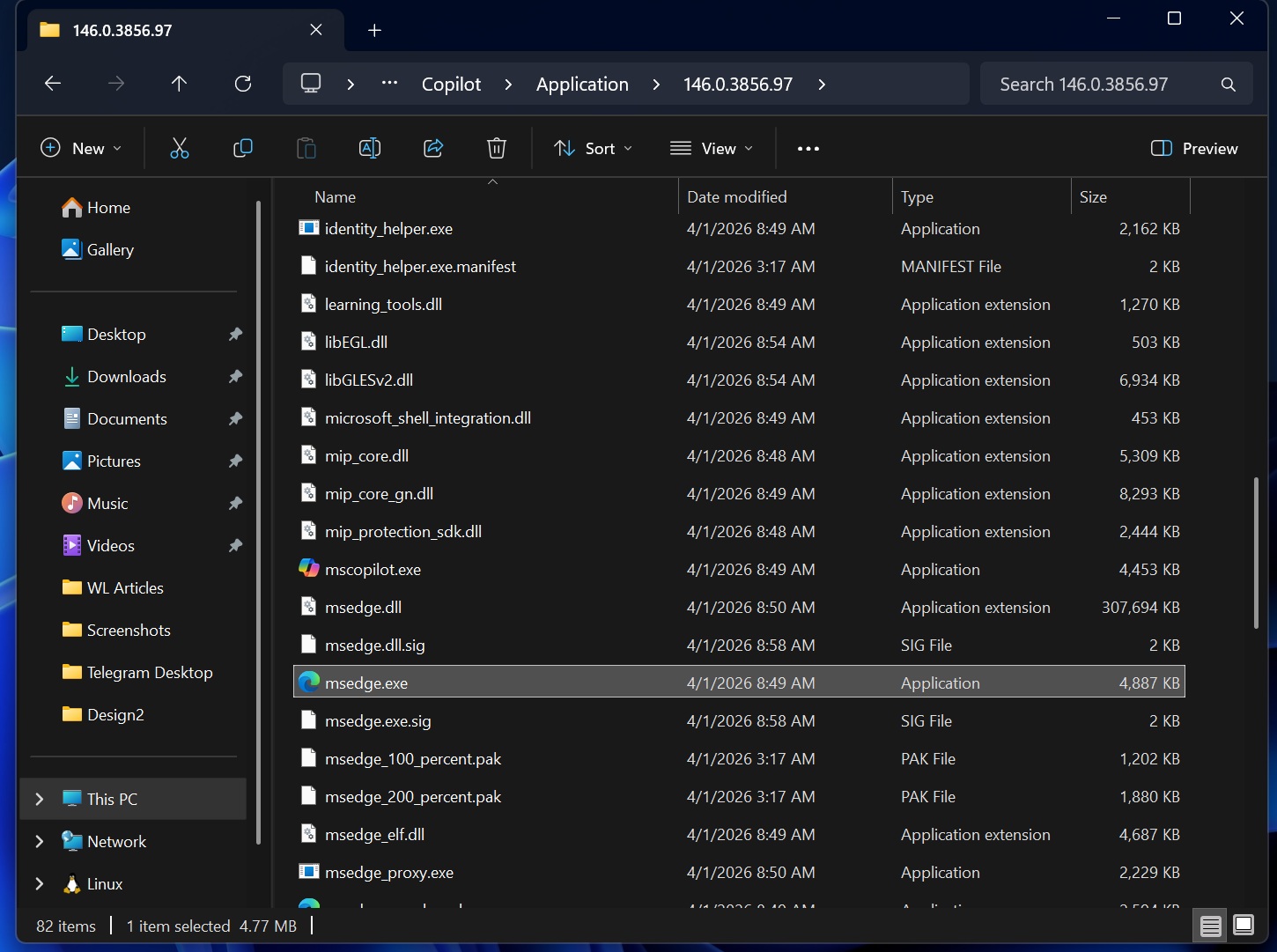
For instance, Copilot’s installation folder contains a full copy of Microsoft Edge, including msedge.exe. It now appears in Task Manager as a "browser," reflecting its reliance on web-based technologies rather than native integration.
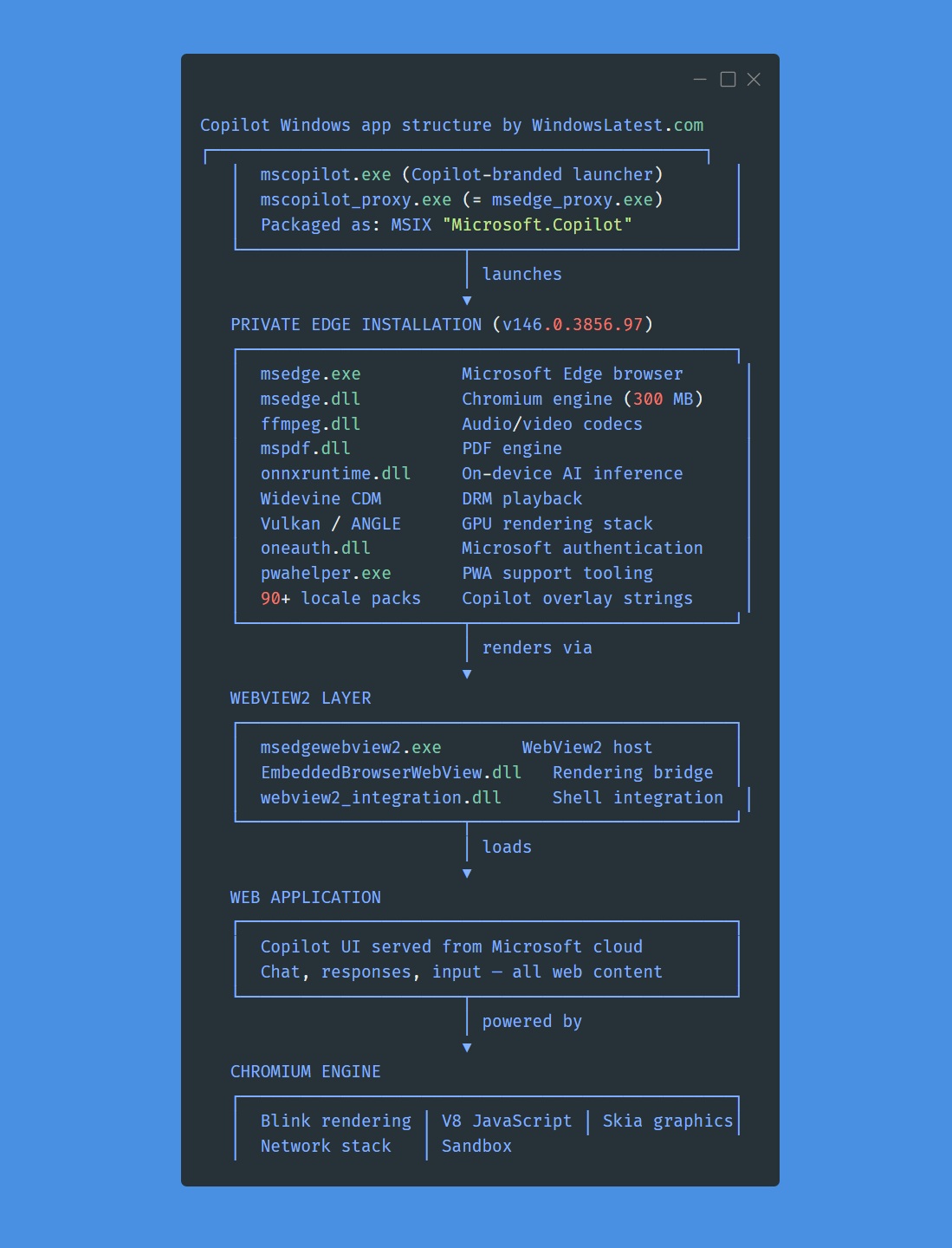
At the end of the day, users can choose to uninstall or block Copilot using Group Policy if they find it unnecessary. However, if Microsoft expects users to rely on Copilot for optimizing Windows 11, it must first address the app’s inefficiencies and high resource consumption.
Conclusion
While Copilot’s PC Insights feature offers potential benefits, particularly for beginners, its high resource usage and reliance on web technologies undermine its effectiveness. Microsoft must prioritize optimizing its own software to align with its vision of improving Windows 11 user experience.
Windows Latest depends on readers like you. Make us your preferred source on Google Discover and Google Search, and help our independent reporting reach more people.
