It's Time for Meta to Switch to a Native WinUI App for WhatsApp
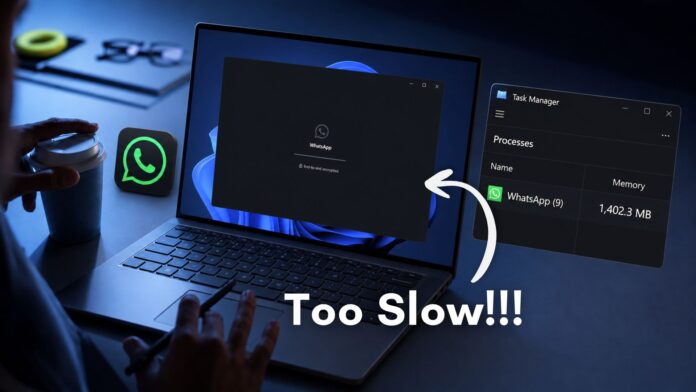
If you use WhatsApp as your primary messaging app, you’re likely familiar with its frustrating Windows experience. Despite being a trillion-dollar company with over 75,000 employees, Meta still hasn’t optimized WhatsApp for Windows. This sluggish performance is inexcusable, considering their extensive resources, including data centers and AI capabilities.
WhatsApp boasts 3 billion monthly active users, while Windows has 1.6 billion users. Yet, the millions using WhatsApp for Windows face a poor experience. Testing the web-wrapper-based app on low-end, mid-range, and high-end hardware confirms that no one is exempt from the sluggishness. Ironically, the experience is equally dismal across all device types—an unfortunate consistency.
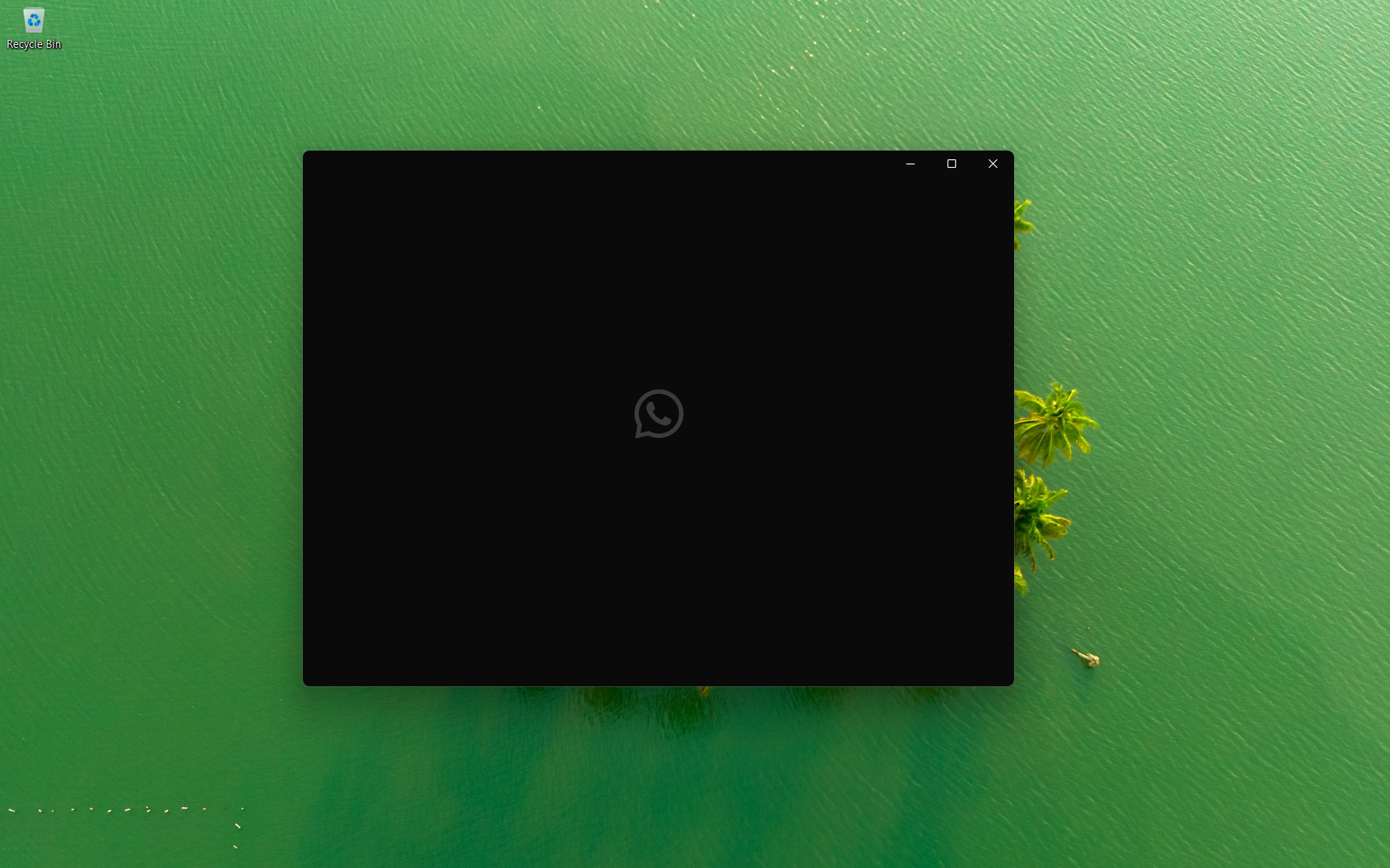
After restarting my PC, I recorded WhatsApp’s memory usage, which reached 400 MB even before I logged in. You might assume this is due to chat history syncing in the background to ensure everything is up-to-date—but that’s not the case. I hadn’t even logged in yet. This highlights how poorly optimized the app is, and unfortunately, this is just the tip of the iceberg.
When Meta announced it was replacing the UWP version of WhatsApp with a WebView2-based app a year ago, I should have switched to a different messaging platform. But with WhatsApp being so deeply integrated into my social and family life, it wasn’t a feasible option. Instead, I’ve resorted to using WhatsApp Web in a browser, which is ironically faster than the standalone Windows app. While I prefer a dedicated chat app, it’s only worth it when the app functions well—and WhatsApp for Windows simply doesn’t.
WhatsApp for Windows Is a Performance Nightmare
Once logged in, scrolling through chats causes memory usage to spike to 1.2 GB, while idle usage hovers around 600 MB.
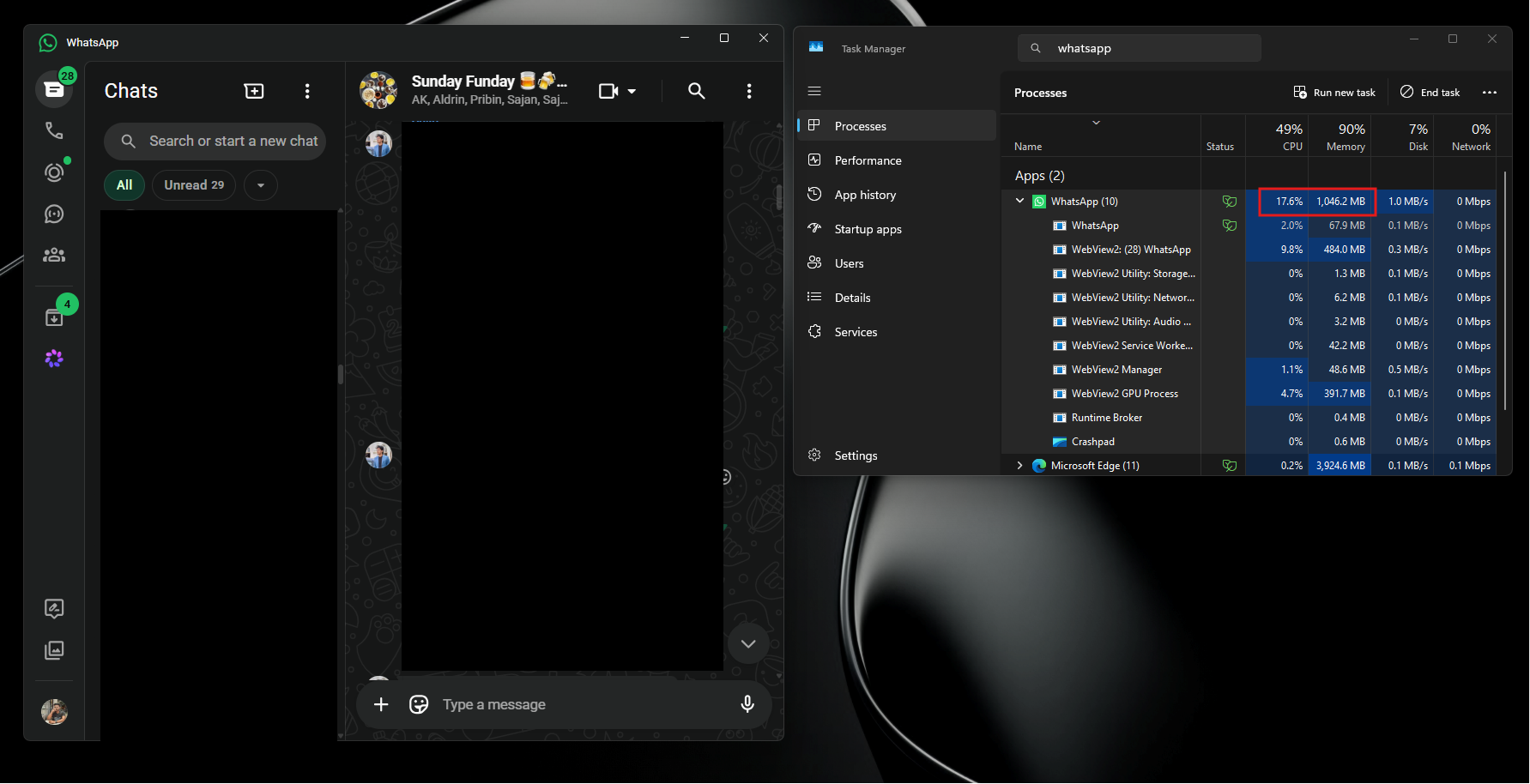
High memory consumption wouldn’t be an issue if the app were fast, but it isn’t. The app is both slow and resource-heavy. Sending a message comes with a noticeable delay before the single tick appears, indicating the message hasn’t even left the device. This delay makes it seem to others like you’re going offline and online sporadically, as messages arrive in bursts rather than in real time. Switching between chats takes over a second, and scrolling is choppy compared to the now-discontinued UWP app. For context, the UWP version handled over 100 one-on-one chats and 30 active groups while using less than 100 MB of memory when idle.
Since the WebView2 update, users have reported widespread issues, including app freezes, delayed message delivery, and app instability after waking a PC from sleep. In some cases, users were even logged out after their PCs woke from hibernation. Closing the app doesn’t quit it; it minimizes to the system tray, continuing to consume a significant chunk of RAM to handle notifications via service workers.
The old UWP app, by contrast, used Windows’ built-in notification APIs, enabling it to remain idle without significant resource use. The new app, however, requires constant activity in the background. If you close it entirely and reopen it immediately, you’re still faced with an unreasonably long loading time.
On a 10-Year-Old PC, It Gets Worse
My father’s 10-year-old PC, running on a modest 6th-generation Intel Core i3 with 8 GB of RAM, is a prime example of how poorly the new WhatsApp app performs on older hardware. Despite having numerous resource-intensive software installed, the PC runs Windows 11 smoothly—except for WhatsApp. The app is so slow that my father often struggles to keep up with his active WhatsApp groups. Messages arrive late, his responses are delayed, and he is effectively excluded from timely conversations. Even while idling with a single chat open, WhatsApp consumes 22.4% of the CPU and 600 MB of RAM.
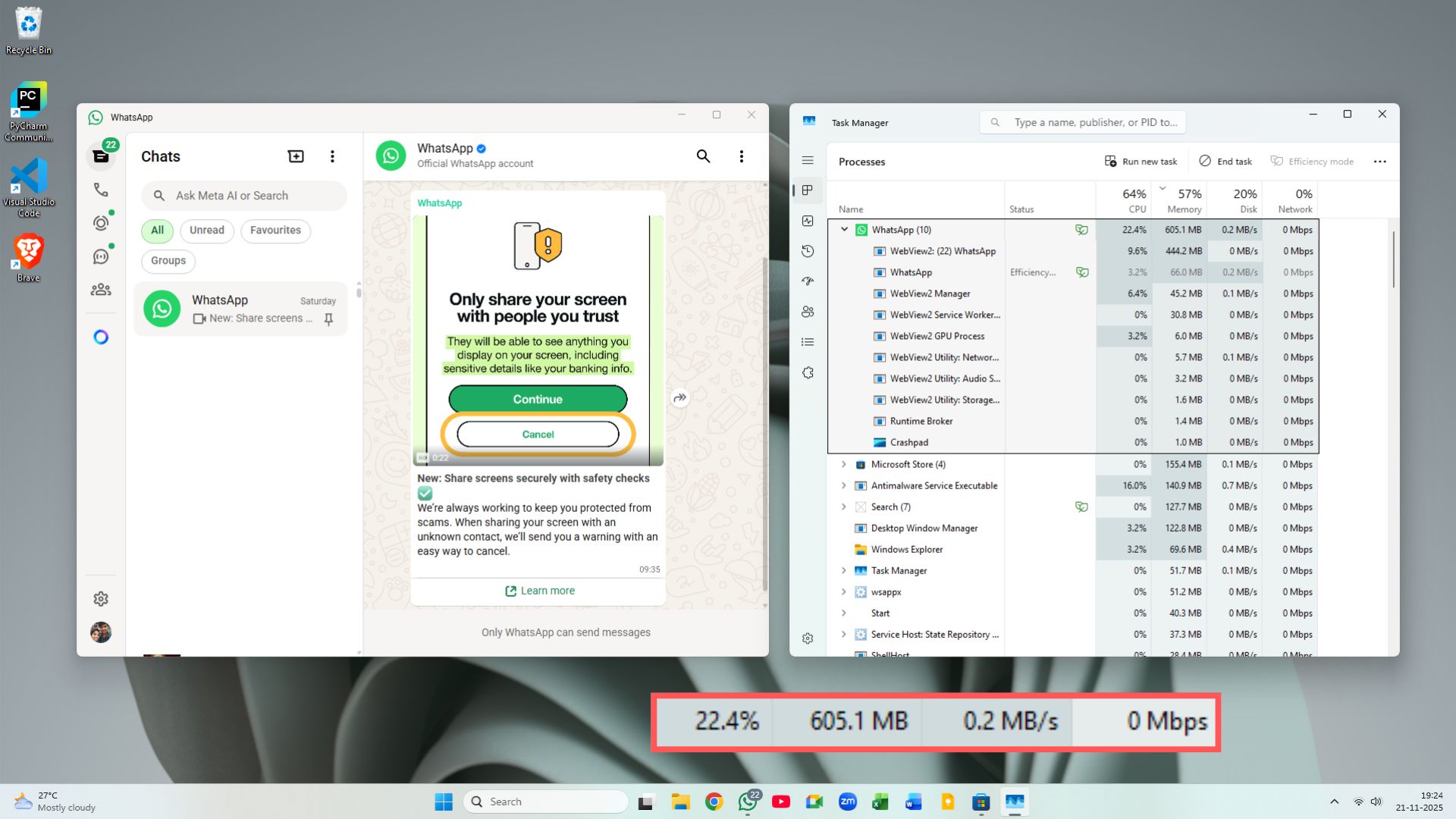
The older UWP app performed significantly better on the same hardware. It required just 100 MB of memory and ran seamlessly. The switch to WebView2 has made the app almost unusable for my father and countless other users with similar setups.
What Is a Web Wrapper, and Why Is It a Bad Choice for Messaging Apps?
A web wrapper is not a native app in the traditional sense. The current version of WhatsApp for Windows is essentially a shell that loads web.whatsapp.com inside Chromium’s WebView2, Microsoft’s rendering engine. This means the app is essentially a browser tab masquerading as a desktop application.
Chromium, however, operates through multiple sub-processes for rendering, networking, audio, storage, sandboxing, and crash reporting. These processes run independently, leading to high CPU and RAM usage. A native app, in contrast, can integrate directly with the operating system’s APIs, enabling it to sit idle with minimal resource consumption. Web wrappers, by design, cannot achieve this without running a live browser process in the background, which is why closing WhatsApp for Windows doesn’t free up your RAM.
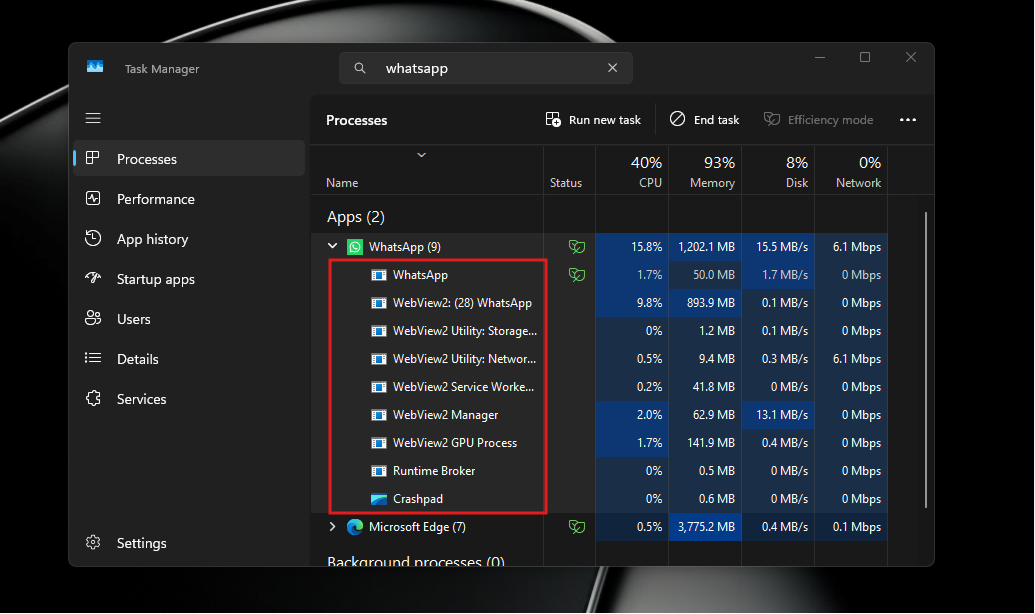
Given that RAM prices have surged due to AI-driven data center demand, an app consuming 600 MB to 1.2 GB for basic messaging is a significant inconvenience, particularly for users with only 8 GB of RAM.
Why Windows Keeps Getting Web Apps Instead of Native Ones
The root cause lies in Microsoft’s inconsistent approach to native frameworks. Developers who invested in Universal Windows Platform (UWP) saw it abandoned in favor of WinUI, only for Microsoft to later encourage building Electron apps and web wrappers. This inconsistency has eroded trust in Microsoft’s long-term commitment to native development.
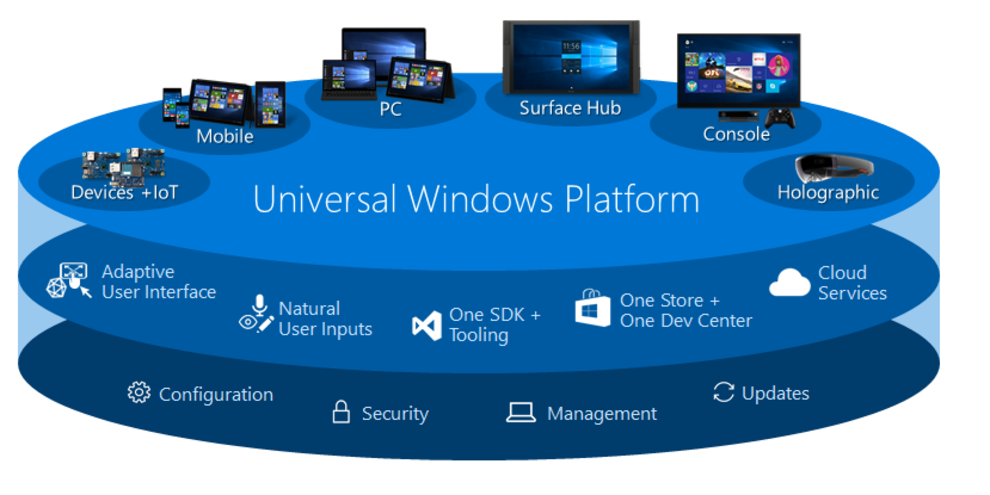
This atmosphere likely influenced Meta’s decision to replace its lightweight UWP-based WhatsApp with a WebView2 version. While UWP WhatsApp was fast, efficient, and integrated seamlessly with Windows APIs, maintaining it became a risk Meta wasn’t willing to take. Instead, they opted for a web wrapper, prioritizing cross-platform convenience over native performance.
Microsoft’s Path Forward
To its credit, Microsoft has begun addressing these issues. At Build 2026, they emphasized the importance of native apps via WinUI, announced the elimination of web-based clutter in Windows 11, and committed to rewriting Windows 11 shell components in native code. These efforts aim to rebuild trust with developers and encourage a return to native app development.
However, for this strategy to succeed, Microsoft must convince major players like Meta to invest in native development. This requires stability, better documentation, and a clear commitment to long-term support for WinUI.
1.5 Billion Windows Users Deserve Better
Meta’s decision to neglect native development for Windows is particularly frustrating given their investment in native apps for macOS and even the Apple Watch—platforms with far smaller user bases. Windows, with its 1.5 billion users, deserves the same attention. Resource constraints are not a valid excuse; the problem lies in priorities.
Meta has demonstrated its capability to build native apps when it chooses to. It’s time they extend the same effort to Windows users. A web wrapper is not an acceptable substitute for a proper desktop app, especially for a platform as significant as Windows.
My Message to Meta
Meta, now is the time to invest in a native WhatsApp for Windows. Microsoft has committed to WinUI as the long-term framework for Windows 11, with no signs of abandoning it. The uncertainty that once made native Windows development seem risky no longer exists. By building a WinUI-based WhatsApp, Meta can deliver a fast, efficient, and reliable messaging experience for the majority of its users. The resources are there, the platform is stable, and the demand is undeniable. There’s no excuse for continued complacency.
