Microsoft Confirms Windows 11 June 2026 Update Bug Affecting Recycle Bin
Microsoft has identified a new bug in Windows 11’s June 2026 update where the Recycle Bin displays misleading internal file names in prompts. However, the company has assured users that their files remain safe as long as they have not been permanently deleted. This issue has been consistently reproducible on all PCs updated with the June 2026 Patch.
Details of the Issue
The problematic update, KB5094126, was rolled out on June 9, 2026, as part of the mandatory Patch Tuesday release. It installs automatically on devices. Following its installation, users have reported several issues, including the Recycle Bin failing to display the correct file names, leading to confusion.
During testing, it was observed that the Recycle Bin displays incorrect file names in confirmation dialogs. For instance, when attempting to delete an Excel file named “windowslatest-performance,” the confirmation dialog instead showed an internal system name, such as “$R9K06N2.”
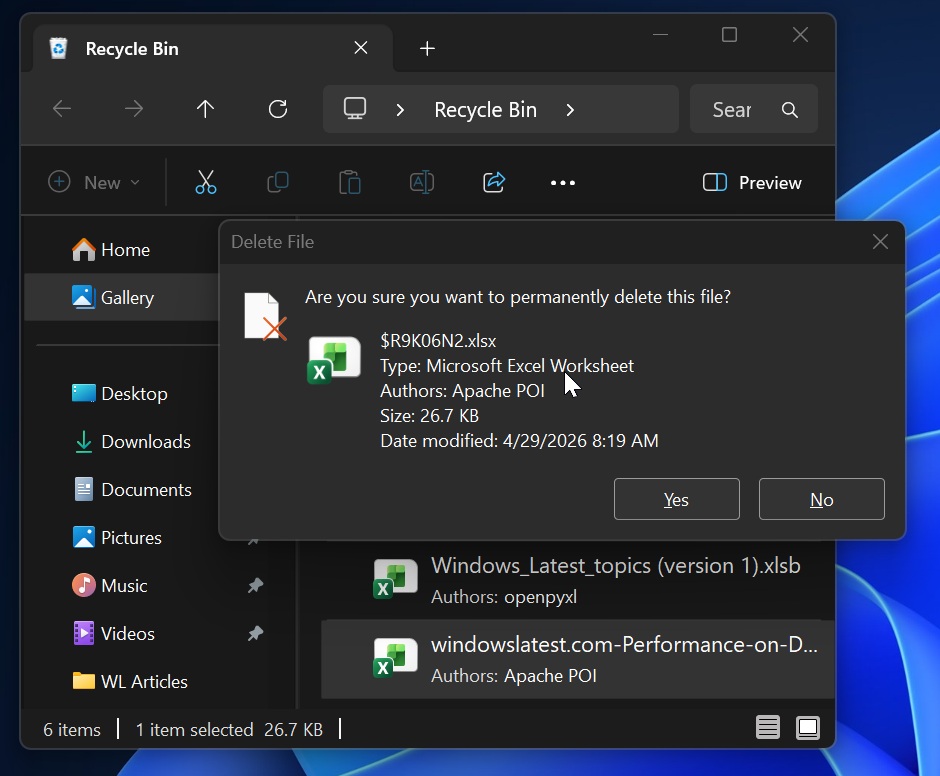
As demonstrated in the screenshot above, the internal filename is displayed in the dialog. However, upon confirming the deletion, the actual file is deleted, not the internal Recycle Bin file.
Microsoft’s Response
The issue does not affect the core functionality of the Recycle Bin. Files remain listed with their original names within the bin, and they can be restored with their correct names intact. Microsoft has acknowledged the bug, noting:
“This issue affects only the confirmation dialog. In the Recycle Bin, the item still appears with its original file name. If you restore the item, Windows restores it using the original file name.”
The company has identified the root cause and plans to resolve it in the next cumulative update. Meanwhile, affected Windows 11 Enterprise users are advised to contact Microsoft support, as a workaround is available. Consumer PCs, however, must wait for the upcoming update.
Other Critical Issues in Windows 11’s June 2026 Update
While the Recycle Bin issue is relatively minor, other significant problems have surfaced with the KB5094126 update. Notably, integration with Office apps has been disrupted, causing crashes when attempting to open Word, PowerPoint, or Excel through third-party software.
Office App Integration Problems
Windows 11 users have reported that Office apps crash when accessed via third-party software. For example, using a button within another application to open a Word document results in an error. However, directly opening Office apps through the Start menu works without issue. This problem affects applications that utilize OLE automation for interfacing with Office apps.
According to Microsoft, applications such as CCH Engagement, Workpaper Manager, Dentrix, Softdent, and Zotero may be impacted, along with other similar software. The company plans to release a fix in the next Patch Tuesday update, scheduled for July 14, 2026.
Black Screen of Death and BitLocker Issues
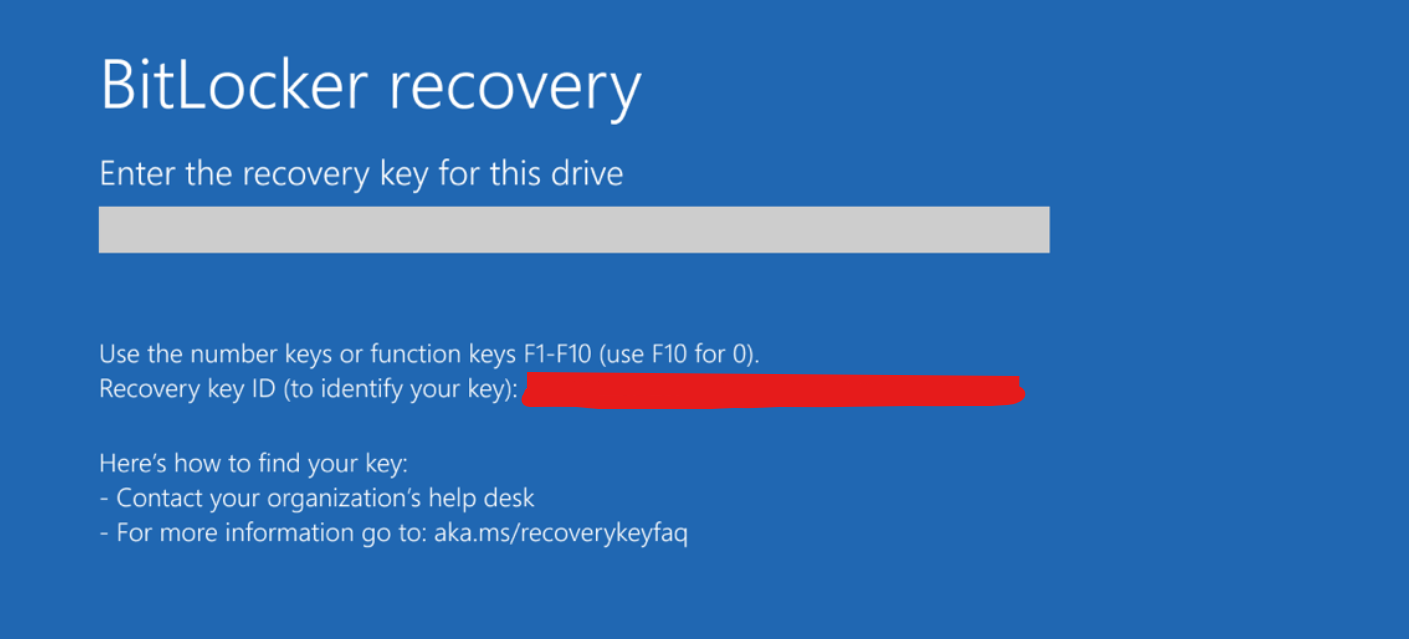
One of the most severe issues introduced by the June 2026 update is a bug causing a Black Screen of Death (BSOD) and repeated BitLocker recovery prompts. Users encountering this problem are unable to proceed even after entering the correct BitLocker key, often being redirected to the same screen or experiencing a BSOD.
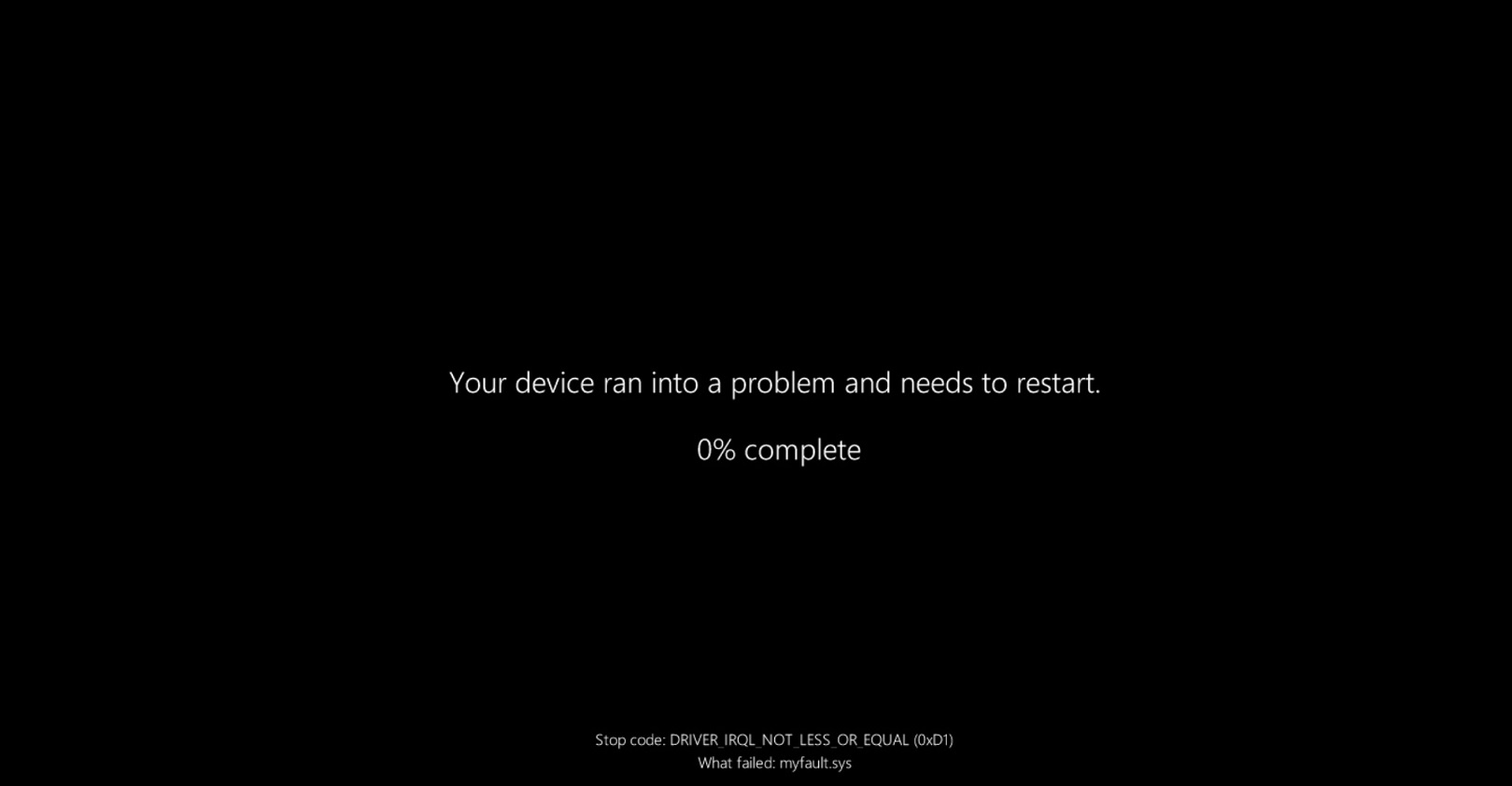
The issue seems to stem from a compatibility problem between OEM BIOS configurations and changes made to Secure Boot in the Windows update. Affected users are advised to:
- Disable Secure Boot in the BIOS menu.
- Install the June update.
- Re-enable Secure Boot after installation is complete.
In the long term, users should ensure their BIOS is updated, as older firmware versions appear to conflict with the new Secure Boot certificates.
Checking for the June 2026 Update
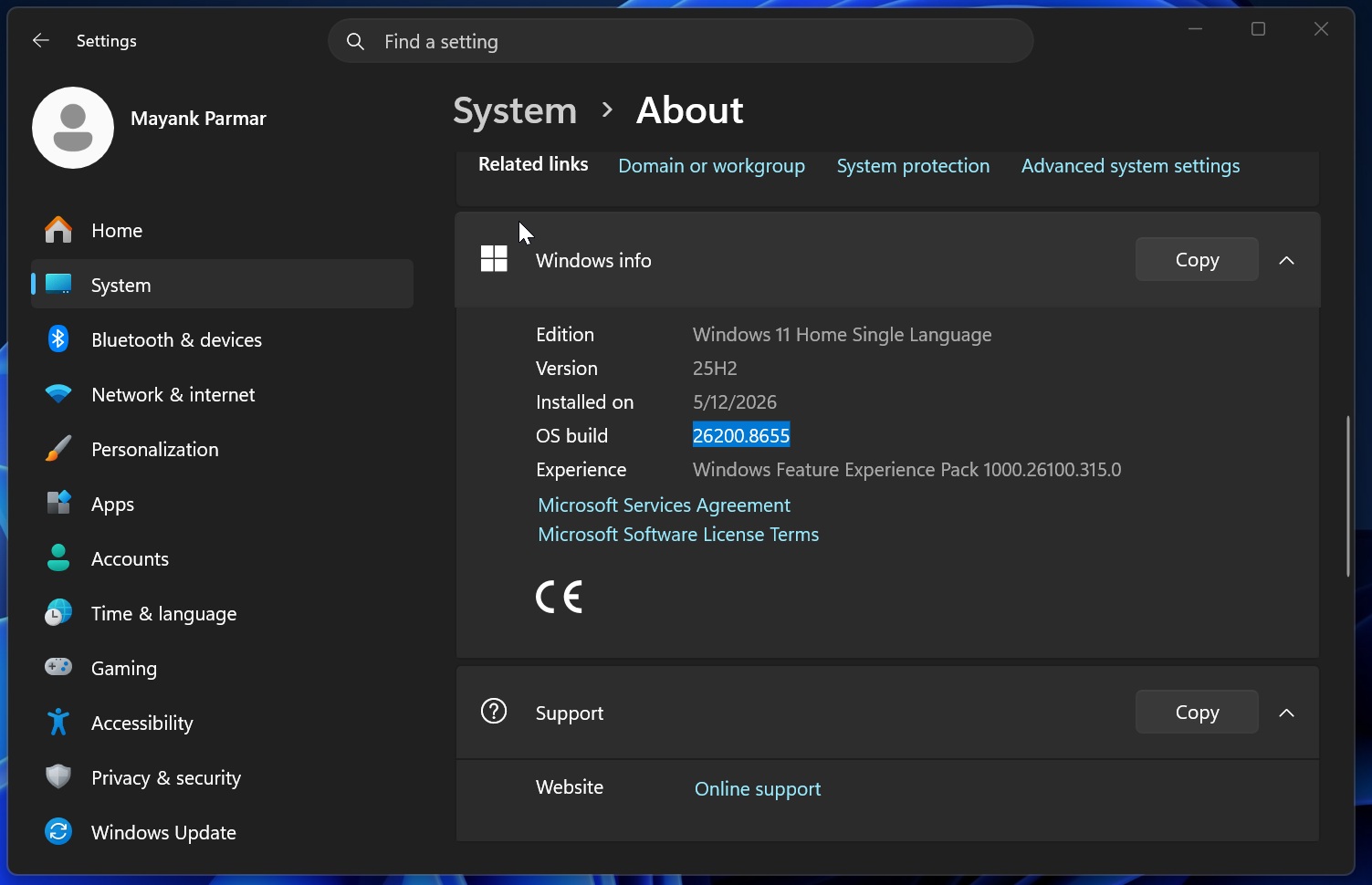
If you are unsure whether your system has received the June 2026 update, navigate to Settings > System > About and verify the build number. The update corresponds to Build 26200.8655+.
Final Notes
While the Recycle Bin bug is relatively minor, the broader issues in the June 2026 update highlight the need for cautious updates. Users should stay vigilant and ensure their systems are prepared for the next round of updates to resolve these challenges.
