Microsoft’s Efforts to Enhance Windows 11 Taskbar Features
Microsoft's continuous efforts to bring back popular Windows 10 features into Windows 11 could ultimately create a much more advanced operating system than its predecessor. While the Windows 11 taskbar still doesn’t fully match the functionality of Windows 10’s, it is now getting a new feature that lets users enable a smaller taskbar. At the same time, users maintain control over individual icons.
Windows 10 Taskbar Features vs. Windows 11
Windows 10 had a straightforward toggle to adjust the size of the taskbar, which was both simple and effective. However, with the introduction of Windows 11, Microsoft removed this feature altogether, explaining that the taskbar had been completely rebuilt and wouldn’t include all features from Windows 10 at launch. This remained unchanged until last year when Microsoft introduced a feature to make taskbar icons smaller.
Unexpectedly, the "show smaller taskbar buttons" option introduced in Windows 11 didn’t replicate Windows 10’s functionality. While it performs as described, it only reduces the size of the icons and not the taskbar itself—falling short of many users’ expectations. Instead, it merely allows users to accommodate more icons on the taskbar.
Existing "Show Smaller Taskbar Buttons" Option
The "show smaller taskbar buttons" toggle provides three options:
- Never
- Always
- When the taskbar is full
As shown, this option is not a true replacement for the original "show smaller taskbar" functionality. It solely reduces the size of icons, which can be helpful for users needing to fit more icons within the same taskbar area.
However, for those who dislike how much screen space the taskbar occupies, Microsoft has taken user feedback into account.
New Taskbar Size Settings in Windows 11
A recent Windows update, currently limited to testers, introduces a new Taskbar size setting that adjusts the overall size of the taskbar. For example, selecting "Small" in the Taskbar personalization settings results in a thinner taskbar. When resized, the icons automatically scale down as well.
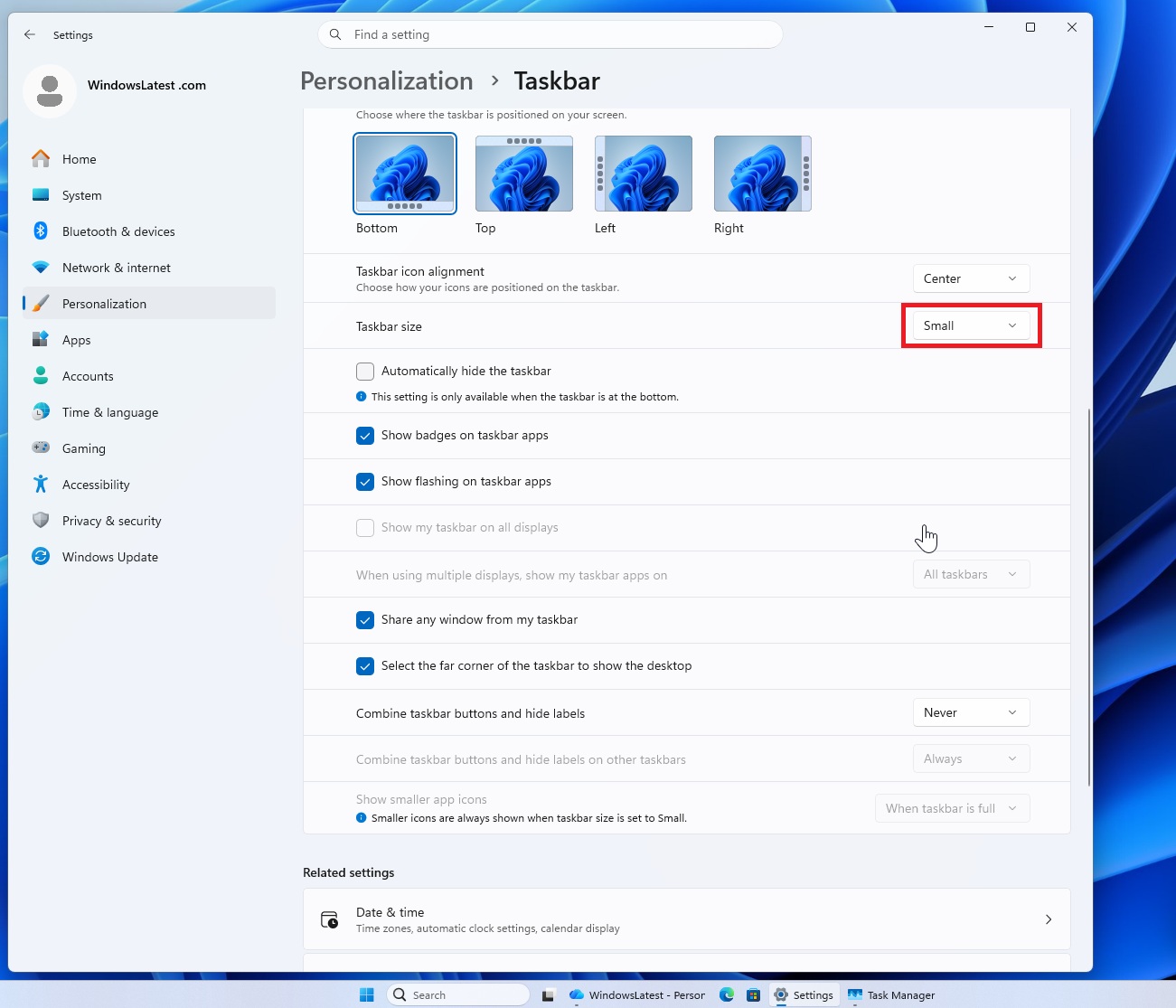
In contrast, the older "Show smaller app icons" option focuses only on reducing the size of buttons or icons, leaving the taskbar height unchanged. For instance, users can keep a standard taskbar height while shrinking the icon sizes to fit more apps without changing the taskbar’s dimensions.
Interestingly, Microsoft now allows users to enable both options simultaneously, giving Windows 11 users more customization compared to Windows 10, which only offered a simpler "use small taskbar buttons" toggle.
By continuing to address user feedback, Microsoft could make Windows 11 the best version of Windows to date.
More Taskbar Features Are Coming to Windows 11
Windows 11’s taskbar and Start menu are set to gain at least ten new features, including the highly anticipated "movable taskbar." This feature is already in preview, and I had the chance to test it.
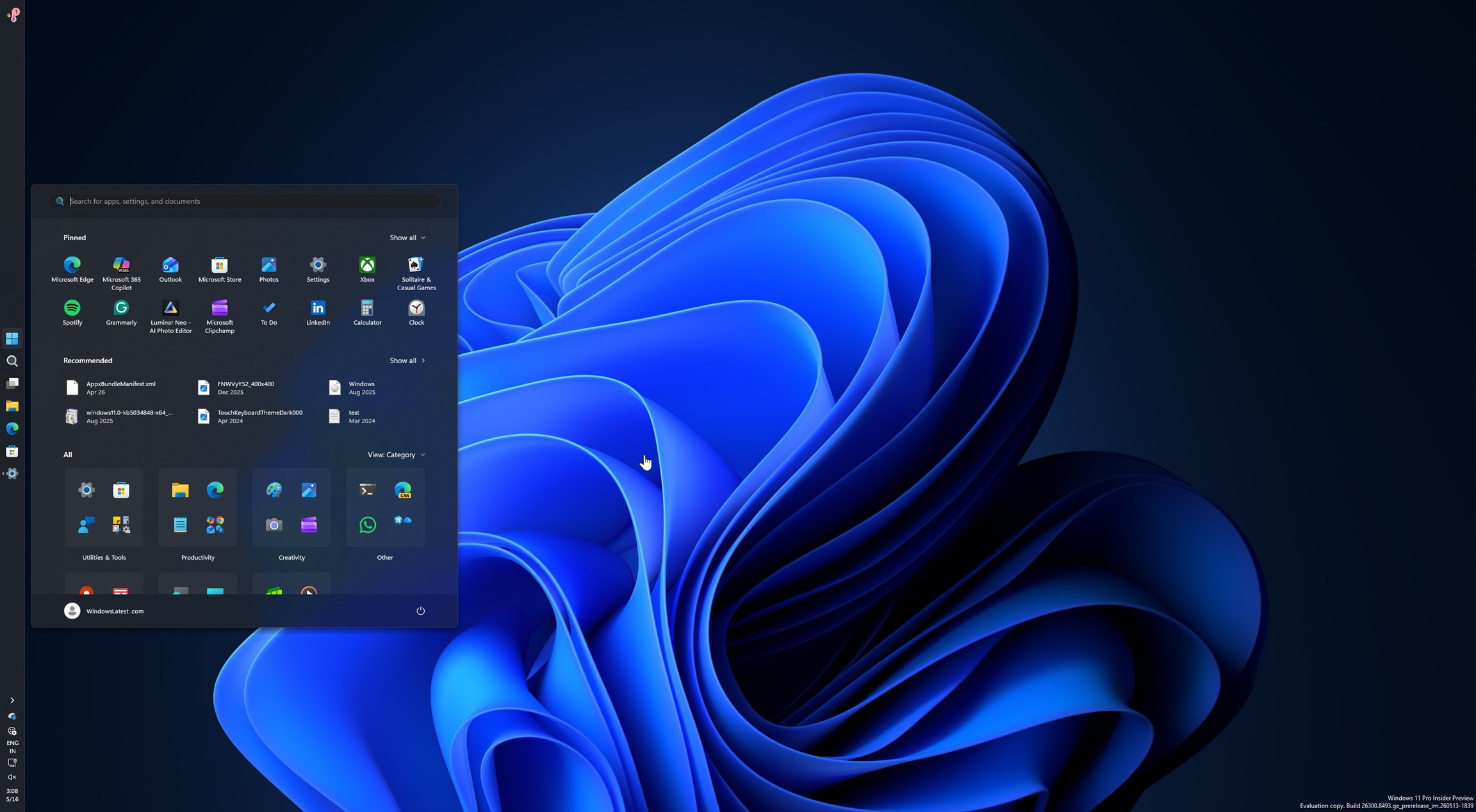
Similar to Windows 10, users can reposition the taskbar in Windows 11 to any side of the screen, including the bottom—ideal for those who prefer quick access to apps and tabs.
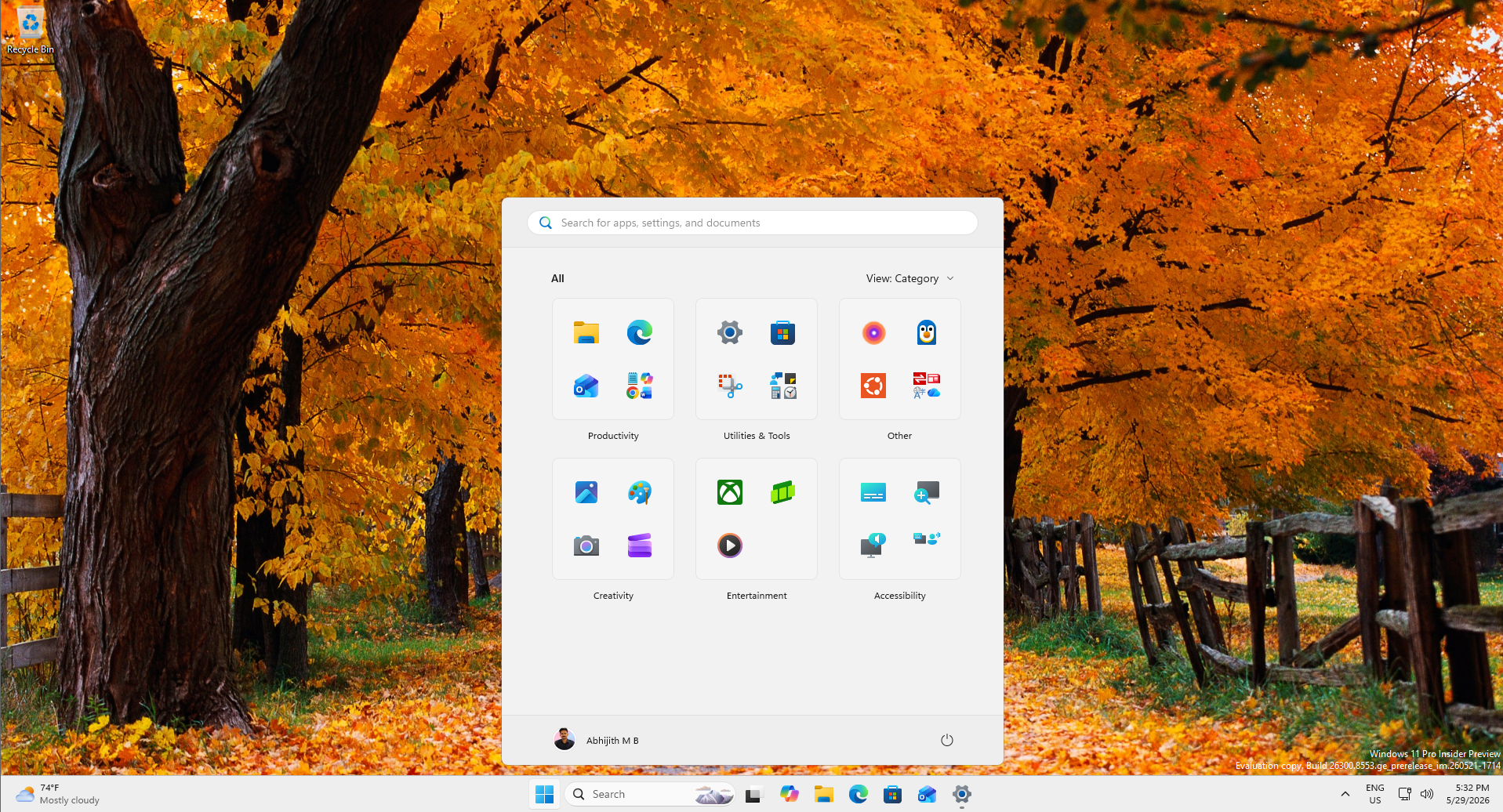
Beyond taskbar improvements, the Start menu is also getting enhanced customization options, like the ability to resize it from "Dynamic" to smaller configurations.
Ad-Free Start Menu and Localized Focus
Microsoft is also working to remove ads from the Start menu. Recent builds showcase these efforts, including renaming "Recommended" to "Recent" and eliminating ads and Store integration to focus on local files.
These updates highlight Microsoft’s dedication to refining the Windows 11 user experience, making it more user-friendly and customizable than ever before.
