Microsoft’s Redesigned Windows 11 Start Menu: A Significant Step Forward
Microsoft has introduced a new Windows 11 Insider build featuring a redesigned Start menu, addressing one of the most criticized aspects of the Windows 11 experience. Initially announced earlier this month, this update is now available in Windows 11 Insider Preview Build 26300.8553 via the Experimental channel. While Build 26220.8544 is also available for Beta users, the new Start menu changes are limited to the Experimental build for now. These updates were first outlined in Microsoft’s “Making Taskbar and Start more personal” announcement.
Addressing Long-Standing Criticism
The Windows 11 Start menu has faced significant criticism, arguably making it one of the most disliked since Windows 8. The grievances largely stemmed from two areas: limited customization and performance issues. This update tackles the customization concerns almost completely, though performance improvements are still a work in progress.
Hands-On with the Redesigned Start Menu
The standout feature of the new Start menu is the enhanced level of control. Microsoft emphasizes this with the philosophy: “It is your choice, and it should be easy to make.” This concept is evident in the new design, which introduces section-level toggles, allowing users to independently show or hide the Pinned, Recent, and All apps sections. These features are managed through a newly revamped Start settings page.
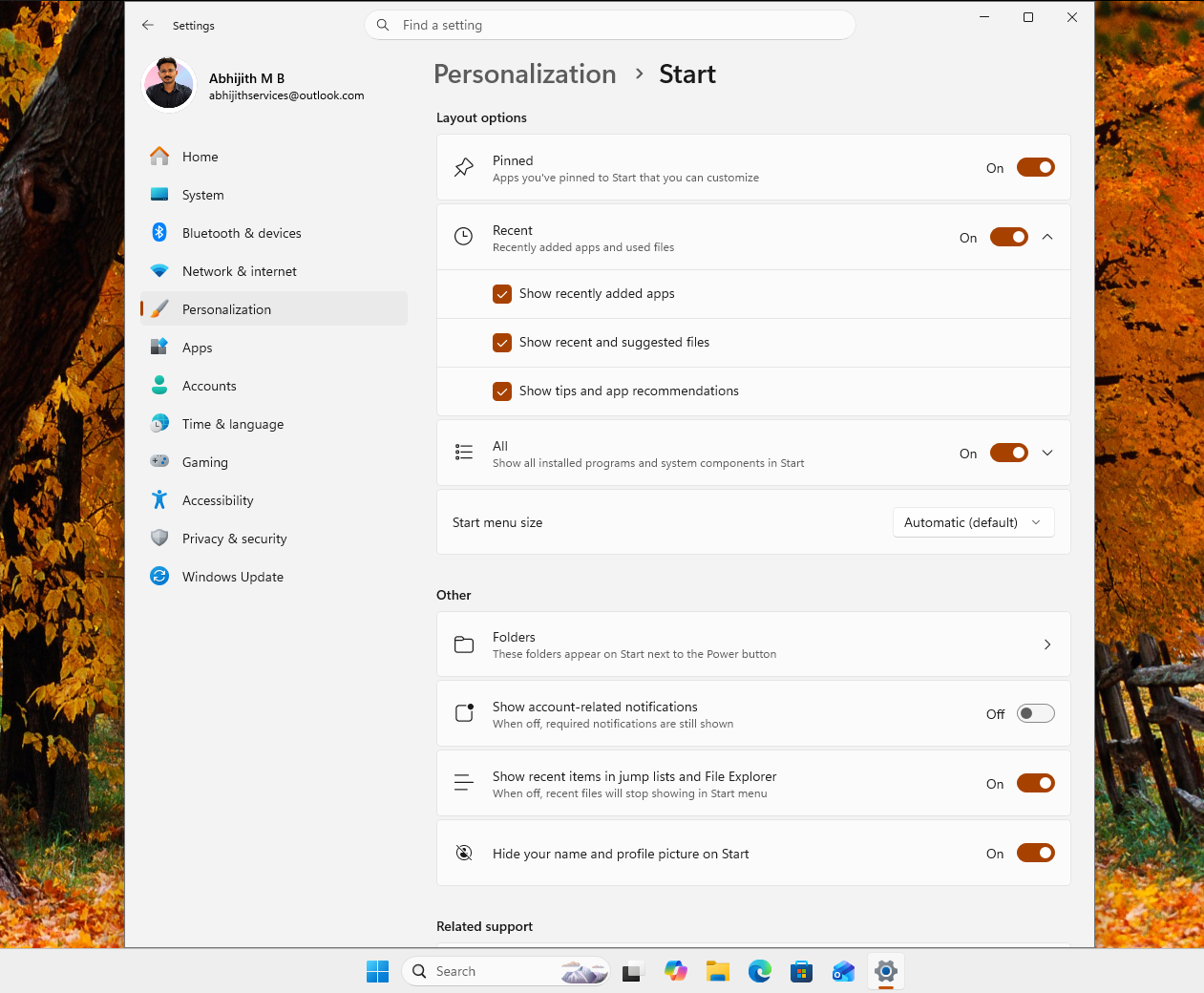
The updated Start menu consists of three key sections: Pinned apps, Recent (formerly Recommended), and All apps. Unlike the previous settings page, which only allowed users to disable the Recommended section, the new settings page enables toggling all three sections individually. This change is particularly notable because it addresses user frustration over Microsoft’s suggestions by renaming and reimagining the Recommended section as Recent. This new section now dynamically displays recently opened files and apps, offering a more personalized and real-time experience.
Customizing the Start Menu
Users now have the ability to:
- Show only recently added apps, files, or both under the Recent section.
- Disable any combination of the Pinned, Recent, and All apps sections.
Here’s how the Start menu appears with various combinations of these sections turned off:
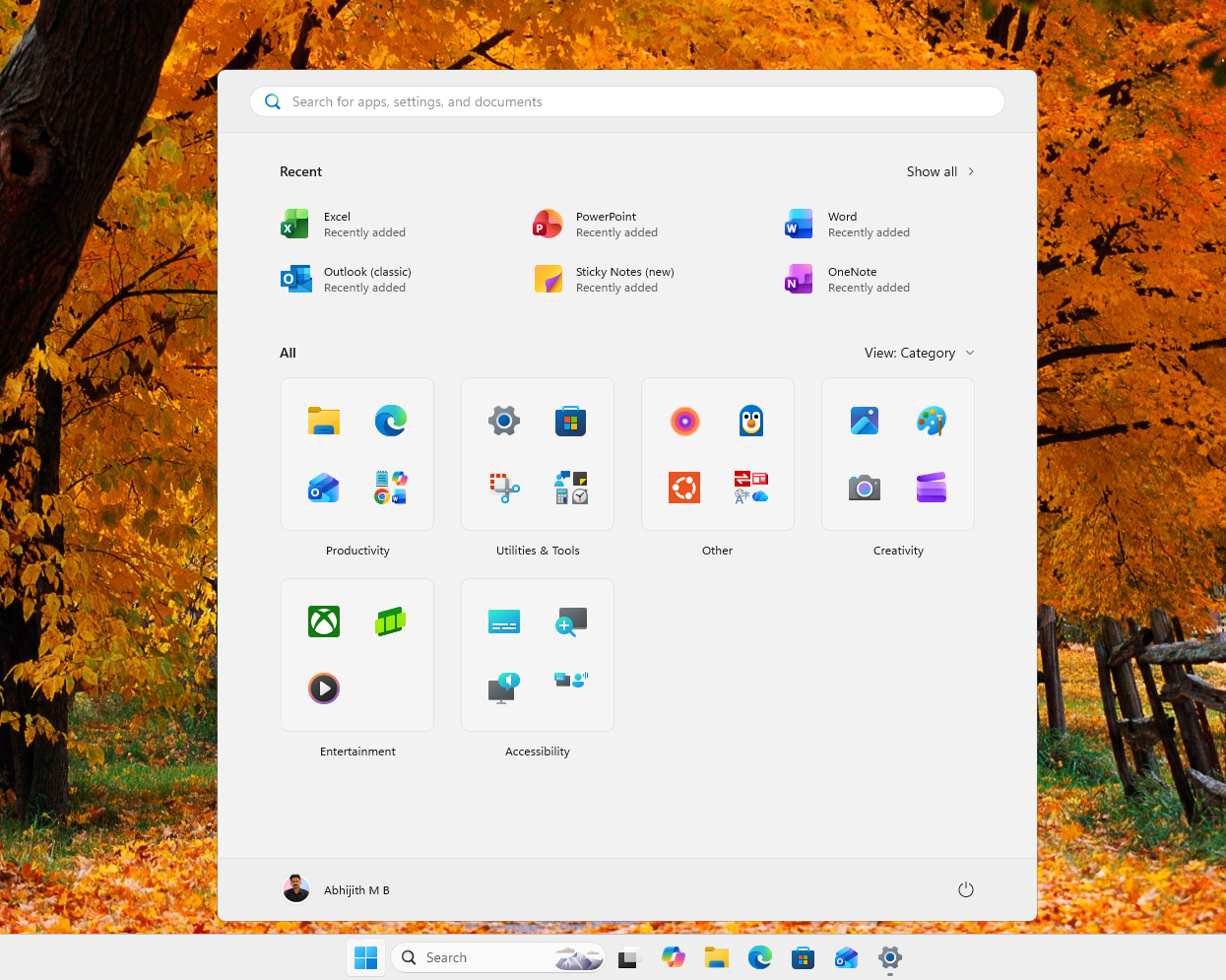
Turning off both Pinned apps and Recent creates a cleaner, albeit sparsely populated, interface:
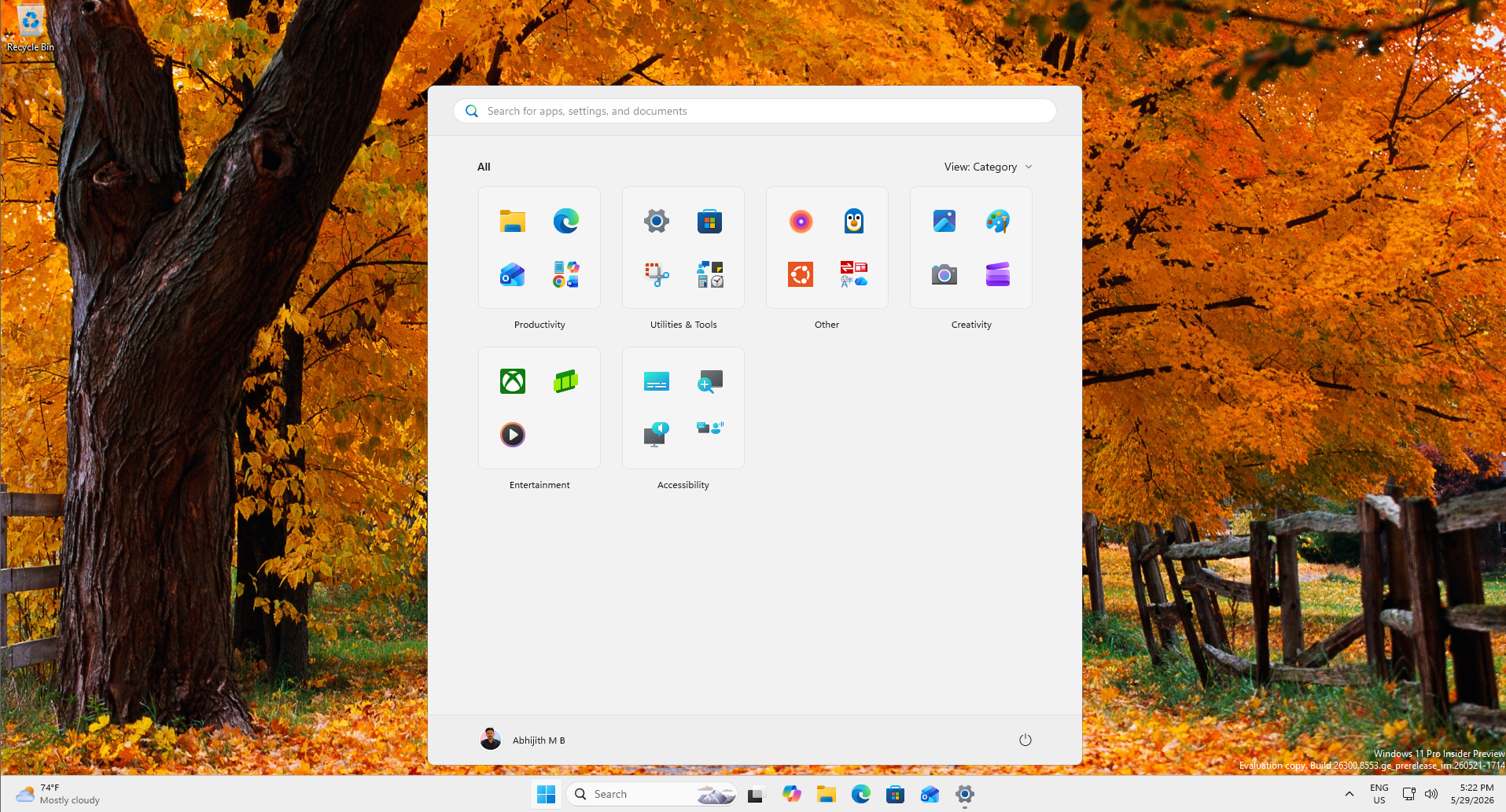
Resizing Options
Another welcome addition is the ability to resize the Start menu. Microsoft now offers three predefined size options:
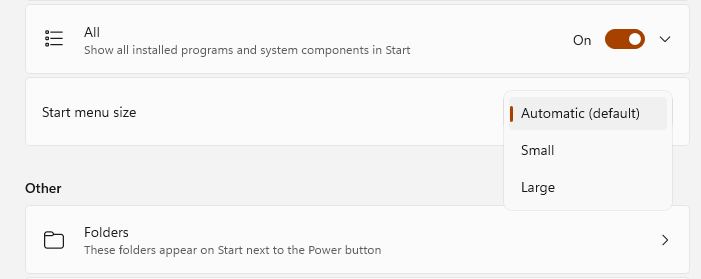
- Automatic: The default option that adjusts the Start menu based on screen size.
- Medium: A more compact size.
- Small: The smallest option, catering to users who prefer a minimal interface.
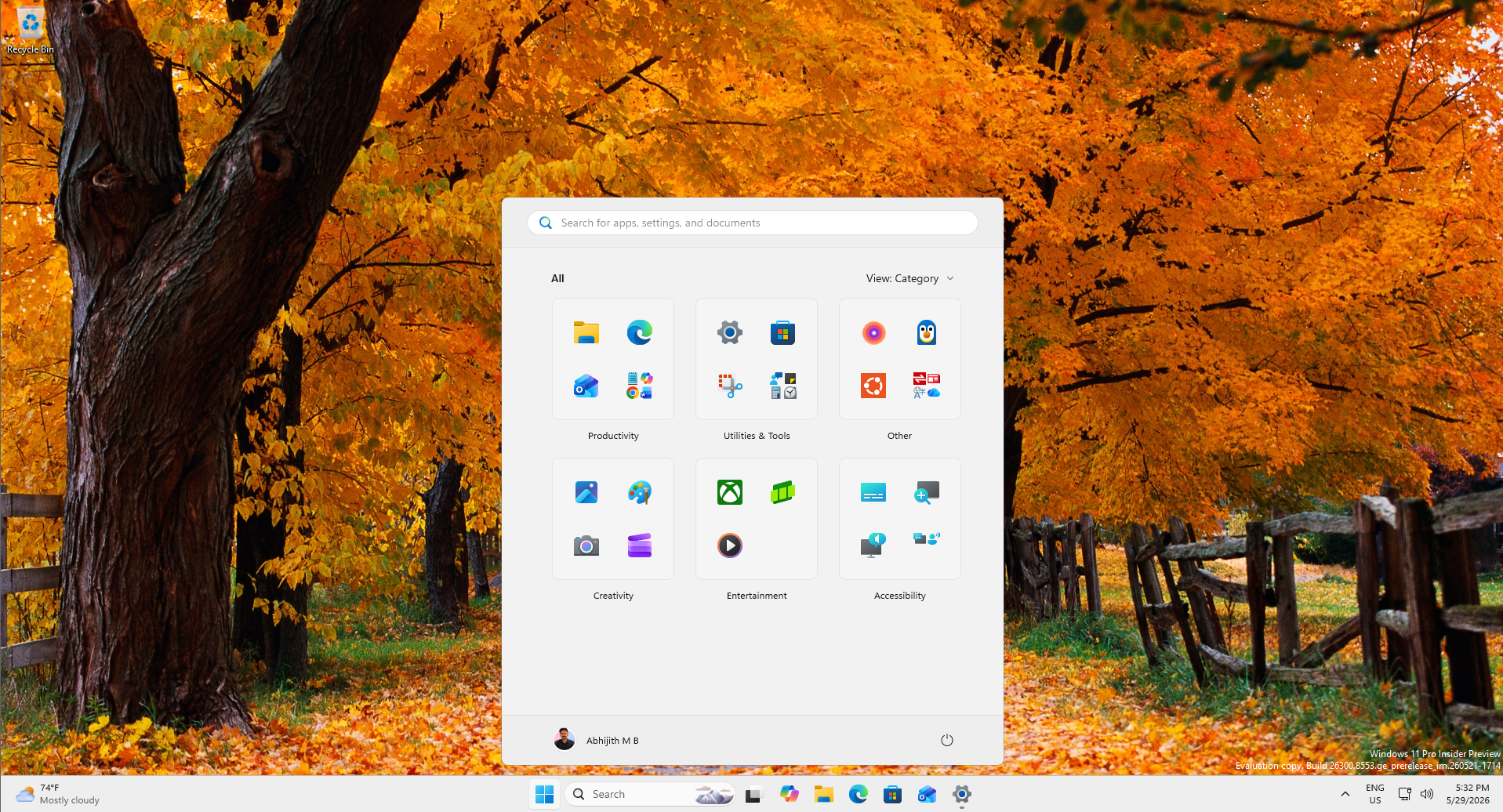
The Small option has quickly become a user favorite, offering a cleaner, less intrusive design:
Additional Customizations
Microsoft has also introduced new layout views for the All apps section:
- Grid view: A compact, categorized layout.
- List view: A traditional, vertical list.
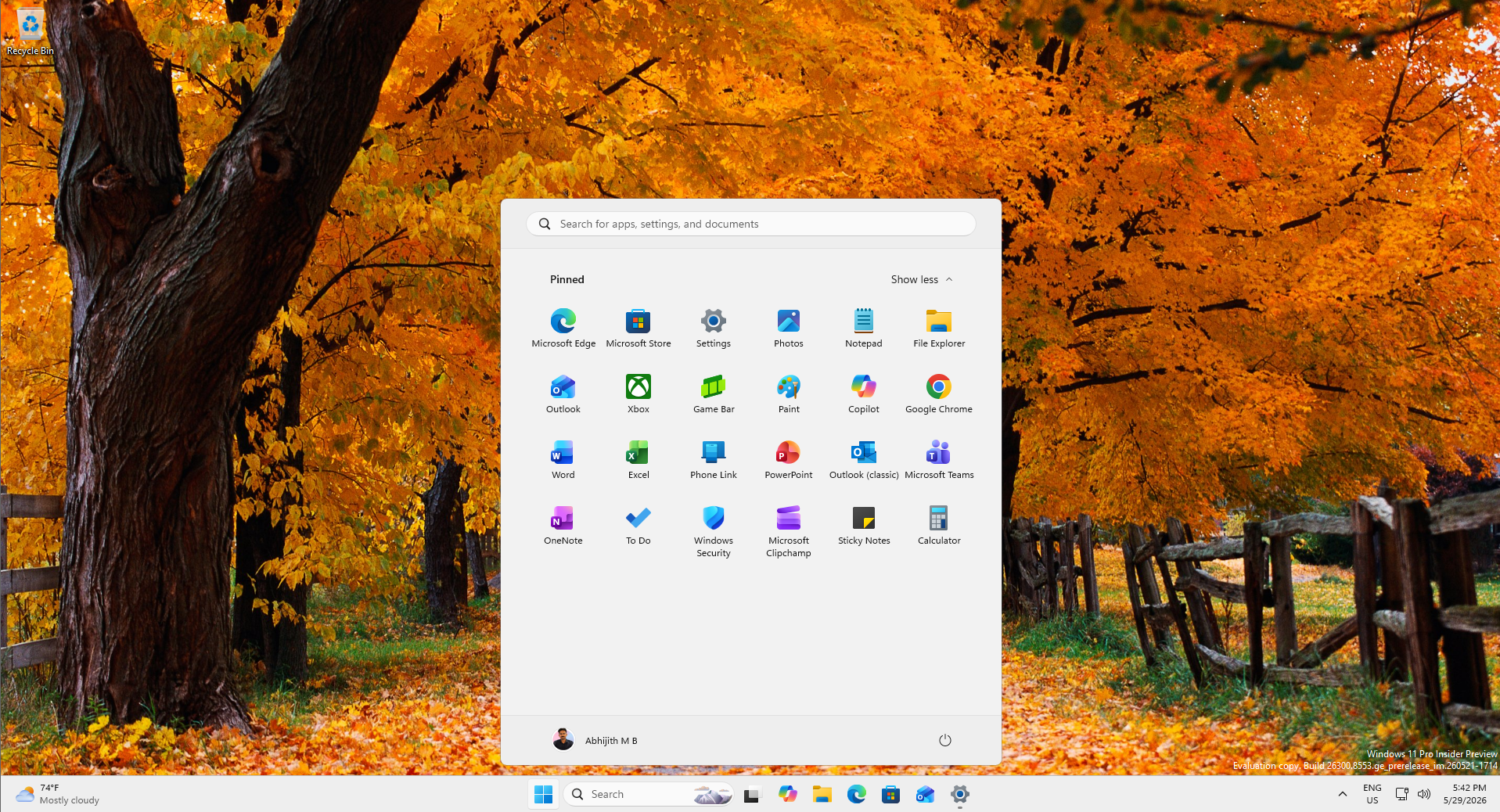
For users who prefer a clean Start menu, disabling All apps and Recent while keeping only Pinned apps is now possible:
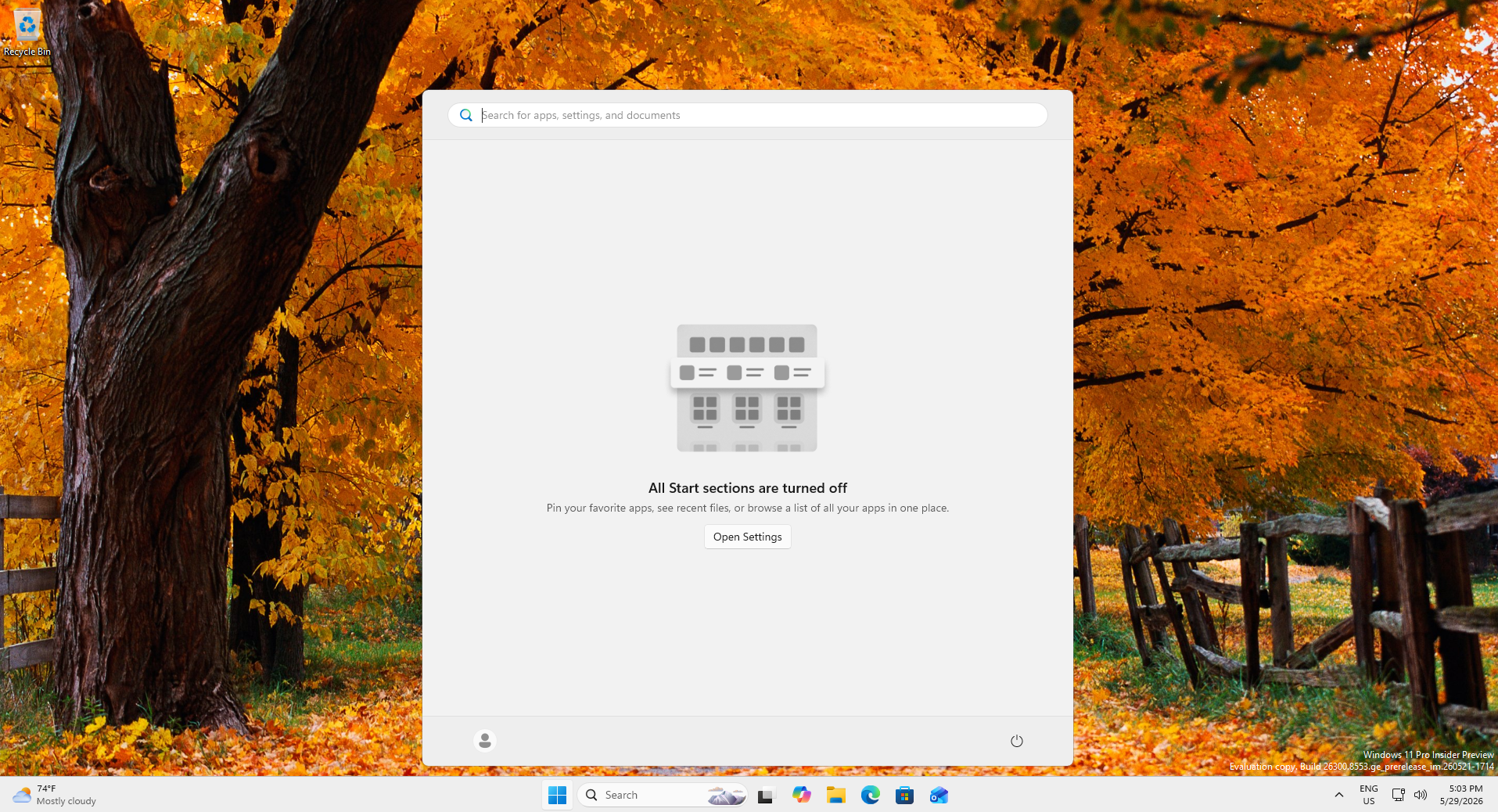
Alternatively, users can disable everything, leading to an effectively empty Start menu:
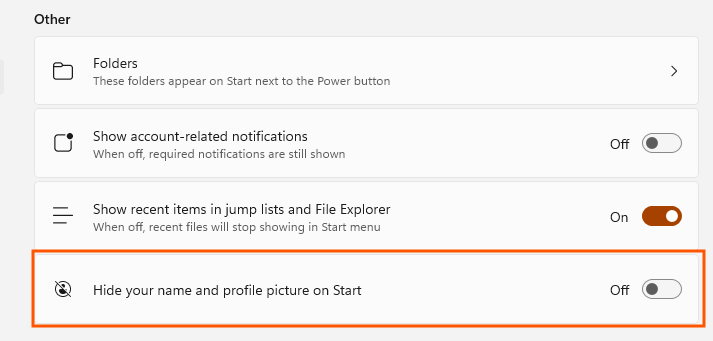
Interestingly, there is also an option to hide the user’s name and profile picture:
A Native Start Menu: The Next Step
Microsoft is addressing performance concerns by rolling out the Low Latency Profile CPU boost through the May 2026 optional update KB5089573. Enabling this feature has already led to noticeable improvements, including faster menu opening, smoother animations, and reduced micro-stutters.
However, the ultimate goal is a fully native Start menu, built using WinUI 3 frameworks. This ongoing transition is part of Microsoft’s broader initiative to enhance Windows performance and responsiveness by rebuilding core components natively. Although this effort is still in progress, the recent changes indicate a clear shift toward removing restrictions and enhancing user experience.
Conclusion
The redesigned Start menu represents a significant milestone for Windows 11. By addressing long-standing complaints about customization and wasted space, Microsoft has created a Start menu that feels more suited for desktop users. While performance improvements remain a work in progress, these updates mark the most impactful interface changes for Windows 11 in years.