Does Windows 11's Low Latency Profile CPU Boost Improve Performance on Older Hardware?
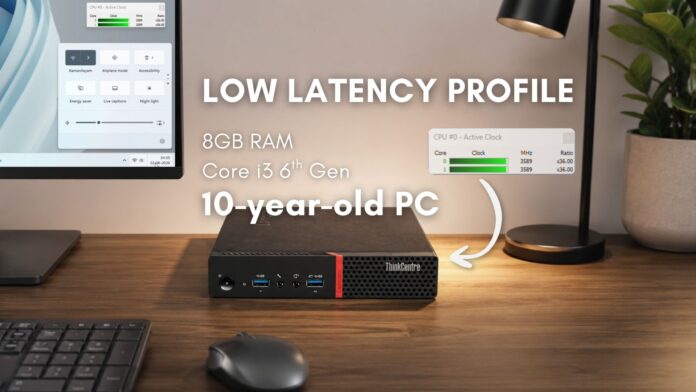
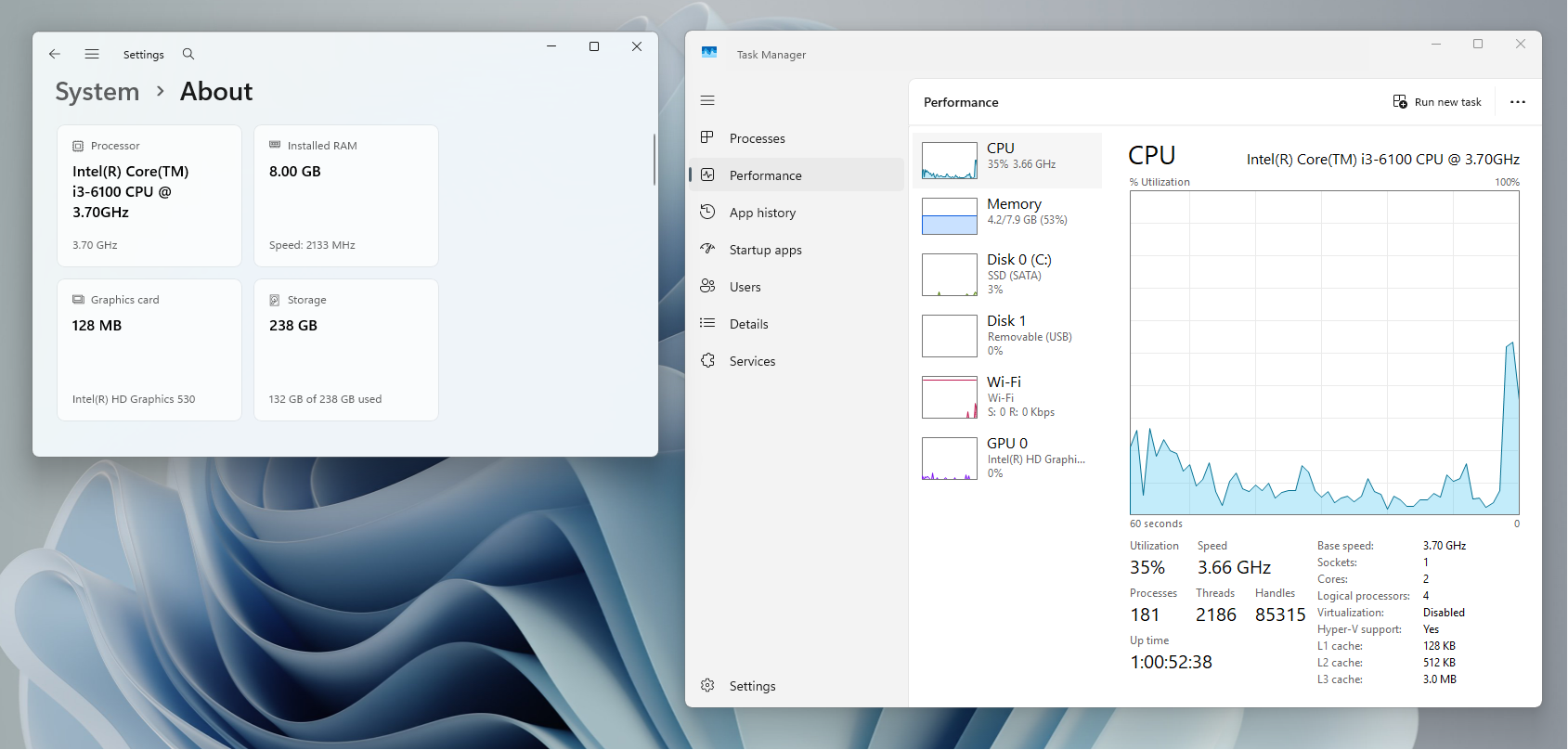
Windows 11’s Low Latency Profile is designed to improve the responsiveness of the Start menu, Search, and Action Center by instantly increasing CPU frequency upon user interaction. Tested on modern PCs, the feature has been shown to cause no harm to the CPU, battery, or thermals, utilizing a “race-to-sleep” scheduler logic. However, how does it perform on older hardware? To find out, I tested the feature on a Lenovo ThinkCentre M700 Mini Desktop, featuring a 6th Gen Intel Core i3-6100 processor and 8GB of RAM, to evaluate its effectiveness on decade-old technology.
Understanding the Lenovo ThinkCentre M700
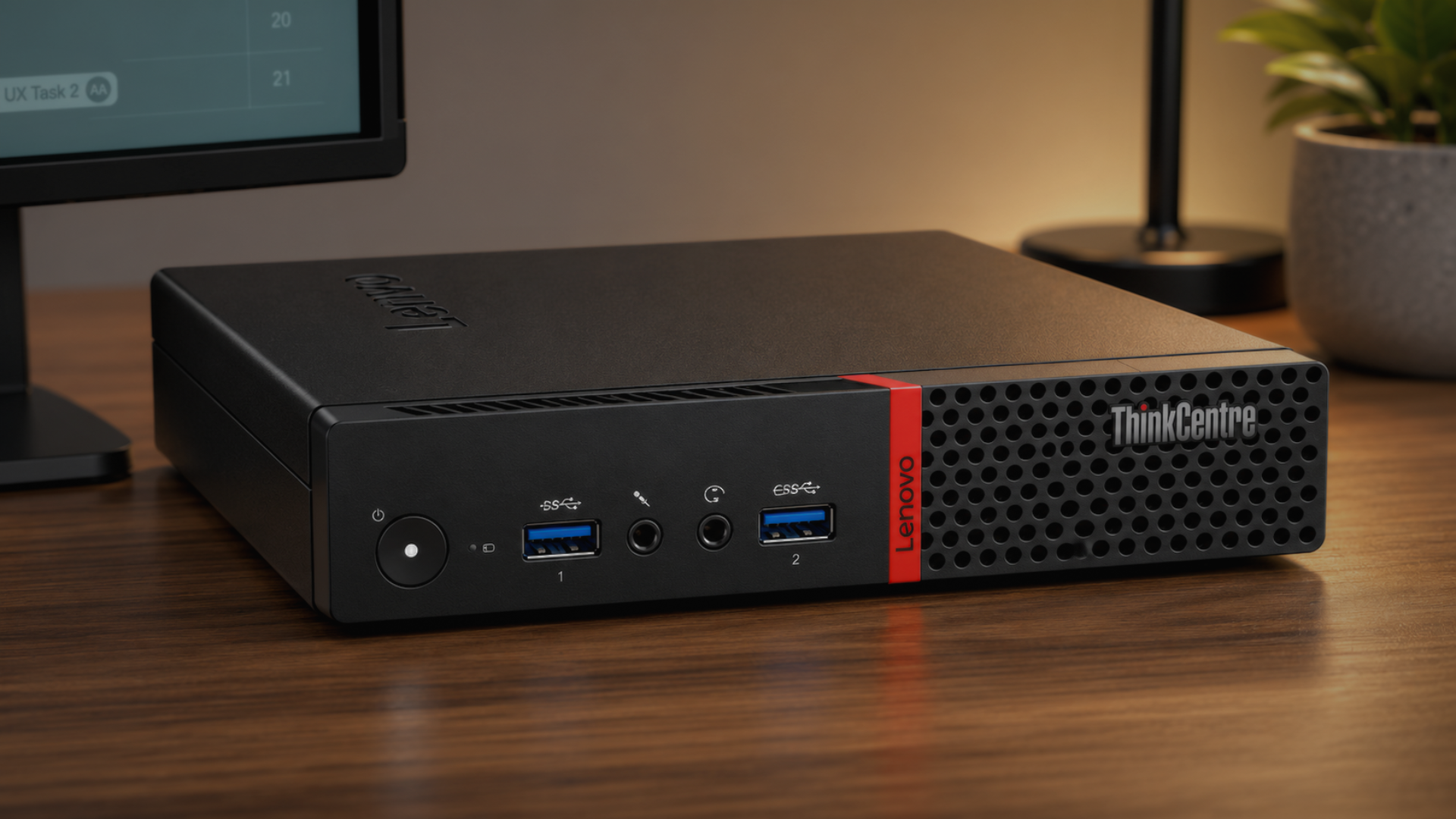
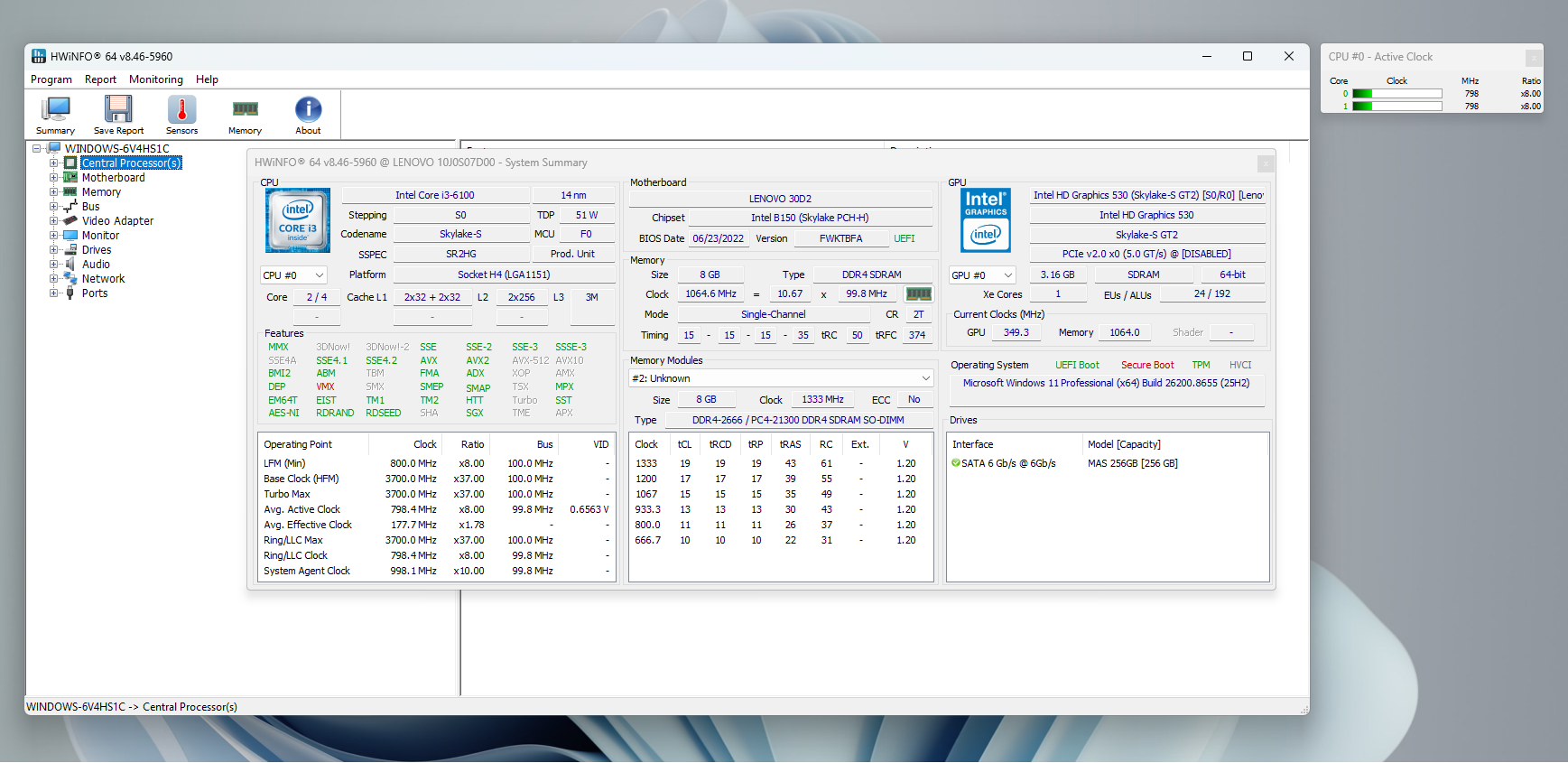
The ThinkCentre M700, released in 2016, is a compact 1-litre business mini-PC powered by a dual-core Intel Core i3-6100 processor (Skylake-S, 14nm, 51W) clocked at a fixed 3.7GHz with Hyper-Threading. Unlike modern Core processors, it lacks Turbo Boost, meaning 3.7GHz is its maximum frequency. Additionally, it uses single-channel RAM, which can limit performance in certain scenarios.
The system was running the June 2026 Patch Tuesday update (KB5094126), which provides the necessary groundwork for enabling the Low Latency Profile. However, the question remained: could this feature significantly improve the performance of a dual-core processor constrained by single-channel RAM?
How Low Latency Profile Works
On modern CPUs, Low Latency Profile immediately pushes the frequency from a low idle state to the maximum turbo ceiling upon user interaction. However, since the i3-6100 lacks Turbo Boost, it relies on Intel Speed Shift Technology to manage frequency transitions faster. At idle, the processor drops to around 800MHz, and Low Latency Profile aims to bridge the gap to 3.7GHz within milliseconds, instead of the gradual ramp-up controlled by the scheduler. Enabling this feature required manual activation due to Microsoft’s Controlled Feature Rollout not activating it on older hardware.
How to Enable Low Latency Profile on Older Windows 11 PCs
To check if Low Latency Profile is active, install the June 2026 update (KB5094126) and monitor CPU clock frequency using HWiNFO while interacting with the Start menu, Search, and Action Center. If the CPU frequency spikes sharply to its maximum rated frequency, the feature is already enabled. On the ThinkCentre M700, no such spike was observed, confirming that the feature was not active.
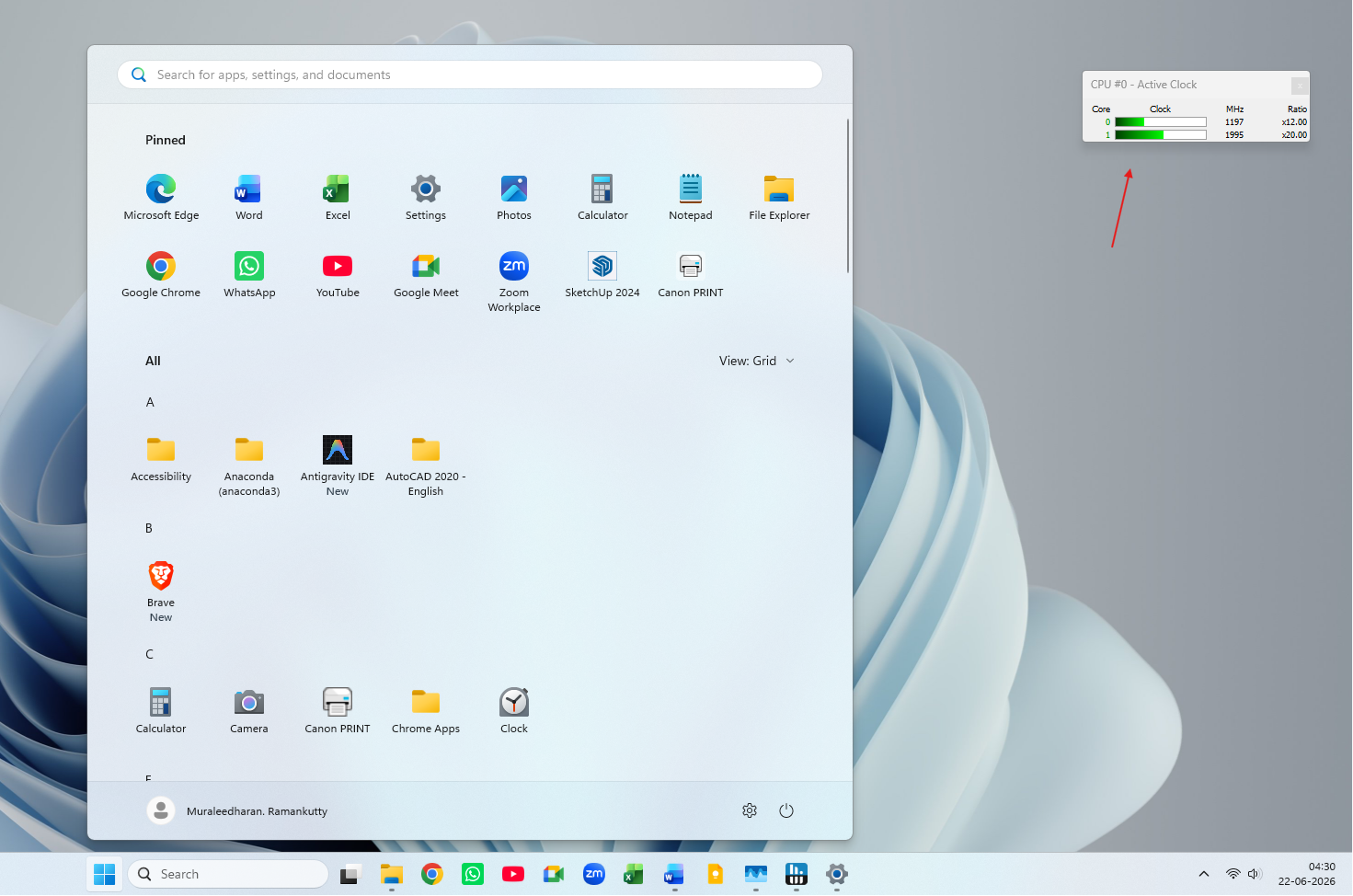
To manually enable it:
- Download ViVeTool from its official GitHub releases page.
- Extract it to
C:\ViVeTool. - Open Command Prompt with admin access and navigate to the folder using
cd C:\ViVeTool. - Run the command:
vivetool /enable /id:58989092.
Restart the PC for the change to take effect. For detailed instructions, refer to our full guide on how to enable Low Latency Profile in Windows 11.
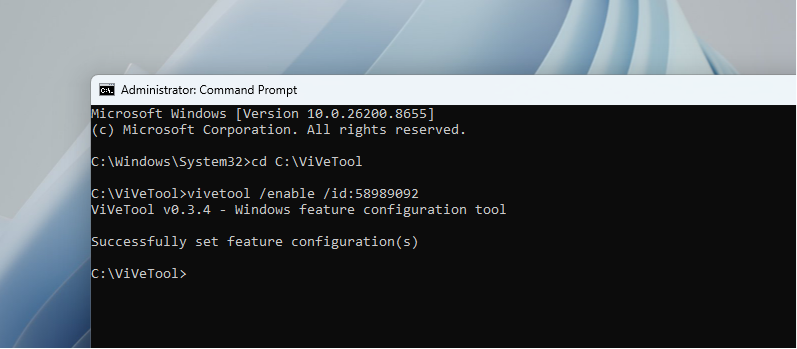
Note: ViVeTool is a third-party tool. If your PC is used regularly, consider waiting for Microsoft to remotely activate the feature.
Performance Before and After Enabling Low Latency Profile
Before Enabling
Prior to activation, opening the Start menu showed a noticeable delay. The CPU frequency ramped from 800MHz to between 2GHz and 2.8GHz. Similar results were observed for Search and Action Center. These interactions felt typical for a device of this age.
After Enabling
Once Low Latency Profile was enabled, the processor showed an immediate improvement. HWiNFO confirmed a sharp frequency jump from 800MHz to 3.7GHz within milliseconds during every interaction. The Start menu opened faster, and typing in Search felt more responsive. The Action Center experienced the most noticeable improvement, appearing smoother and faster.
Conclusion: Does Low Latency Profile Work on Older Hardware?
Yes, Low Latency Profile provides tangible benefits even on older hardware like the ThinkCentre M700. Despite the absence of Turbo Boost, the feature leverages Intel Speed Shift to achieve faster frequency transitions, reducing delays in user interactions. On this desktop system, thermals and battery life were not a concern, and the CPU frequency transitions remained safe and efficient.
For users running Windows 11 with the June 2026 update, enabling Low Latency Profile could significantly improve system responsiveness, especially on constrained hardware. Combined with Microsoft’s ongoing WinUI 3 shell improvements, even older PCs can achieve a smoother experience with this feature.
Pro Tip: Monitor CPU frequency behavior using HWiNFO and enable Low Latency Profile with ViVeTool if it is not already active.
Windows Latest depends on readers like you. Make us your preferred source on Google Discover and Google Search to help our independent reporting reach more people.
