 PLAYSTATION
 Categories
 Brands
 New Arrivals
 PC Games
 United States(English)
 United Kingdom(English)
 Germany(Deutsch)
 France(Français)
 Spain(Español)
 Italy(Italiano)
 Czech(česká republika)
 Poland(Polski)
 Japan(日本語)
 Korea(한국어)
 Taiwan(繁體中文)
 Portugal(Português)
 Brazil(Português)
 Australia(English)
 Canada(English)

MS Home And Student 2021 Key Global
168.35USD
183.45USD
Platform:

Region:

Tags:
Software
Stock:
In Stock
Delivery Time:
3-5 minutes
Quantity:
1-500
You may also like

In Off 2021, you'll find new co-authoring features, inking tools, data types, functions, translation and editing tools, motion graphics, ease-of-use features, and so much more!
Co-author documents
With real-time co-authoring, you can work with others in the same document at the same time. There’s no need to send extra notes or emails because everyone will be notified when a file is updated.
Better collaboration with modern comments
Have control of when you send comments to your co-authors and be productive with a consistent commenting experience between Word, Excel, and PowerPoint.
Know who's in your document
See who else is working along with you and where they are in the document. You'll find this experience in Word, Excel, and PowerPoint.
Visual refresh
Work with a modernized Start experience and newly refreshed tabs in the ribbon. Experience a clean, clear style with monoline iconography, neutral color palette, and softer window corners. These updates communicate action and provide features with simple visuals.
Look left, look right… XLOOKUP is here!
Row by row, find anything you need in a table or range with XLOOKUP.
Dynamic arrays
Write one formula and return an array of values. Expedite calculations and insights with six new functions: FILTER, SORT, SORTBY, UNIQUE, SEQUENCE, and RANDARRAY.
LET function
The LET function assigns names to calculation results. This allows storing intermediate calculations, values, or defining names inside a formula.
XMATCH function
The XMATCH function searches for a specified item in an array or range of cells, and then returns the item's relative position. You can also use XMATCH to return a value in an array.
Sheet views
Create customized views in an Excel worksheet without disrupting others.
Accessibility ribbon
The Accessibility ribbon puts all the tools you need to create accessible content in one place.
New and improved Record Slide Show
Record Slide Show now supports presenter video recording, ink recording and laser pointer recording.
Ink Replay - Slide Animation for Ink object
Now you can apply the new Replay or Rewind animation to ink and get the drawing effect directly in your presentations. You can adjust the timing of these animations to be faster or slower to match the experience you want.
Arrange elements on your slides for screen readers
See the elements in screen-reading order and re-arrange them as necessary to communicate your message effectively.
Link to a slide
Ask a colleague to contribute to your slide deck, and start them directly on the slide you need help with.
Translator and ink in Outlook
Translate email messages into more than 70 languages on the fly and view the transcript—all within Outlook.Annotate email images or draw in a separate canvas using your finger, pen, or mouse.
In Outlook, use Instant Search to quickly find emails
Select the search bar (located above the Outlook ribbon) to help find email messages anywhere in Outlook.
Improve comprehension with Line Focus
Move through a document in Word, line by line, without distractions. Adjust the focus to put one, three, or five lines in view at a time.
See what’s new in stock media
We’re constantly adding more rich media content to the Off Premium Creative Content collection, a curated library of stock images, icons, and more that helps you express yourself.
Find what you need with MS Search
At the top of your MS Off apps on Win you'll find the new MS Search box. This powerful tool helps you quickly find what you're looking for, from text to commands to help and more.
Increase the reach of your content
Accessibility Checker keeps an eye on your documents and tells you in the status bar when it finds something you should look at. Try it by clicking Review > Check Accessibility.
Performance improvements
Experience improved performance, stability, and speed across Word, Excel, PowerPoint, and Outlook.Get faster calculations from common Excel functions like SUMIF, COUNTIF, and AVERAGEIF.
Updated Draw tab
Quickly access and change the color of all your inking tools in one place.Simplify how you work with ink using new Draw tab additions: Point Eraser, Ruler, and Lasso.
Save your changes as they happen
Upload your files to OneDrive, OneDrive for Business, or SharePoint Online to make sure all your updates are saved automatically.
Support for OpenDocument format (ODF) 1.3
We now include support for the OpenDocument format (ODF) 1.3. The ODF 1.3 specification adds support for many new features.
Refresh, relink, or remove linked tables
The updated Linked Table Manager is a central location for viewing and managing all data sources and linked tables in an Access database. See all the improvements we've made to the Linked Table Manager based on your feedback.
Try the new the Date/Time Extended data type in Access
To enhance syntax compatibility with SQL and to increase accuracy and level of detail in records that include dates and times, we’ve implemented the SQL DateTime2 data type into Access.
Keep tabs on your database objects in Access
You can clearly see the active tab, easily drag tabs to rearrange them, and close database objects with just one click.
New Azure stencils and shapes in Visio
We've added many more stencils to help you create up-to-date Azure diagrams. You can use these new stencils to build Azure diagrams for network topologies, virtual machine configurations, operations, and more.
New AWS stencils and shapes in Visio
We have enabled infrastructure shapes from another major cloud provider: Amazon Web Services (AWS). You can now use stencils with the latest AWS shapes to help you create diagrams.
Content for social distancing planning in the workplace
Many workplaces need to be re-planned to follow the social distancing guidelines in force. This new Visio template, and the Workplace Social Distancing stencil, provide a number of shapes, fill patterns and line patterns, both scaled and unscaled, to help with this process.
Try the Sketched style outline
You can give a casual, hand-drawn look to shapes in your presentations with the Sketched style outline.Try out the Curved, Freehand, or Scribble options under Format Shape > Line > Sketched style.
Pick the perfect color
Based on your feedback, we’ve added a new input field in the Colors dialog for Hex color values. Now you won't have to spend time converting Hex color values into RGB values.
For any property where you can define a color, you can now enter a Hex color value in the Hex box, for example, #0F4C81 or 444.
- How long will it take to receive the key after purchase? Where can I find it?
- The key will be delivered automatically within 3-5 minutes. You can find it in "My Purchased Orders".
- What should I do if my key fails to activate?
- There are various reasons for activation failure. The most common issue is incompatibility between your system and the purchased key. Please first check if your system version (such as Windows Pro edition) meets the key requirements. If the problem persists, contact our 24/7 online customer service, and we will help you replace the key promptly.
- How to apply for a refund or exchange?
- To apply for a refund or exchange, please contact our 24/7 online customer service and provide the following information: • Your order number • Relevant screenshots (e.g. activation failure prompt, purchase details, etc.) We will process your request as soon as possible.
- How long does a refund take to arrive?
- Refunds for PayPal payments are usually processed instantly. For bank or credit card payments, funds generally take 7-10 working days to arrive, depending on your bank’s processing time and local regulations. Feel free to contact our support team anytime if you have questions about your refund status.
- About Returns and Exchanges
- Please activate your license within 180 days after purchase. Free key replacement is available for any issues occurring within this period.
- Are Office 2021 and Office 2019 sold as keys or user accounts?
- Both Office 2019 and Office 2021 are delivered as standalone product keys.
- Will Office 2021 be bound to my MS account?
- We provide two types of Office 2021 licenses. For the account - bound version, the license will be linked to your MS account after activation. You can reinstall the software anytime from the Services & subscriptions page.
- Is Office 365 a key or an MS account? Does it include OneDrive cloud storage?
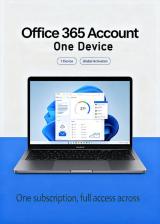
- Office 365 is provided as an independent MS account (username + password), not a product key. This service does not include OneDrive or any cloud storage space.
- How to activate Office 2021 and Office 2019?
- Click the designated link, log in with your MS account, enter your Office key, and you can download and install the software.
- What to do if Office prompts "Activation limit reached"?
- You can try phone activation first. If this method does not work, please contact our support team for assistance.
- The installer shows "Office 365" during Office installation. Is this normal?
- Yes, this is completely normal. The universal installation package will display "Office 365" on the interface, but you will get the exact Office version you purchased.
- How to log in and use my Office 365 account?
- Use the account credentials provided in your order to log in via the official link. Then download Office from the Services & subscriptions section.
- I forgot my Office 365 account password. Can you reset it?
- For user privacy protection, we cannot reset account passwords. Please keep your password properly after your first login.
- How to fix Office activation error 0xC004C060?
- This error usually means the product key fails verification. Please uninstall and reinstall Office first. If the problem persists, get in touch with our support team.
- My Office key stopped working after system reinstallation half a year later. Can I get a new key?
- We do not provide replacement keys or compensation if the issue is not caused by defective products. If you confirm there is a problem with the license, please contact us immediately once the error appears, instead of reinstalling the system blindly. You can send us your order details, and we will assist you to resolve the issue.
- Can one product key be used on multiple computers?
- No. Unless marked as a multi-device license on the product page, each key is authorized for use on only one computer.
The programe has been failed submitted to the system
The programe has been successfully submitted to the system
Our Customers Say
Live Chat
0