Windows Does Not Keep a Thumbnail of Every Photo You Have Ever Deleted
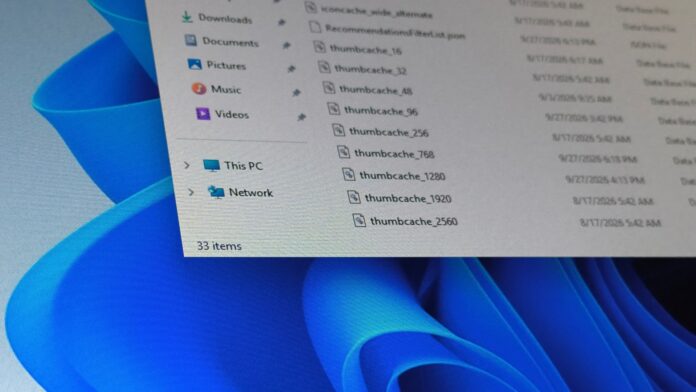
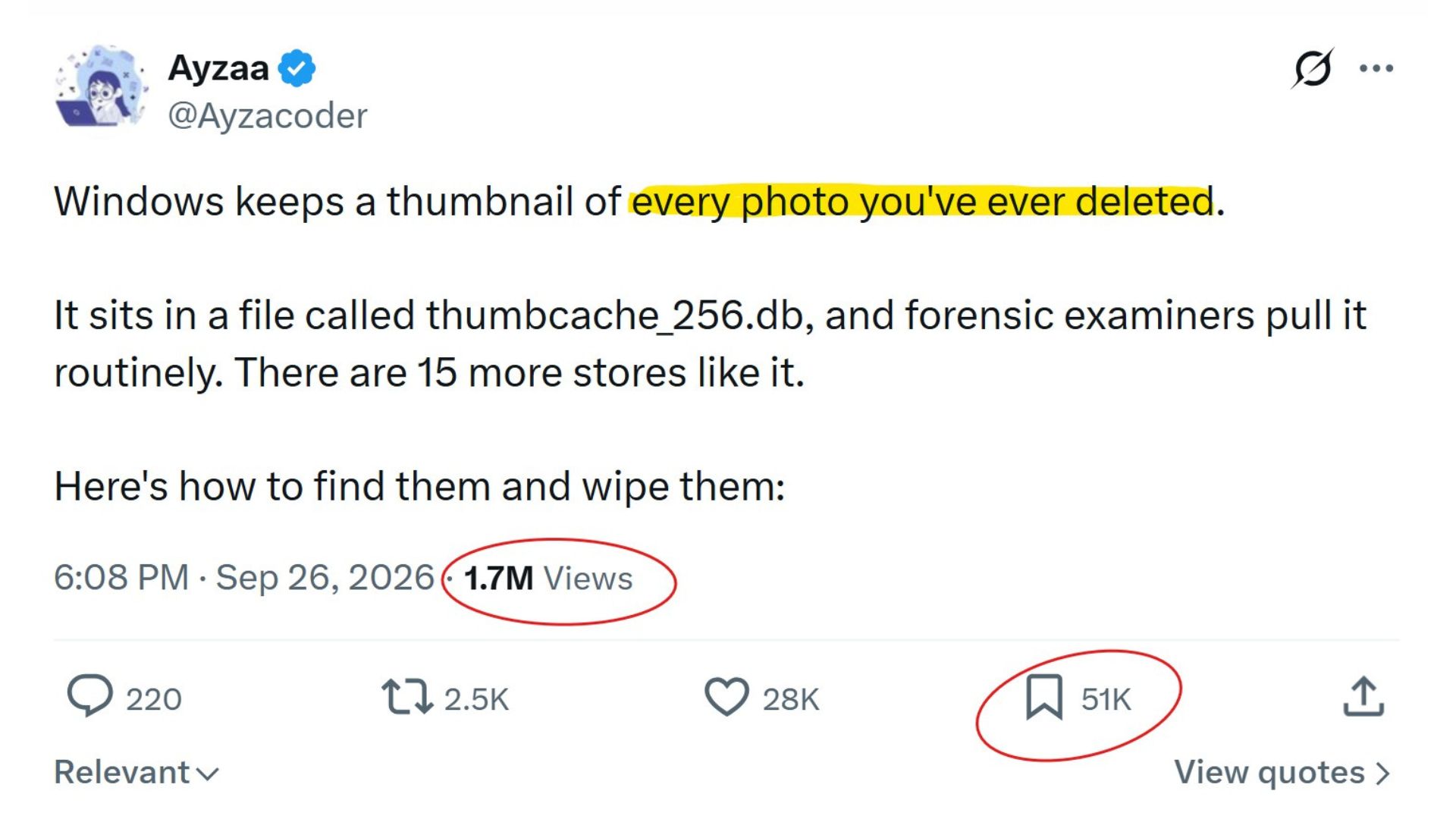
A viral post on X claims that Windows secretly keeps a thumbnail of every photo you have ever deleted in a file called thumbcache_256.db. That sounds alarming for a desktop operating system used by 1.5 billion people. The post has received 1.7 million views so far, and I received several direct messages asking whether its instructions should be followed.
To be fair, this is a genuine Windows feature. File Explorer maintains a thumbnail cache so that it does not have to regenerate image previews whenever they are needed. However, the post goes too far in several respects.
Before you panic, this behavior is not unique to Windows. macOS uses Quick Look thumbnails, Linux desktops follow a shared thumbnail-cache standard, and Android provides APIs for generating and retrieving image thumbnails.
Scrolling through thousands of photos would not be smooth or efficient if an operating system had to generate every preview from scratch.
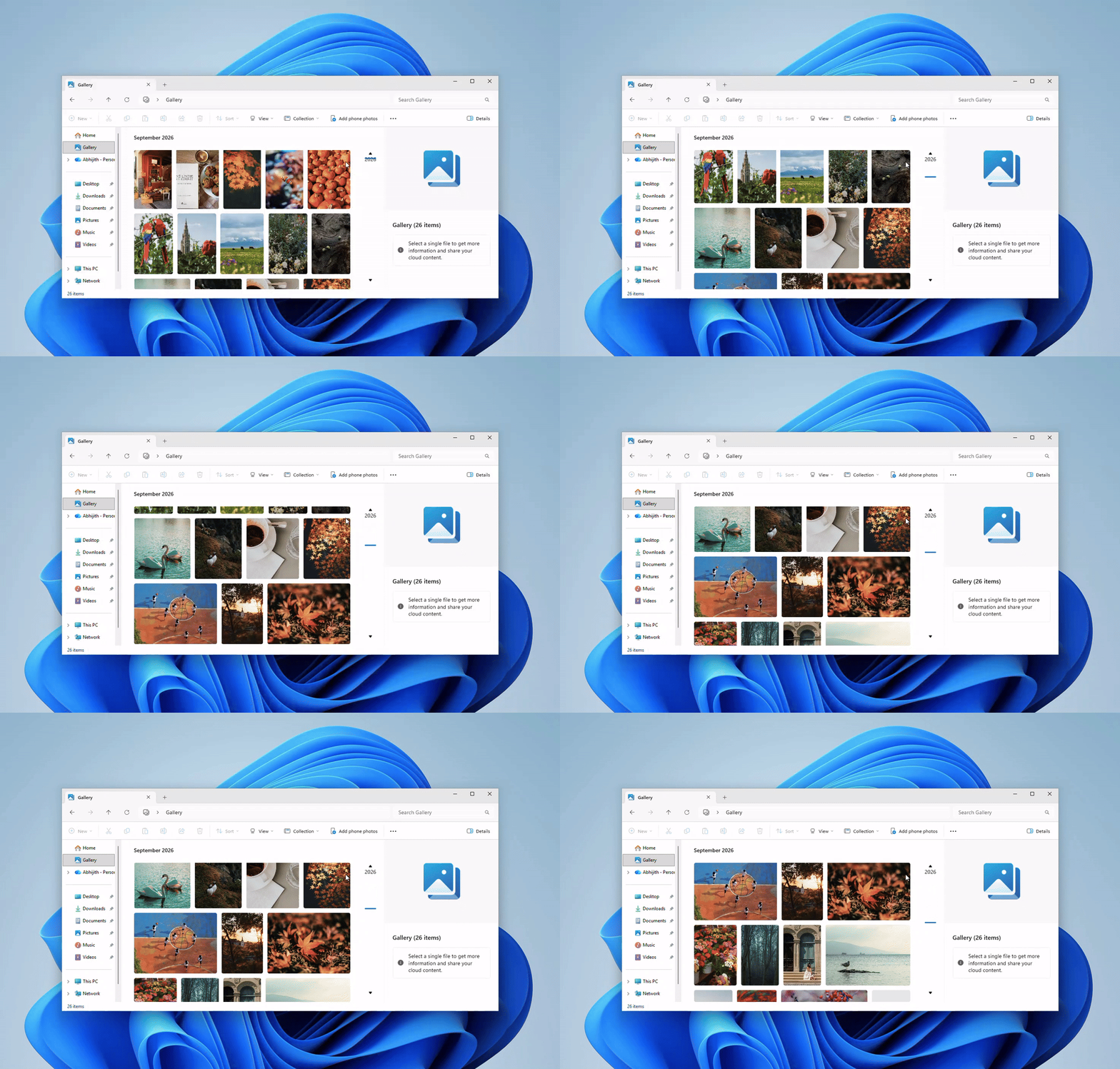
If you remain concerned, Windows provides an easy way to clear the cache. On Pro and higher editions, MS also offers a policy that disables thumbnail caching.
How to View and Remove Thumbnails Windows May Have Kept
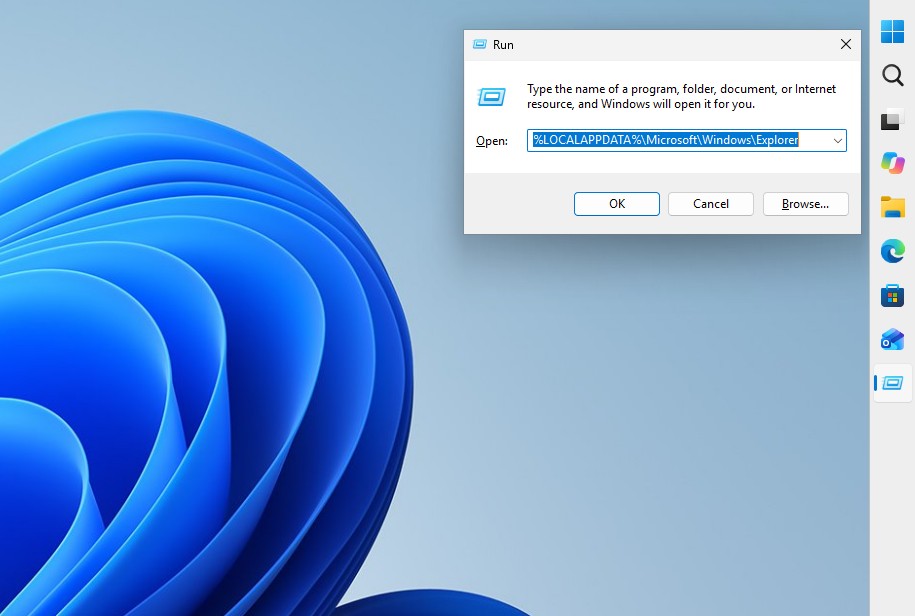
Press Windows + R, paste %LOCALAPPDATA%\MS\Windows\Explorer, and press Enter. You will see database files such as thumbcache_32.db, thumbcache_96.db, thumbcache_256.db, and thumbcache_1024.db. Each database stores previews of a different size, and the available set varies between Windows versions.
Windows Vista introduced this centralized cache. In Windows XP, each folder had its own hidden Thumbs.db file. MS says the global cache addressed the previous system’s inability to manage previews across folders.
Opening the Explorer folder will not display a gallery of deleted photos. You would need a tool such as the open-source Thumbcache Viewer to extract images from these databases.
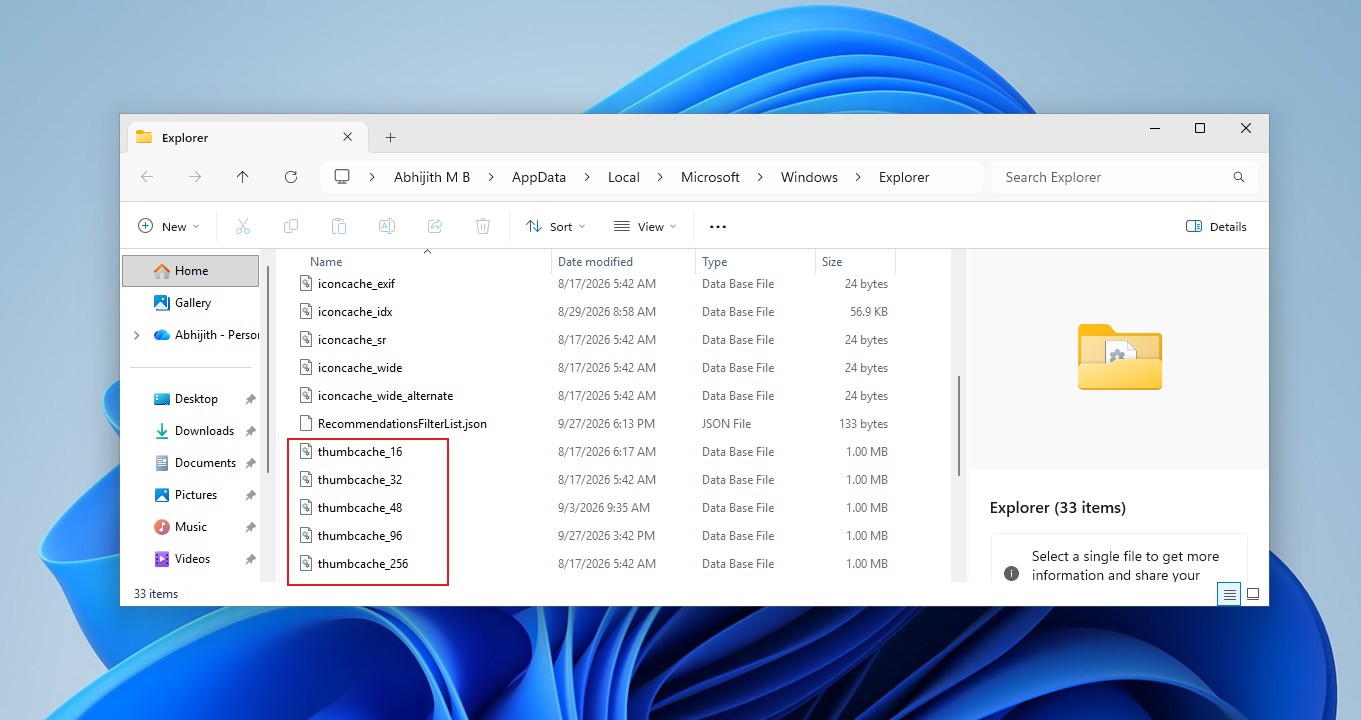
Most importantly, the claim that Windows retains thumbnails of “every photo you’ve ever deleted” is far-fetched. At 4:01, I downloaded three images, opened them, deleted them, and checked the folder. The thumbcache files were present, as expected, but their last-modified date was September 17 rather than September 28. This indicated that no new data had been written to them. I continued using the PC, restarted it, and checked again, but the files remained unchanged.
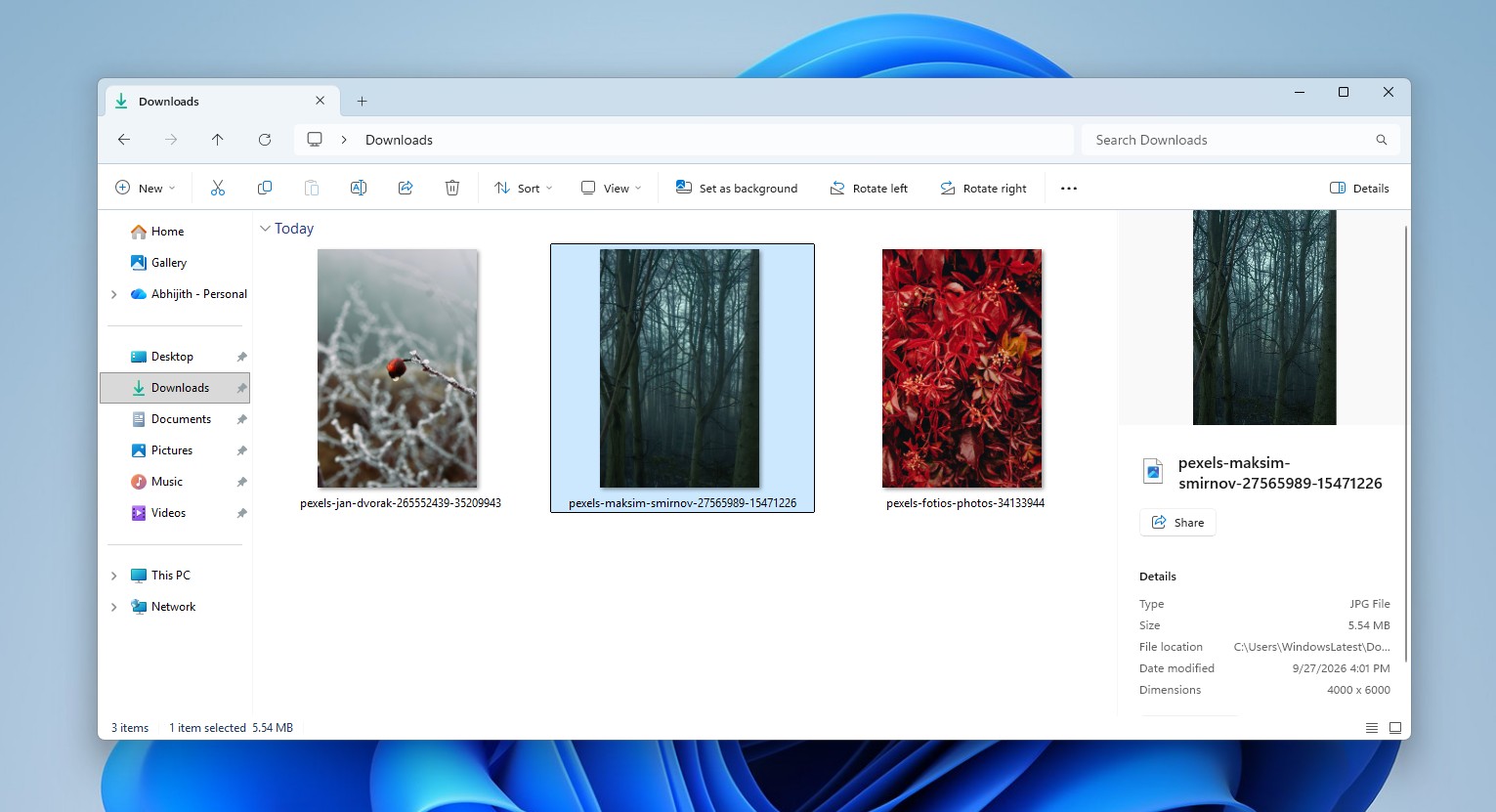
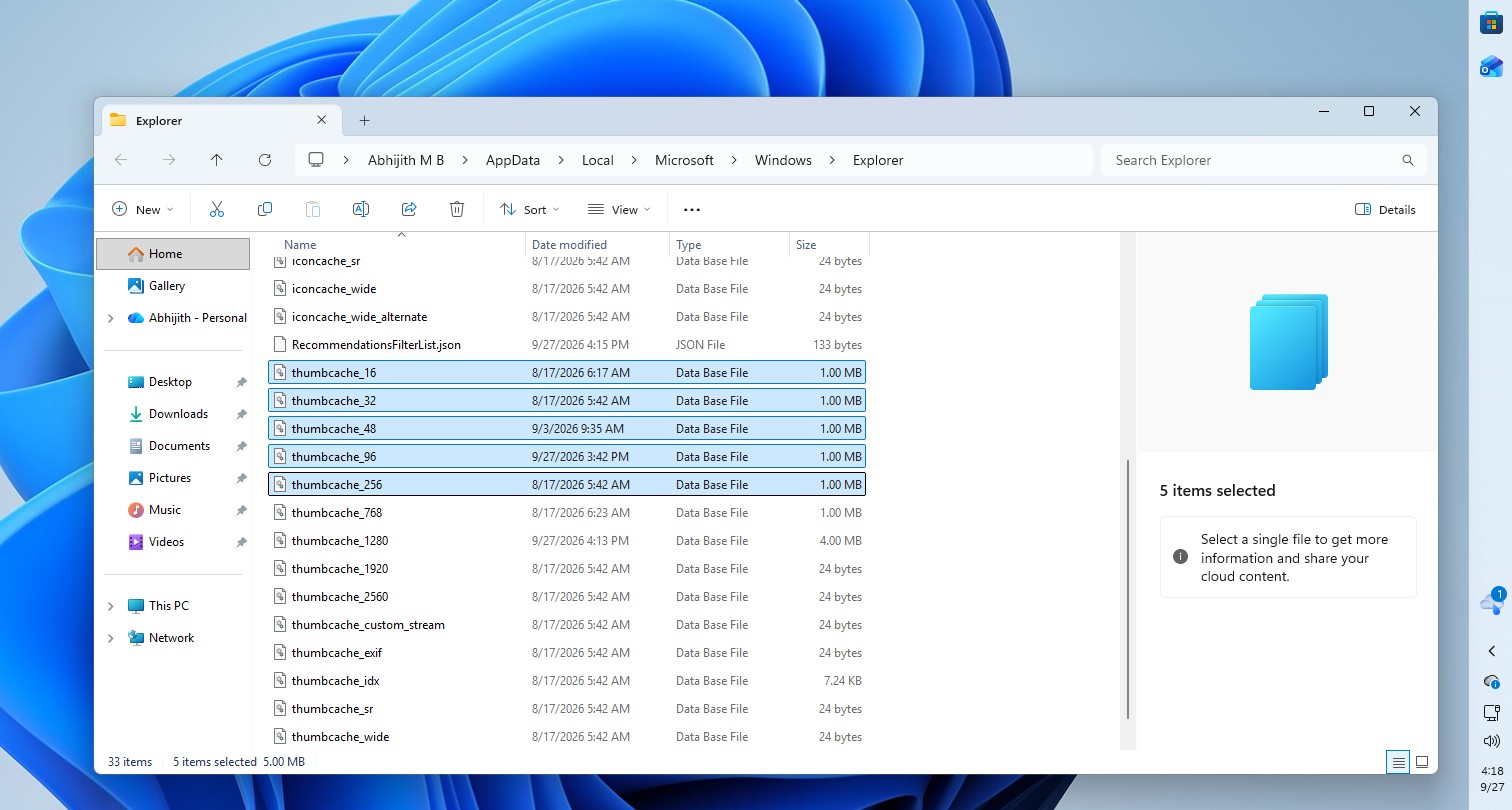
MS’s Raymond Chen explained the reason in 2016. Merely creating or copying image files does not create thumbnail-cache entries. Those entries come from “Explorer or any other application that uses Explorer’s thumbnail cache.” If Explorer never displayed a thumbnail of a photo, there is probably nothing to find. In my case, I opened the images without browsing them in a thumbnail view, which may explain why no previews were cached.
The cache exists solely to improve performance. According to MS’s thumbnail-cache documentation, when an application requests a thumbnail that is not already cached, Windows extracts one from the source file and stores it. The cached copy exists separately from the original photo, which is why deleting the photo does not necessarily remove its thumbnail.
Clearing the Thumbnail Cache
If you want to remove thumbnails that Windows has created for your photos, use Disk Cleanup and select the Thumbnails category.
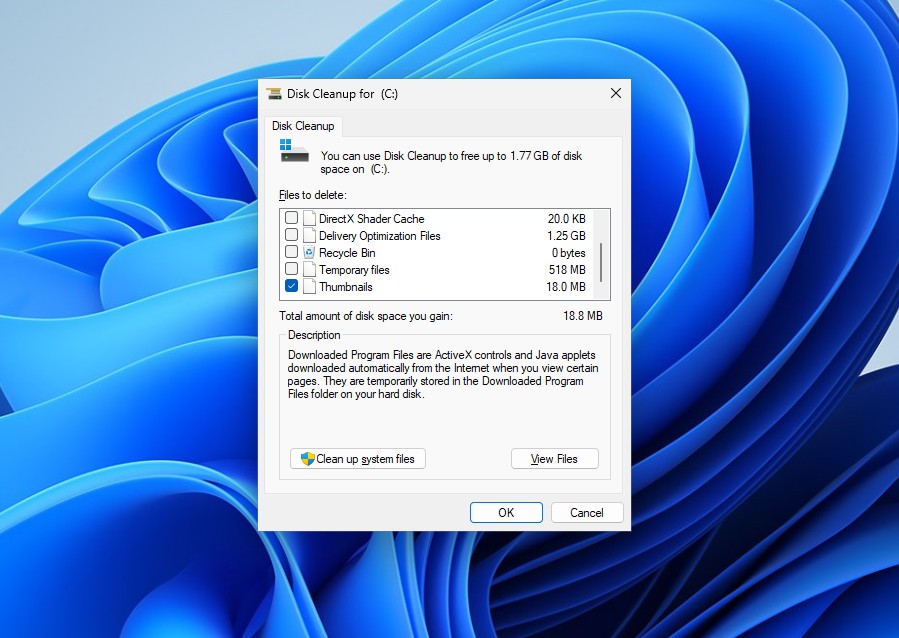
MS lists Thumbnails as a Disk Cleanup category. Contrary to the viral post, you do not need to select Temporary files. Windows will rebuild the thumbnail cache as you continue browsing folders.
Disabling Thumbnail Caching
If you want Windows to stop caching thumbnails permanently, Windows 11 Pro, Enterprise, and Education provide a policy for doing so.
- Open gpedit.msc.
- Go to User Configuration > Administrative Templates > Windows Components > File Explorer.
- Enable Turn off caching of thumbnail pictures, which sets the NoThumbnailCache value.
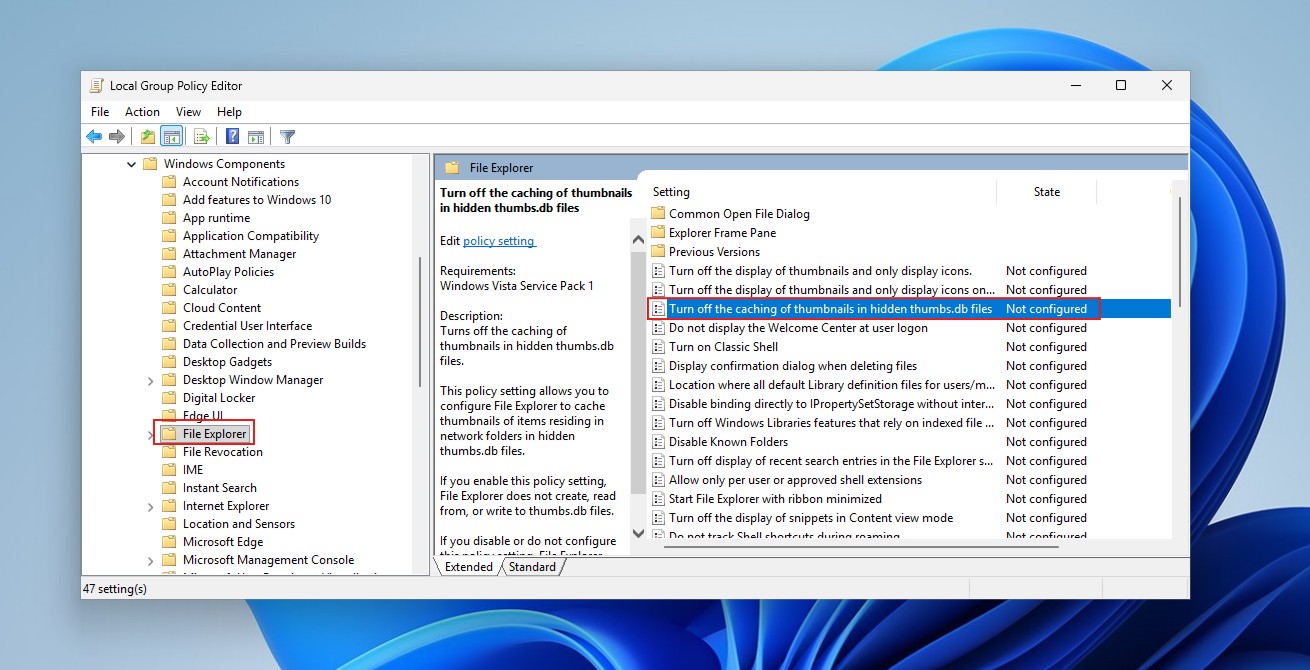
MS recommends this setting for shared or security-sensitive PCs because “the thumbnail cache can be read by everyone.”
On Windows 11 Home, the closest alternative is to go to File Explorer > Options > View and enable “Always show icons, never thumbnails.” This prevents Explorer from generating previews.
Windows Does Not Save Every Deleted Photo, but a Thumbnail Can Outlive the Original
A thumbnail must first be created, and Windows does not cache every file. MS’s API documentation includes a WTS_EXTRACTDONOTCACHE flag that allows applications to extract a thumbnail without adding it to the cache.
Chen also explained in 2017 that Explorer deliberately skips thumbnails for files marked as offline in archival systems. Generating a thumbnail would require reading the file, and “opening a folder would recall every file!”
Therefore, a thumbnail is not guaranteed to exist, is not guaranteed to remain forever, and is not the original photo.
Surviving thumbnails can still have forensic value. Researchers found that deleting a source file in Windows 7 did not remove its cache record, and later research demonstrated how investigators use these caches to identify images. However, whether a 32-pixel preview can reveal a person or location depends heavily on the image.
As for the rest of the thread, most of its claims contain a kernel of truth wrapped in absolute language.
Windows Keeps Application Launch Records in Prefetch
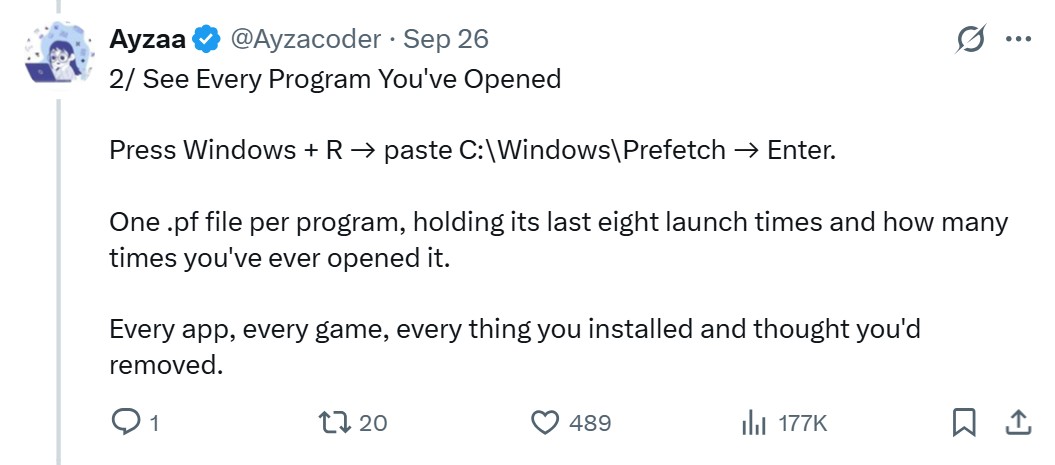
Prefetch files in C:\Windows\Prefetch store a run count and up to eight recent launch times for each program. However, Windows 8 and later, including Windows 11, retain approximately 1,024 Prefetch files. An application launched from two locations receives two separate records. Prefetch is a performance-optimization cache, not a lifetime record of every application you have installed.
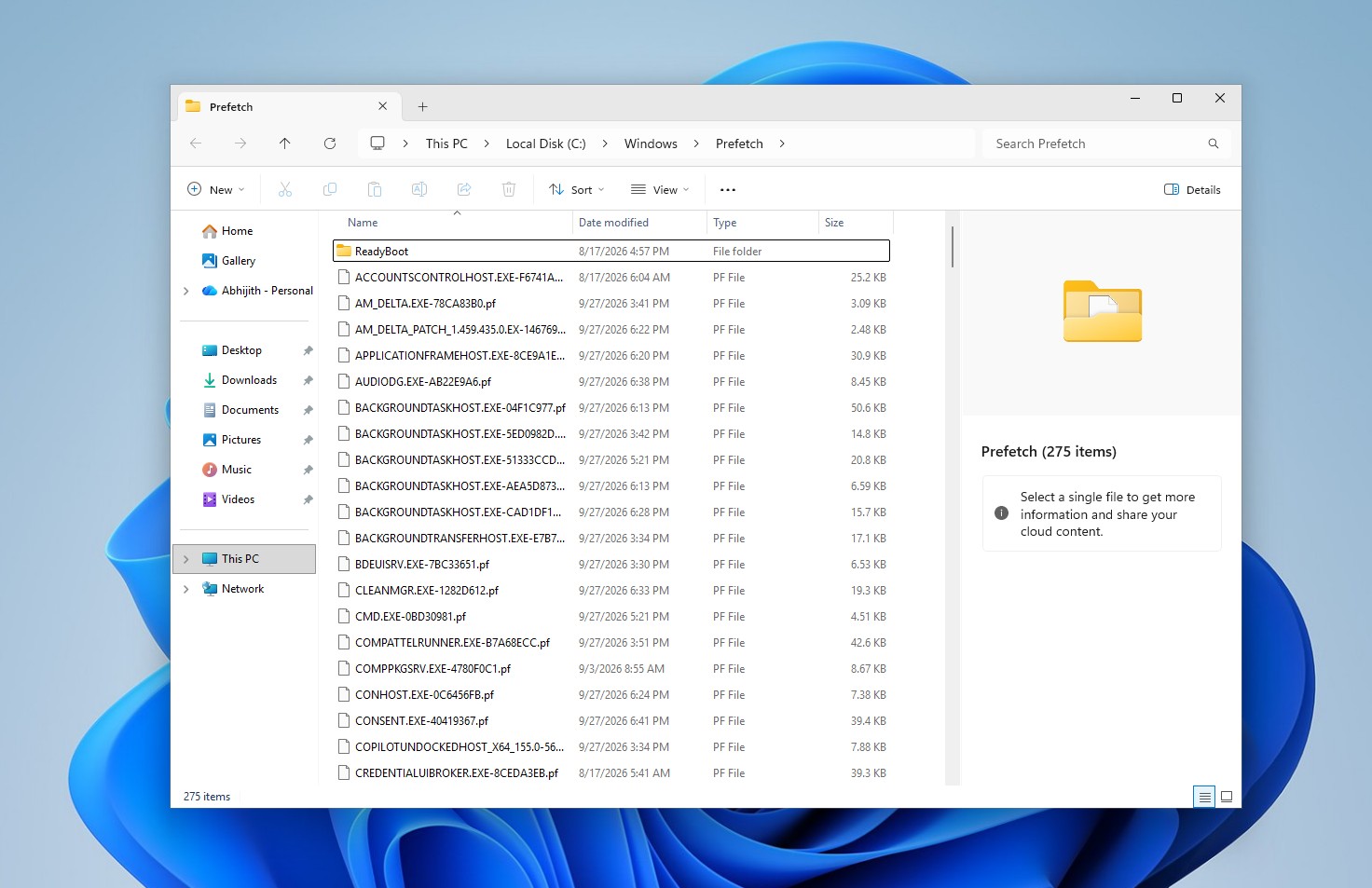
If you are concerned, you can select all files in the Prefetch folder and press Delete. Prefetch exists to improve application launch times.
Windows Keeps Records of USB Storage Devices
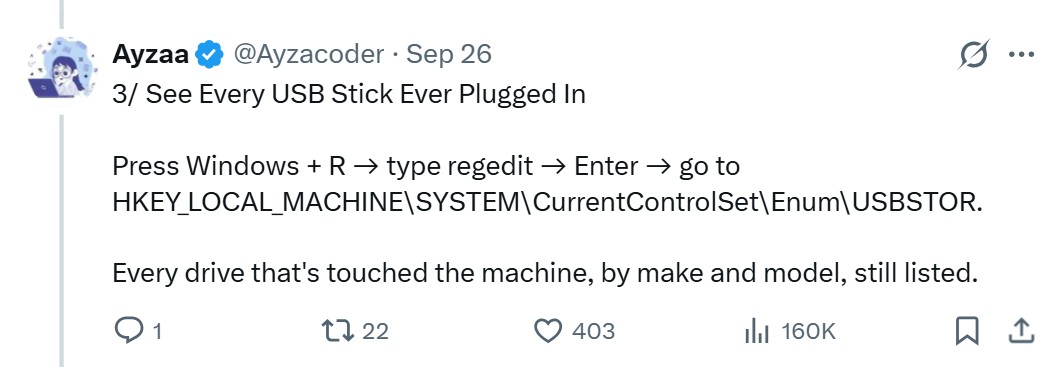
The USBSTOR registry key retains entries for USB storage devices after they are unplugged, but it is not a complete or permanent device history.
Windows Saves Wi-Fi Networks and Their Passwords
The Wi-Fi command described in the post works. Running netsh wlan show profile name=”NETWORK NAME” key=clear displays the saved key if you have the required permissions. However, Windows stores the key in encrypted form and decrypts it only when requested.
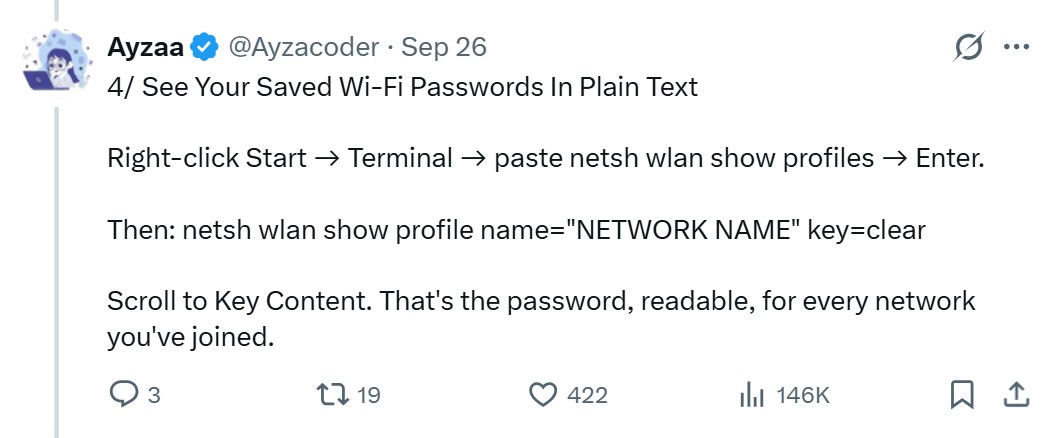
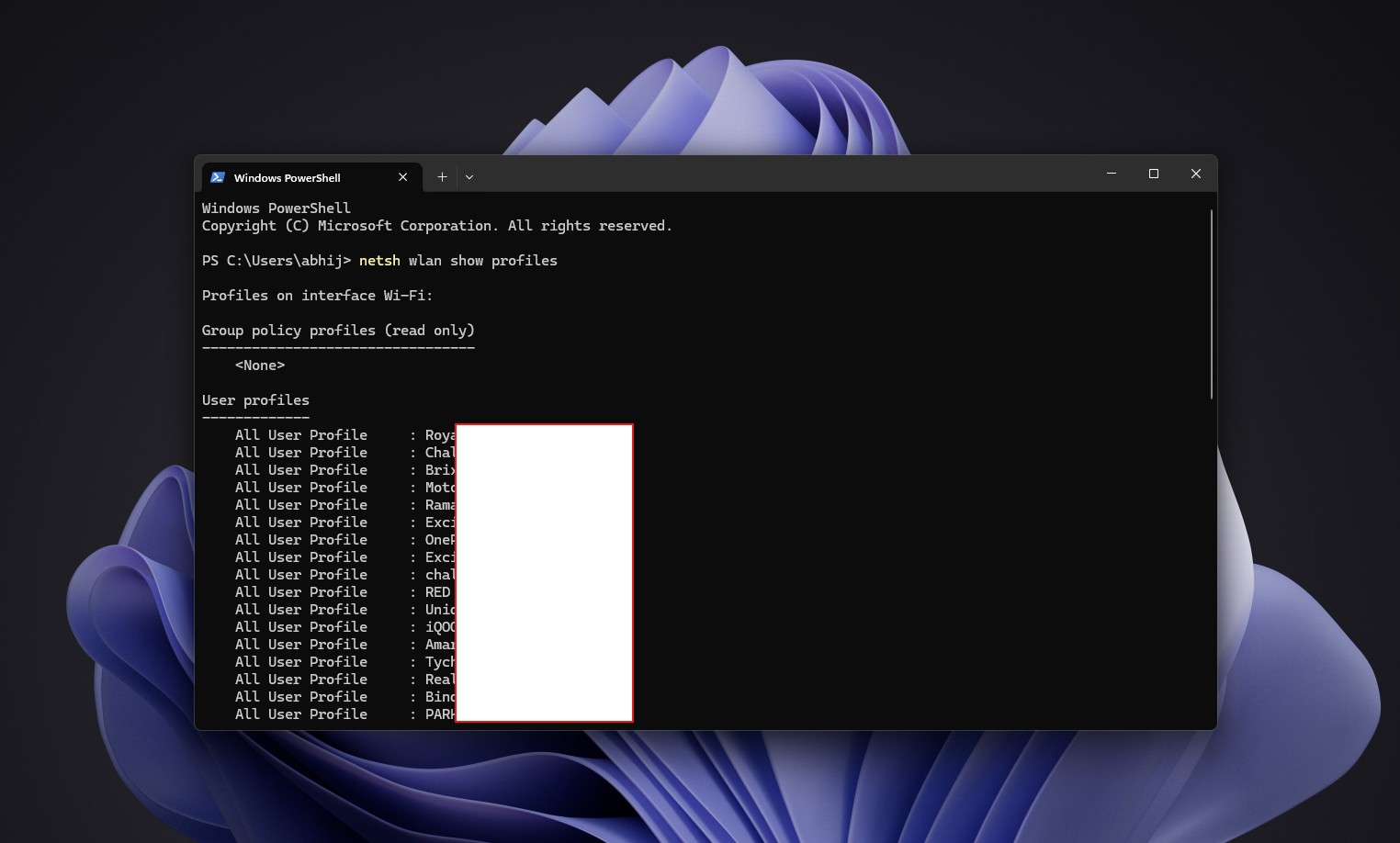
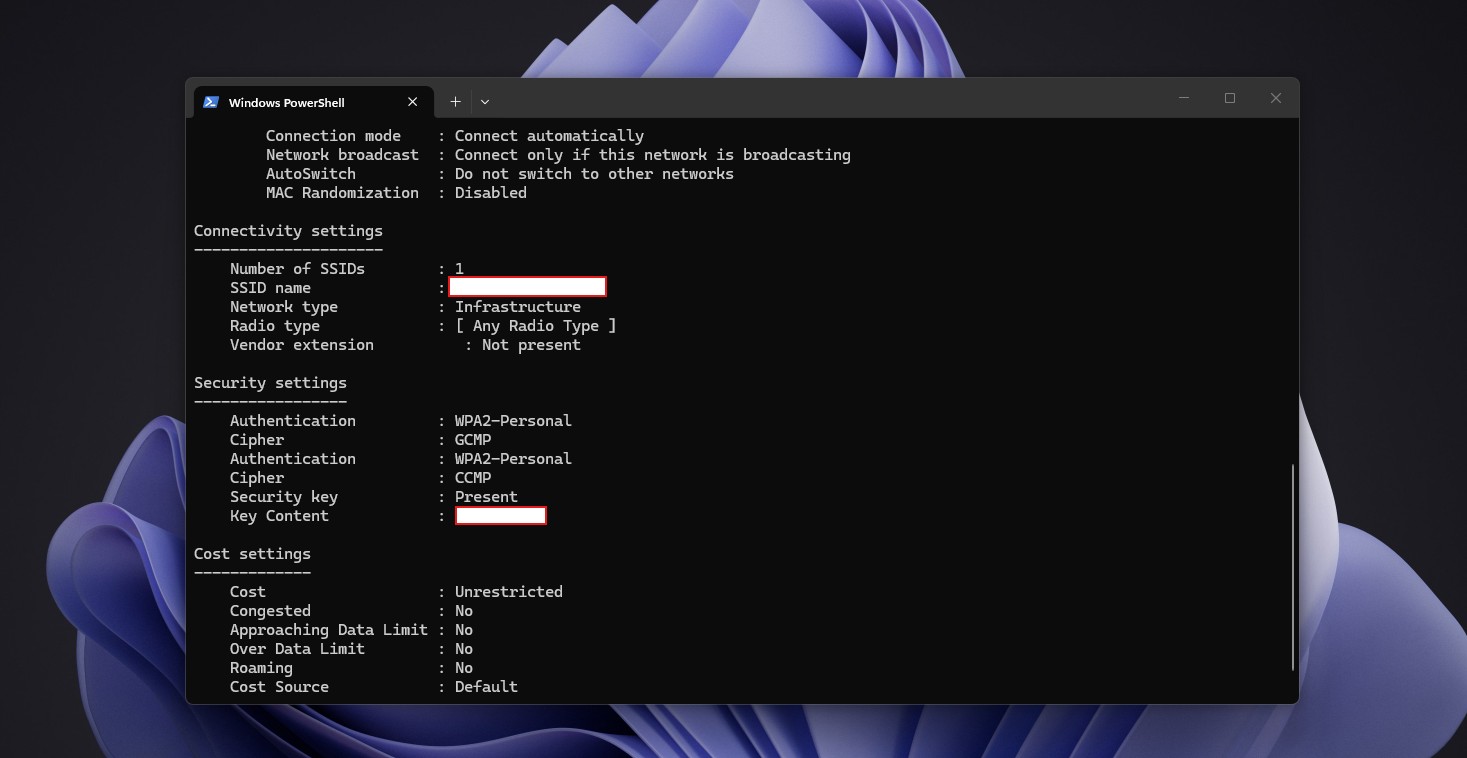
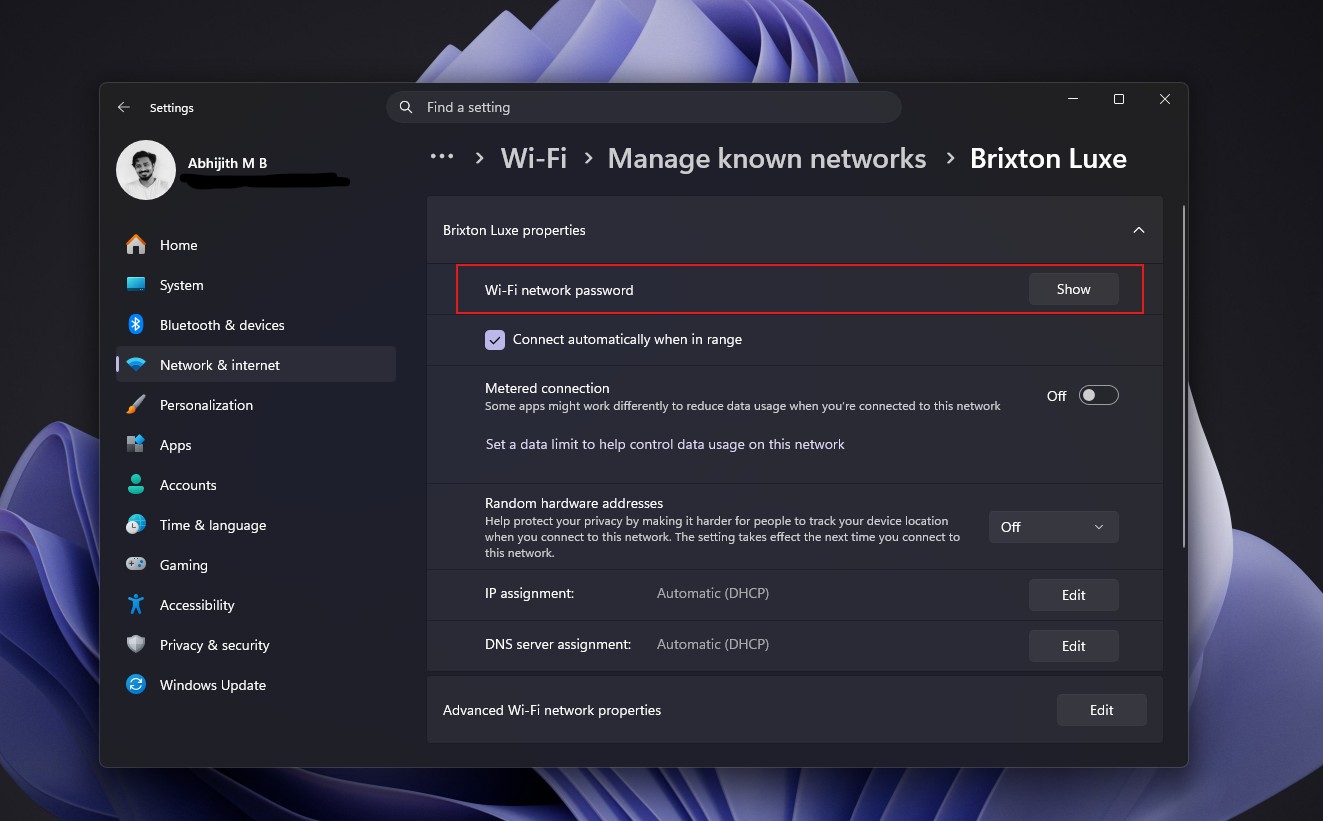
Yes, the command displays the password. However, in Windows 11, anyone who gets past the login screen can already find the password for any known network by going to Settings > Network & Internet > Wi-Fi > Manage known networks. Select a network and click Show in the Wi-Fi network password section. Android phones offer the same setting. This raises the question of what the tweet accomplishes beyond fearmongering.
Windows Can Retain Clipboard History and Recent File Shortcuts
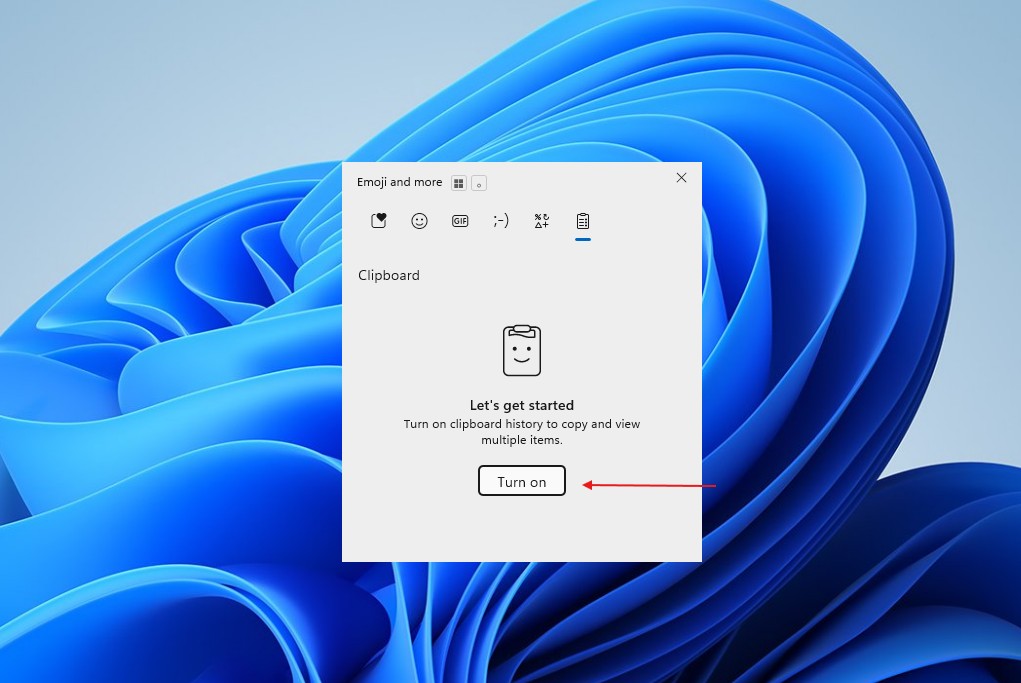
The post also portrays Clipboard history as a privacy nightmare, but that characterization is misleading. First, Clipboard history is disabled by default and can be accessed with Windows + V after it has been enabled.

Clipboard history stores no more than 25 entries and clears all unpinned items when the computer restarts. I use Windows + V every day, and my only complaint is that 25 entries are not enough.
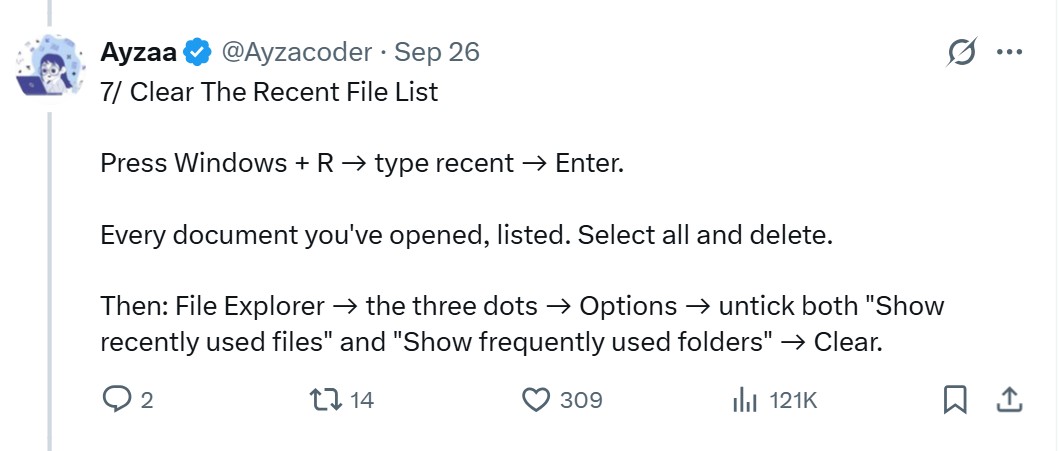
Finally, the Recent folder stores shortcuts rather than copies of your files, and applications can choose not to record the files you open. Clearing the folder is harmless. Disabling “Show recently used files” in File Explorer’s Options prevents new entries from being created.
Every Operating System Caches Previews, but AI Agents Raise New Concerns
Linux desktops store thumbnail previews in a cache folder within the user’s home directory, as defined by the freedesktop.org thumbnail standard. Apple provides Quick Look thumbnailing to applications and advises Photos developers to cache thumbnails for smooth scrolling. Android has also provided a thumbnail API for years.
The lesson is that deleting a file and erasing every trace of it are two different things. Windows retains resized copies of your profile picture even after the original is deleted, while file-system tunnelling can assign a brand-new file the creation date of one that was just deleted.
These behaviors are generally acceptable until we consider AI agents running extensively across our devices. MS has pledged to make Windows 11 the operating system for building AI, including agents that work with local files. Windows will request consent before an agent accesses folders such as Documents and Pictures. MS is also adding controls that prevent applications from accessing the camera and microphone without authorization.
There is no evidence that AI agents read thumbnail caches. However, as more software gains access to local data, it becomes increasingly important to understand what happens when you press Delete.
Disk Cleanup has limitations in this area. If you require forensic-grade removal, MS’s legacy SDelete tool overwrites deleted data in unallocated disk space.
The viral post is partially correct that Windows may retain a cached thumbnail after the original image has been deleted. However, describing it as a thumbnail of “every photo you’ve ever deleted” is clearly misleading.
As Windows, macOS, and Linux provide applications and AI agents with greater access to our files, basic actions such as deleting a file should not compromise our privacy.
Here is the viral post that started the discussion.
Windows Latest depends on readers like you. Make us your preferred source on Google Discover and Google Search, and help our independent reporting reach more people.
