MS has fixed a Windows 11 bug that could cause mouse input to stutter in some games. The fix is included in the October 2026 Patch Tuesday update, KB5127648. We spotted the one-line entry in MS’s changelog, where it appeared without much fanfare. As a result, this fix for an issue that has frustrated gamers for a long time could easily be overlooked.
If your mouse has been stuttering in games for no apparent reason, install the latest Windows update.
MS Confirms Windows 11 Had a Mouse-Stuttering Bug in Some Games
“This update fixes an issue that could cause mouse input to stutter in some games,” MS states in the KB5127648 release notes under “Gaming.” The fix was not included in the September 22 optional preview, making it new to the October update.
MS has not disclosed what caused the stuttering, which games were affected, or how many gamers experienced the issue, although we found several user reports. However, the fix confirms that the problem originated in Windows, as some users suspected, while others considered replacing their existing equipment with more expensive alternatives.
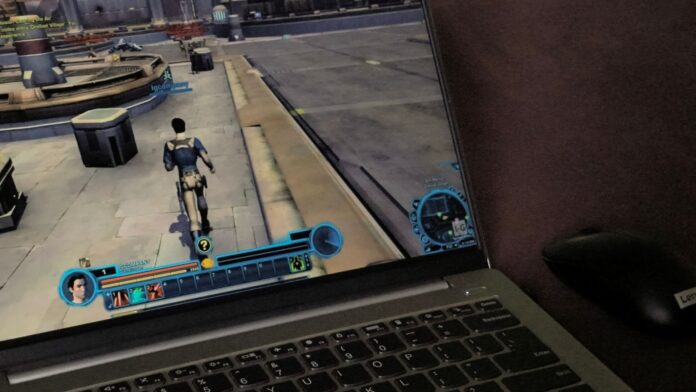
In June, a Windows 11 user posted on MS Q&A that a Windows update had disrupted mouse behavior in Star Wars: The Old Republic and Final Fantasy XIV. In SWTOR, the user said, “my mouse would whatever reason does a 360 camera look” after pressing the Windows key and returning to the game. In Final Fantasy XIV, the cursor continued moving while the user turned the camera, and “when I need to turn left my cursor would disappear to the right screen.”
The user lowered the Logitech G600’s DPI and polling rate to 800 DPI and 125 Hz, replaced the keyboard and mouse, performed a clean boot, and contacted both Logitech and MS. Logitech’s response was a 30% discount on its merchandise. Even after the clean boot, the user wrote, “it still doing the weird camera thing.”
More frustratingly, reports of mouse problems following Windows updates go back even further. In February 2025, a user with a fresh Windows 11 24H2 installation said the mouse “has lagged and stuttered constantly.” Another user replied, “I got the update recently that was supposed to fix this, and it did not.”
Gamers on Reddit were similarly confused. This month, two The Division 2 players reported camera stuttering while moving the mouse and mouse stuttering they could not resolve, even though the game itself ran smoothly. They tried different mice, polling rates, and reinstalls, while replies attributed the issue to everything from polling rates to GPU drivers. Other users have also experienced micro-stutters on high-end PCs.
To be clear, MS has not stated that these reports share a single cause. Mouse stuttering can result from many factors, but in my opinion, a Windows bug would explain why so many users replaced perfectly functional mice without seeing any improvement.
How to Fix Mouse Stuttering in Windows 11 Games
KB5127648 updates Windows 11 26H2 to Build 26300.9711, 25H2 to Build 26200.9711, and 24H2 to Build 26100.9711. It is also the final update for Windows 11 24H2 Home and Pro. If Windows Update continues to fail, you can obtain the offline installer from our KB5127648 download guide.
If games continue to stutter after installing the update, possible causes may include an outdated mouse, USB, or GPU driver; G-SYNC or Adaptive Sync; wireless interference; or extremely high polling rates.
Docks can also be responsible. Last October, one user’s mouse worked correctly on a Dell laptop but began jerking and moving slowly on external monitors connected through a Kensington dock after a Windows update.
Spending exorbitant amounts on hardware for impeccable frame rates only to have a stuttering mouse ruin the experience is deeply frustrating. At least there is now a clear first step to take before blaming the mouse itself.
Windows Latest depends on readers like you. Make us your preferred source on Google Discover and Google Search, and help our independent reporting reach more people.
