I ditched Windows 11’s worst app, the 2GB RAM-guzzling WhatsApp, for its leaner website, while Mac users still have a native app
I Ditched WhatsApp for Windows 11 After It Crossed 2GB of RAM—and the Web Version Is Better
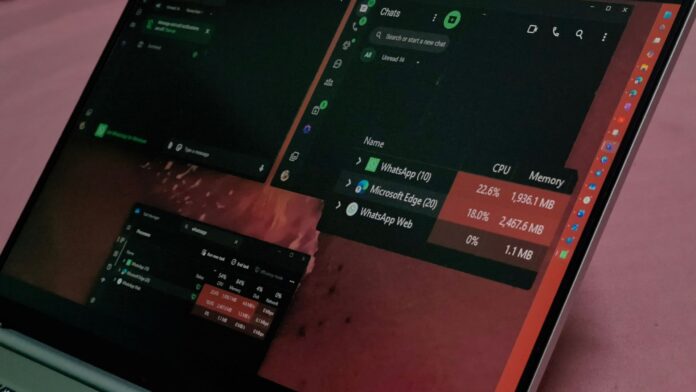
WhatsApp for Windows 11 used 2,157.8MB of RAM on my PC while I was simply scrolling through chats, a year after Meta replaced its native app with a WebView2 wrapper. I have since uninstalled it, and between WhatsApp Web—which now supports voice and video calls—and streaming WhatsApp from my phone, I am not missing anything.
If WhatsApp were fast while consuming that much memory, I could live with it. It is not, and the alternatives I tested use a fraction of the RAM. I genuinely do not understand what Meta’s engineers are doing. Was AI not supposed to give us better software?
WhatsApp for Windows 11 Now Exceeds 2GB of RAM—and It Is Still Slow
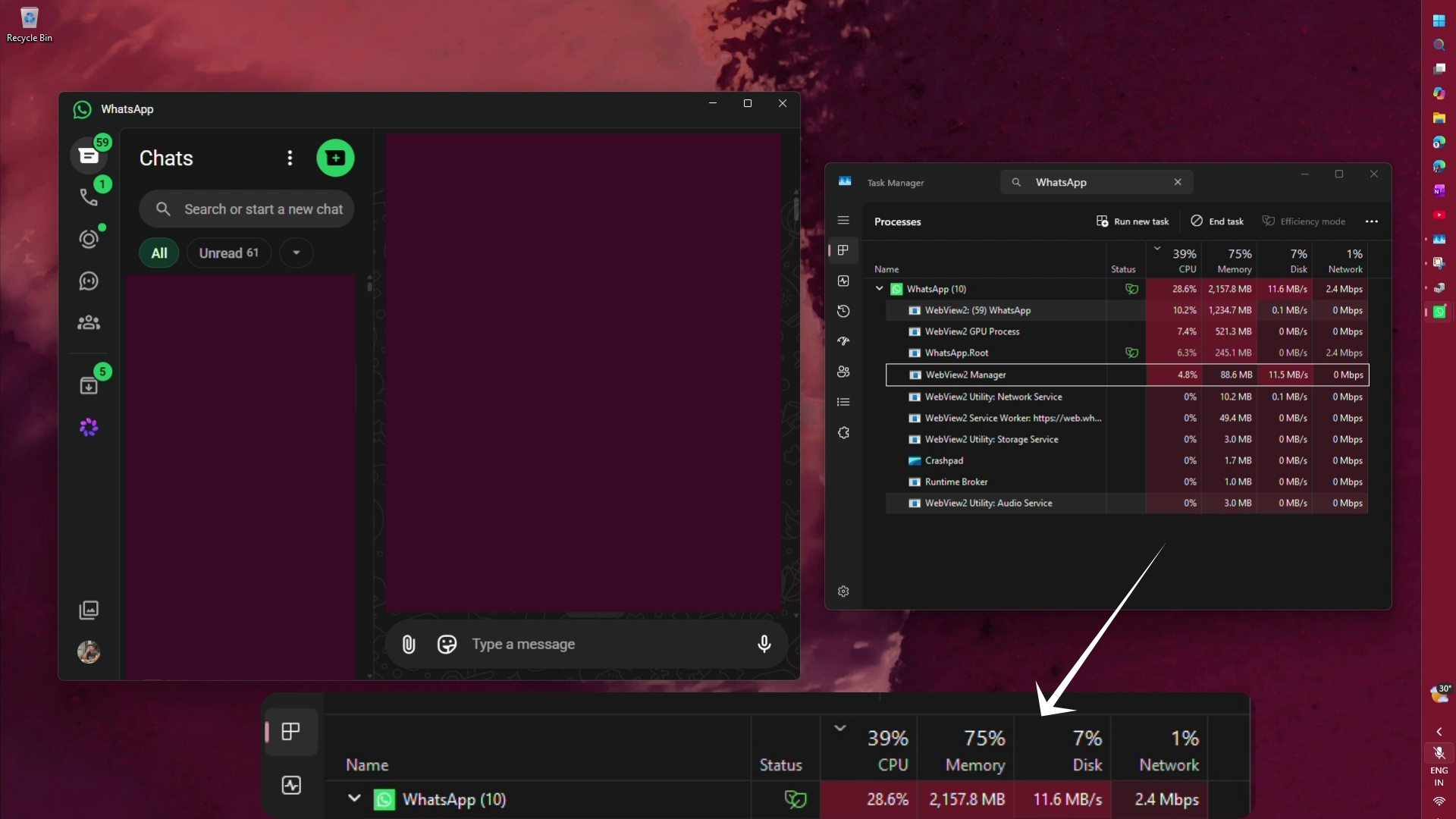
In Task Manager, the WhatsApp process group shows 10 processes. The WhatsApp WebView2 tab uses 1,234.7MB, the WebView2 GPU process consumes 521.3MB, WhatsApp.Root uses 245.1MB, and the WebView2 Manager uses another 88.6MB—the amount of RAM consumed by the native version of WhatsApp a year ago. This web-based implementation also reached 28.6% CPU usage and 11.6MB/s of disk activity while I scrolled.
For context, Meta discontinued the native WhatsApp app in November 2025, and the new version simply loads web.whatsapp.com inside MS Edge WebView2. When I first tested it, the old UWP app used less than 100MB while idle and around 250MB while scrolling. By comparison, the WebView2 version consumed approximately 600MB while idle and 1.2GB while scrolling. During video calls, usage was roughly 900MB versus 316MB. This is enshittification at its best.
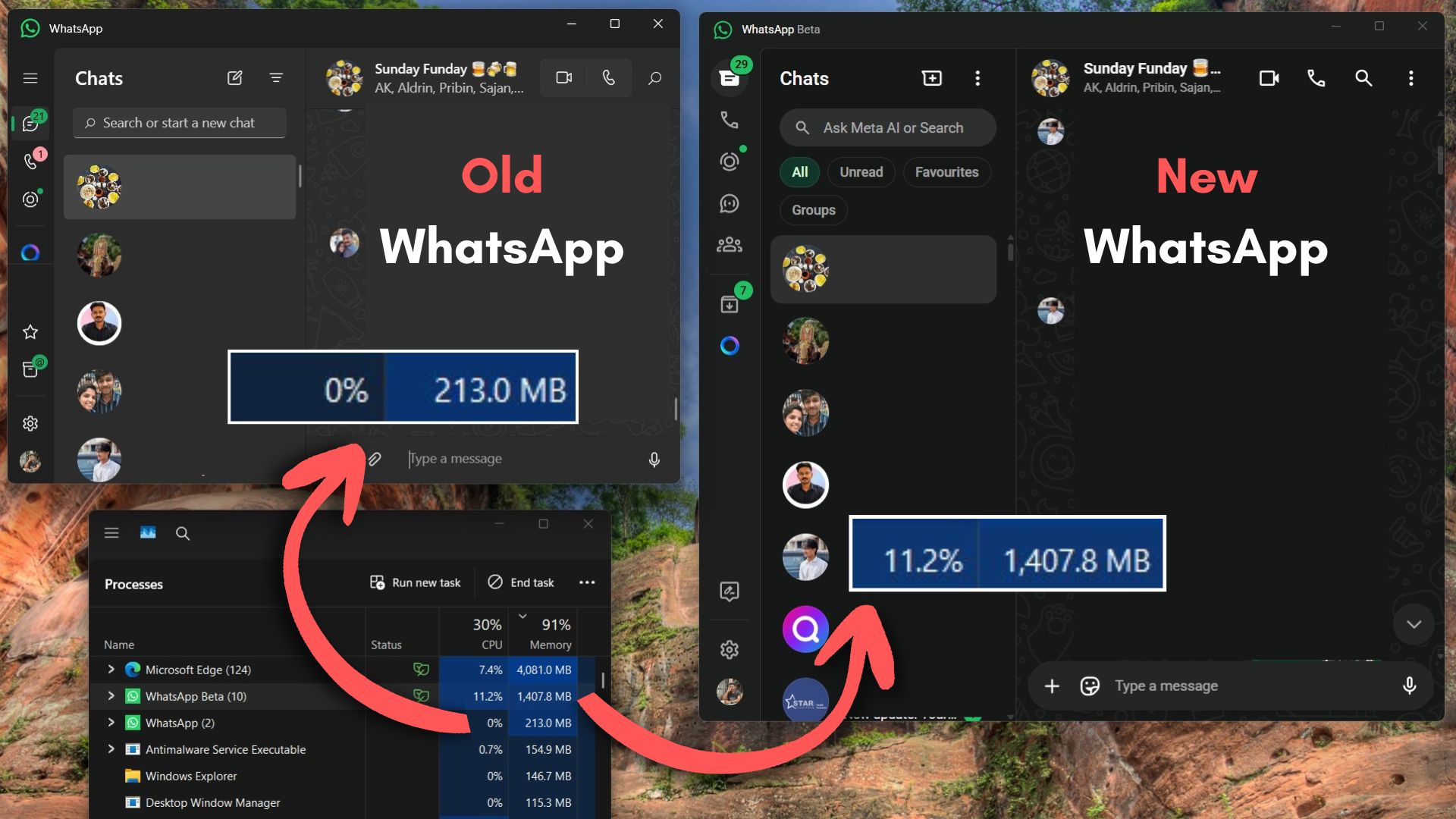
In June, WhatsApp was still consuming 1.2GB of RAM on Windows 11. It has now crossed 2GB.
The memory usage would be easier to forgive if the app were at least fast. Switching between chats still takes about a second, scrolling is choppy, and the single tick on a sent message appears late. Ironically, WhatsApp’s own help page once said that its native Windows and Mac apps “provide increased performance and reliability,” yet Meta logged users out to push them toward the web wrapper.
WhatsApp Web Uses Less RAM—and It Finally Supports Calls
Unfortunately, though unsurprisingly, WhatsApp Web is not lightweight. In Edge’s Browser Task Manager, my WhatsApp tab used approximately 700MB.
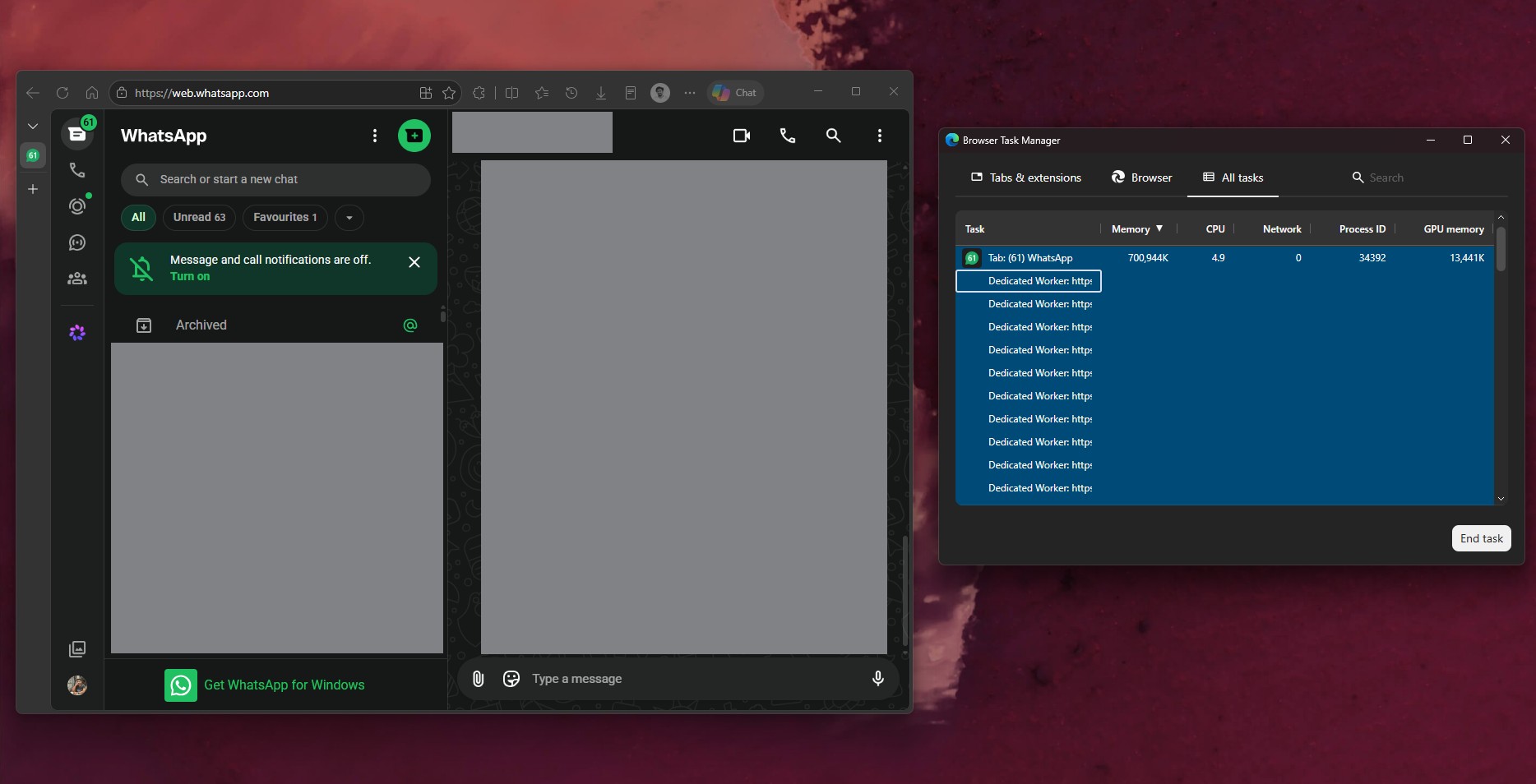
RAM usage continues to rise while using WhatsApp Web, particularly when scrolling through messages. However, in my testing, it is smoother than WhatsApp Desktop. There is an important factor to consider: Edge is my default browser and is always open. As a result, opening WhatsApp Web has a less significant performance impact than launching WhatsApp Desktop, which is effectively like opening an entire browser solely to run WhatsApp.
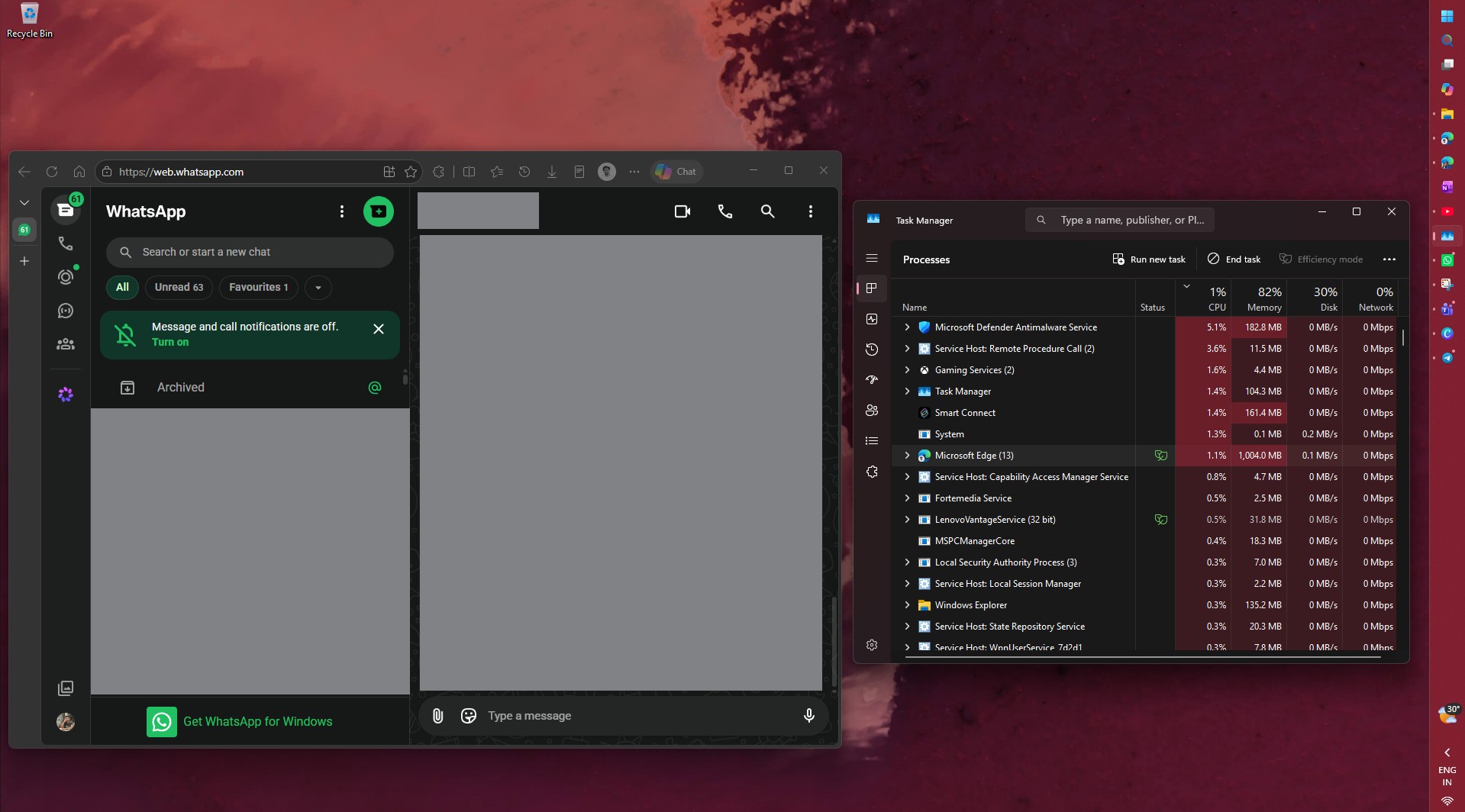
When I opened my personal and WhatsApp Business accounts in two Edge tabs, they used 593.4MB and 562.8MB, respectively. That is approximately 1.16GB for two accounts, still well below the 2GB consumed by a single account in the desktop app.
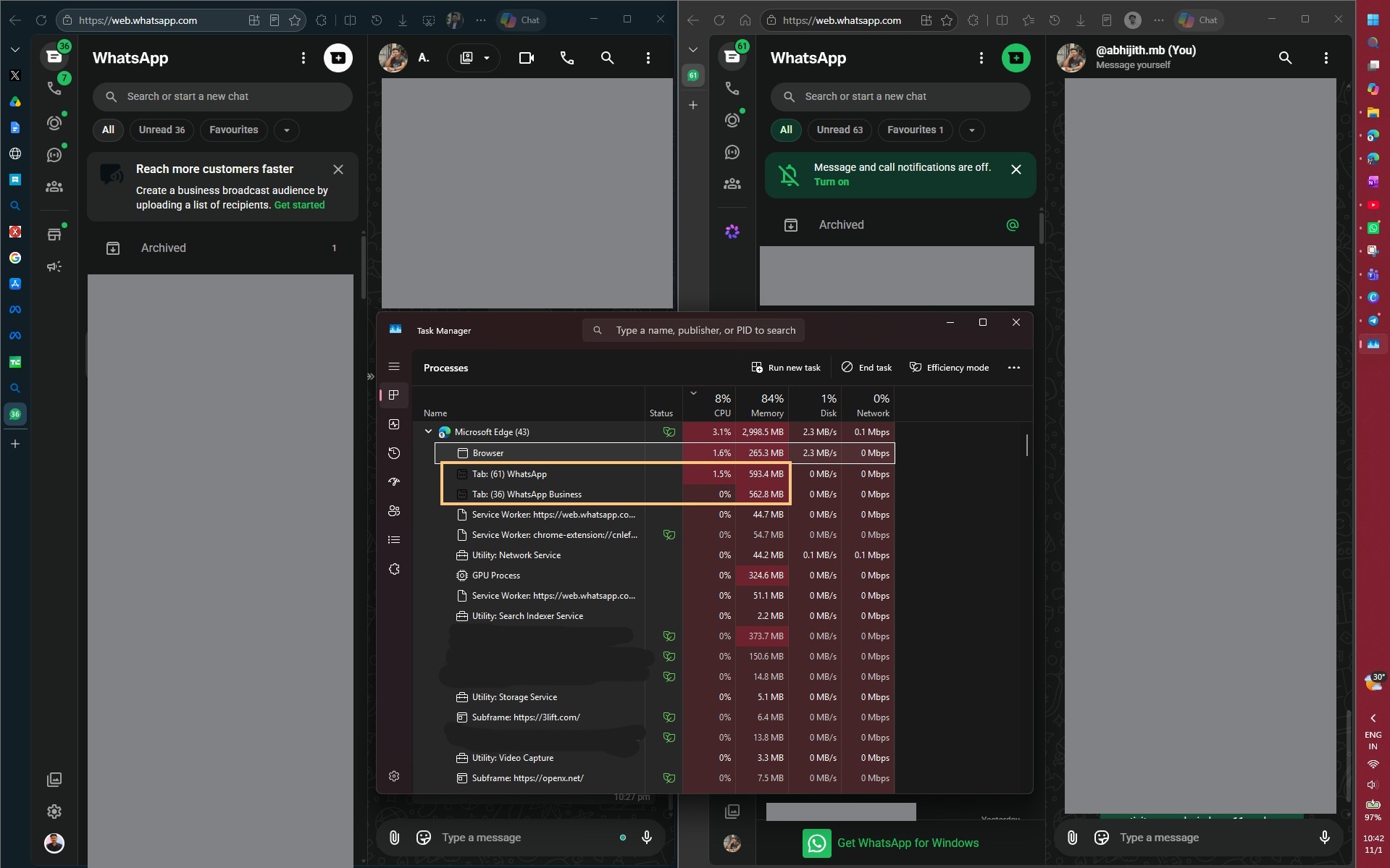
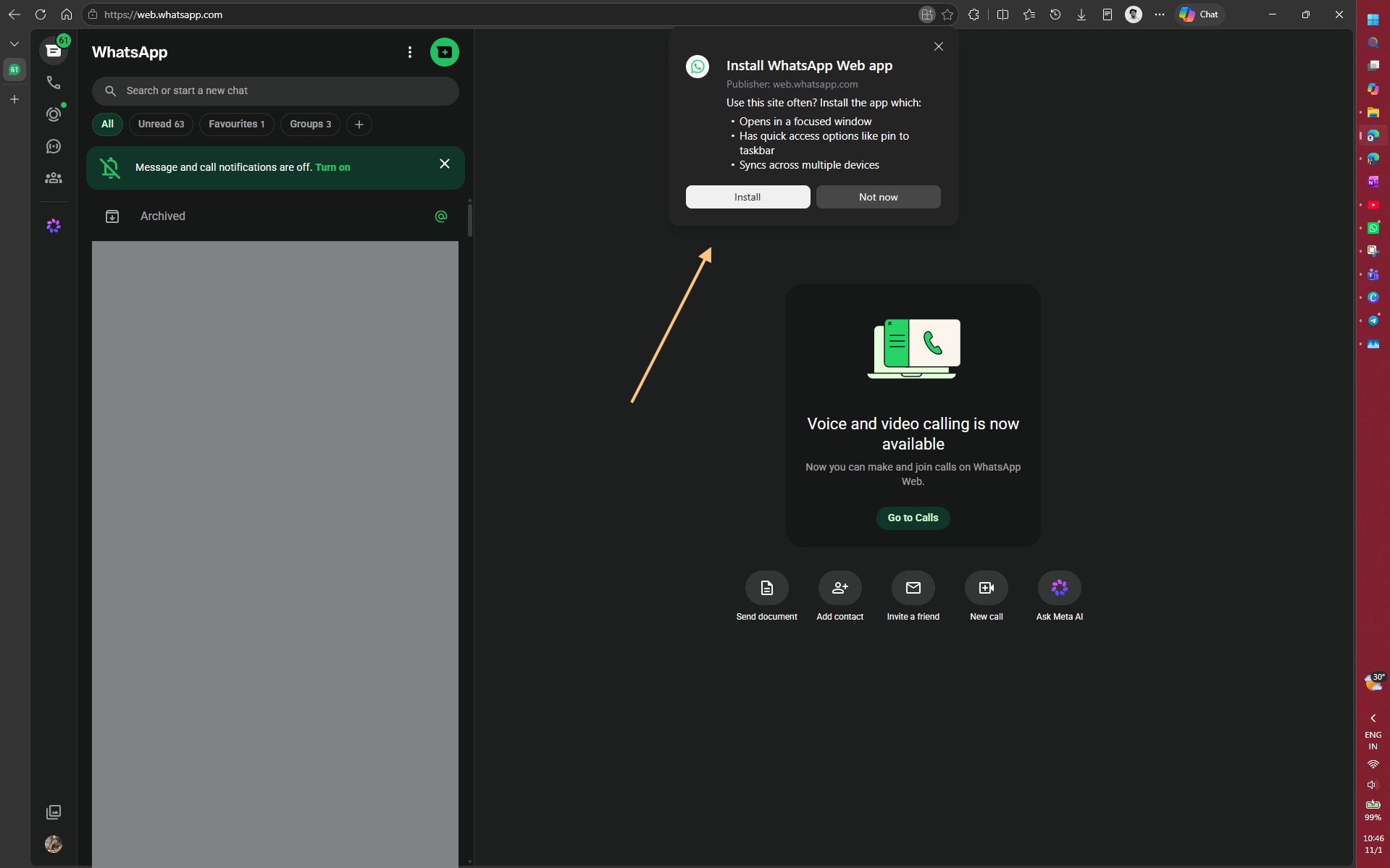
You can also install WhatsApp Web as an app. Edge displays an “Install WhatsApp Web app” icon when you open the site.
I installed it and ran it alongside the desktop app. At first glance, Task Manager showed “WhatsApp Web” using only 2.5MB, which was too good to be true.
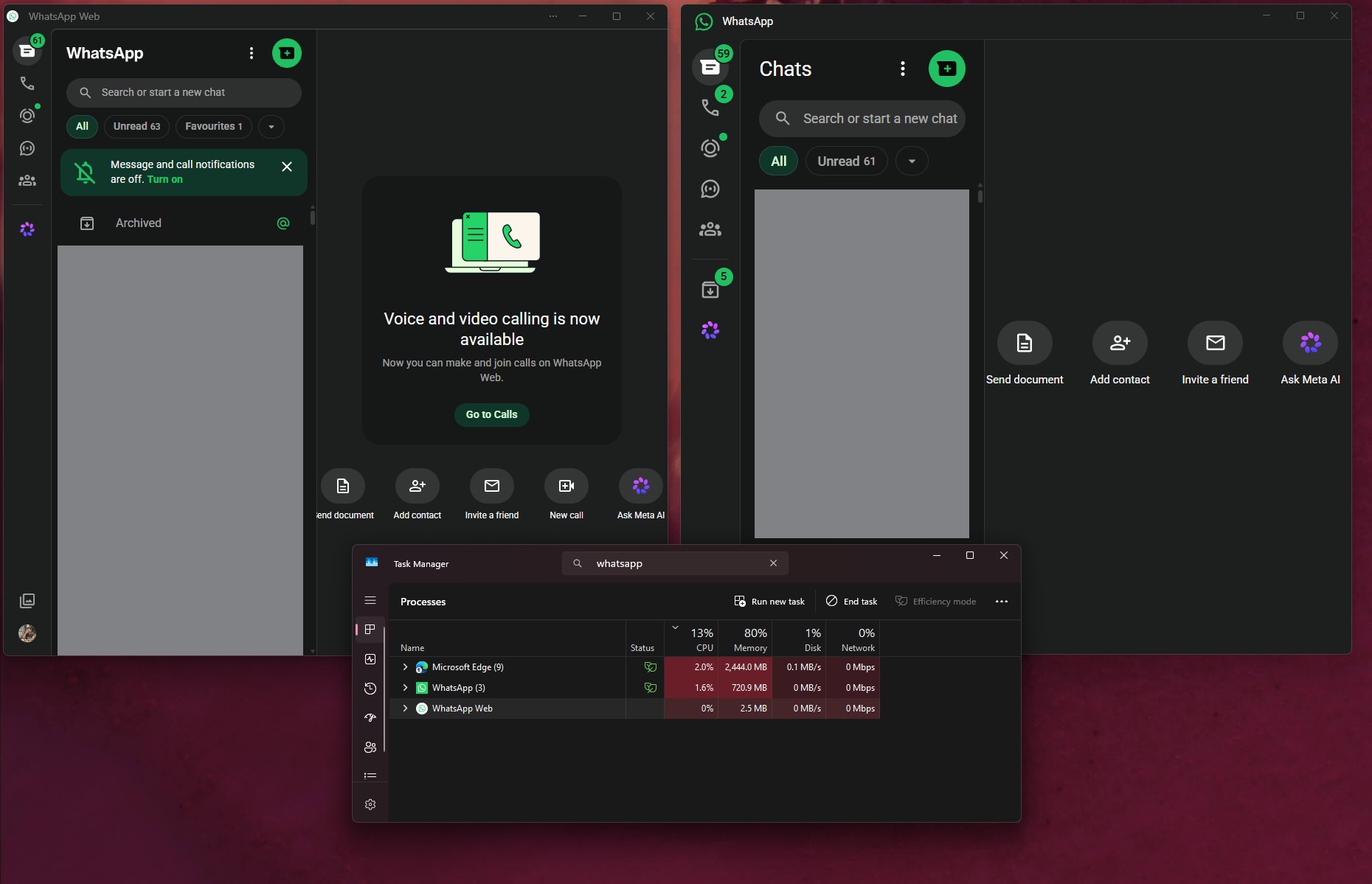
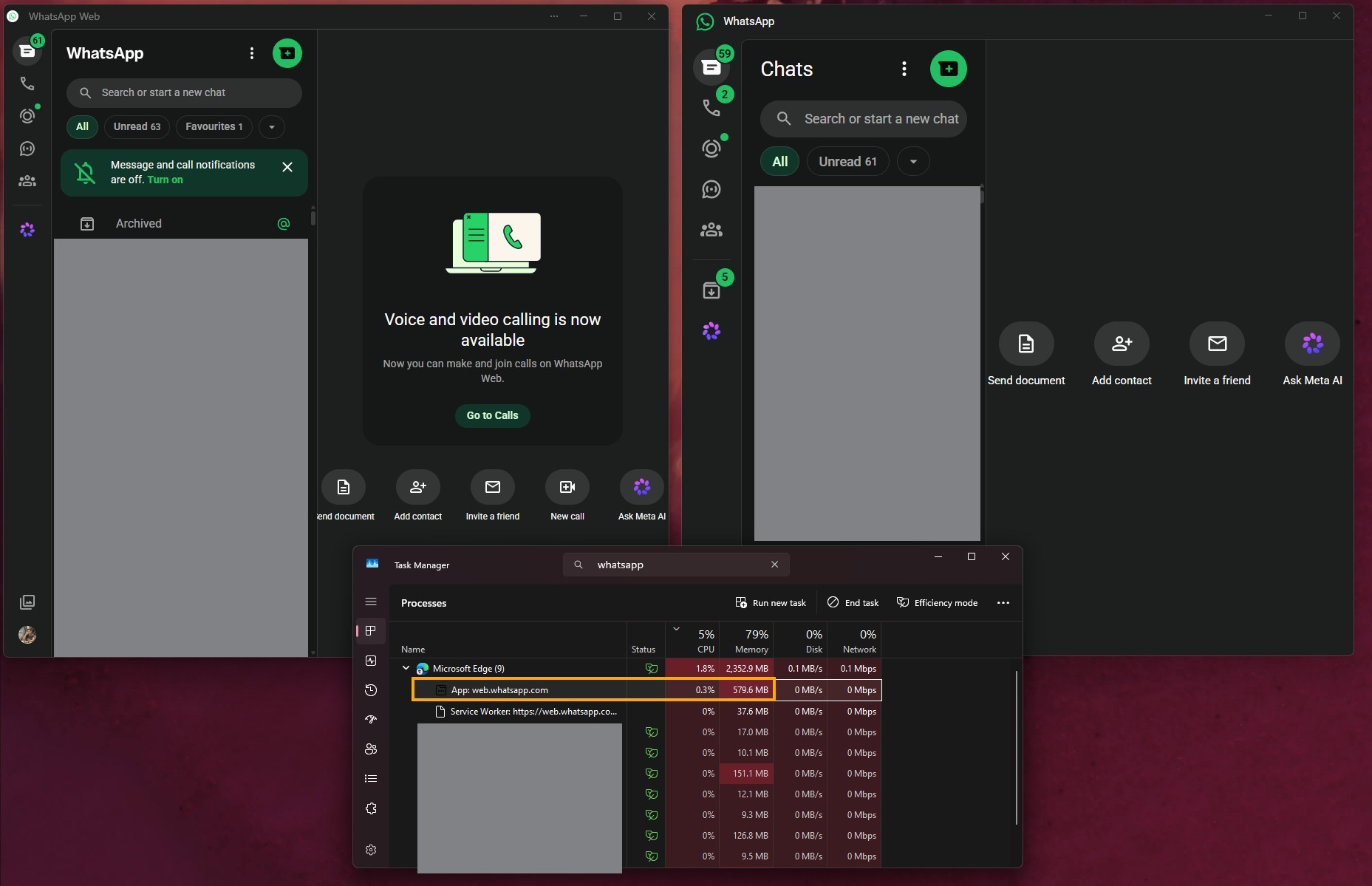
The actual processing occurs under MS Edge, where “App: web.whatsapp.com” used 579.6MB. At that point, the WhatsApp desktop app was using approximately 720.9MB of RAM.
Calling was the one reason to keep the desktop app, but that advantage is now gone. In July, WhatsApp added voice and video calls to WhatsApp Web, along with screen sharing, a Calls tab with history and favourites, call transfers between devices, waiting rooms for group calls, QuickHD video, and noise suppression. These features are rolling out gradually, and my browser already displays the “Voice and video calling is now available” card.
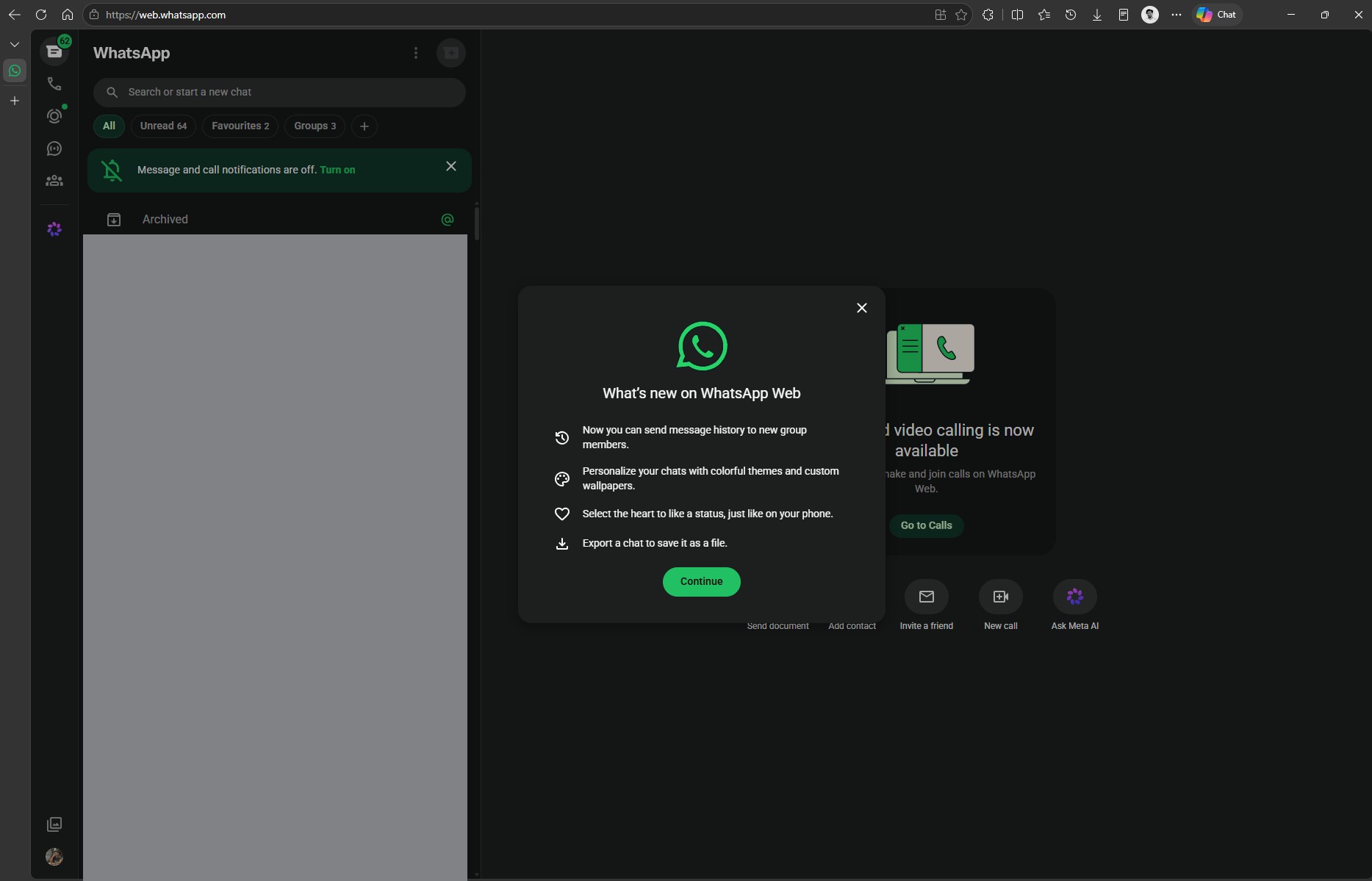
WhatsApp Web also recently informed me that I can share message history with new group members, use chat themes and custom wallpapers, like a status with a heart, and export a chat as a file.
The only limitation is Windows 11’s Resume feature for WhatsApp, which always opens the desktop app. It therefore does not help if you use WhatsApp in a browser.
Streaming WhatsApp From My Phone Uses Only 83.5MB on My PC
My other solution requires compatible hardware. I use a Lenovo IdeaPad with a Motorola Edge 50 Neo. Because Lenovo owns Motorola, both devices support Smart Connect, making them an ideal combination. I simply searched for WhatsApp in Smart Connect and opened the Android app in a window on my PC.
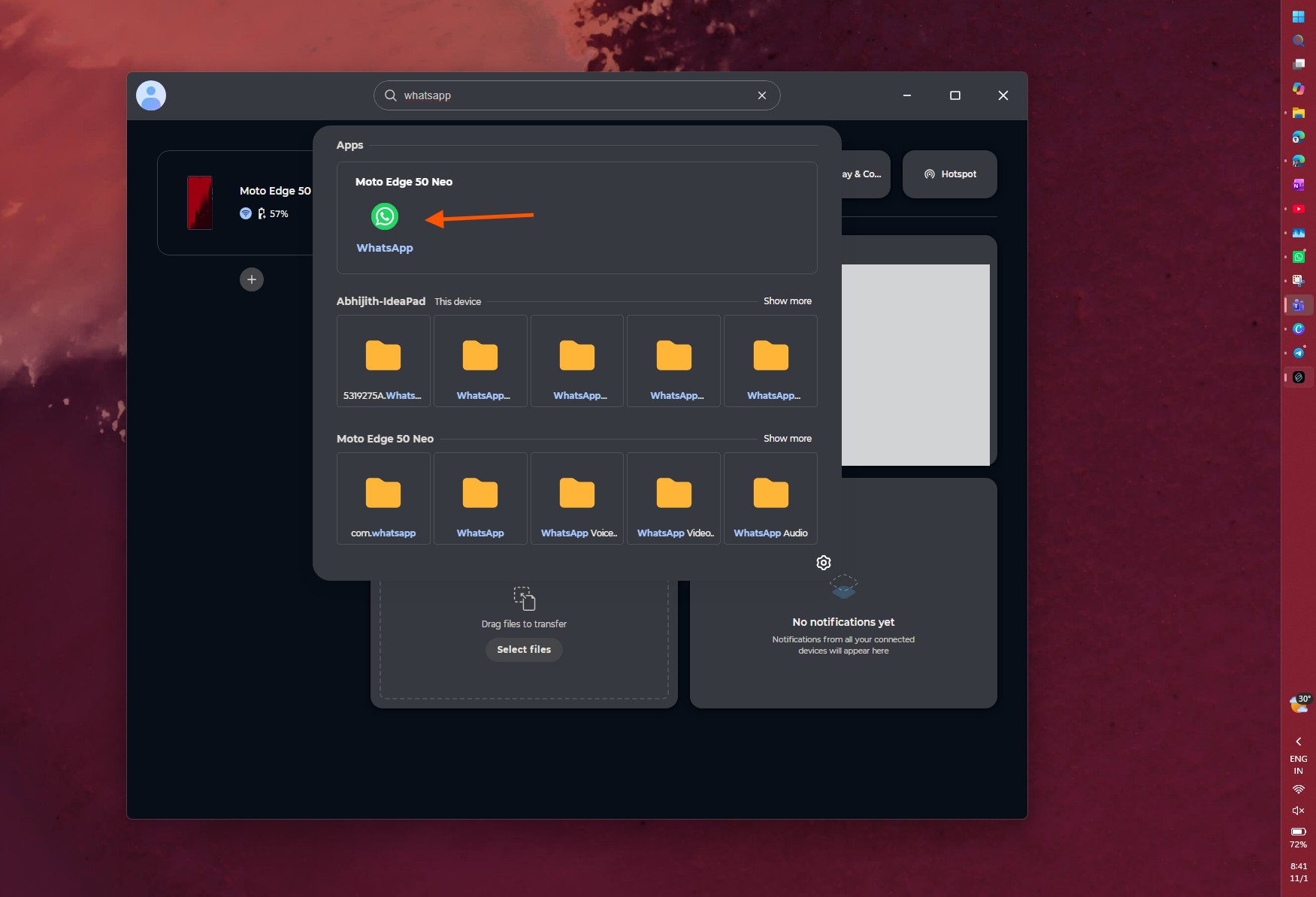
Because WhatsApp continues running on the phone, Smart Connect used only 83.5MB on my PC, including the Smart Connect app itself. I use it daily, and it has been reliable. The app also supports file transfers, making it arguably better than anything Meta currently offers Windows users.
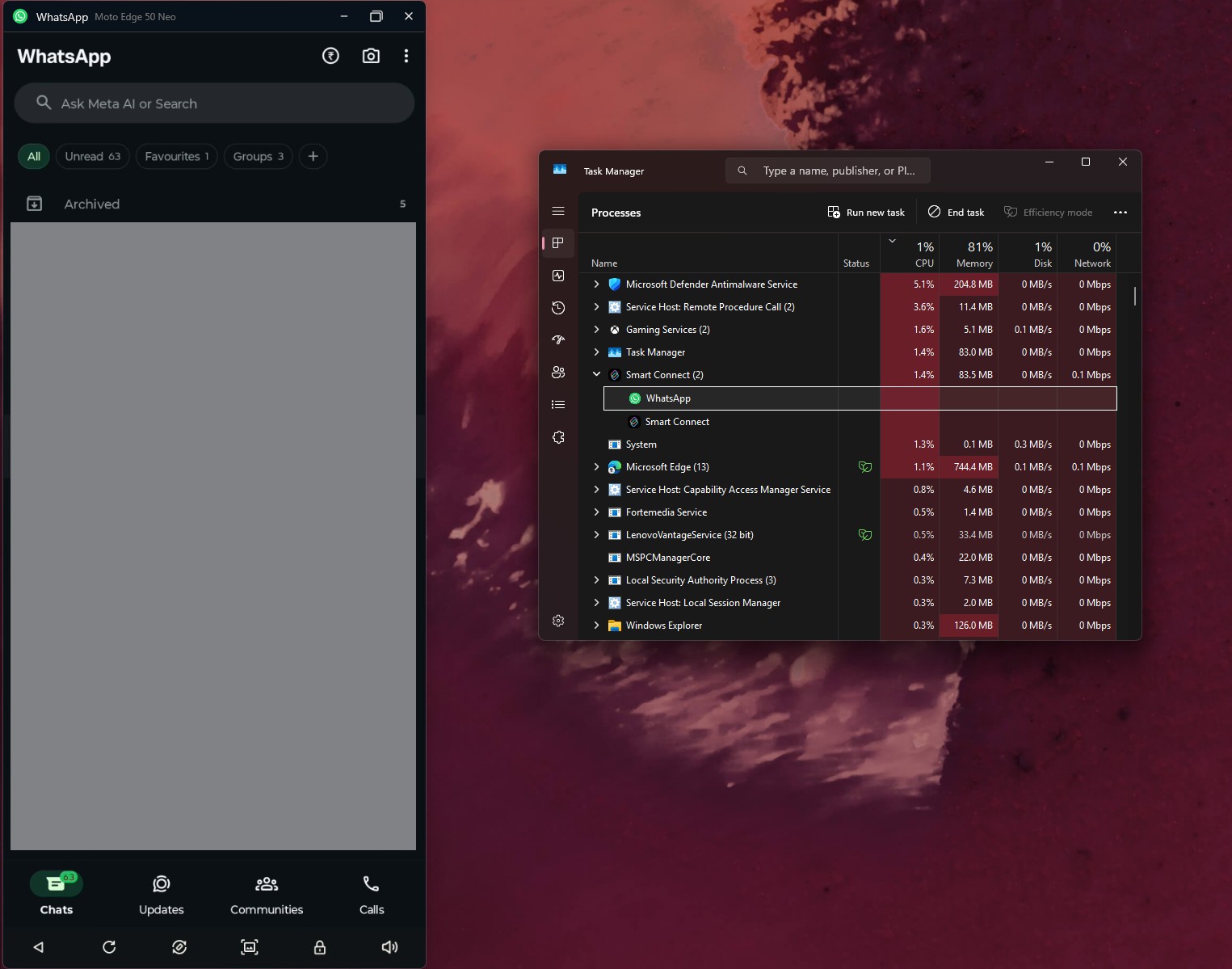
I understand that not everyone has a Lenovo PC and a Motorola phone. Fortunately, MS’s Phone Link can stream apps from supported Samsung, HONOR, OPPO, ASUS, vivo, and Xiaomi phones. We also found that Windows 11’s new taskbar Search can now open apps from an Android phone in a Phone Link window.
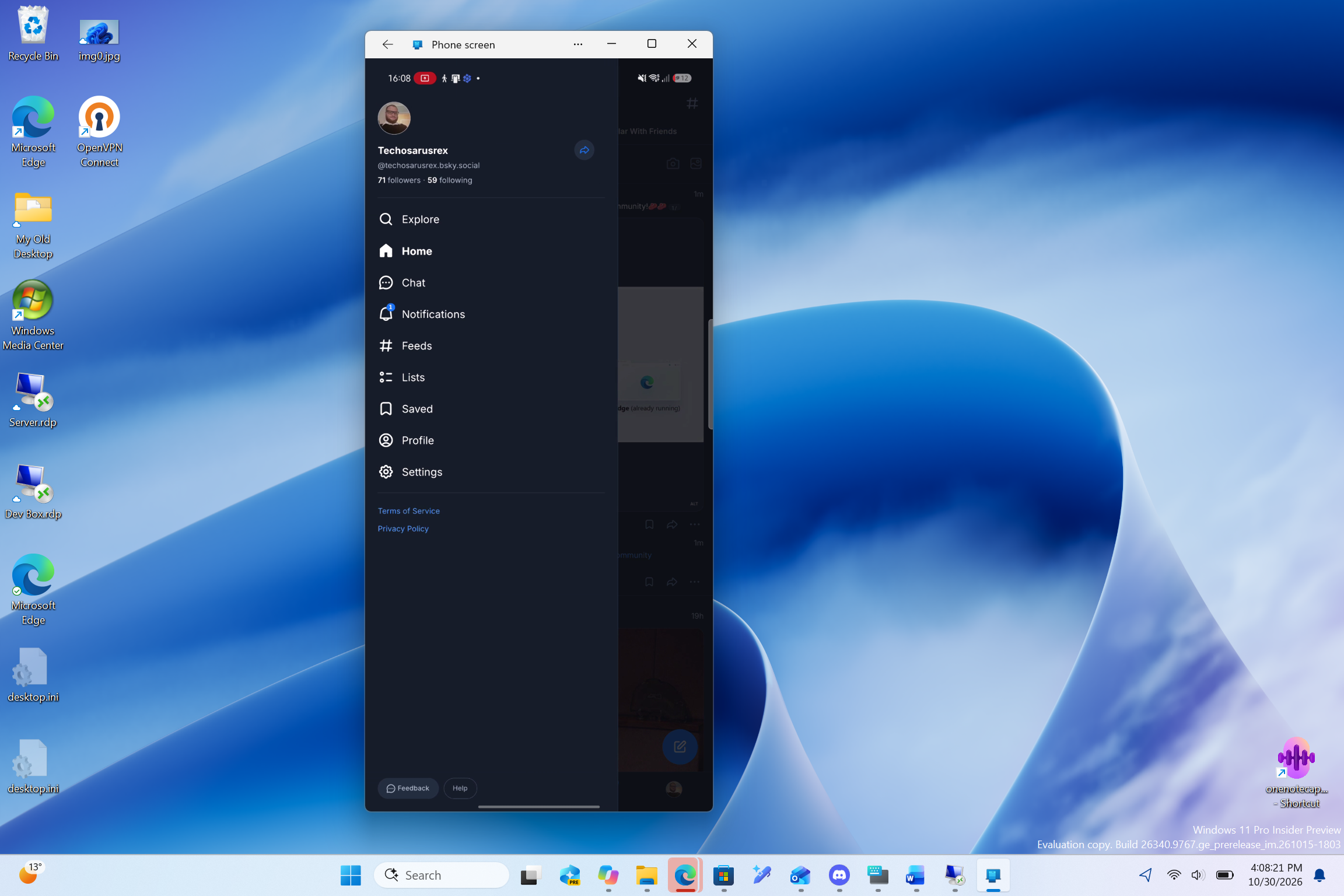
The feature is still being tested, but it could make streaming WhatsApp on a PC feel much more natural, similar to the experience within the iOS and macOS ecosystem.
Telegram and a One-Person Project Show What WhatsApp Could Be
I participate in Telegram groups that receive thousands of messages each day, yet Telegram Desktop uses only 340.1MB on my PC. In Task Manager, the only subprocess listed is the active conversation, unlike the numerous WebView2 processes running under WhatsApp. Admittedly, this is not a perfect benchmark because the two apps do not contain conversations with the same people.
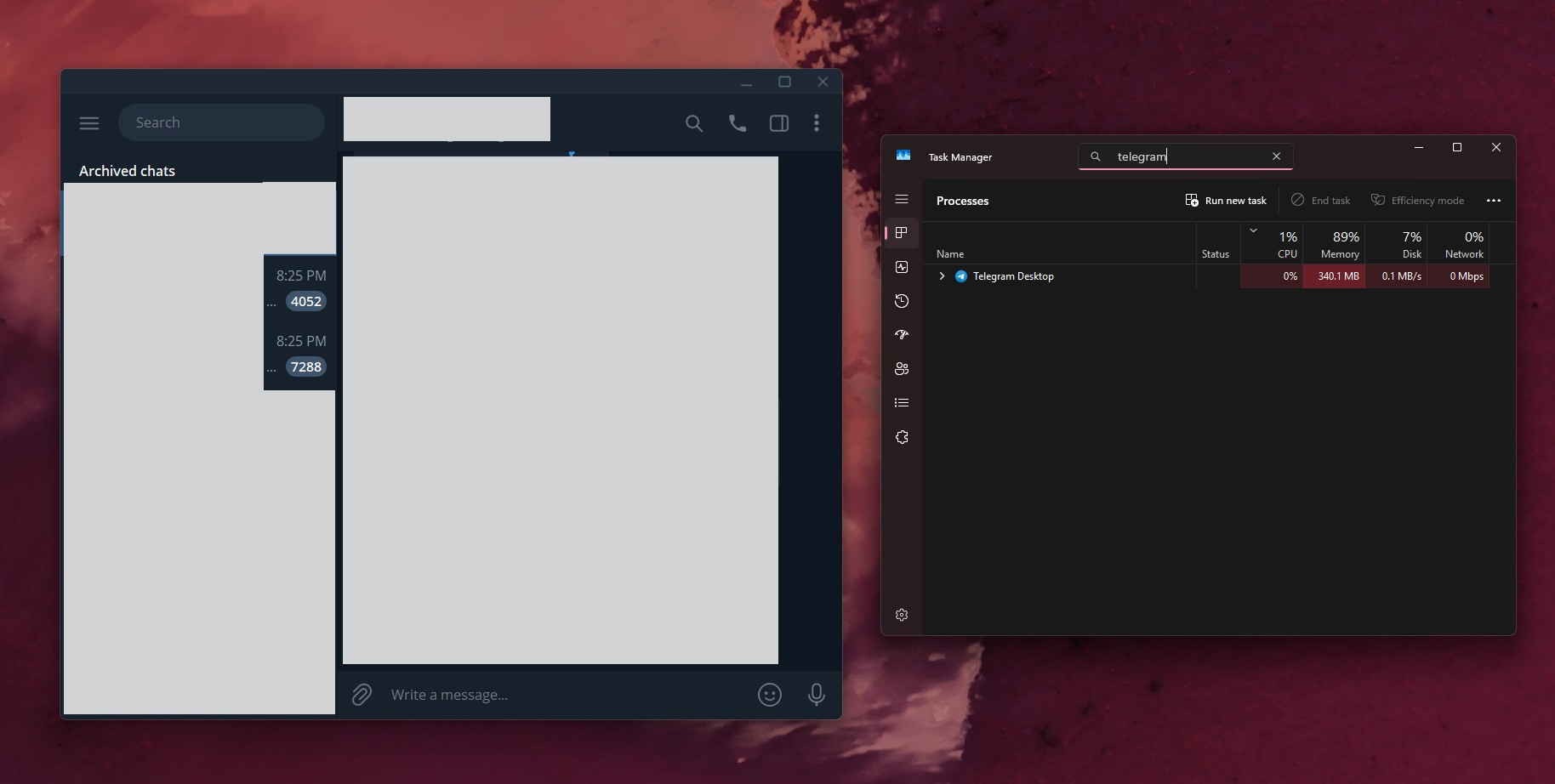
However, Telegram offers better features and usability than WhatsApp. Its developers have also remained highly consistent in supporting the Windows app, which I greatly appreciate. Telegram is a much smaller company than Meta.
In other interesting news, independent developer Carmine Paolino created ZapFast, a native WhatsApp client written in Rust for Windows, macOS, and Linux. It connects to WhatsApp as a companion device without using a browser engine. In his Linux test, Paolino said it used approximately 150MB of RAM while idle, compared with 1.13GB for WhatsApp Web running in Chromium. The chat interface also loaded in approximately 0.7 seconds, compared with four seconds.
Of course, I am not recommending it. ZapFast does not yet support calls, status, or communities, but that is not the primary concern. Its website warns that “Using an unofficial client may be against WhatsApp’s terms of service and could get an account suspended.” Nevertheless, if one developer can build a native WhatsApp client, what is stopping Meta?
Meta Has No Excuse to Keep WhatsApp as a Web Wrapper on Windows
Windows has 1.6 billion monthly users, according to Satya Nadella, and WhatsApp is the most popular messaging app available. In Steam’s September survey, Windows held a 95.03% share, compared with 1.92% for macOS. Although that survey represents a gaming audience, it illustrates the broader point. Meta still provides a native WhatsApp app for Mac, while Windows users receive a web wrapper.
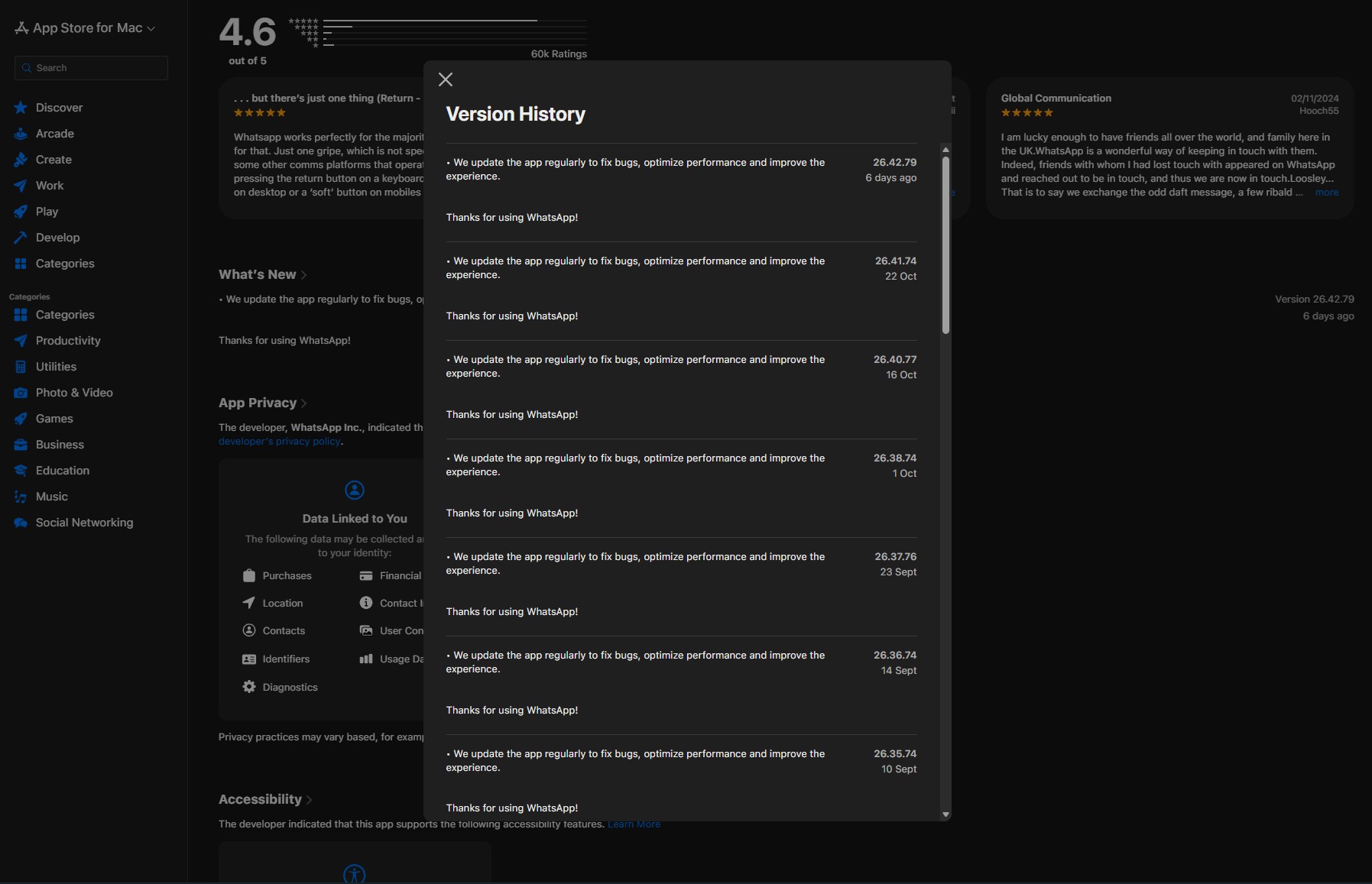
I understand why developers may prioritise Mac for paid applications, given the general belief that Mac users are more willing to pay. However, WhatsApp is free, so that argument does not apply here. Meta needs to make this decision make sense.
WinUI is also in its best condition yet, with the framework finally receiving basic controls it lacked for years. MS’s design team even prototyped Windows 11’s new speed test in a single day using an agentic AI workflow.
AI helped one person create this in a day during their spare time.
Meanwhile, Meta launched its Muse Spark AI model in April and expects to spend $135 billion to $145 billion on capital expenditure this year as it expands its AI infrastructure. Surely, a company with that level of funding can dedicate a few engineers—or a few AI agents—to building a native Windows app.
Sadly, WhatsApp once showed strong support for Windows. I remember using the WhatsApp beta on Windows Phone, and the later UWP app on Windows 11 was fast and smooth. MS Teams is also a web app and consumes a significant amount of RAM, but it is not nearly as sluggish as WhatsApp. That is not intended as praise for Teams.
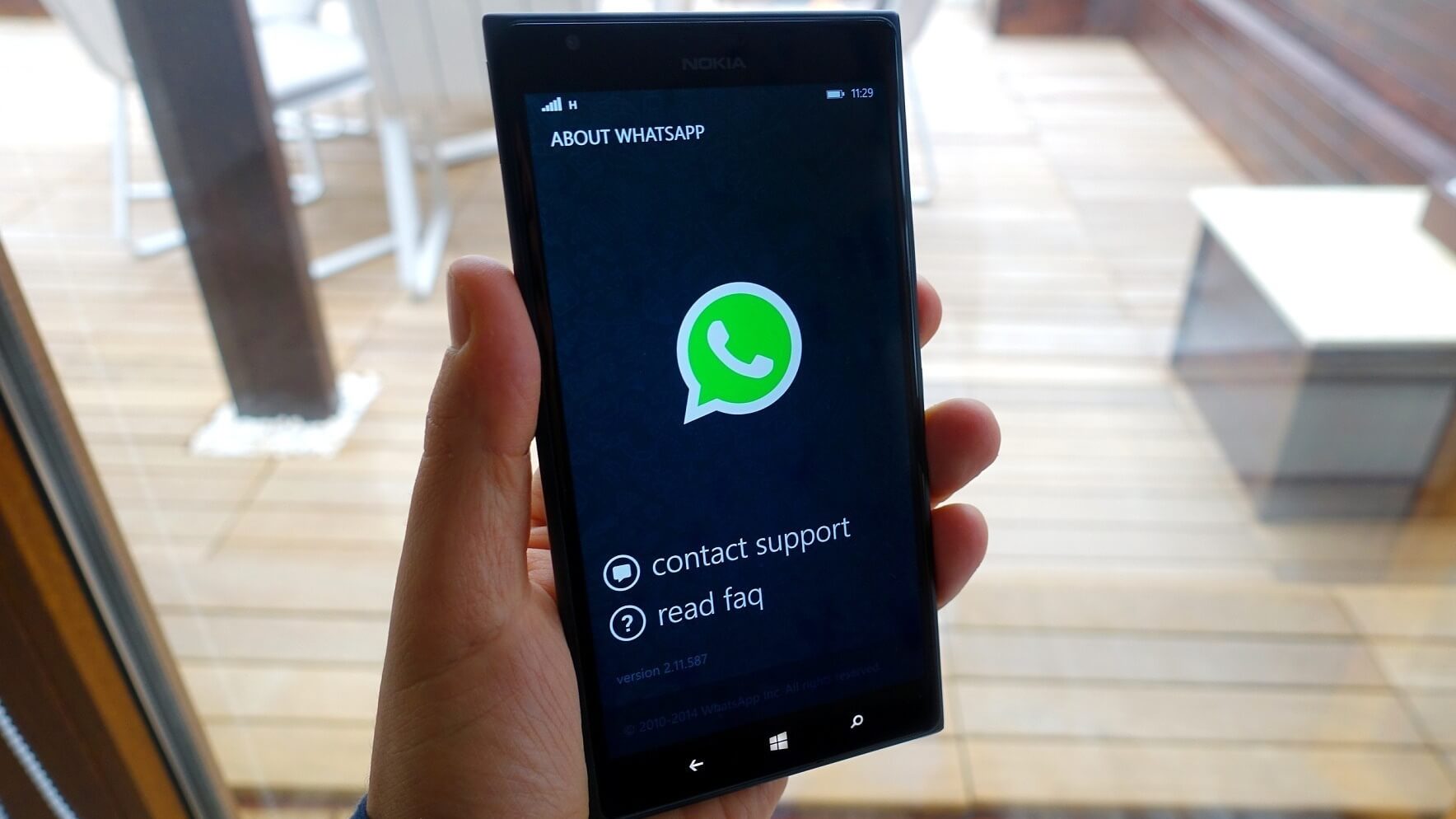
I know this is not necessarily how the process works, but I wish MS would speak with Meta. An app as popular as WhatsApp should not perform this poorly when distributed through the MS Store. Until Meta builds a native app again, WhatsApp will not return to my PC.
Are you still using WhatsApp for Windows, or have you moved to the web? Let us know in the comments.
Windows Latest depends on readers like you. Make us your preferred source on Google Discover and Google Search, and help our independent reporting reach more people.