Microsoft Confirms MSMQ Issues with Windows 10 December 2025 Update
Microsoft has confirmed reports from users regarding a bug in the December 2025 Patch Update (KB5071546) for Windows 10. This issue impacts Microsoft Message Queuing (MSMQ), a component primarily used in enterprise environments. Consumer PCs are generally unaffected, as MSMQ is neither installed nor utilized by most consumer applications.
What is MSMQ?
For those unfamiliar, MSMQ (Microsoft Message Queuing) is a feature that enables applications or services to send messages to a queue, allowing another application or service to process them asynchronously. This functionality is essential for managing background tasks in enterprise applications. If MSMQ fails, it can result in the disruption of these tasks, potentially causing apps or websites to malfunction.
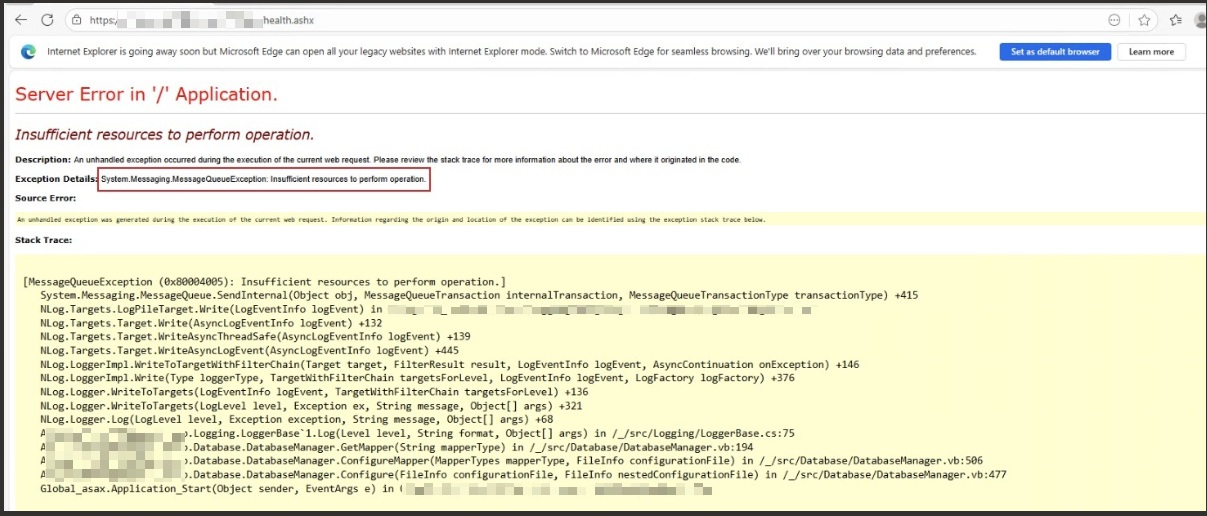
When MSMQ is not functioning properly, apps or services relying on Internet Information Services (IIS)—a platform for hosting applications or websites locally—may also fail to operate. Affected users may encounter the following error:
System.Messaging.MessageQueueException: Insufficient resources to perform operation.
How the Windows 10 December 2025 Update Broke MSMQ
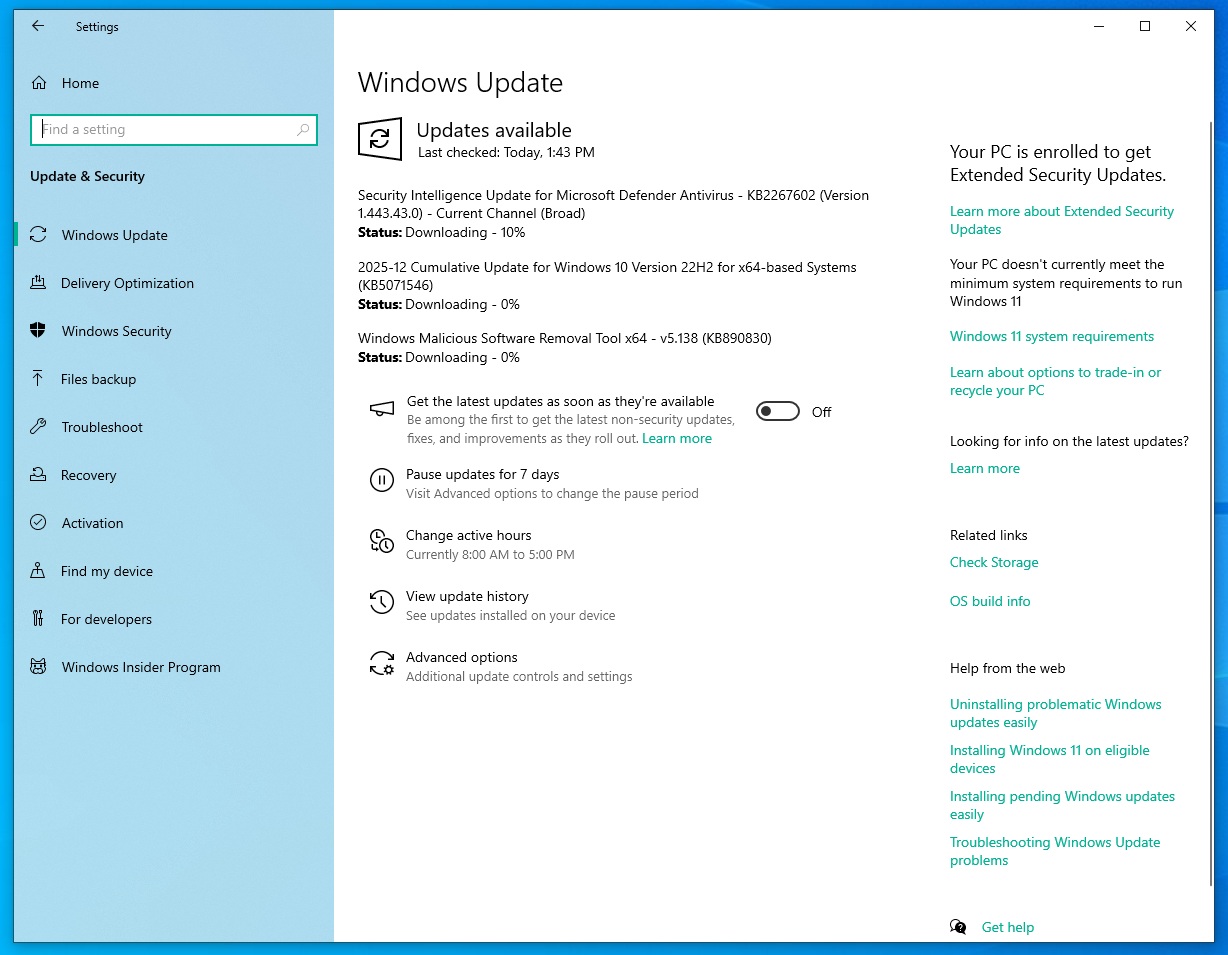
The issue stems from changes introduced in the December 2025 update (KB5071546), which is only available for Extended Security Update (ESU)-enrolled PCs. The update appears to have modified MSMQ's security behavior, including updates to NTFS permissions where MSMQ stores its queue data.
Post-update, the account accessing MSMQ now requires write permissions for the storage folder. In many enterprise setups, MSMQ is accessed by IIS app pool identities, LocalService, NetworkService, or a secured service account. These accounts often lack the necessary write permissions, resulting in MSMQ's inability to create or write message files, leading to failures.
One user reported that their MSMQ queues refused to connect, displaying an "inactive" state. Restarting the service, the server, or even reinstalling MSMQ from the Control Panel did not resolve the issue.
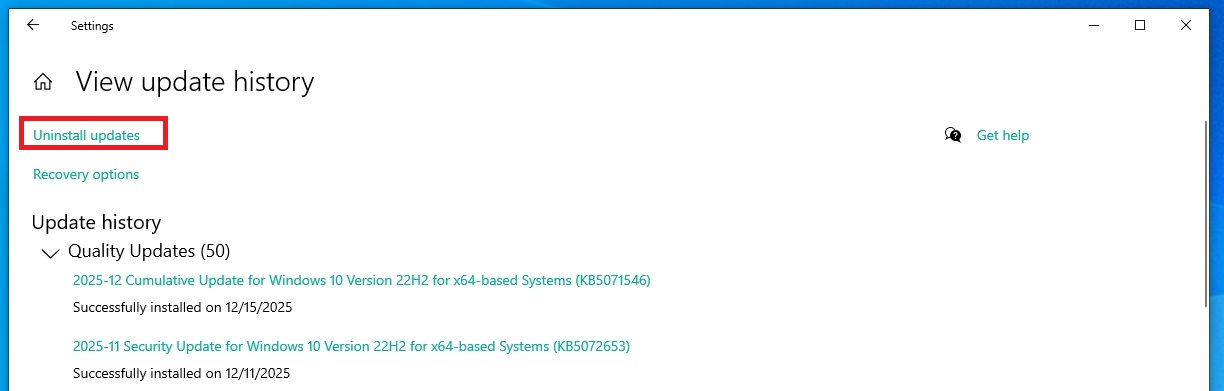
However, manually uninstalling update KB5071546 from the Windows Update history restores MSMQ functionality. Reports also suggest similar issues on Windows Server 2019, though testing did not replicate the problem on Windows Server 2022.
One affected user observed changes in the NTFS-Security-Descriptor from D:P to D:PAI, indicating that DACLs (Discretionary Access Control Lists) were modified. This could restrict access for accounts like iis_iusrs, LocalService, or NetworkService.
Another system administrator noted that IIS apps requiring MSMQ completely stopped functioning after the update, with their monitoring tools logging 500 errors. The "insufficient resources" error appears prominently in such cases:
Microsoft Acknowledges MSMQ as a Known Issue
Microsoft has acknowledged MSMQ issues following the installation of KB5071546 and is investigating the root cause. According to Microsoft, this issue also affects clustered MSMQ environments under load. The problem is isolated to Windows 10 and does not impact Windows 11.
This raises questions about how such bugs occur in an operating system receiving only extended security updates, with no active feature development.
How to Fix MSMQ Issues in Windows 10
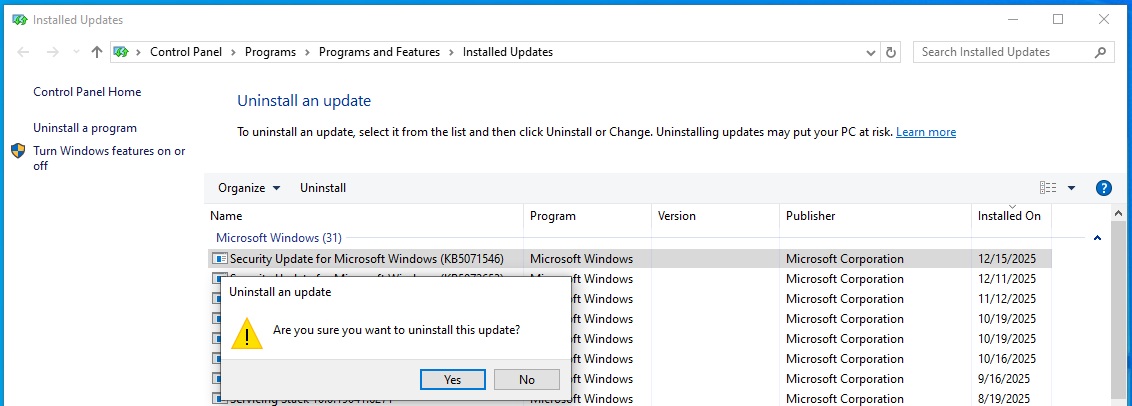
If you encounter MSMQ problems after installing the December 2025 update, the recommended solution is to uninstall KB5071546 and pause further updates until Microsoft provides a fix. Follow these steps to remove the update:
- Open the Windows Control Panel and navigate to Programs and Features.
- Click on View installed updates.
- Locate KB5071546 in the list of updates.
- Select the update and click Uninstall.
- Restart your system to apply the changes.
Conclusion
Are you experiencing issues after the December 2025 patch? While Windows 11 appears to be relatively unaffected, Windows 10 users enrolled in ESU may need to take action to restore MSMQ functionality. Until a proper fix is released, uninstalling KB5071546 remains the most effective solution.