Microsoft Store Now Downloads Apps Much Faster After the June 2026 Update
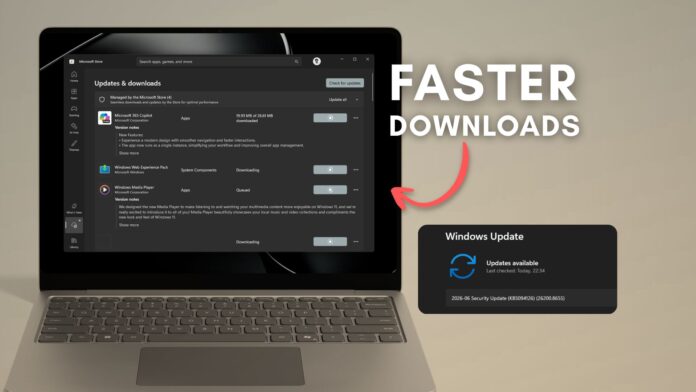
The Windows 11 June 2026 Patch Tuesday update, KB5094126, introduces several noteworthy features such as Low Latency Profile, Shared Audio, and Multi-App Camera. However, less prominently highlighted in the changelog are two significant improvements targeting the Microsoft Store: one resolves a long-standing download speed issue, and the other addresses gaps in error reporting for managed devices.
While these fixes may not attract the same level of excitement as the new CPU boost features, they are much-needed updates. For users who have endured painfully slow app downloads—like a 500MB update taking twenty minutes in the Store but less than two minutes via a browser—this update is a long-overdue game changer.
The rollout of this feature is gradual and will become available to all users in the coming weeks.
Microsoft Store Downloads Were Throttled for Years, and the June Update Fixes It
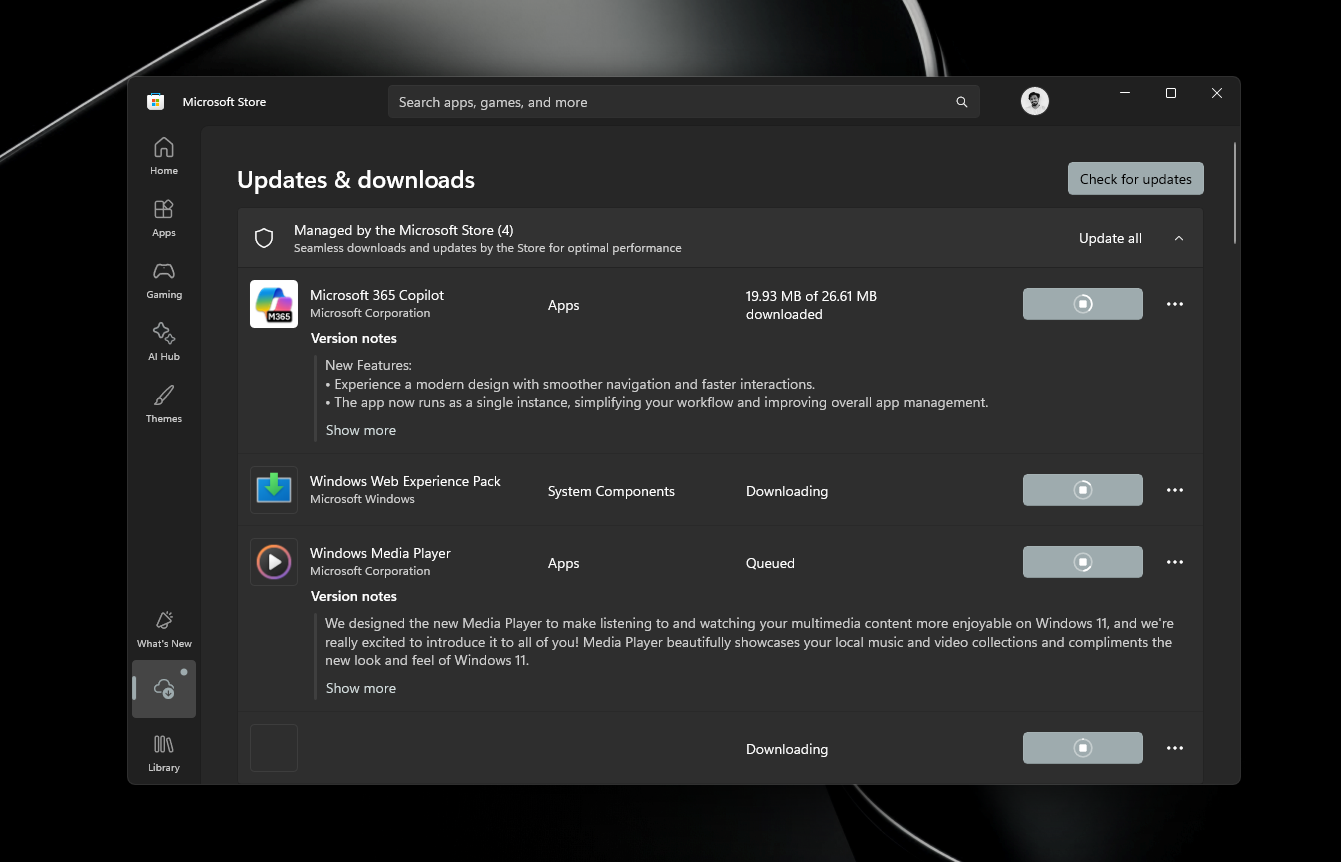
For a considerable number of Windows 11 users, downloading apps and updates from the Microsoft Store has historically been much slower than using other platforms. The Store has been known to throttle download speeds, pause inexplicably mid-download, or even get stuck in a pending state requiring a restart.
This issue wasn’t due to poor internet speeds or underpowered hardware. Users with high-performance systems and fast internet connections—like a 1 Gbps setup—often experienced Store download speeds between 200KB/s and 4MB/s, in stark contrast to the rapid downloads available on platforms like Steam.
For instance, even on a high-end system equipped with a Ryzen 7 9800X3D, a 5070 Ti GPU, and 32GB of RAM, the Store would struggle to utilize the available bandwidth effectively. This limitation was particularly frustrating when downloading large updates, such as the 700MB CapCut updates that typically arrived every two months. These downloads often stalled, took ages to start, or required app restarts to complete.
However, with the June 2026 update installed, these issues appear to have been resolved. In a screen recording shared by one user, even on a modest 30Mbps hotel connection, the Microsoft Store managed to sustain download speeds of around 3MB per second without interruptions. For the first time, the Store downloads felt like they were utilizing the available connection effectively.
According to Microsoft, this improvement comes from "underlying changes that improve download performance and bandwidth usage." While the exact technical details remain unspecified, the practical outcome is clear: Store downloads are now significantly faster and more reliable, thanks to adjustments in bandwidth allocation, download priority handling, or potential fixes to the BITS (Background Intelligent Transfer Service) settings used by the Store.
Microsoft Store Now Provides Clearer Error Messages for Managed Devices
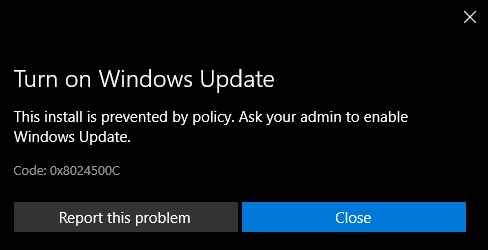
The second major improvement in the June update addresses error reporting for managed devices, such as those in corporate or educational environments. Previously, when specific Windows Update Group Policy settings were enabled, Store downloads could fail silently or produce vague error messages.
This issue stemmed from the Microsoft Store's reliance on the same download infrastructure as Windows Update. IT administrators who configured policies to restrict direct Windows Update access—like the "Do not connect to any Windows Update Internet locations" policy—could inadvertently block Store downloads as a side effect.
Historically, users on domain-joined devices encountering this issue would see unhelpful messages like "This install is prevented by policy. Ask your admin to enable Windows Update," accompanied by error codes such as 0x8024500C, without any specifics about the root cause.
The June update improves this process by providing clearer error reporting. Now, when a Group Policy setting blocks a Store download, the error message will specify the relevant policy, making it easier for IT administrators to identify and resolve the issue. This enhancement will save valuable time for those troubleshooting Store-related problems in managed environments.
Faster Downloads Are Welcome, but the Microsoft Store Still Has a Sluggish Interface
While the improvements to download speeds are a step forward, the Microsoft Store continues to suffer from a sluggish and outdated interface. Loading pages, scrolling through app libraries, and navigating between sections remain frustratingly slow.
The Store is built on the older UWP (Universal Windows Platform) framework rather than the more modern WinUI 3. UWP’s limitations are evident in the choppy scrolling and delayed page transitions. By comparison, even budget Android phones in 2026 offer smoother experiences in the Google Play Store, while premium Windows 11 laptops struggle to deliver comparable performance in the Microsoft Store.
Microsoft has acknowledged similar issues in other areas of Windows, explaining that components rebuilt in WinUI benefit from smoother animations and better performance. Rebuilding the Microsoft Store in WinUI 3 could address these problems, although WinUI 3 itself has some unresolved issues, such as black screen tearing during window resizing. Fortunately, a fix for this is expected later this summer.
Interestingly, Microsoft has also been experimenting with AI integration in the Store. Last year, the company tested a floating Copilot button to promote app downloads. However, this feature has since been removed, likely due to user feedback. Removing unnecessary AI overlays has improved the user experience, though practical AI implementations—like summarizing user reviews—remain a valuable addition.
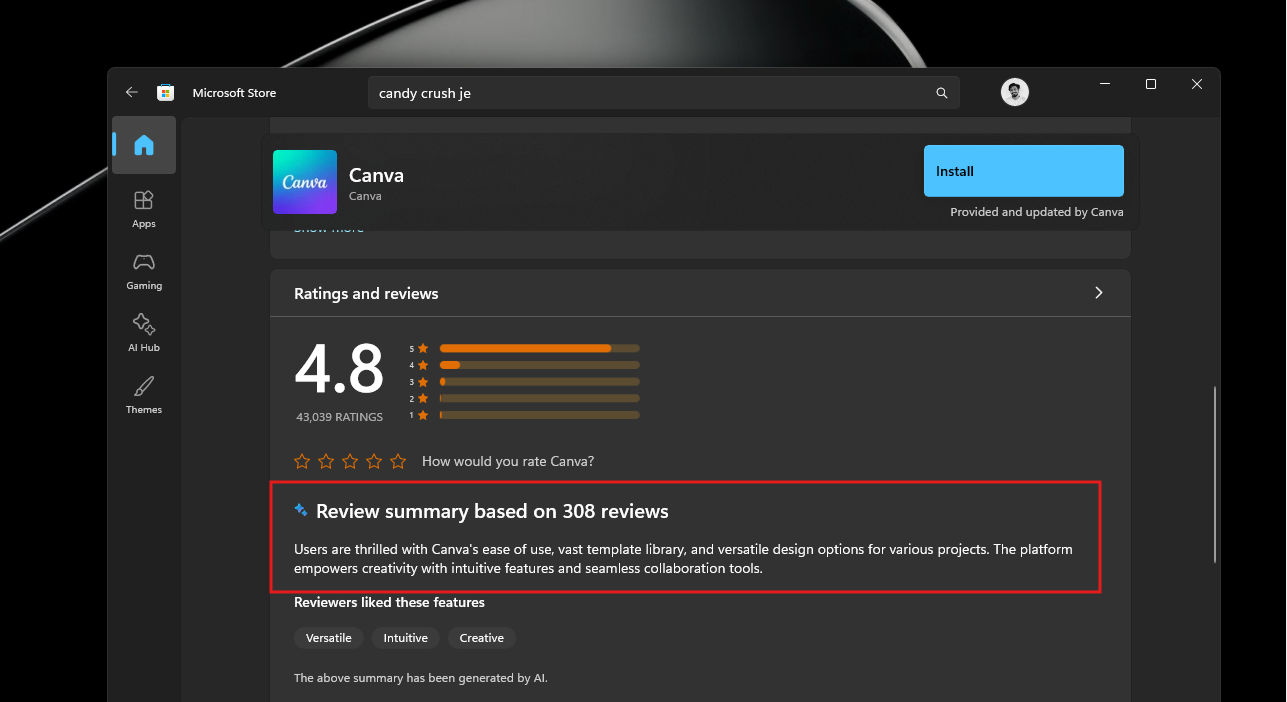
Microsoft has emphasized its commitment to making Windows 11 the leading OS for building AI, but the focus is shifting toward useful and unobtrusive AI applications rather than visible gimmicks. For the Microsoft Store, this approach is a step in the right direction.
While the download speed fixes introduced in the June 2026 Cumulative Update are a welcome improvement, the Store still has a long way to go in terms of responsiveness and visual consistency. Competing platforms, like the macOS App Store, currently offer a faster and more seamless experience. If Microsoft encourages more developers to adopt WinUI for their apps and eventually transitions the Store itself to WinUI, it could significantly enhance the overall experience.
For now, the June 2026 update delivers meaningful progress, and users can look forward to further refinements in the months ahead.
