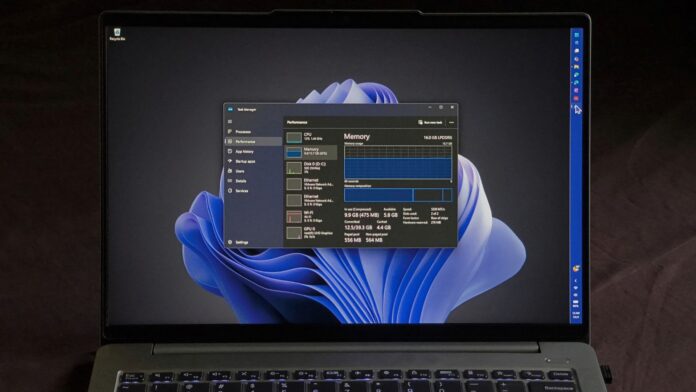
Windows 11 26H2 may look like an unremarkable annual update because it is only an enablement package. However, it arrives after months of performance improvements that many PCs did not receive earlier because of MS’s gradual rollouts.
Many users are now experiencing better performance through the Low Latency Profile, which speeds up the Start menu, Search, and app launches. Some users, including me, are also seeing noticeably lower RAM usage after the 2026 update.
I installed 26H2 on my three-year-old laptop with 16GB of RAM and noticed memory usage decrease by as much as 2GB.
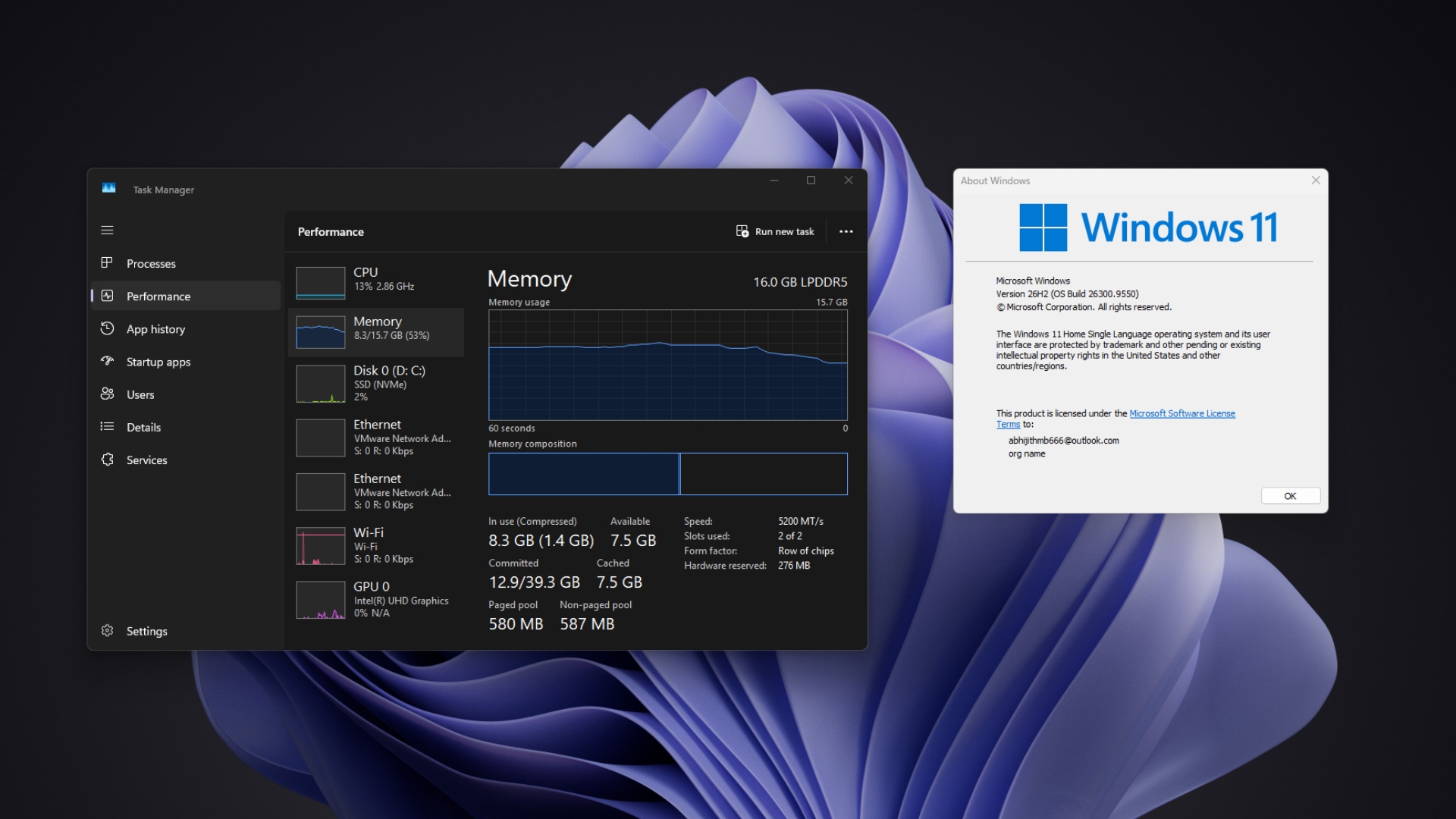
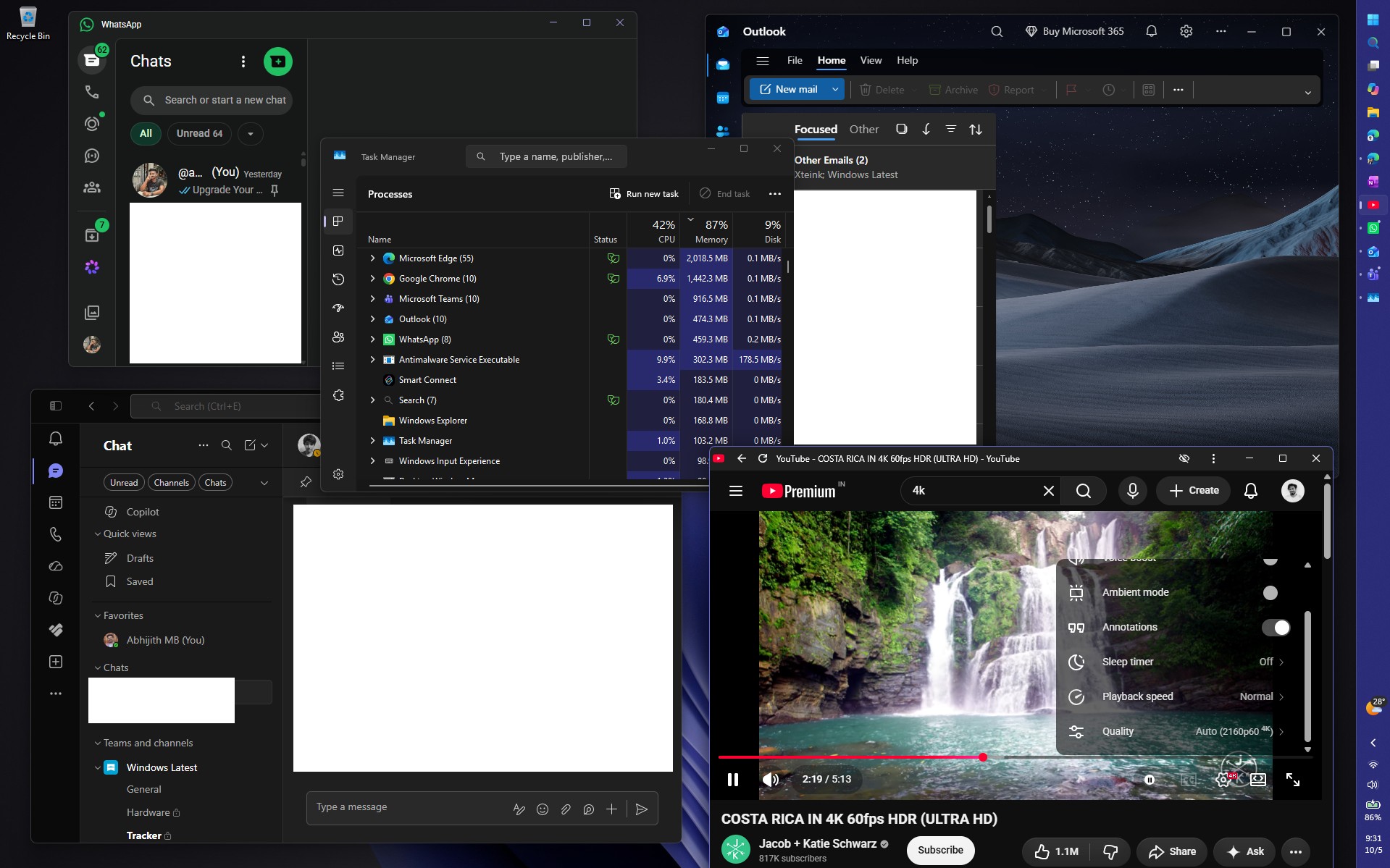
Windows 11 now uses far less RAM after a restart. Even with Edge, WhatsApp, Teams, Outlook, and a 4K 60fps YouTube video running simultaneously, memory usage remained below 90%. That workload would usually push my laptop to 95% RAM utilization.
Windows 11’s Low Latency Profile Makes the Entire OS Feel Faster
Windows 11 24H2, 25H2, and 26H2 share the same servicing branch, and 26H2 is simply an enablement package. MS’s “What’s New” page states that many of its features “have already been delivered through monthly servicing updates” and that 26H2 “enables selected features and resets the support lifecycle.”
Low Latency Profile is one of those features. When you open the Start menu, Search, Notification Center, or an app, Windows pushes the CPU close to its maximum frequency for one to three seconds. It completes the task quickly and allows the processor to return to idle sooner. This approach, known as “race to sleep,” targets the brief pauses that can make Windows feel slow even when the CPU is not busy.
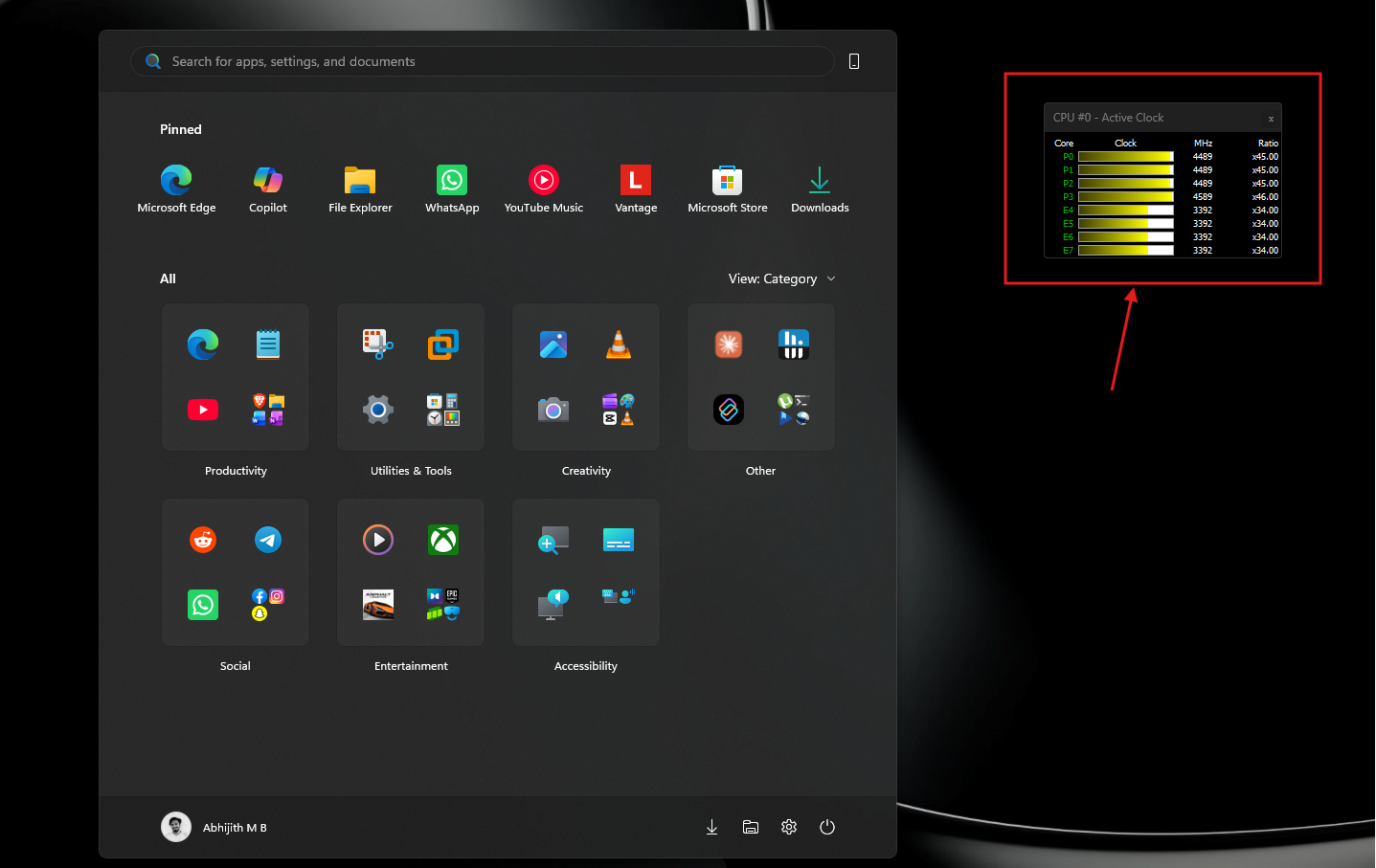
MS rolled out the feature for shell elements in June, and the August update extended Low Latency Profile to app launches. In our before-and-after testing on one PC, apps such as WhatsApp, Calculator, and even the RAM-intensive Weather app opened much faster.
However, MS used a controlled feature rollout, meaning two PCs running the same update could produce different results. Many users had to enable the feature manually with ViVeTool. Even when we tested 26H2 in August, the version upgrade did not activate the features by itself.
Because 26H2 now incorporates updates from the past several months, both the shell and app-launch improvements should be enabled on most PCs that upgrade, making the entire operating system feel more responsive.
My 16GB Windows 11 Laptop Is Using Much Less RAM After 26H2
On Reddit, one user reported that RAM usage at startup decreased by approximately 2GB after installing 26H2 on a PC with 48GB of RAM. Another user on X said memory usage on a 32GB PC fell from 9.1GB with 25H2 to 7.5GB with 26H2. However, an owner of an 8GB PC reported no change, with usage remaining at 96%.
My results are similar. Immediately after a restart, Task Manager showed 7.0GB in use out of 15.7GB, or 45%, with 4GB cached and 8.8GB available. Previously, this laptop would often exceed 10GB of usage before I opened an app. The 7GB figure might have been even lower without startup apps such as Lenovo Smart Connect, Plex, Quick Share, PowerToys, WhatsApp, and Teams.
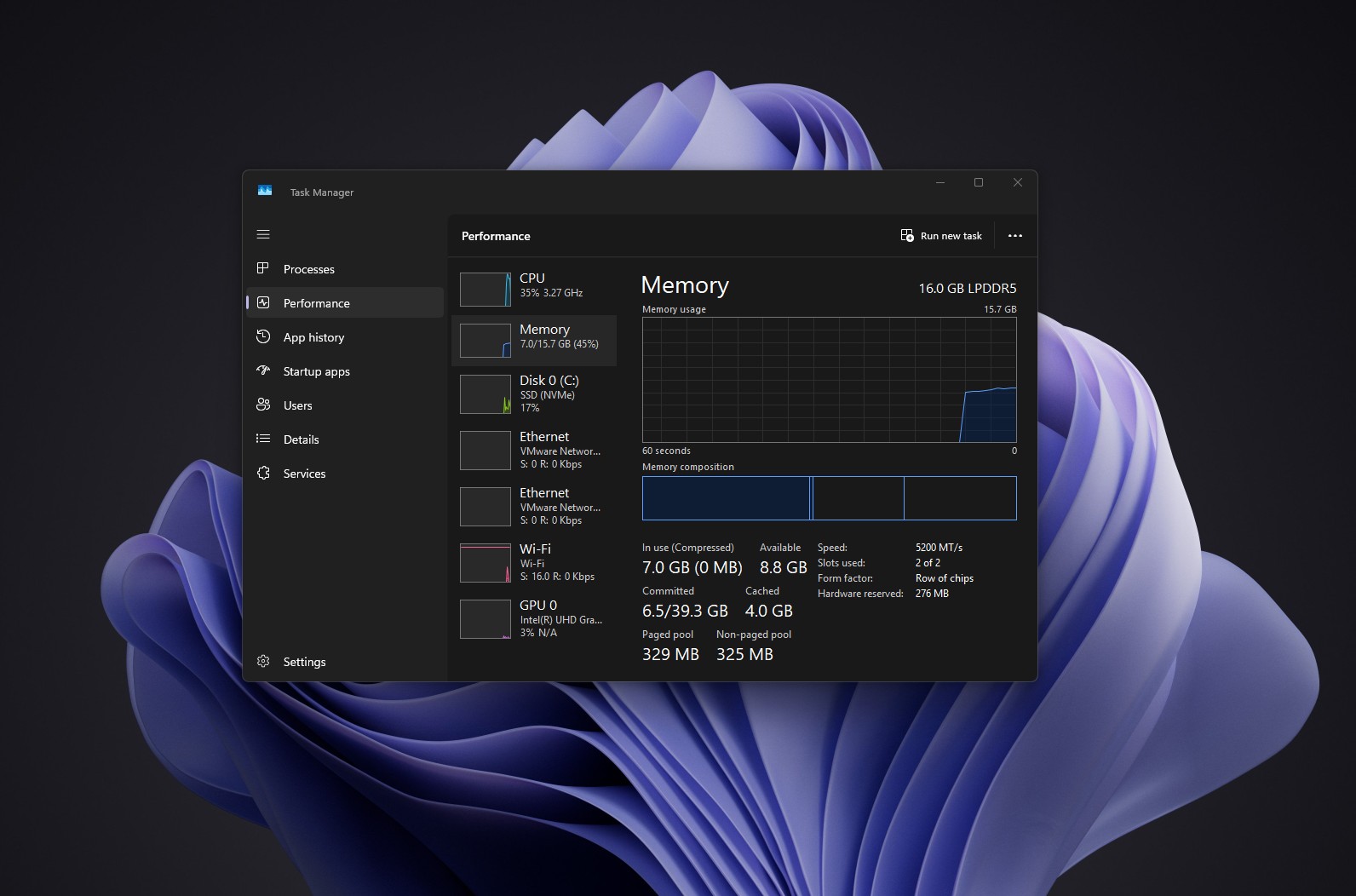
It is important to remember that high RAM usage is not always a problem. Windows uses available memory to cache data it expects you will need, then releases that memory when an app requires it.
To test the system under heavier demand, I opened WhatsApp, Teams, and Outlook alongside Edge with several resource-intensive tabs, then played a 4K 60fps video on YouTube. Although this was a stress-test scenario, memory usage remained around 87%. Previously, my PC would have reached 95% during less demanding tests.
I then opened MS Store, Paint, Lenovo Vantage, Notepad, Spotify, and Raindrop.io. Memory usage still peaked at 89%, or approximately 14GB. Interestingly, Edge appeared to release memory as I opened more apps and reclaim it after I closed them.
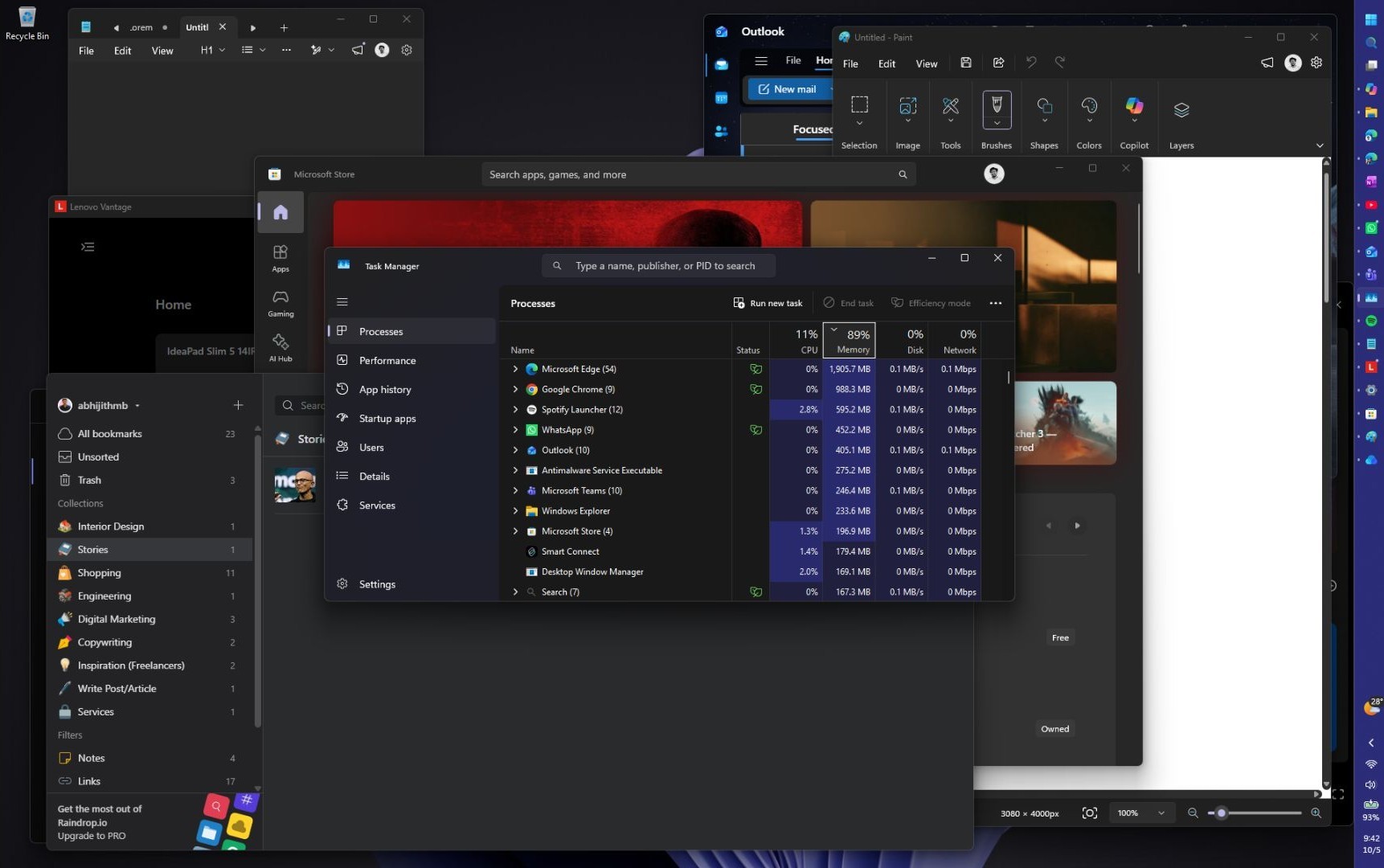
A few weeks earlier, this workload would easily have pushed RAM usage above 95%. However, we do not know which part of Windows MS optimized to produce this result.
I have always regretted buying a laptop with soldered RAM because its memory usage was consistently between 90% and 95%. Now, I may not need a new laptop just yet.
Results will vary. Startup apps, cached memory, app versions, and Edge’s tab-management behavior can all affect these figures. Therefore, this test does not prove that 26H2 itself reduced RAM usage, particularly because MS has not announced such an improvement.
We had assumed that the RAM optimizations would arrive later.
MS Promised to Reduce Windows 11’s RAM Usage, but 26H2 Is Not the Whole Story
In March, MS said Windows 11 would run faster under heavy workloads and use less RAM. In July, the company made memory optimization for systems with 8GB of RAM or more an official priority. At IFA, it also promised faster startup times and better performance on 8GB systems.
Pavan Davuluri also said the rising cost of memory is one reason MS is improving the memory manager, memory compression, WinUI, and WebView2. WinUI recently received a fix for memory growth as well.
It is surprising that MS did not include reduced RAM usage in the list of 26H2 changes, as this is a welcome improvement.
26H2 may simply be the point at which months of optimization work became visible on many users’ PCs. However, I have consistently enabled features with ViVeTool, so that explanation does not apply in my case.
Reports from 8GB systems also suggest that the optimization work is not yet complete. Our 26H2 test PC in August had only 4GB of RAM, which may explain why we did not notice a difference at the time.
Windows 11 Has Quietly Become Faster Throughout the Year
MS’s 26H2 page also highlights a faster and more responsive File Explorer following months of work that improved its speed without relying on preloading. Combined with Low Latency Profile, faster Search, WinUI fixes, and memory improvements, these changes produce many small but noticeable benefits while using the operating system.
However, everyday PC use also depends on third-party apps, which still require further optimization. Electron apps such as Discord are known for high RAM usage, while WhatsApp is arguably one of the most popular yet least optimized Windows apps. As memory becomes more expensive and MS removes its 32GB RAM recommendation, we hope developers take note and adopt native app development. AI has made creating WinUI apps easier than ever, particularly with MS’s strong support for vibe coding.
26H2 is a small enablement package, but MS has spent 2026 improving Windows 11 piece by piece. Although the effect of Low Latency Profile is easy to verify, the apparent reduction in RAM usage is not.
I hope MS provides more information about RAM optimization during the upcoming October 7 event. Either way, my PC feels more responsive than it has in a long time, giving me renewed hope for Windows 11.
Windows Latest depends on readers like you. Make us your preferred source on Google Discover and Google Search, and help our independent reporting reach more people.
