Windows 11 Introduces Individual Privacy Controls for Desktop Apps
Windows 11 is now providing individual privacy controls for desktop apps. In the latest Experimental Build, users can navigate to Settings > Privacy & Security and individually allow or deny applications such as Chrome and Steam access to the microphone, camera, and location. This level of granular control was previously unavailable for traditional Win32 software.
Previous Privacy Controls for Desktop Apps
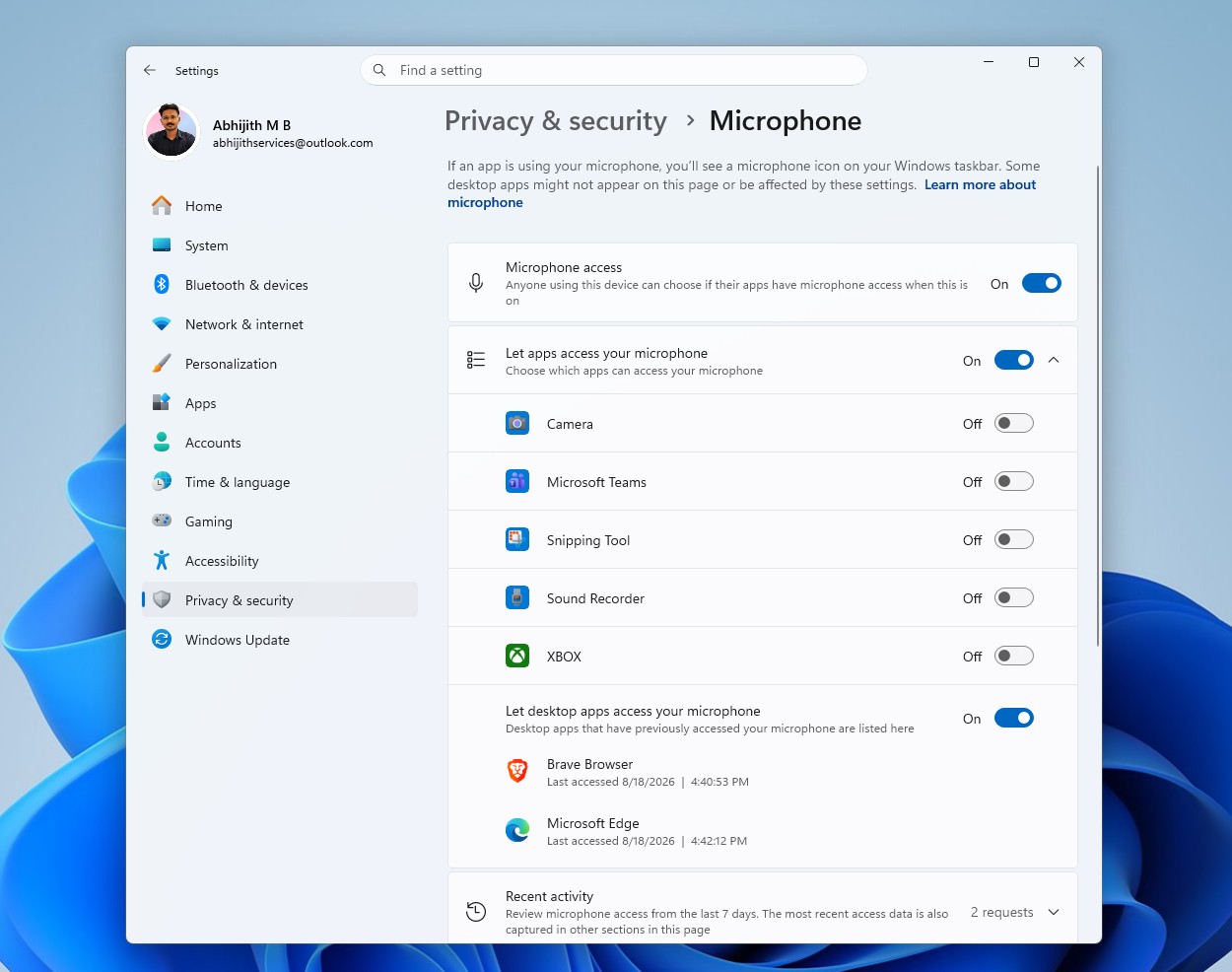
Historically, Windows treated desktop apps differently from MS Store apps. Store apps always featured individual toggles for permissions, while desktop apps were collectively governed by a single toggle labeled “Let desktop apps access your camera/microphone,” which applied universally to all desktop apps.
This limitation made it impossible to grant specific permissions to one desktop app while restricting another. For example, users could not allow Discord to access the microphone while blocking Chrome from doing so.
Changes in the Experimental Build
On a test PC running the Experimental Insider Build 26340.9212, the new behavior was confirmed for the camera, microphone, and location permissions. The update introduces individual toggles for desktop apps, aligning them with the existing controls for Store apps.
How the New Privacy Controls Work
Before the update, desktop apps like Brave and Edge were grouped under a single toggle, providing no means to manage their permissions individually:
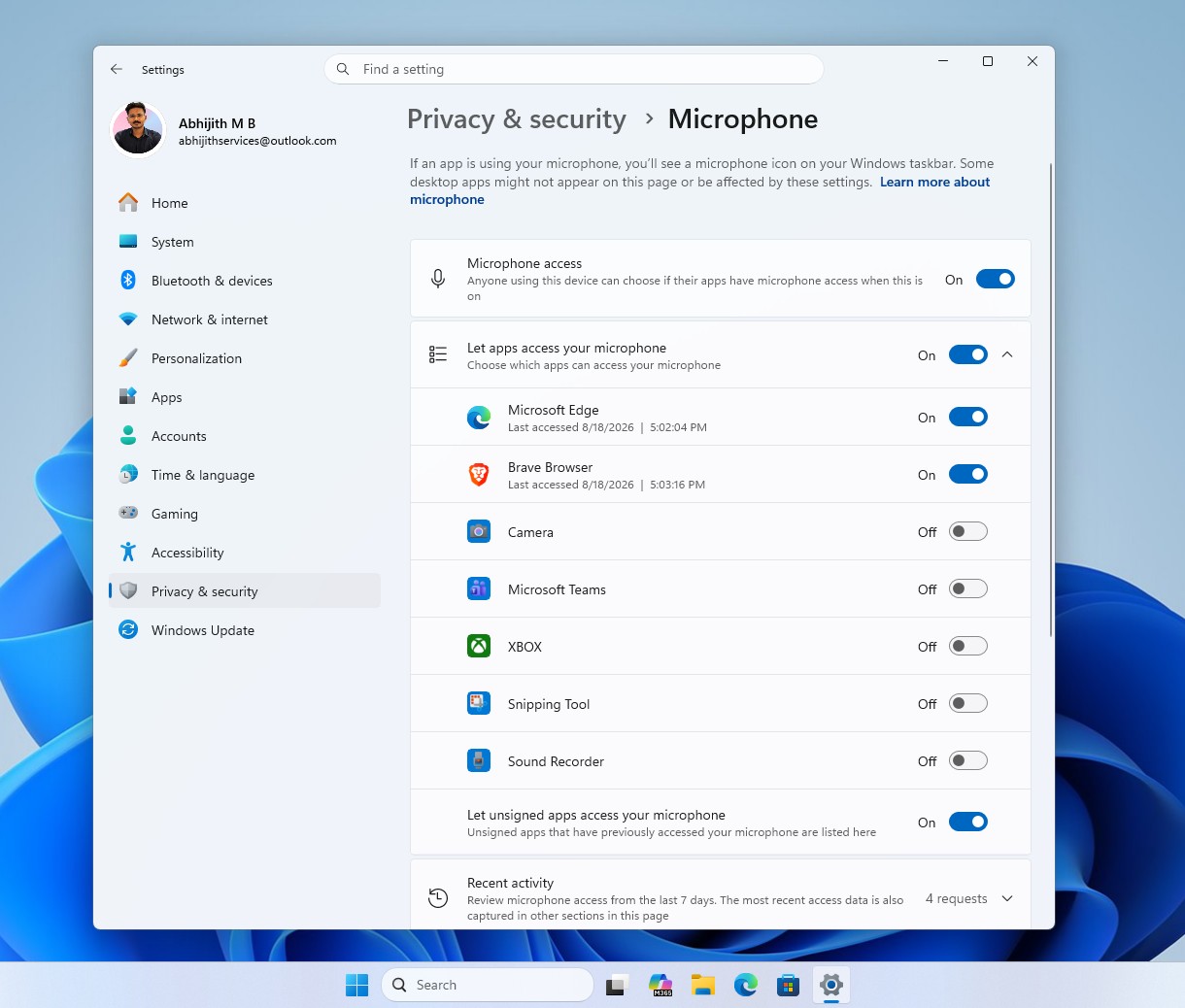
Post-update, the shared toggle has been replaced. Desktop apps now appear as separate entries at the top of the same list used for Store apps, each with its own toggle:
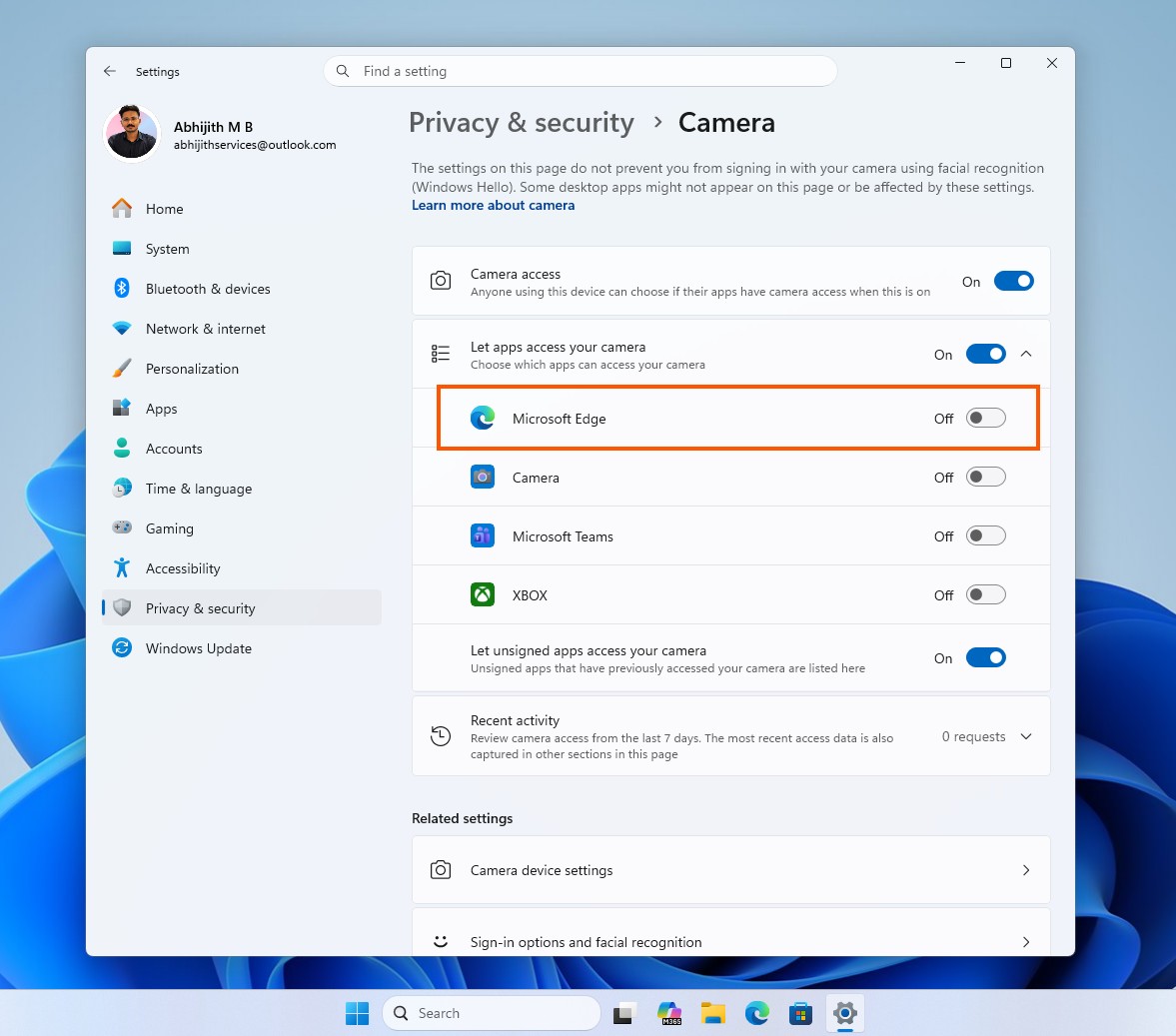
The same changes apply to camera access. Desktop apps like Edge now appear individually under the “Let apps access your camera” section, alongside apps such as Camera, Teams, and Xbox:
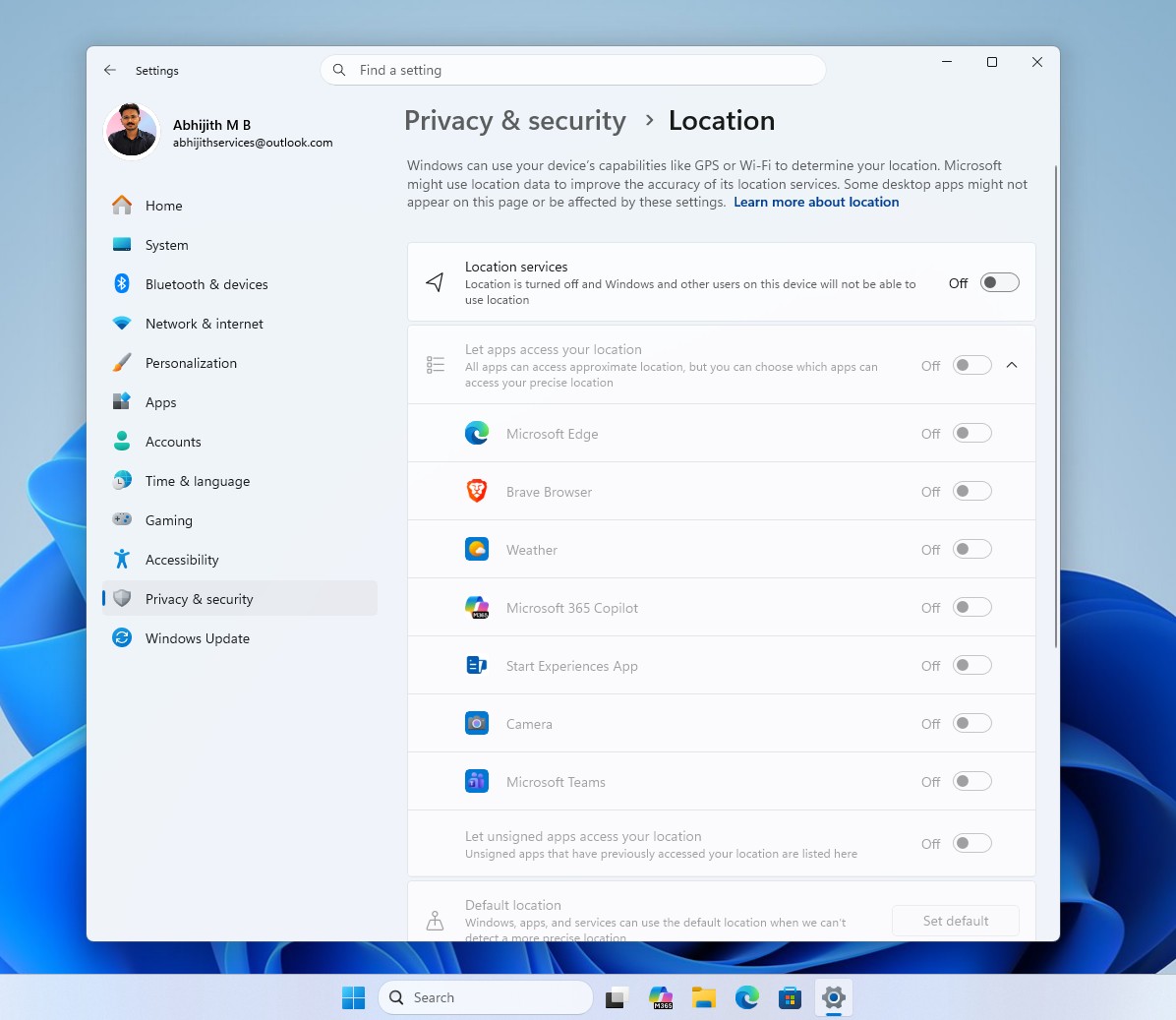
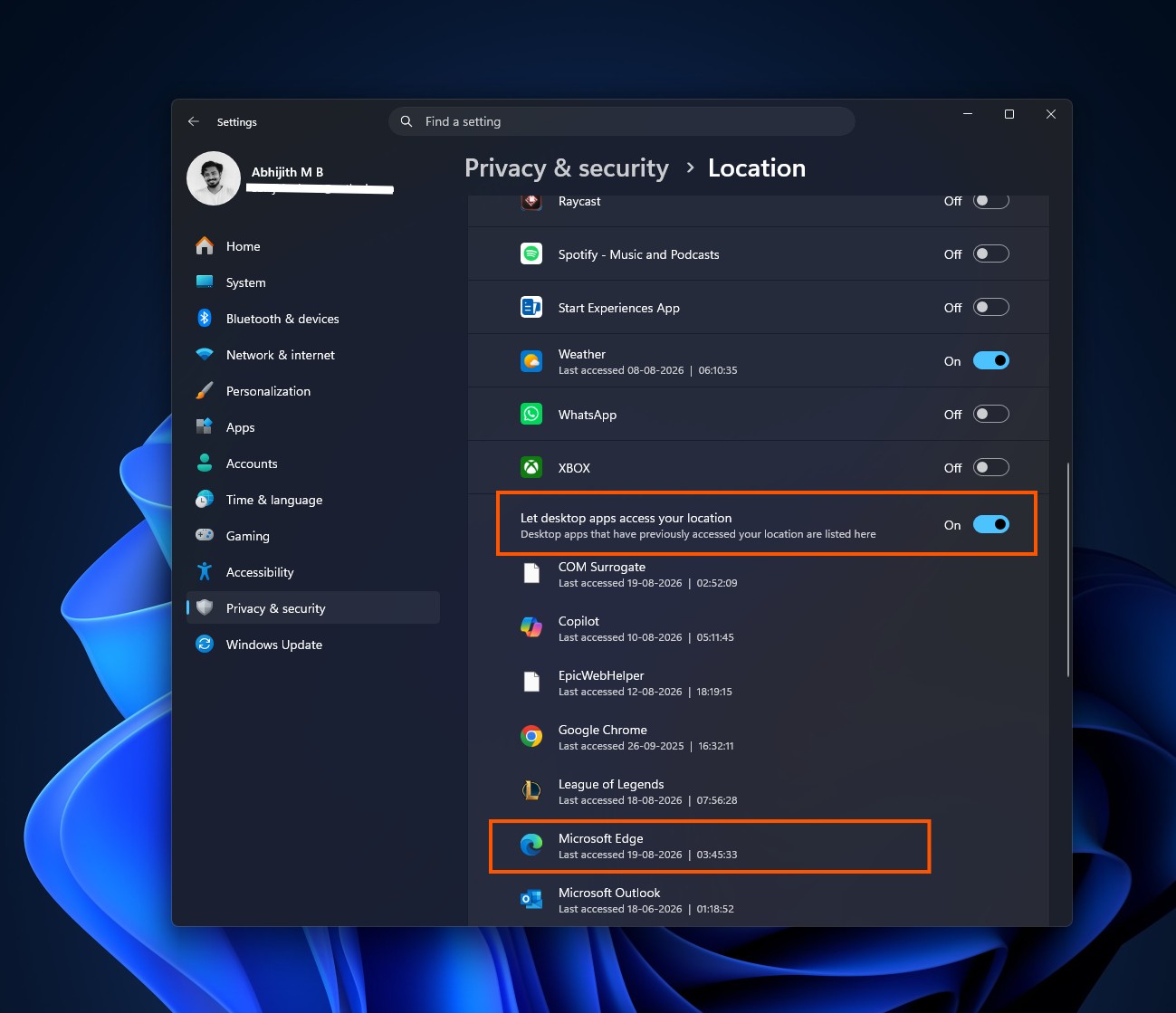
Location access settings have also been updated. In testing, apps like Edge and Brave appeared individually next to Weather, MS 365 Copilot, and Teams:
Improved Permission Dialogs
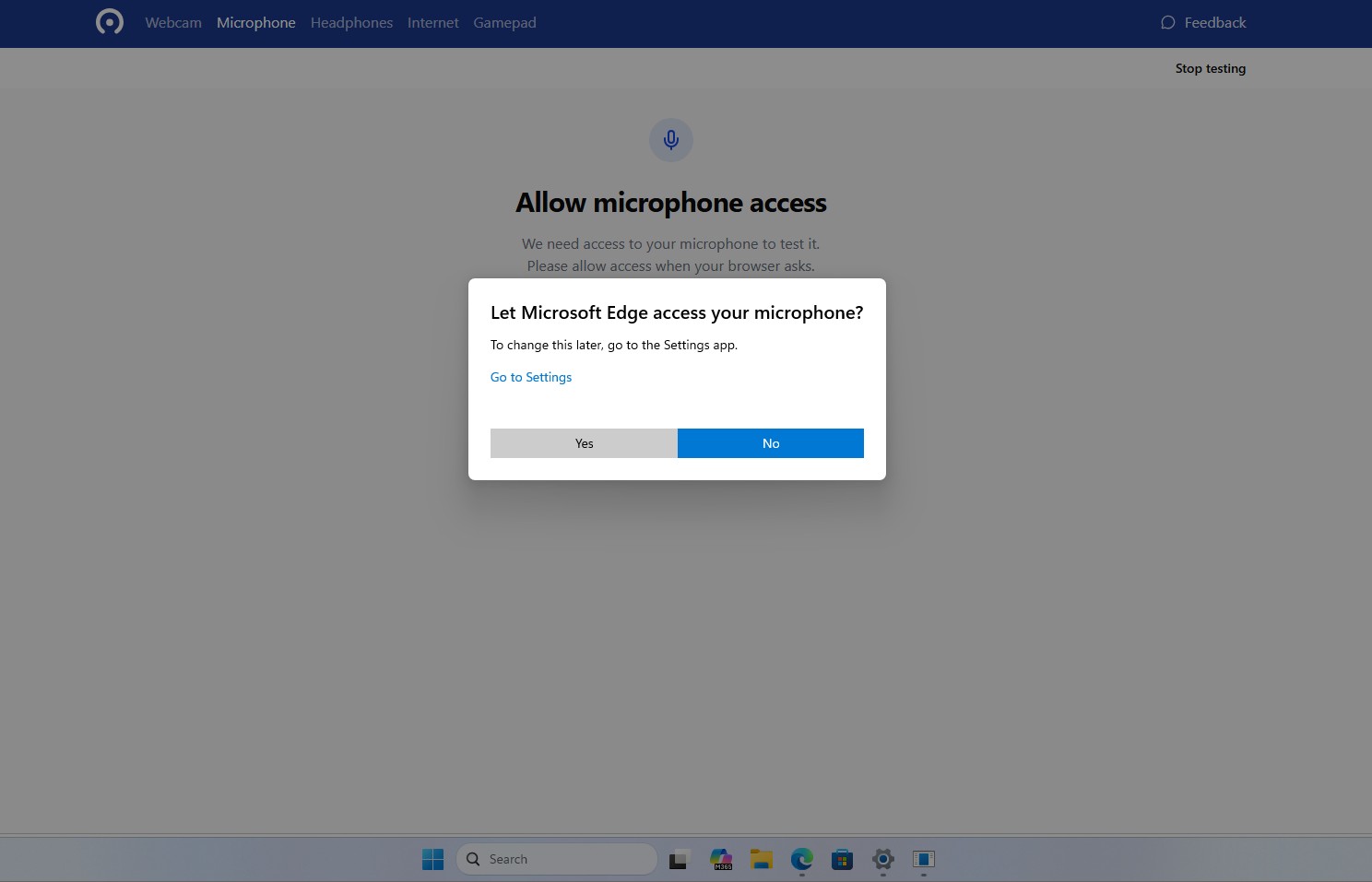
Another significant change is the introduction of a centered system dialog when a desktop app first attempts to access the microphone or camera. This dialog prompts the user to allow or deny access, a feature that was previously unavailable for Win32 apps:
Current Limitations and Experimental Status
It is important to note that these changes are still in the testing phase as part of Build 26340.9212, which was released through the Experimental Channel on August 17, 2026. MS has not officially documented these updates, and the rollout is inconsistent, with some Insider users reporting the changes without needing to enable feature flags, while others had to activate the Win32SignatureIdentity feature flag (60730253) manually.
Because the feature is experimental, MS warns that it could change or be removed entirely before a public release. Not all Insiders on this build have access to the update, and its availability remains limited.
Addressing Privacy Concerns
This update aligns desktop app behavior closer to MS Store apps, addressing longstanding privacy concerns about the lack of granular controls for traditional Win32 software. While these features are not yet finalized, they mark a significant step toward closing privacy gaps between traditional desktop software and Store apps.
Interestingly, these changes come shortly after scrutiny over MS’s data collection practices, including the GDID tracking system, which highlighted user concerns about privacy and transparency.
Implications for Users
With this update, users no longer need to choose between granting microphone access to all desktop apps or none at all. This granular control ensures a more privacy-friendly environment for Windows users:
Windows researcher Rafael Rivera noted that while desktop apps have been listed under shared toggles since Windows 10 version 1903, the ability to toggle each app individually is a new and welcome addition. However, concerns remain about permission checks being stored in the current user’s registry hive and the distinction between signed and unsigned apps.
Conclusion
Although this feature is still in its experimental stage, it represents a meaningful improvement in how Windows manages app permissions. If fully implemented, it will give users greater control over their privacy and bring desktop apps closer to the standards set by MS Store apps.
Stay tuned for further updates as MS refines this feature and determines whether it will roll out to all users in a future Windows 11 release.
