
MS has confirmed that it plans to modernize every outdated dialog remaining in Windows 11, including those that are rarely used.
March Rogers, MS’s Partner Director of Design, reiterated the plan after users noted that parts of Settings still look significantly different from the rest of Windows 11.
One example is the Voice packages dialog under Settings > Time & language > Speech. When users try to add voices, Windows opens a separate window containing a language search box, checkboxes, and a list of voice packages.
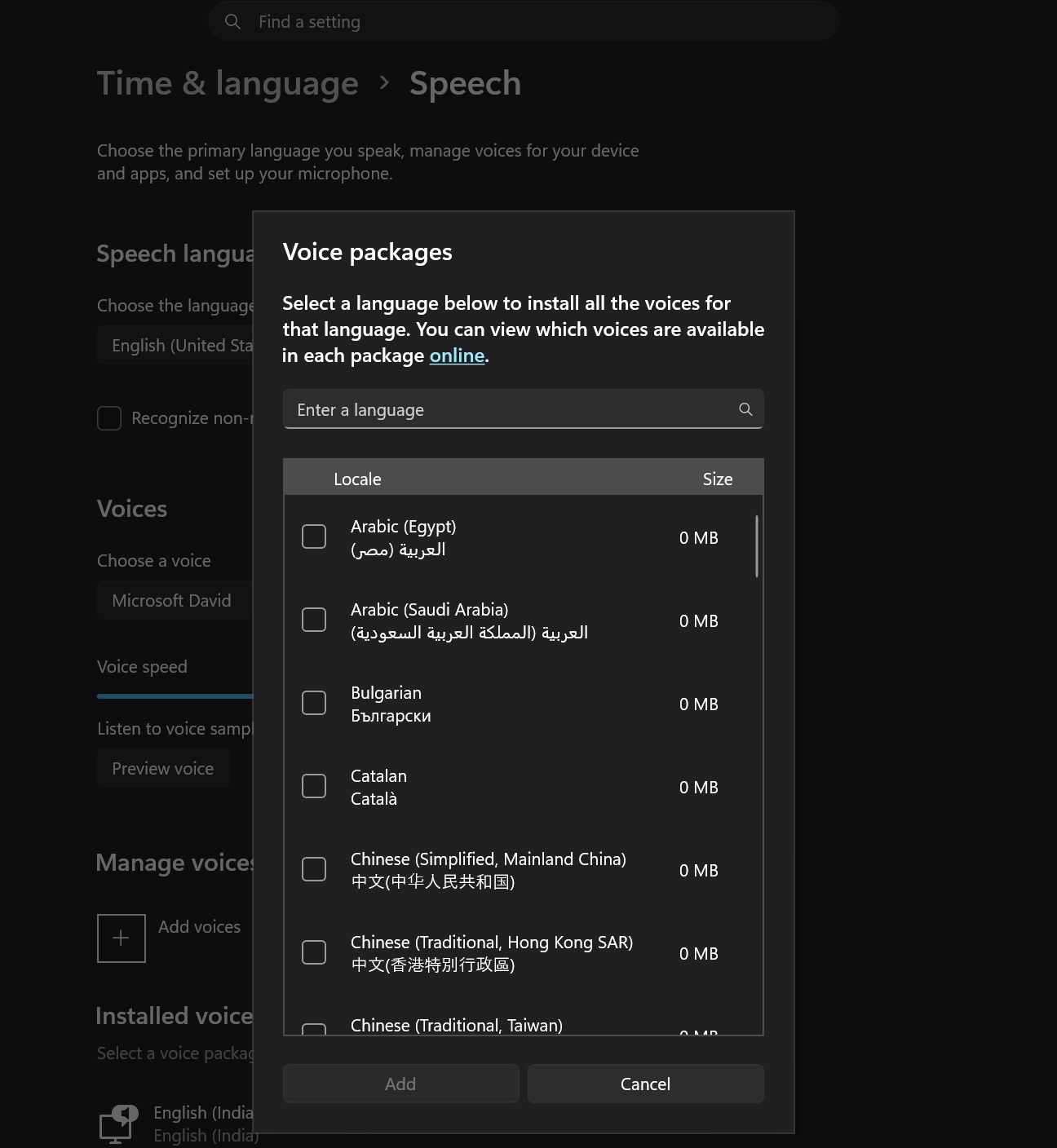
A closer look reveals that the Voice packages dialog does not even use rounded corners. This is particularly striking because MS made rounded corners a major part of Windows 11 and introduced them in legacy areas of the operating system, including the Control Panel.
Despite this, Windows Settings continues to use the legacy Voice packages interface without rounded corners.
Most users may not access this dialog regularly, but the criticism remains valid and highlights a broader problem with Windows 11. Even in 2026, users can still encounter dialogs and design conventions dating back to Windows 95, Windows 7, Windows 8.1, and even Windows 3.1.
The good news is that even a relatively minor interface such as the Voice packages dialog is scheduled for a redesign, according to March Rogers.
“We are gradually working our way through modernizing older UI in Windows and the voice packages dialog is on our list,” Rogers wrote in a post on X, first spotted by Windows Latest.
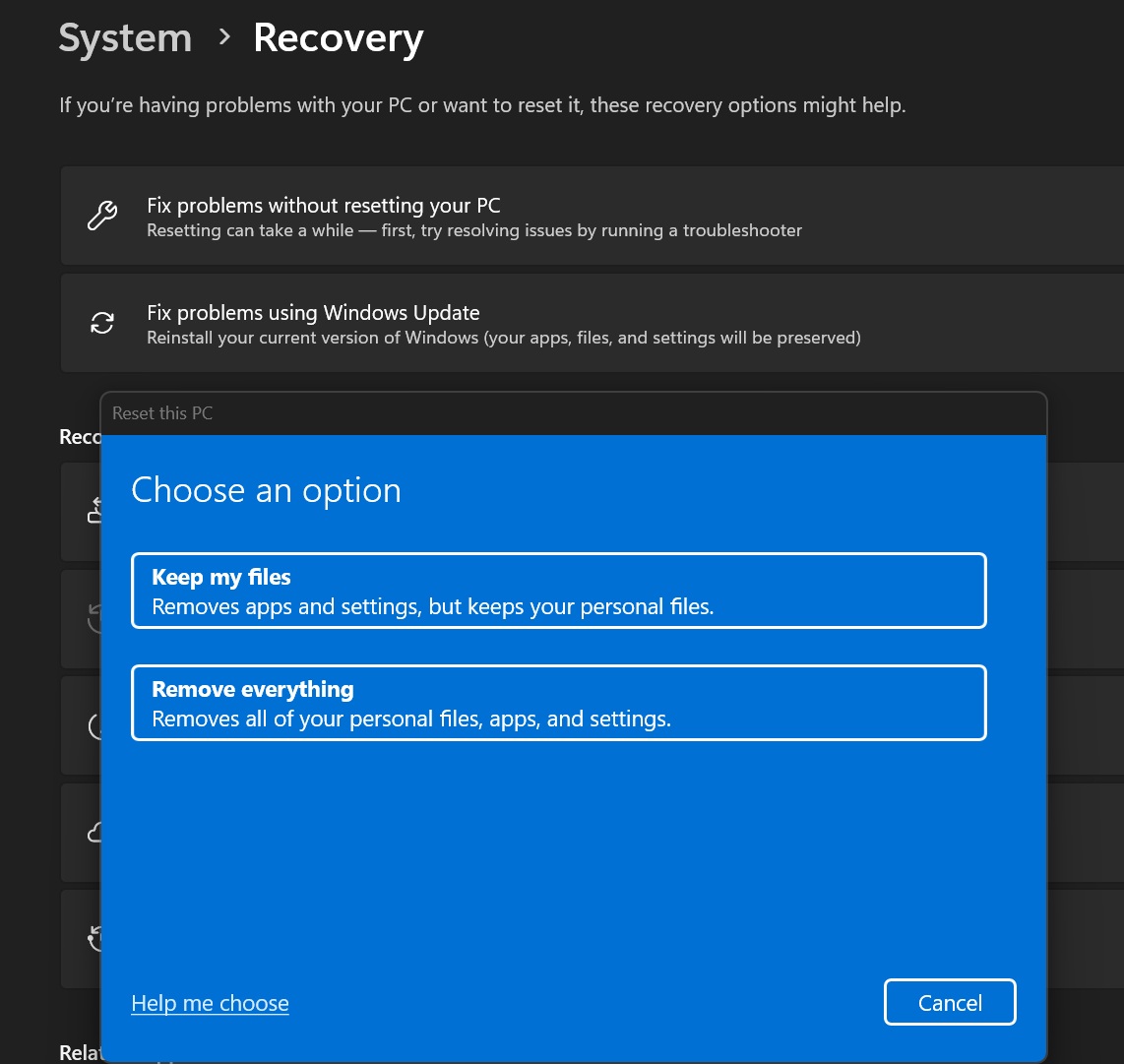
In another post, a user asked why Windows still includes dialogs from the Windows 8.1 era. Rogers confirmed that MS is working on them. One example is Reset this PC, which allows users to choose what to keep or remove everything. It is also receiving a redesign, as its current interface uses the Windows 8.1 design language.
Rogers’ statements align with MS’s previous confirmation that it plans to rewrite older dialogs in Windows 11.
In May, Rogers said, “We are working through our list of all older dialogs and rewriting them in WinUI 3.”
MS Is Rebuilding Windows 11’s Old Dialogs in WinUI 3
After tracking Windows 11’s design changes for months, I have concluded that MS is taking two distinct approaches.
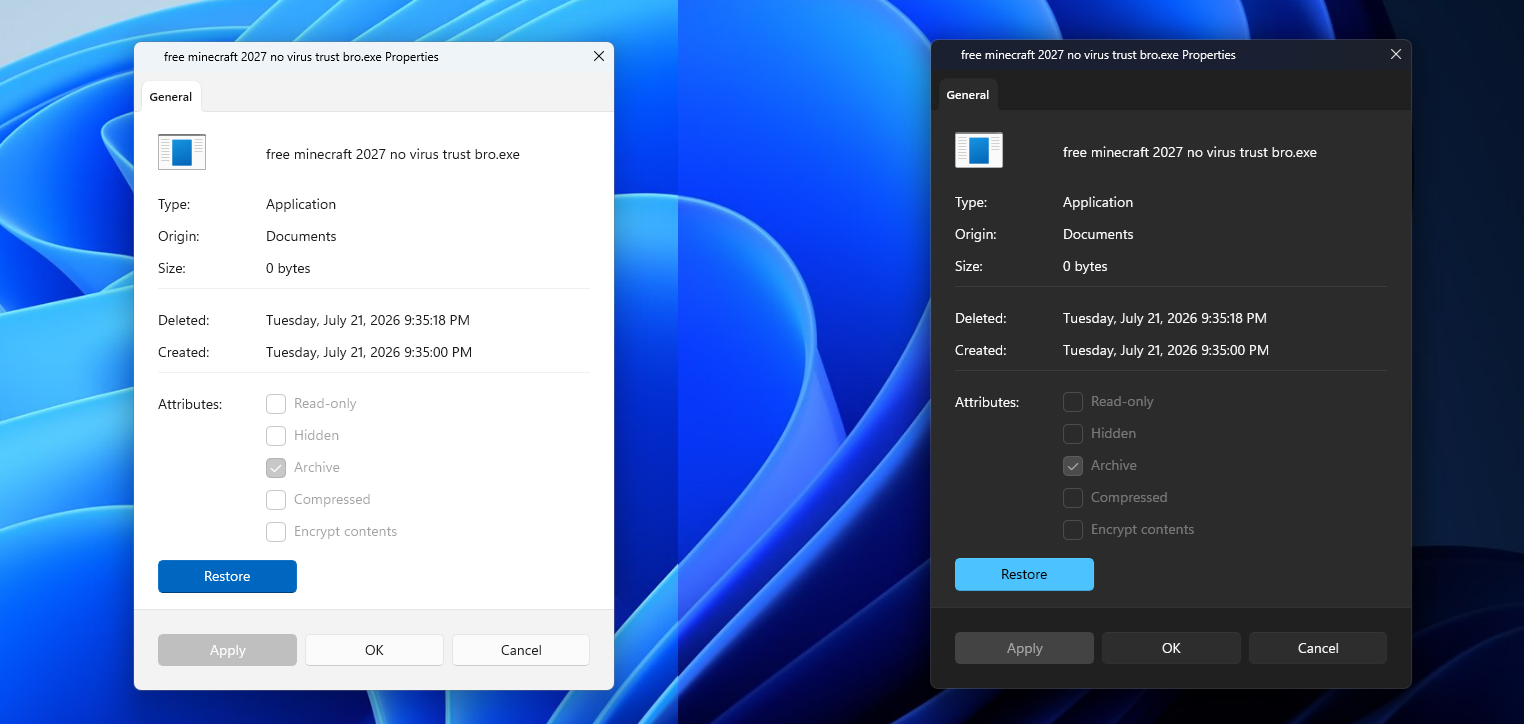
- Adding dark mode support to some existing dialogs.
- Completely rebuilding certain dialogs with WinUI 3, MS’s modern native UI framework.
MS is following this strategy because it cannot simply replace every legacy dialog with a modern version without risking compatibility problems.
The company previously described a new low-risk approach to modernizing legacy areas of the operating system. It begins by adding dark mode in cases where a complete rewrite could be risky.
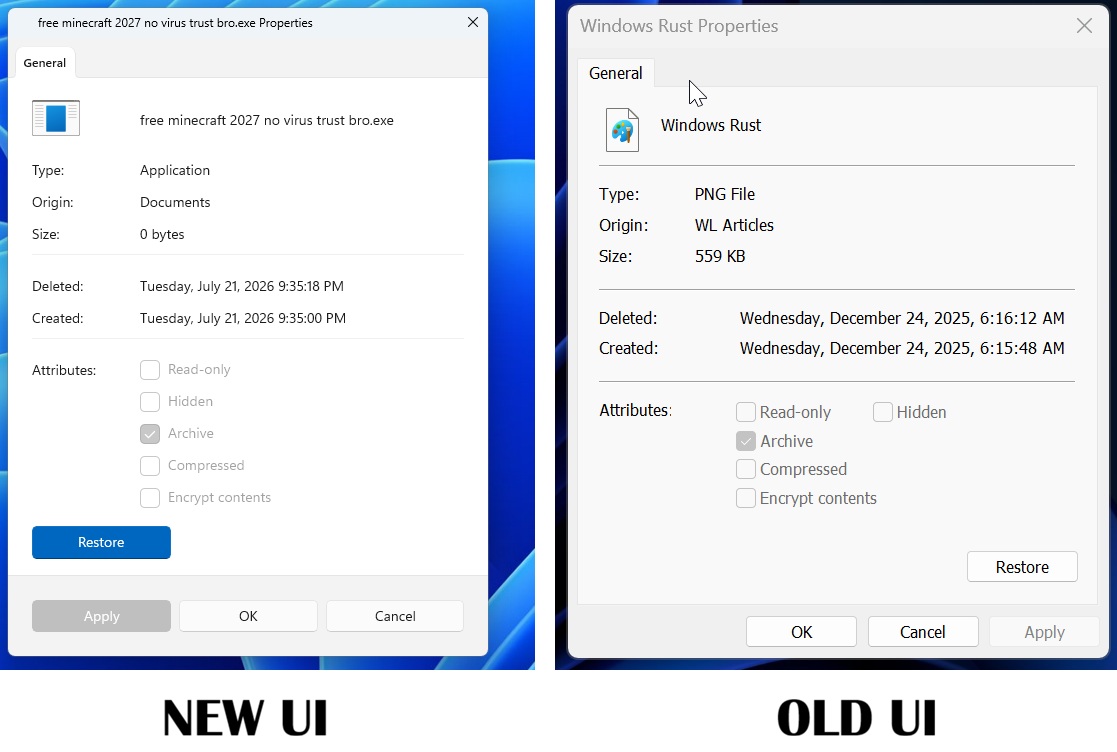
At the same time, the File Properties dialog has been rebuilt in WinUI 3, demonstrating that MS is willing to bring the modern framework to more areas of Windows. The chosen approach depends on the risks associated with replacing the existing code.
The Run dialog is one of the clearest examples of a middle ground between these two approaches.
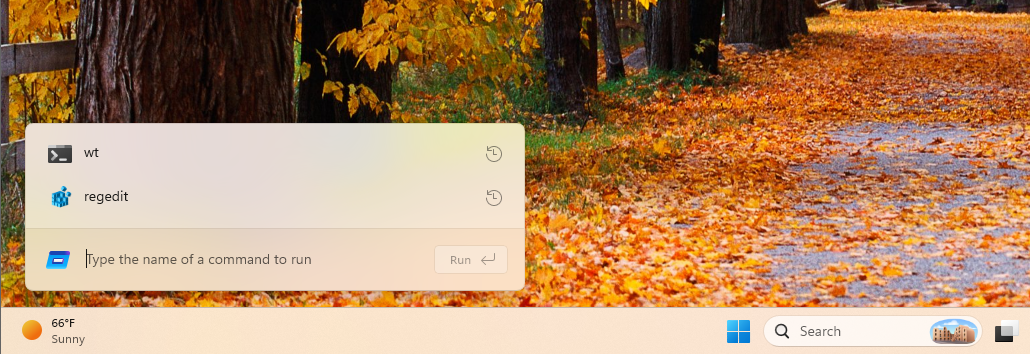
MS built a new version using C# and WinUI 3. It includes dark mode, an updated history list, and support for opening the home directory with ~. At the same time, the company is not removing the legacy Run dialog.
The modern Run dialog will be optional, at least initially, allowing users to switch between the new and legacy versions.
MS also found the new Run dialog to be faster than the legacy version. The company reported a median time-to-show of 94 milliseconds, compared with 103 milliseconds for the legacy version.
Although the difference is small, it provides a useful example of how a modern interface does not have to sacrifice performance. It also demonstrates that WinUI can be faster.
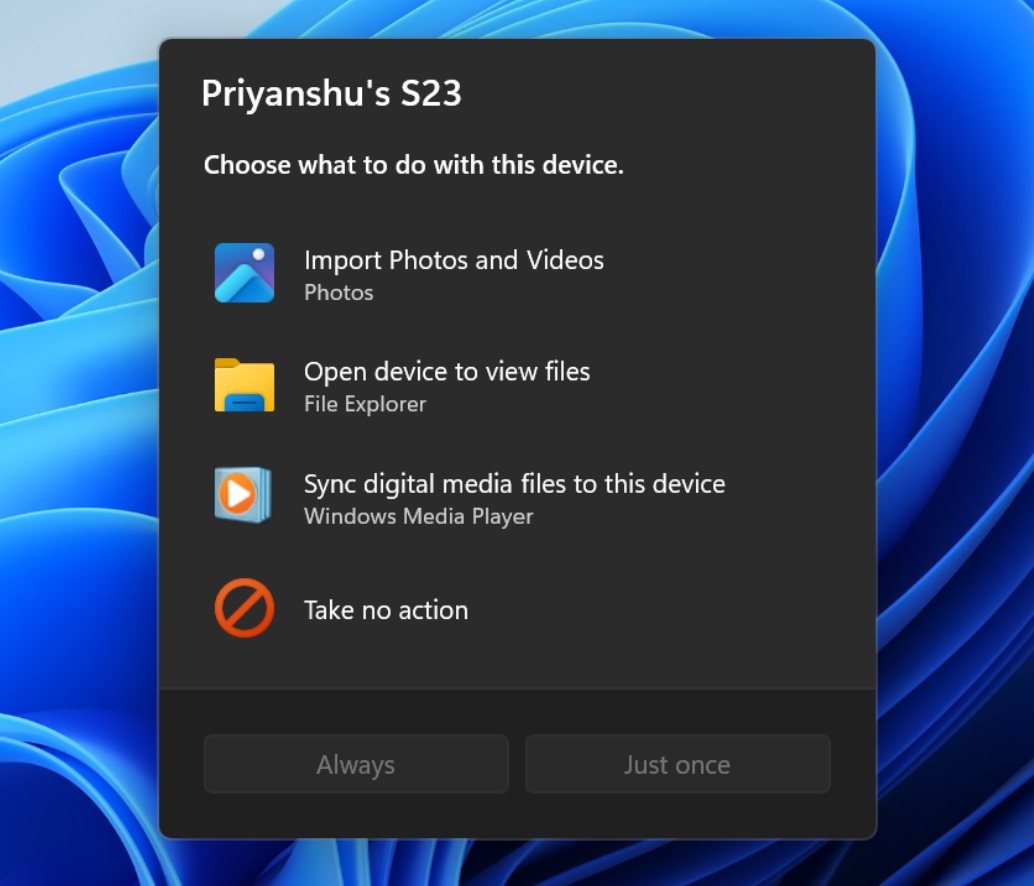
MS has also confirmed that AutoPlay is receiving its own WinUI 3 redesign. This dialog appears when users connect certain removable devices, such as a phone, and Windows asks what action they would like to take.
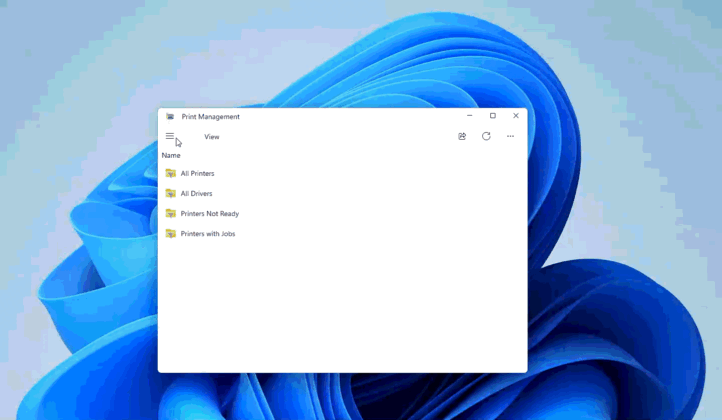
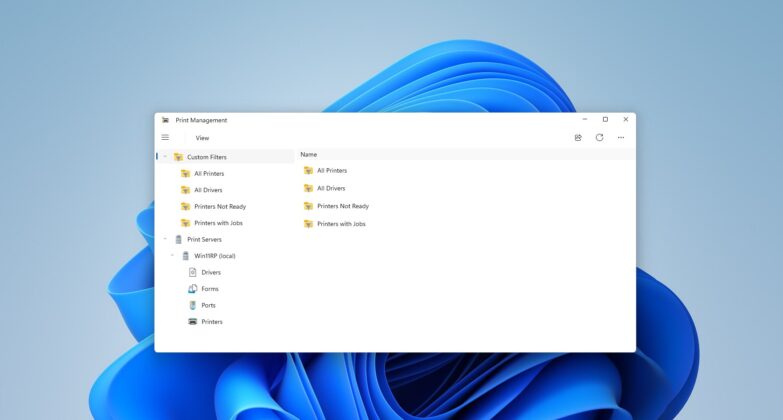
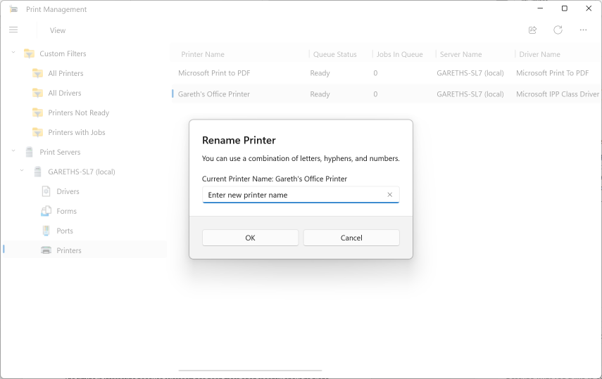
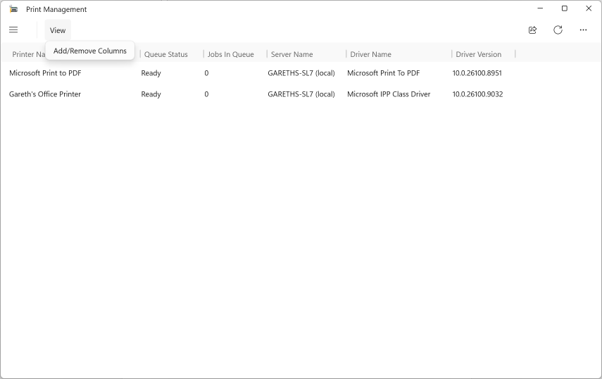
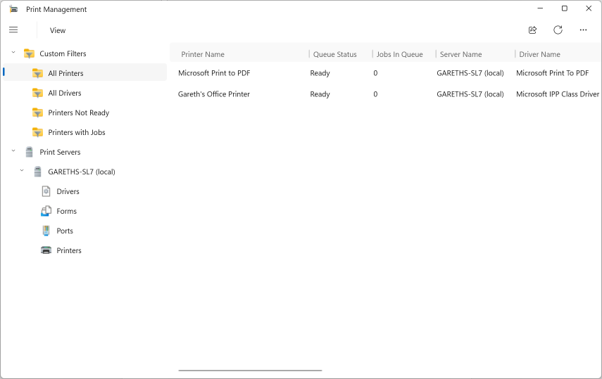
Another notable example is the new Print Management app, which is built with WinUI and performs as well as the legacy printing tools.
Some legacy interfaces are particularly outdated because they still reference features that no longer exist.
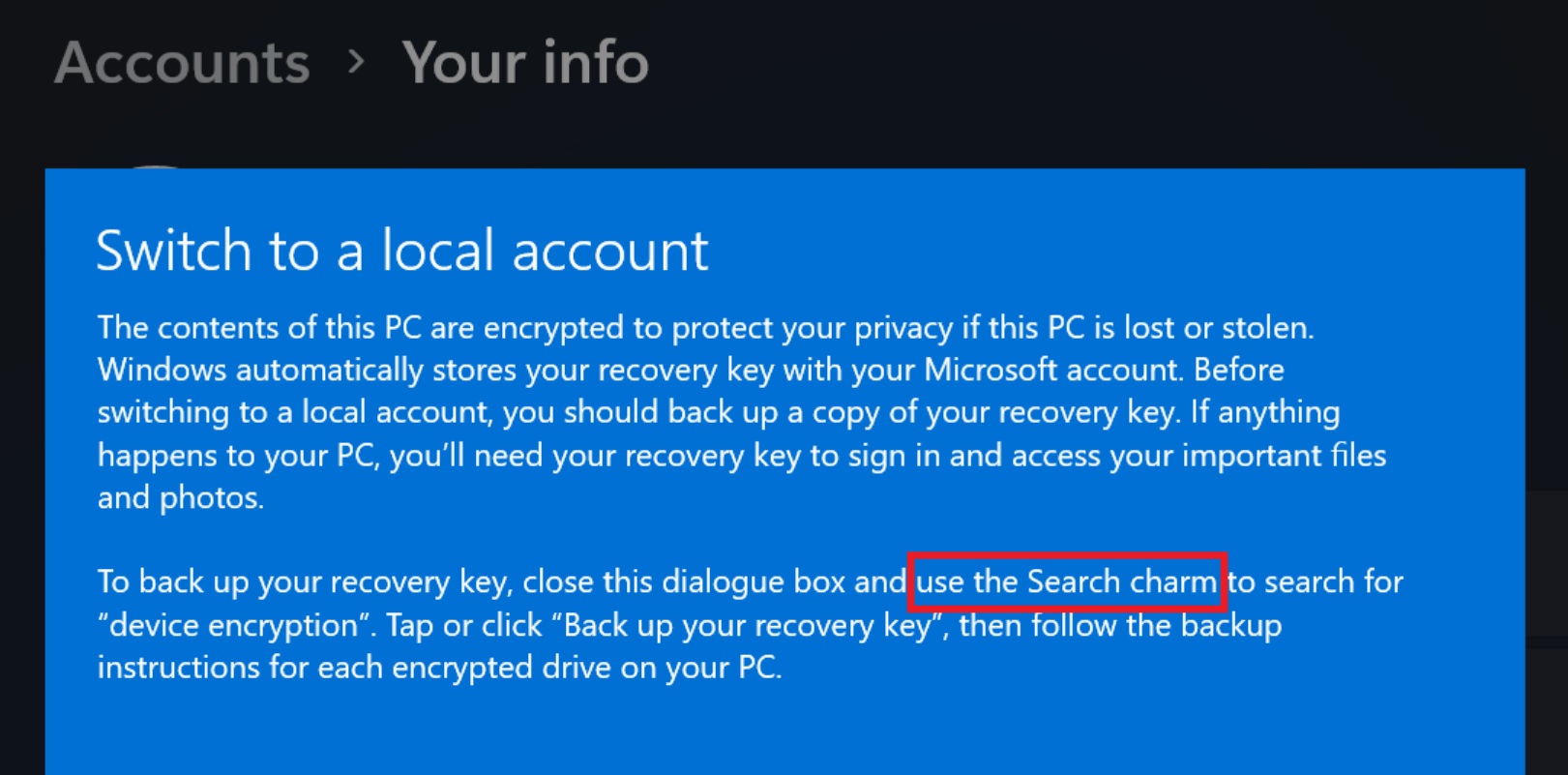
For example, Windows 11’s local-account switching process can display a device-encryption warning that instructs users to use the Windows 8 Search charm. According to Marcus Ash, who leads Design and Research for Windows and Devices, this interface is also on the list of planned redesigns.
MS previously confirmed that the Windows 8-style input switcher on the login screen will be redesigned to match the Windows 11 interface. Within Settings, MS has also been updating pages, account dialogs, and Pen settings, with further improvements expected.
However, MS is not expected to remove the Control Panel. It is here to stay.
Windows Latest depends on readers like you. Make us your Preferred Source on Google Discover and Google Search, and help our independent reporting reach more people.
If you're planning to upgrade your PC, Windows 11 OEM keys are the most cost-effective way to get a legitimate license. Whokeys.com offers Windows 11 OEM at competitive prices with instant delivery and activation guarantee. Check it out if you're in the market for a reliable, affordable option.
