Windows 11 August 2026 Patch Tuesday: Addressing 400+ Security Vulnerabilities
The August 2026 Patch Tuesday update for Windows 11 is now available, addressing a significant number of 421 security vulnerabilities. While not as extensive as July’s record-breaking 570 fixes, MS strongly advises users not to delay this update by more than three days to ensure optimal security.
Growing Size of Patch Tuesday Updates
MS consistently releases Patch Tuesday updates on the second Tuesday of each month for all supported products. The August 2026 update continues this routine, though recent updates have grown significantly in size. According to MS, this trend reflects the rising threats posed by AI-driven cyberattacks.
The August update specifically resolves 37 remote code execution (RCE) vulnerabilities and 5 elevation-of-privilege bugs. The total number of fixes includes issues addressed earlier in the month for other MS products like Entra, Office, and Teams. If only Patch Tuesday fixes are considered, the update addresses 400 security flaws. This figure excludes fixes released outside of the Patch Tuesday cycle.
According to MS, the increasing number of vulnerabilities being patched is a reflection of the evolving security landscape and the accelerating impact of AI-driven threats.
How to Verify If Your System Has Received the Updates
If you use MS products such as Teams, Office, and Edge, the total number of fixes in August rises to 421, as updates for these products were released earlier this month and are typically applied automatically. However, for Windows 11, users must manually ensure updates are not paused and that the system is running the recommended version.
As of August 12, 2026, MS recommends these Windows 11 builds:
- Build 26200.9168 for version 25H2
- Build 26100.9168 for version 24H2
To verify your build number:
- Open Settings.
- Navigate to System > About.
- Check the build number listed under system information.
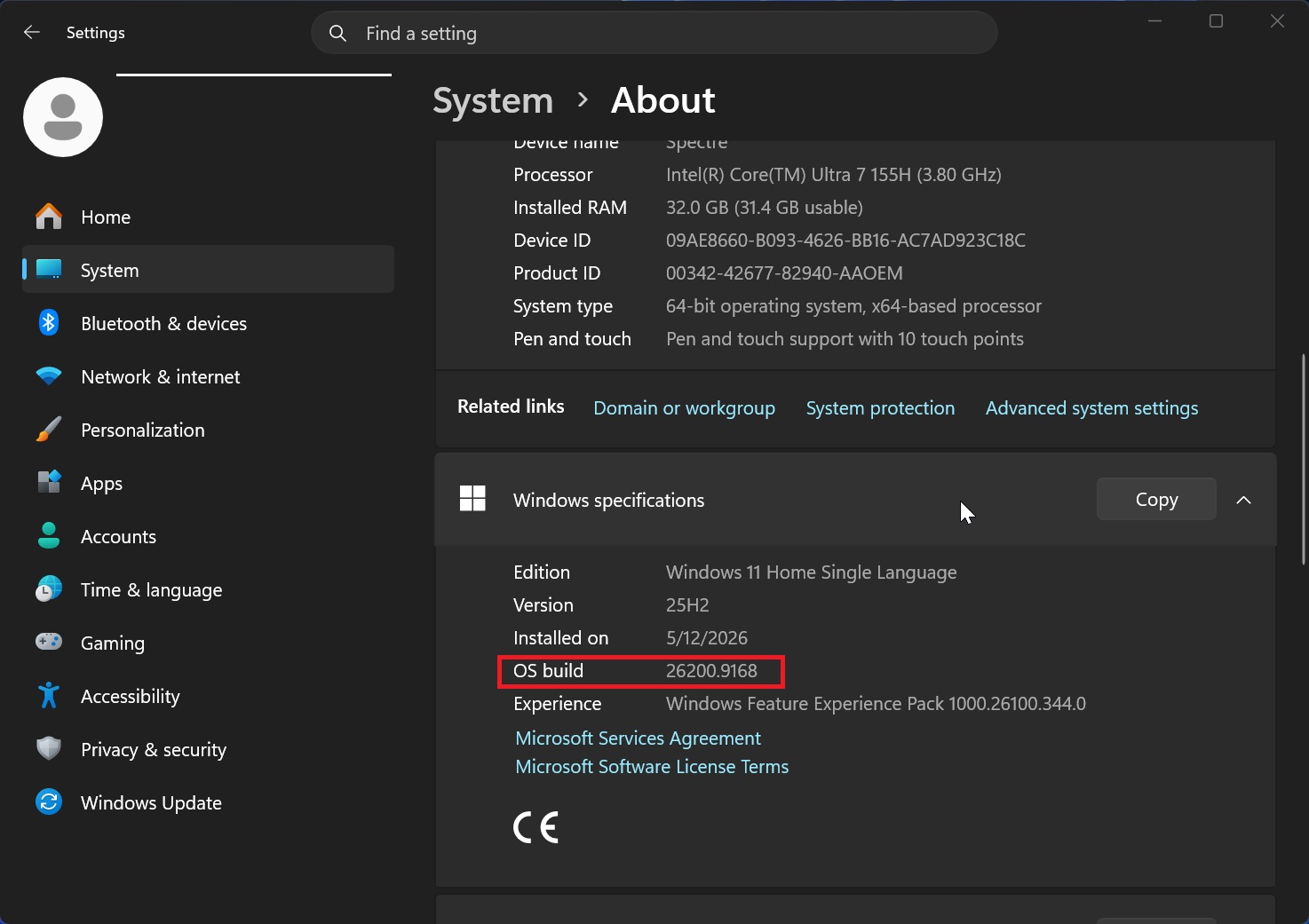
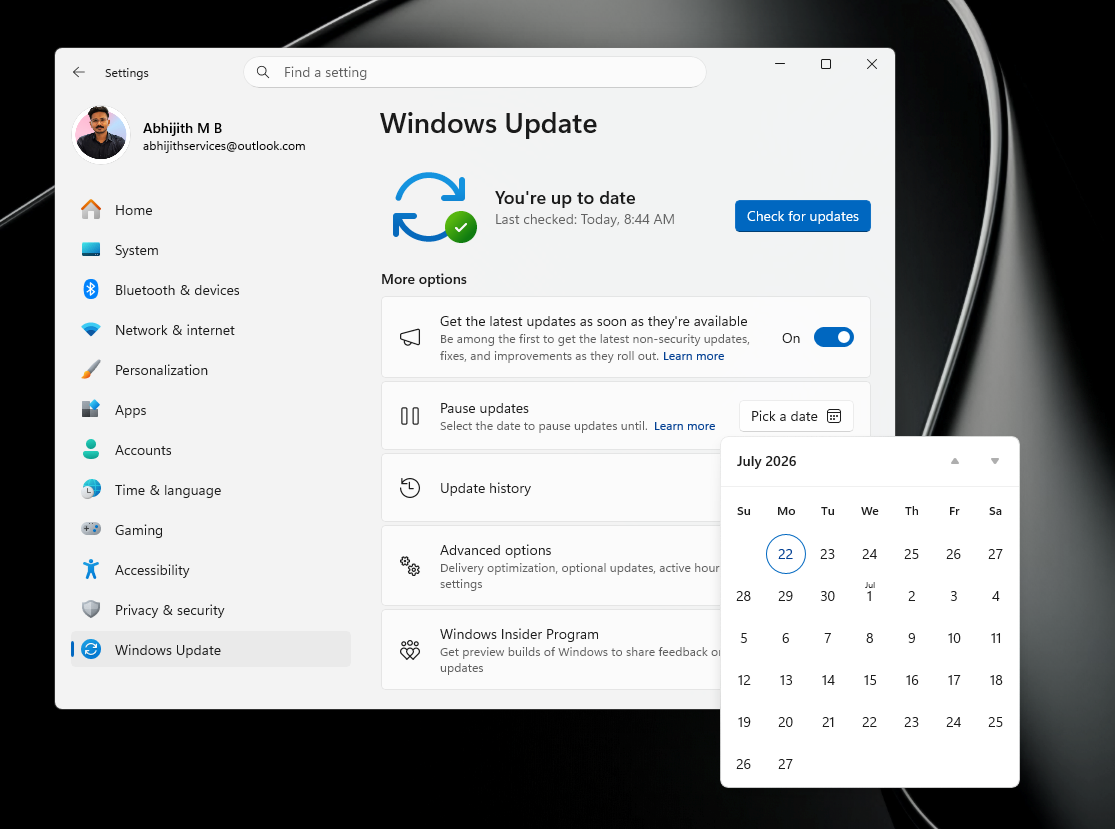
If your build matches or exceeds the 26200.xxxx or 26100.xxxx series, your system is updated. If not, navigate to Windows Update, ensure updates are not paused, and download the KB5121003 update. Note that the update may require up to two reboots to fully apply, primarily due to Secure Boot processes.
Key Fixes in the August 2026 Update
The August update addresses critical vulnerabilities across a wide range of Windows components, including:
- Windows Kernel
- Remote Desktop
- DNS, DHCP, and SMB
- Windows Defender Firewall
- Desktop Window Manager
- Windows Installer
- Kerberos
- LDAP and networking stack
Highlights among the fixed vulnerabilities include:
- Critical RCE vulnerabilities in the Remote Desktop Client and Windows DNS Server.
- Critical flaws in DHCP Server, Windows Deployment Services, and Secure Socket Tunneling Protocol (SSTP).
- Elevation-of-privilege vulnerabilities in the Windows kernel and Desktop Window Manager.
- RCE vulnerabilities affecting SMBv3 Server and Windows LDAP.
Why You Shouldn’t Pause Windows Updates
Windows remains a complex operating system with numerous legacy components, making it inherently challenging to secure. MS acknowledges this reality and has emphasized that the rise of AI-accelerated debugging is exacerbating the issue, enabling attackers to exploit vulnerabilities faster than ever before.
MS has noted that AI is not only a challenge for Windows but for the entire tech industry. According to the company, “AI has accelerated the timeline for discovering and exploiting software vulnerabilities, reducing it from weeks to hours.”
To counter this, MS has integrated its own advanced AI models to identify and address bugs more rapidly. This proactive approach explains the increasing volume of fixes being delivered in each update. As MS stated, “If we don’t use AI to find and fix vulnerabilities, attackers will use it to exploit them.”
The company has reiterated the importance of timely updates, warning users against delaying security patches. MS recommends applying updates within three days of release to minimize exposure to potential threats, especially given the speed at which attackers can now exploit known vulnerabilities.
New pause controls for Windows Update have been introduced, but MS advises against using them to block critical security updates. Delaying these updates could significantly increase your risk of exposure to cyberattacks.
Windows Latest depends on readers like you. Consider making us your preferred source on Google Discover and Google Search to help our independent reporting reach a wider audience.
