Windows 11 to Introduce Redesigned Dialogs and Enhanced User Experience
Windows 11 is gearing up for a significant visual overhaul, with MS aiming to replace most, if not all, legacy dialogs and pop-ups within the operating system. This initiative coincides with MS's acknowledgment that WinUI, its modern user interface framework, has faced performance challenges. The company has plans to enhance WinUI as it extends its use beyond applications to the Windows shell itself.
MS continues to champion Fluent Design as its primary design language. This design philosophy is largely supported by WinUI, one of the recommended frameworks for Windows 11. While WinUI's development seemed to have slowed down in the past, MS recently reaffirmed its commitment to this framework, with plans to enforce it more broadly across the Windows shell.
These efforts are beginning to materialize, dispelling doubts about whether they were merely public relations promises. Skepticism is natural, given past instances where similar proclamations about Windows’ resurgence did not lead to substantive changes. However, the current redesign efforts for Windows 11 appear to be different, marked by active engagement from the core engineering and product teams. Many of these updates are already visible in preview builds, a contrast to previous unfulfilled promises.
AutoPlay Dialog: A Modernized Design
One example of this transformation is the new WinUI-based design for the AutoPlay dialog, which MS has teased and is now available in preview builds. For those unfamiliar, AutoPlay is a feature that appears when you connect a phone, USB drive, or other media, including discs. The current AutoPlay dialog, which is from the Windows 8 era, appears in the top-right corner of the screen.
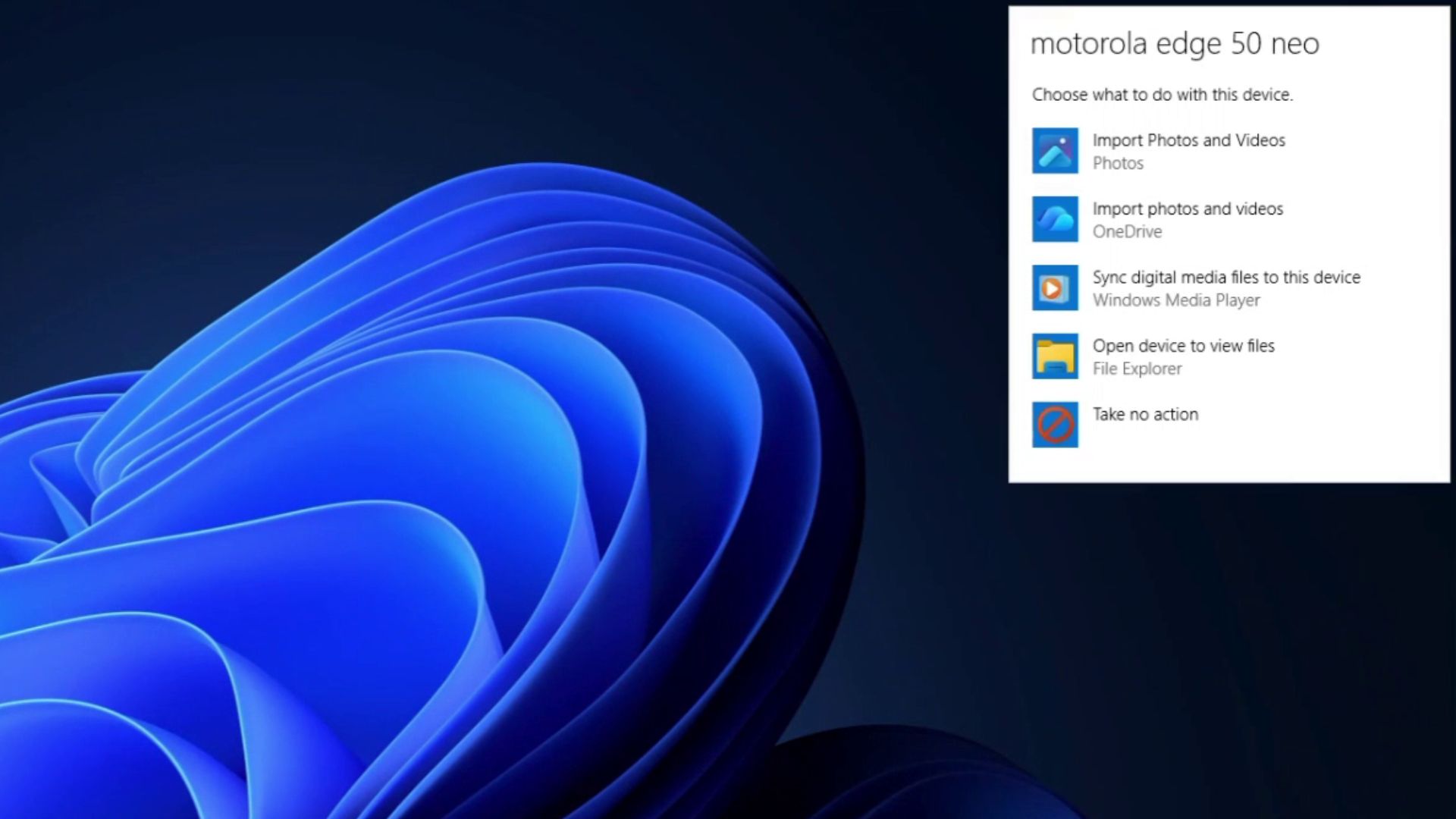
If you’re familiar with how WinUI and Fluent Design are intended to look, it’s obvious that the existing AutoPlay dialog is outdated. It is locked to the top-right corner, unlike the center-of-screen placement in Windows 7, and it lacks an option to always remember a user’s choice.
The New AutoPlay Dialog
Here’s the revamped AutoPlay dialog coming to Windows 11:
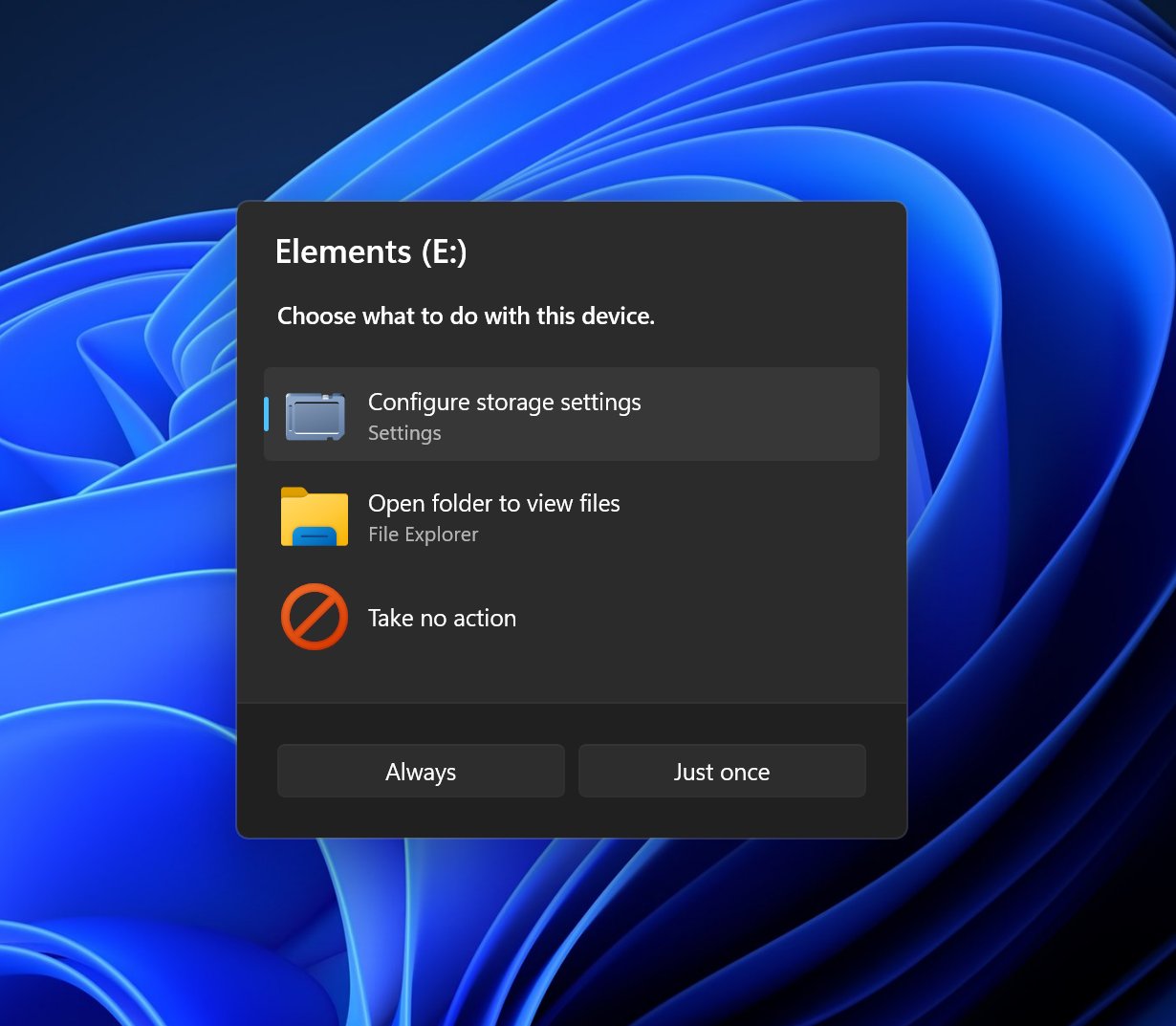
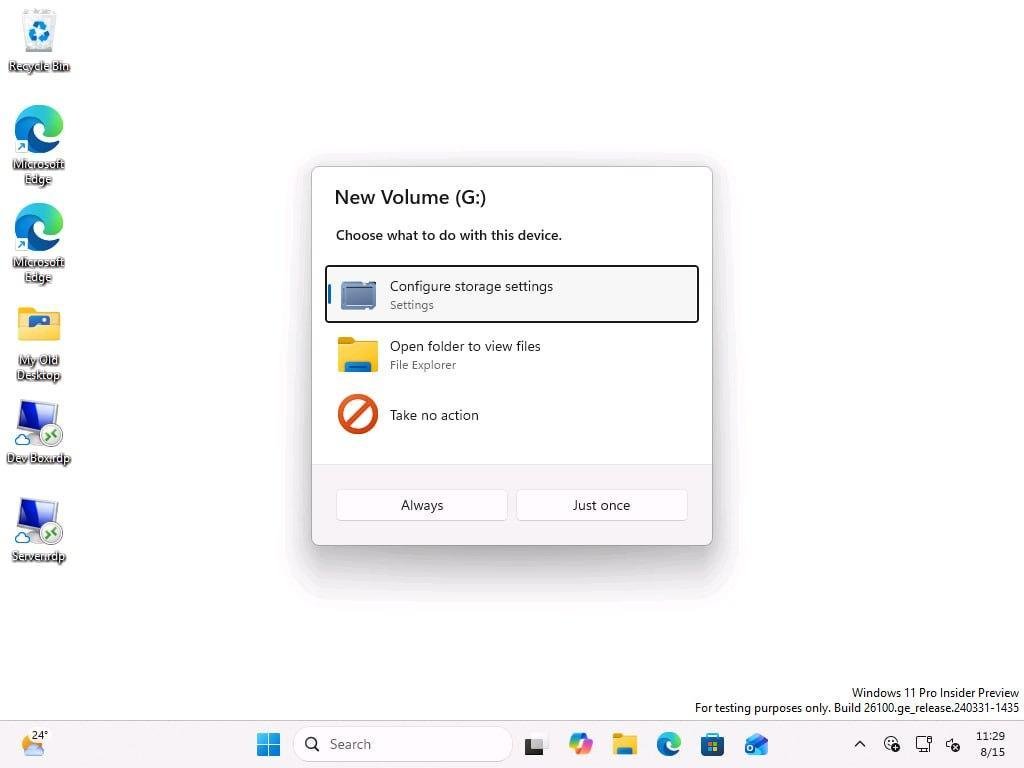
The updated design aligns with WinUI principles, featuring a darker background, rounded corners, larger icons, and improved spacing between actions. The most significant change is its relocation to the center of the screen, a throwback to the Windows 7 era. This change eliminates the awkward top-right corner placement that was optimized for Windows 8 touch devices.
The new AutoPlay dialog also introduces a functionality upgrade. Users can now choose between “Always” and “Just once” when selecting an action for connected devices, such as opening File Explorer. This allows users to either save their choice for future use or apply it only for the current session.
Windows 11’s Redesign Efforts Extend Beyond AutoPlay
AutoPlay isn’t the only feature receiving a facelift. Another example is the Properties sheet, which appears when users right-click a folder or file and select “Properties.” This feature is also undergoing a WinUI-based redesign:
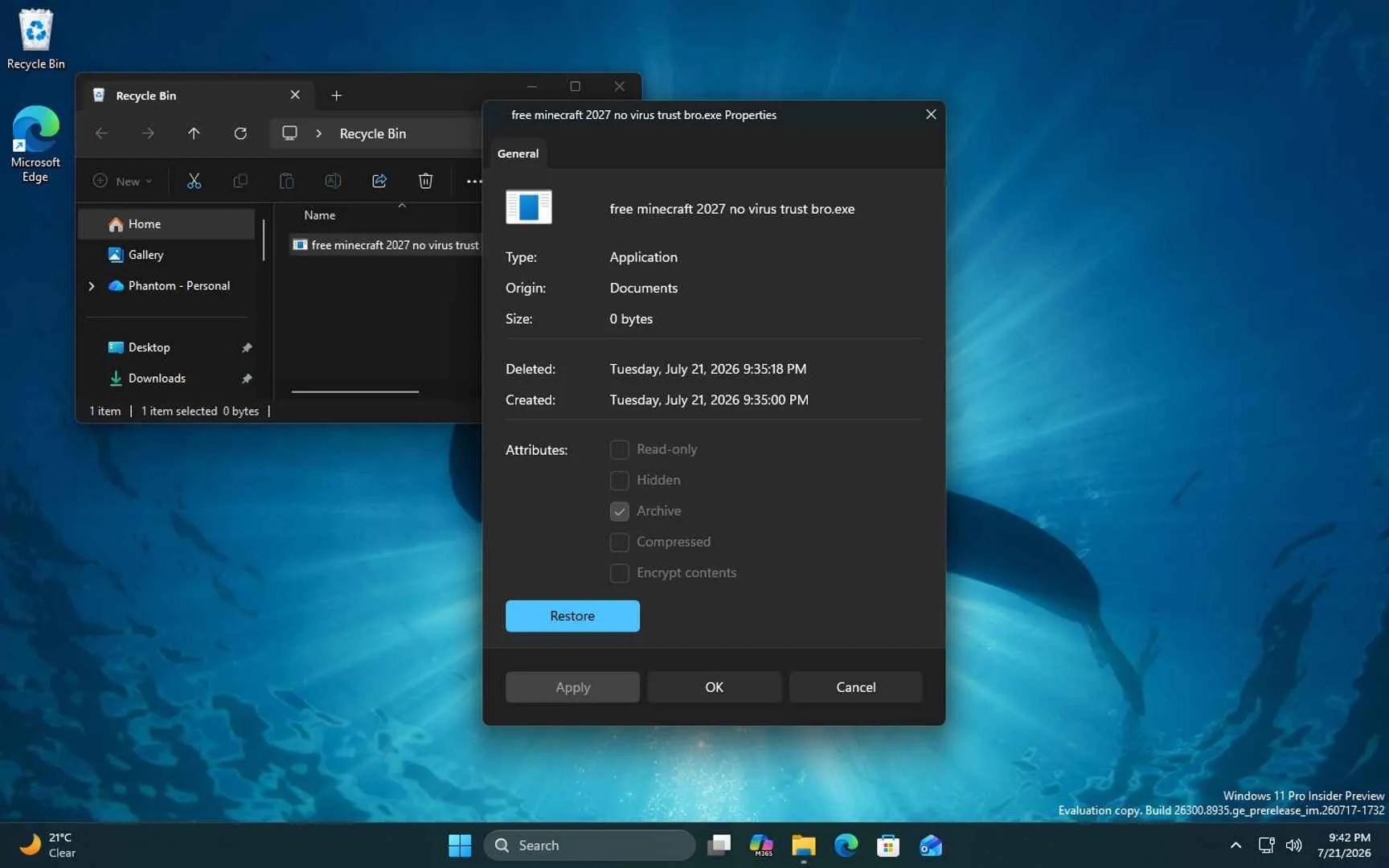
In its current preview build, the updated Properties sheet displays significant changes, though it still requires refinement. For instance, the extra padding in the initial implementation has drawn some criticism, but improvements are expected as the redesign moves closer to final release.
A Promising Future for Windows 11
These ongoing efforts underscore the unique nature of Windows 11’s 2026 revival. Unlike previous attempts, this initiative seems to be gaining traction under the leadership of Windows boss Pavan. The company’s commitment to user feedback and iterative improvement signals a new approach.
As of now, these changes are confined to preview builds and have not yet appeared in public releases. However, MS plans to introduce highly anticipated features, such as a movable taskbar and a version of Windows Search without Bing integration, starting in September 2026 as part of Patch Tuesday updates.
Windows Latest relies on readers like you to support its independent reporting. Make us your preferred source on Google Discover and Google Search to help us reach more users.
