Windows 11's Weather App: High RAM Usage and Ads in a Web Wrapper
Windows 11's built-in Weather app has drawn criticism for being essentially MSN adware disguised as a weather tool. It consumes approximately five times the RAM of macOS's native Weather app while also displaying ads—despite being part of an OS that users have already paid for.
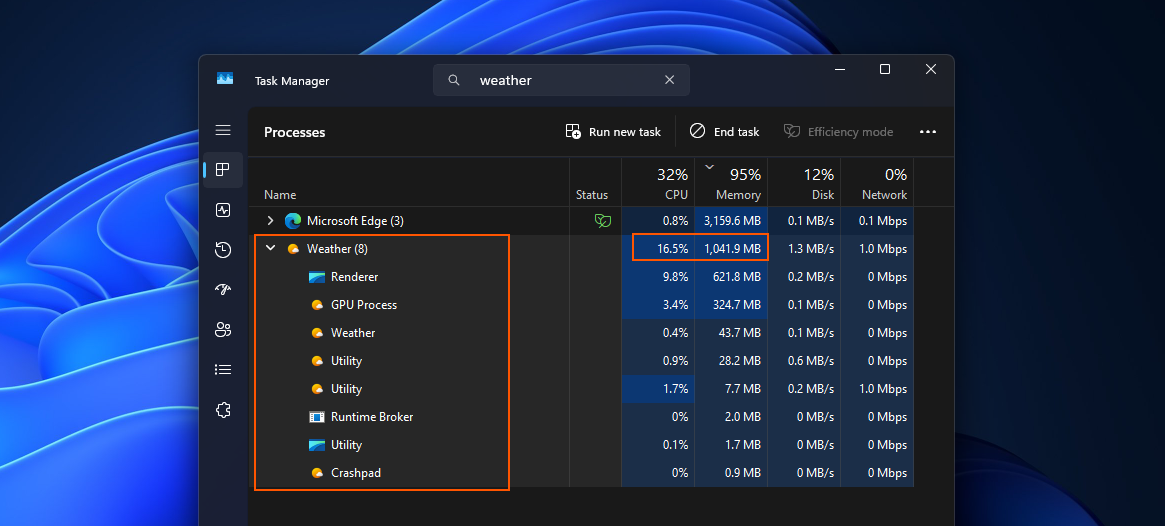
Recently, I experienced severe rainfall for two weeks. With my phone charging, I decided to check the Weather app on my PC to see if the rain would subside before I needed to head out. While using the app, I noticed the RAM usage soared past 1.2GB, even though I wasn’t actively clicking or scrolling. This observation was made with Task Manager already open, so I could monitor the app's performance. The weather data provided was accurate, but the resource usage was unexpectedly high.
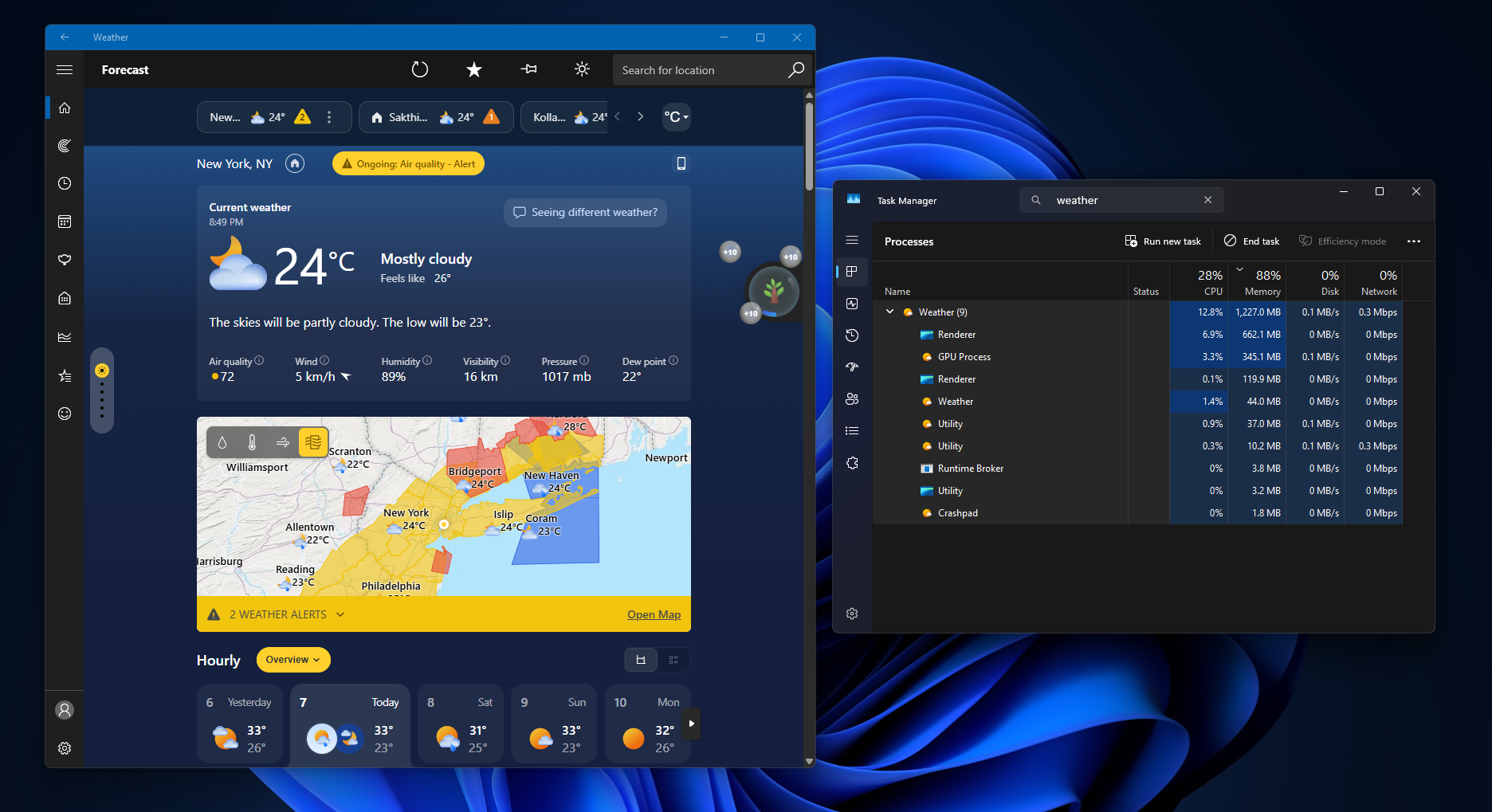
Ads in a Paid Operating System
Another aspect that stood out was the presence of ads in the Weather app. It’s worth reiterating that Windows 11 is not a free operating system, so the inclusion of ads feels unjustified. A quick search in the MS Store revealed that the default Weather app is actually branded as “MSN Weather,” which explains the advertising. However, this branding decision has left users questioning MS's approach.
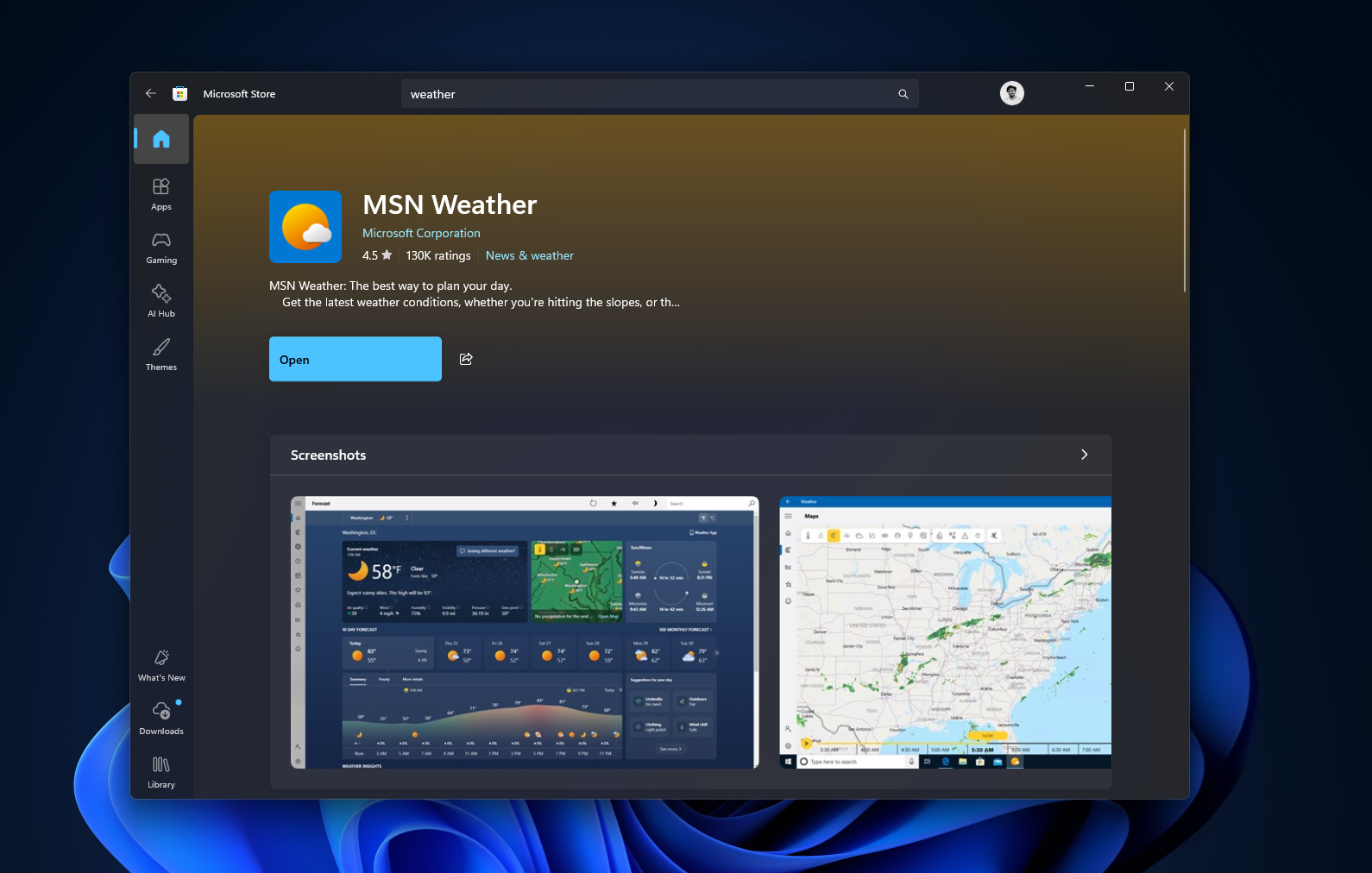
MSN Weather: A Web App in Disguise
To be fair, providing accurate and detailed weather forecasts requires substantial investment, as data must be licensed from companies like Foreca and the European Centre for Medium-range Weather Forecasts, among others. MS credits these and other sources for their weather data. The app itself offers a range of features, including live radar overlays, hourly wind and precipitation breakdowns, air quality indexes, moon phases, and severe weather alerts.
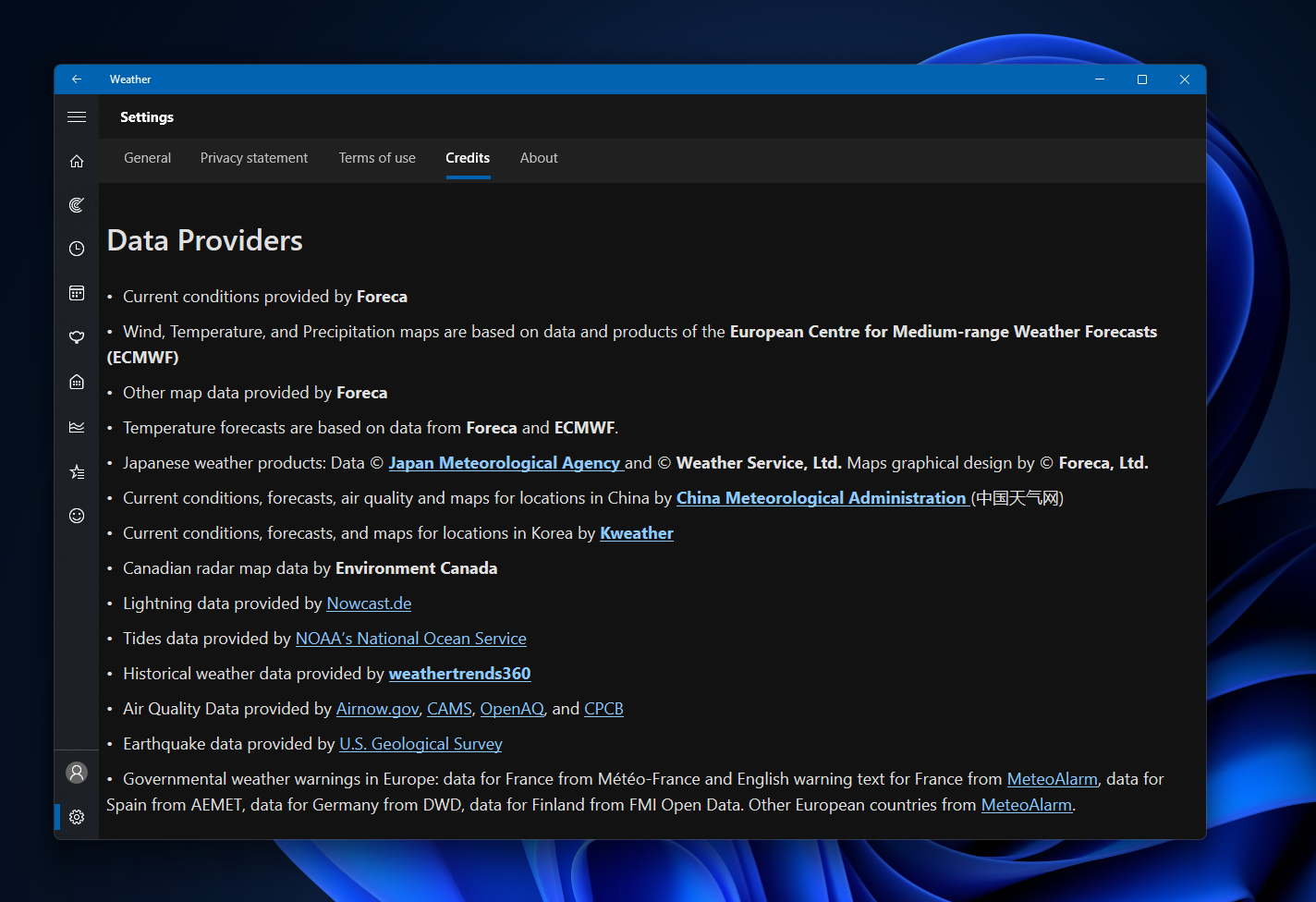
However, despite these features, the app also includes sponsored content. For instance, ads such as one for “Adobe Acrobat” appear alongside visual elements like temperature and wind data, styled similarly to the actual weather information. This blurring of ads and content affects the user experience, especially when compared to Apple’s Weather app, which provides equally detailed data without any advertisements.
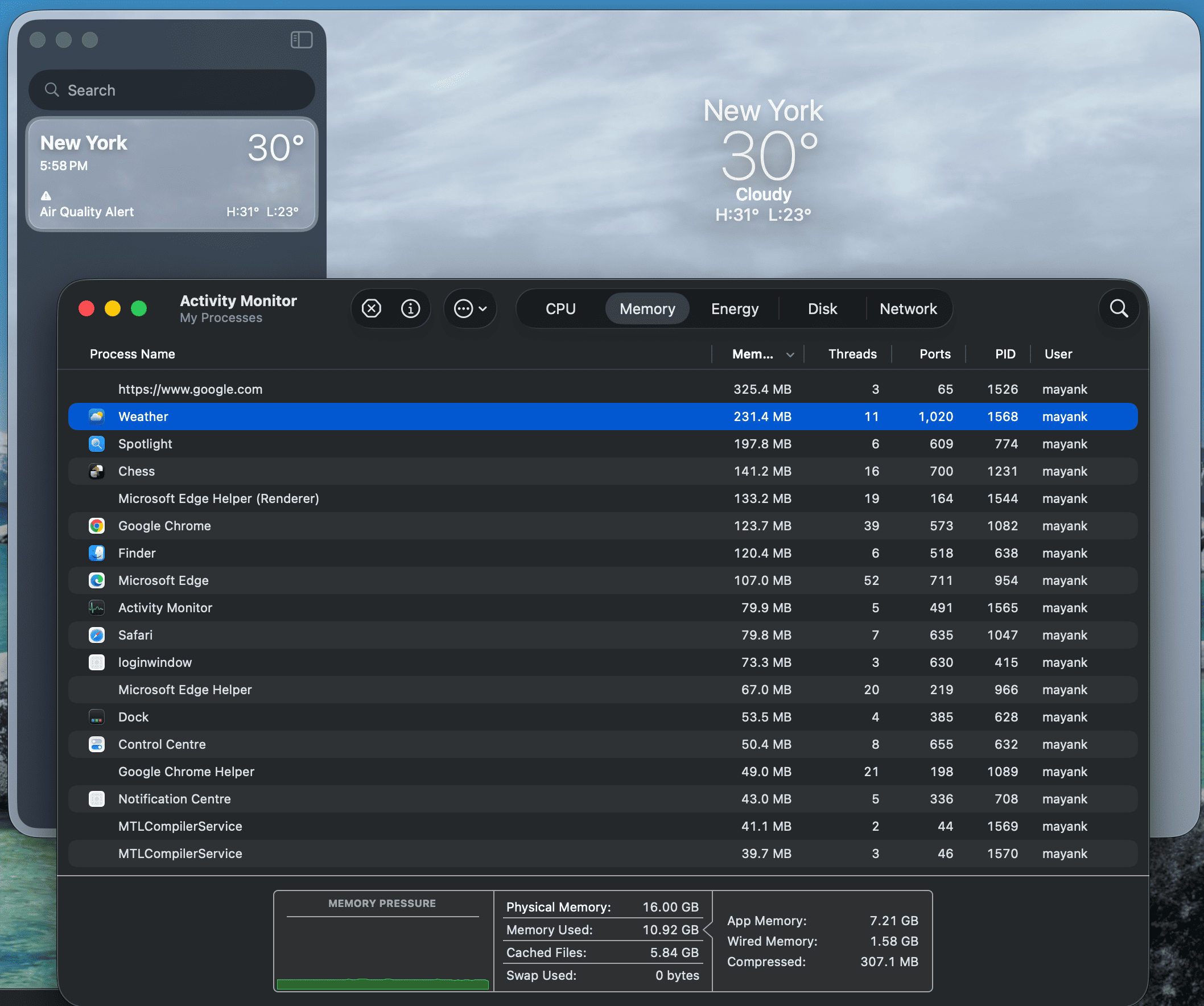
Performance: Native vs Web Wrapper
One of the most glaring issues with Windows 11’s Weather app is its excessive memory consumption. In idle mode, the app consumes more than 1.2GB of RAM. Task Manager reveals the reason: the app consists of nine separate processes, all of which are Chromium-based. This confirms that the Weather app is essentially a web wrapper built on WebView2, which uses significantly more resources compared to native applications.
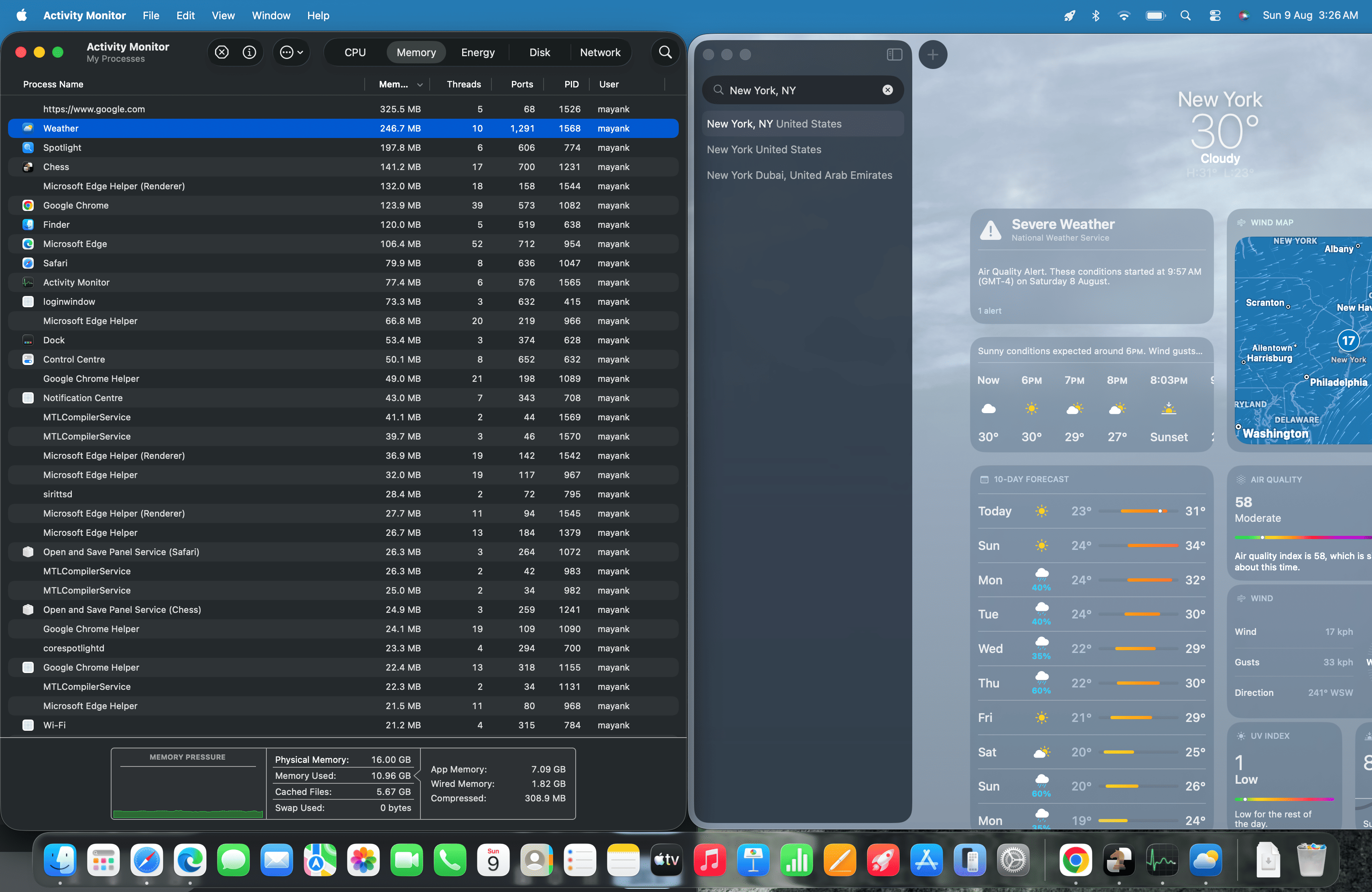
In contrast, Apple’s Weather app on macOS is a fully native application, consuming only around 246.7MB of RAM—nearly five times less than its Windows counterpart. This discrepancy highlights the inefficiency of relying on web technologies for such applications.
MS’s Efforts with Native Apps
In recent updates, MS has focused on improving its built-in applications, such as Calculator, Camera, Clock, Media Player, Paint, Photos, and Sound Recorder. Notably missing from this list is the Weather app. As it stands, Weather remains an MSN-branded web wrapper, leaving users to wonder if it will ever transition to a fully native application.
Rudy Huyn, who leads native app development at MS, stated earlier this year that the company is committed to building fully native Windows apps. However, it’s unclear if this commitment extends to MSN-branded apps like Weather and MSN News.

Adding to the frustration, the Weather app’s store listing encourages users to sign in with a MS account for a better experience. This aligns with MS’s broader push for stronger integration with its account system, which has often been criticized for its mandatory nature in certain situations.
WinUI: A Potential Solution
MS is actively working to phase out legacy Win32 and WebView2 code in favor of WinUI. While the company acknowledges that even native apps consume more RAM than they should, this transition to WinUI offers a promising path forward for improving performance.

The latest Insider updates highlight efforts to optimize WebView2 for better efficiency. However, such tuning can only achieve so much. What Windows 11 truly needs is a complete overhaul of its default apps, including the Weather app, into WinUI-based native applications. This would not only reduce memory usage but also eliminate the need for ads, delivering a better user experience overall.
There is already a significant push to make Windows 11 faster and reduce ads across the operating system. A fully native, ad-free Weather app built using WinUI could serve as a compelling example for third-party developers who currently rely on web wrapper apps for Windows.
Windows Latest depends on readers like you. Make us your preferred source on Google Discover and Google Search to help our independent reporting reach a wider audience.
