MS's Modernization of File Explorer Properties Dialog in Windows 11
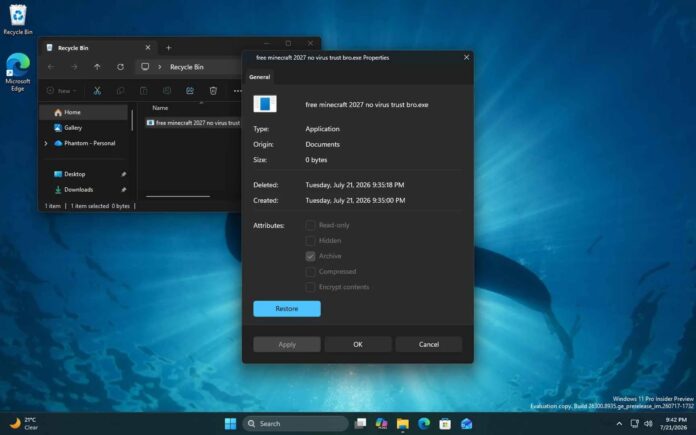
MS has initiated the replacement of the decades-old File Explorer Properties dialog with a modern iteration as part of its ongoing efforts to modernize Windows 11. Notably, the new Properties dialog is built using the native WinUI framework, and there are no traces of a WebView2-based shell.
Currently, the Properties dialog is native to the Win32 comctl32.dll (Common Controls library), which was first introduced with Windows 95. While its appearance has seen some upgrades over the years, the underlying code has remained largely unchanged.
MS has previously announced plans to replace all legacy dialogs with modern versions, including those originating from the eras of Windows 8 and Windows 95. While the timeline for a significant design overhaul in Windows has remained uncertain, early signs of these changes are now visible in preview builds.
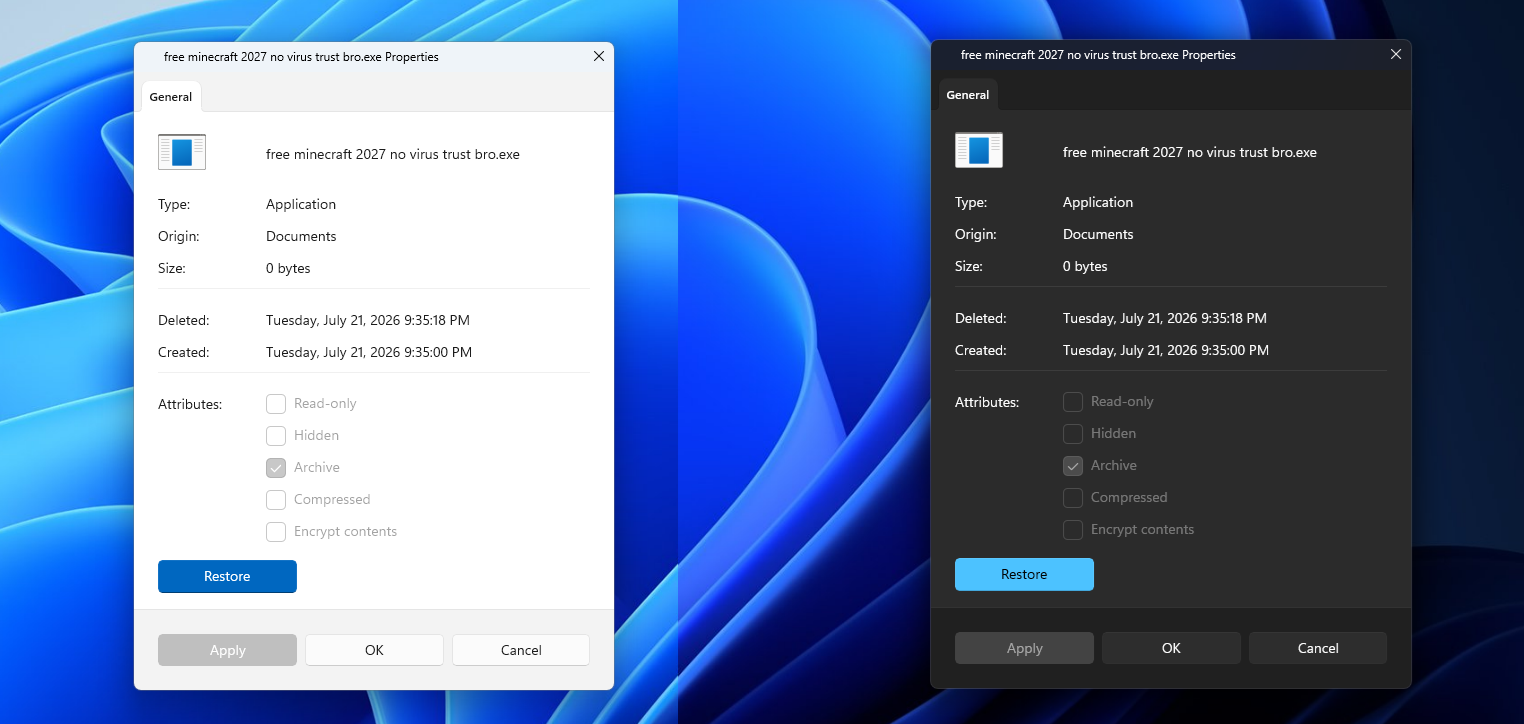
MS watcher PhantomOfEarth discovered a new Properties dialog in these preview builds. Unlike its predecessor, the updated version offers support for dark mode.
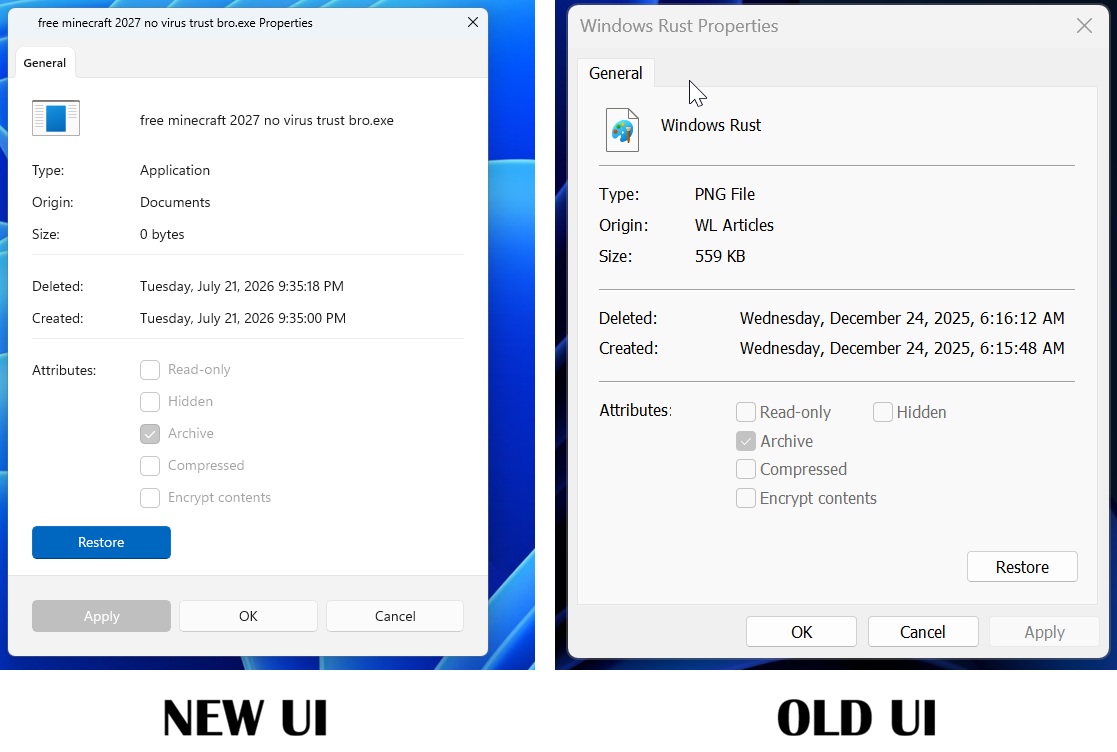
The new Properties dialog is developed entirely with WinUI 3, rather than the older Win32 property sheet framework. By leveraging WinUI 3, MS avoids mixing frameworks. For instance, the “General” tab now uses a Pivot-style header with an accent indicator, a feature exclusive to WinUI 3. This is a departure from the Win32 dialog, which utilizes SysTabControl32 as part of comctl32. Similarly, the Restore button adopts AccentButtonStyle.
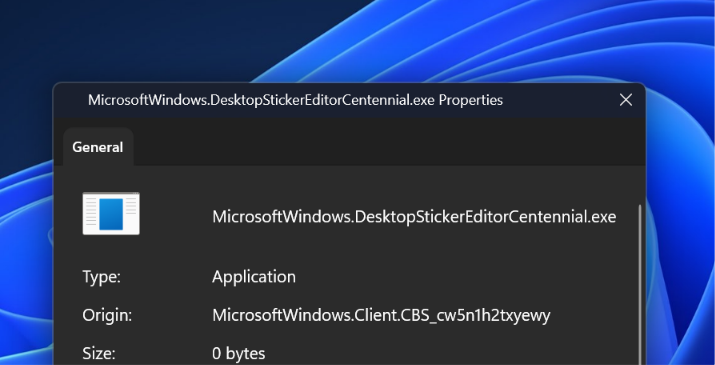
In addition, the new checkboxes conform to WinUI 3 guidelines, featuring rounded corners for enhanced design consistency.
MS intends to phase out the classic Properties dialog entirely, marking the end of a feature that has been part of Windows for nearly three decades. The legacy Properties dialog, built on the Windows 95-era property sheet API (PROPSHEETPAGE, SHOpenPropSheet from shell32), lacked modern features such as dark mode and improved accessibility.
Challenges in Modernizing Windows 11 Components
Windows is inherently a legacy operating system, which complicates modernization efforts. This challenge is partly why MS attempted to create editions like Windows 10X in the past. Modernizing Windows without disrupting backward compatibility is a complex endeavor.
Simply applying a modern design to the Win32-based Properties dialog could lead to issues with third-party applications, which might break due to compatibility concerns.
MS shoulders the responsibility of supporting decades-old software, allowing users to run applications and games designed for Windows 95 on Windows 11. This backward compatibility approach extends to legacy dialogs and property sheets, including the Properties dialog, where any changes risk disrupting existing integrations.
Currently, third-party applications frequently inject tabs into the Properties dialog using IShellPropSheetExt.
According to MS’s documentation, IShellPropSheetExt is an interface that “allows a property sheet handler to add or replace pages in the property sheet displayed for a file object.” These extensions create traditional dialog pages and return them to the Windows Shell.
This functionality is utilized by various third-party software, such as antivirus programs, 7-Zip, Dropbox, and codec packs, all of which rely on HWND-based pages.
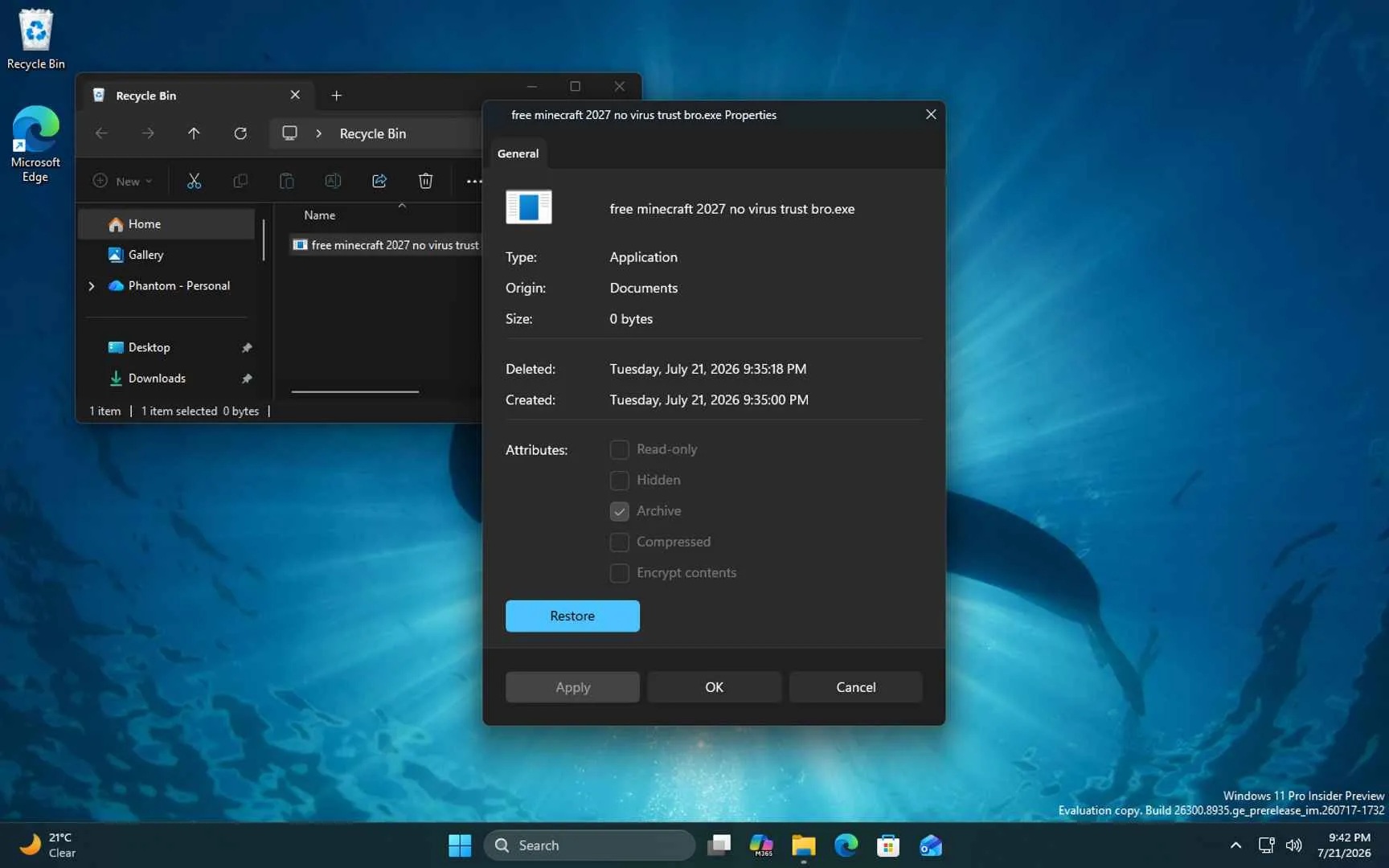
MS is transitioning from the Win32 Properties host to WinUI, necessitating a reverse-islanding path to embed legacy HWNDs inside the new tab strip. Without this adaptation, extensions would cease functioning. For instance, while the Recycle Bin’s Properties dialog contains only a General tab, other programs may include additional tabs like Security, Details, Previous Versions, and third-party extensions. How MS plans to integrate these legacy tabs remains unclear, but it is presumed that a solution has been devised.
Another consideration is the cold-start cost associated with loading WinUI surfaces. File Explorer’s WinUI context menu has faced criticism for slow performance, and the WinUI-based Home tab is reportedly slower than the non-WinUI “This PC” tab. MS is expected to address these performance issues as it continues optimizing WinUI 3, which may explain the longer-than-expected timeline for the redesign.
Windows Run Dialog Is Also Getting a Makeover
The Windows Run dialog has remained largely unchanged across various iterations of Windows, from Windows 7 to Windows 11. However, MS is now introducing a modernized version with additional features.
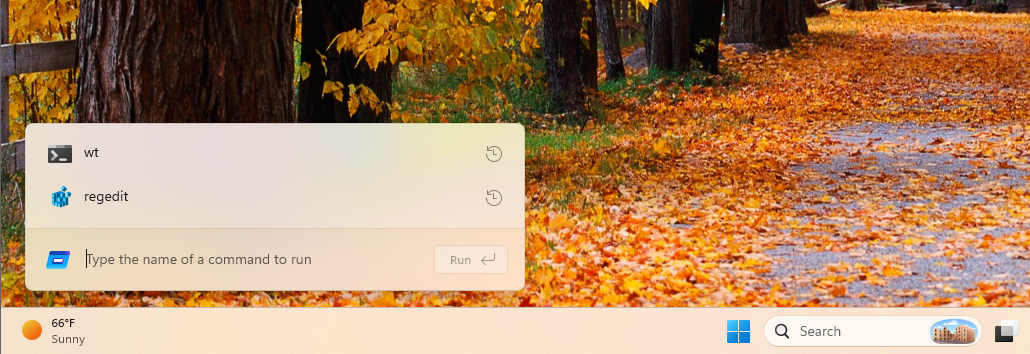
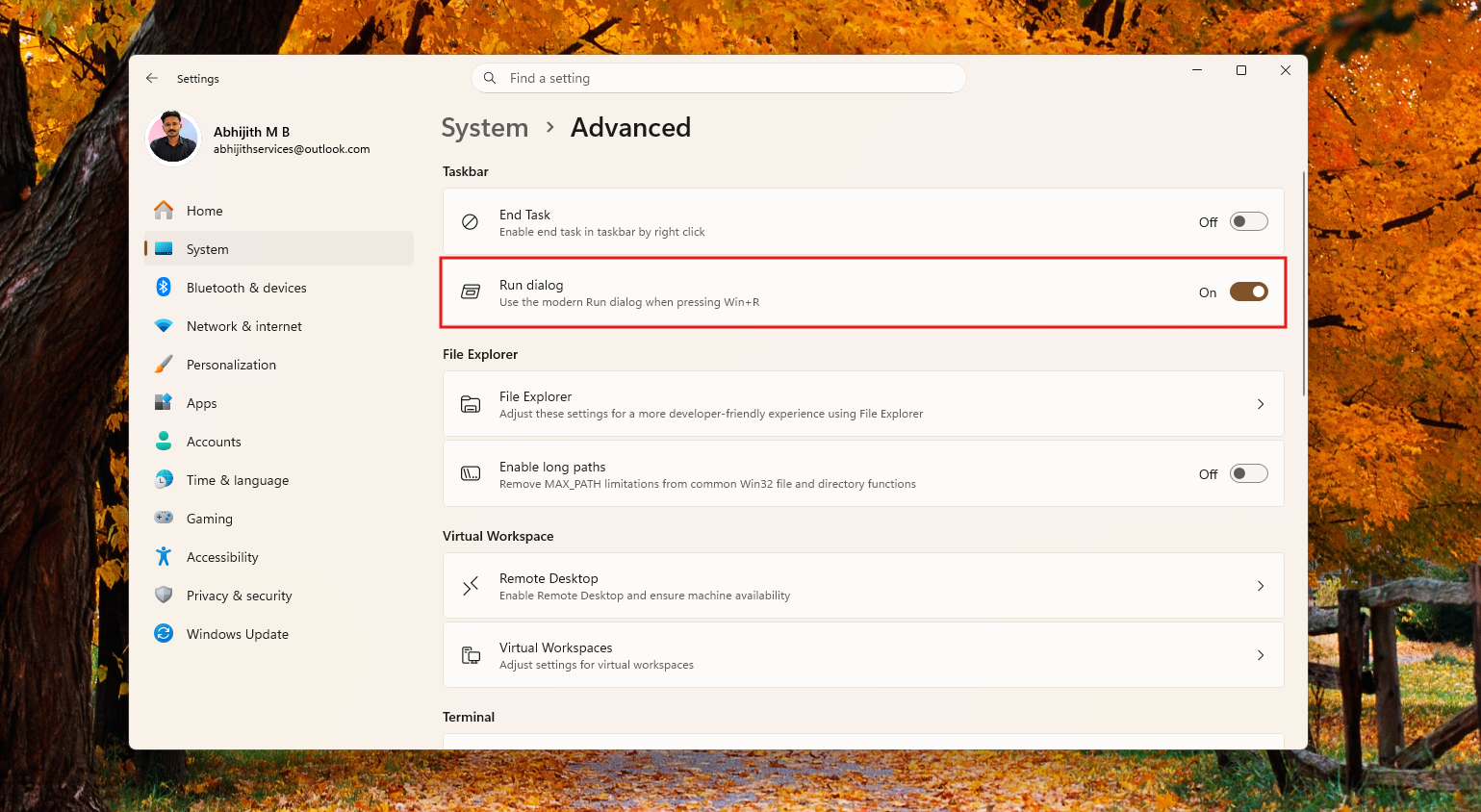
In testing conducted by Windows Latest, it was discovered that the new Run dialog is currently optional and must be enabled via Settings > Advanced Settings.
Once enabled, the modern Run dialog can be accessed using the Win+R shortcut. The updated version is approximately 94 ms faster in median time-to-show compared to its legacy counterpart. Additionally, it includes new features, such as the ability to navigate to a user directory using the shortcut ~\.
However, a limitation of the new Run dialog is its inability to be moved around the screen, a drawback that MS is expected to address before the official release.
As part of its larger modernization initiative, MS also plans to replace Windows 8-era design elements with WinUI. Sources indicate that many web-based components are being rewritten using MS’s native framework.
Conclusion
What are your thoughts on the modernized Properties tab, the updated Run dialog, and other recent improvements in Windows 11? Share your opinions in the comments below.
Windows Latest relies on readers like you. Make us your Preferred Source on Google Discover and Google Search, and help our independent reporting reach a wider audience.
