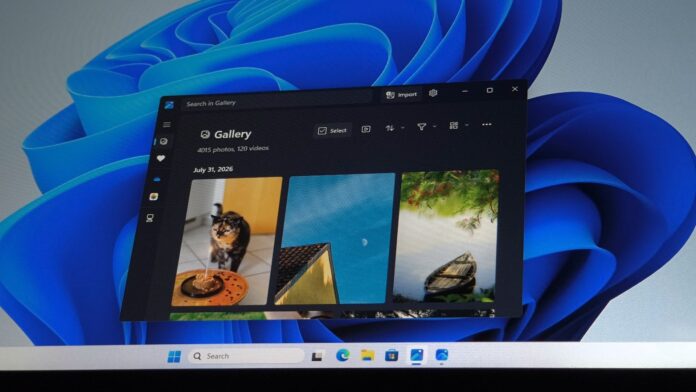
Windows 11’s built-in photo viewer, MS Photos, is receiving a major update with a cleaner interface that removes Copilot-related features and toolbar shortcuts to other apps. Version 2026.11080.24002.0 is rolling out to all users, with no need to join the Windows Insider Program.
MS initially tested the redesigned Photos app with Windows Insiders in July 2026. At the time, it was unclear whether the company would proceed with the new, streamlined design. The update is now available outside the testing branch, confirming that MS approved the changes based on feedback.
Many elements have changed, including the treatment of Copilot and other AI features.
Photos still includes optional AI-powered tools such as background removal. However, MS has completely removed the Ask Copilot button from the app.
A New Photos Toolbar Focused on Content Rather Than Other Apps
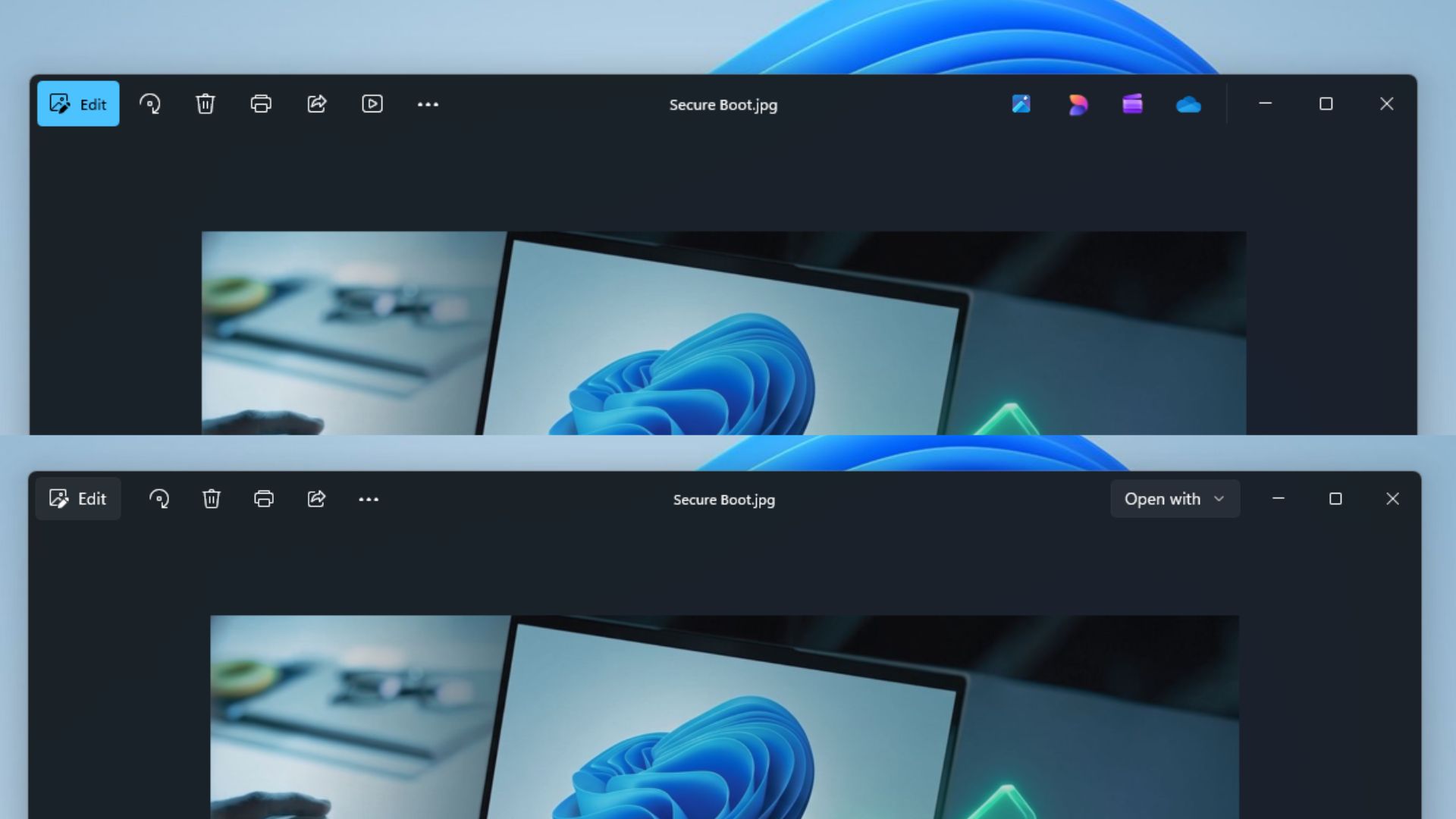
The redesigned toolbar removes options such as Designer, OneDrive, and Clipchamp. These features have been relocated, with some now available through a new Open with menu. According to MS sources, the goal is to make the toolbar feel less crowded.
Over the years, MS frequently added features to the Windows 11 Photos app. Before this update, the toolbar contained as many as ten options, excluding those grouped within the three-dot menu.
In testing, Windows Latest found that MS had removed OneDrive from the toolbar and relocated access to the sidebar or Settings. To view pictures stored in OneDrive, users can select the shortcut in the left sidebar.
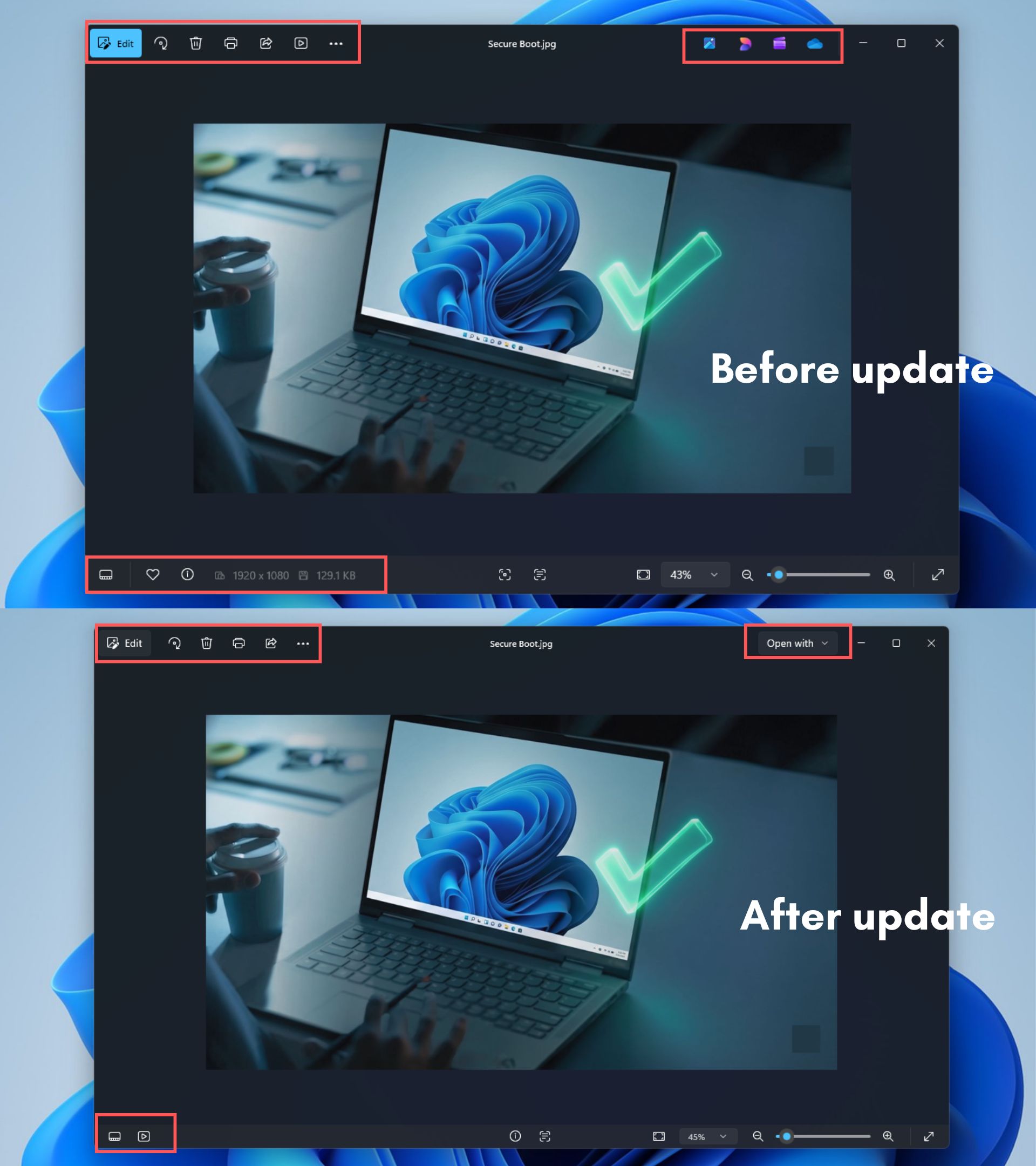
MS has also removed the Designer option from the toolbar. This option previously opened MS Designer, a Canva-like graphics application. If Designer was installed, selecting the option sent the current photo to the app for further editing.
To open an image in MS Designer or Clipchamp, users must now use the new Open with menu. This menu includes options such as Gallery, File Explorer, and Choose another app, which allows users to select another application for opening the image.
MS has also moved the slideshow button to the bottom of the app. The main toolbar now contains only Edit, Rotate, Delete, Print, Share, the three-dot menu, and Open with.
MS says it intentionally redesigned the Photo Viewer to help users focus on their content and primary actions rather than navigate numerous options such as Designer, Clipchamp, and OneDrive.
The context menu has also been streamlined and now occupies less space. This approach aligns with upcoming changes to File Explorer’s right-click menu, where related options are grouped within nested menus. The Photos app also features a new command bar similar to the system-wide right-click menu.
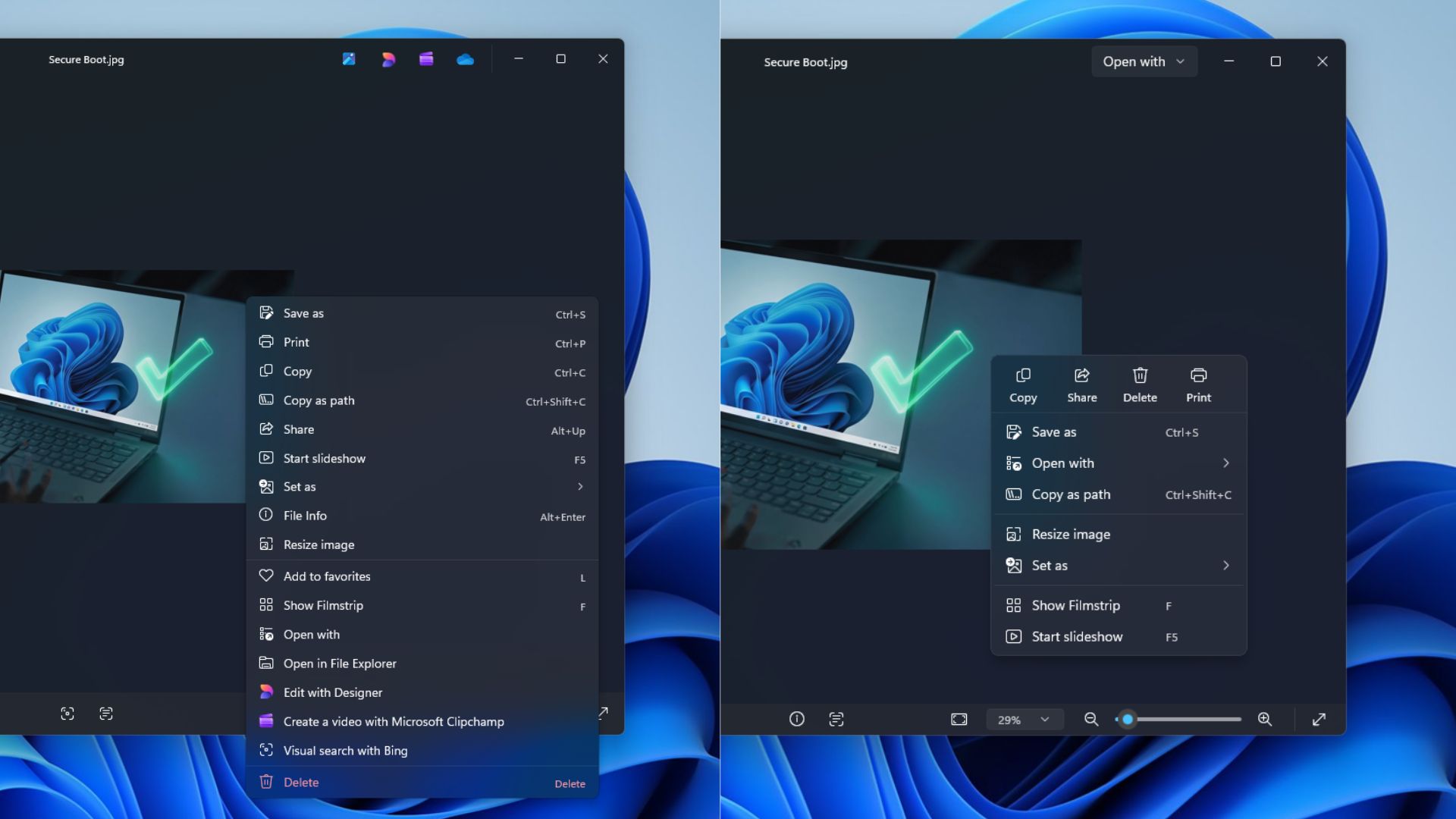
The right-click menu no longer displays Visual search with Bing, Edit with Designer, or Create a video with MS Clipchamp.
To locate a file, users must now select Open from the right-click menu and then choose File Explorer. Previously, the Photos app displayed Open in File Explorer directly in the context menu, making this change less convenient rather than an improvement.
The Photos app is also noticeably faster, including its right-click menu.
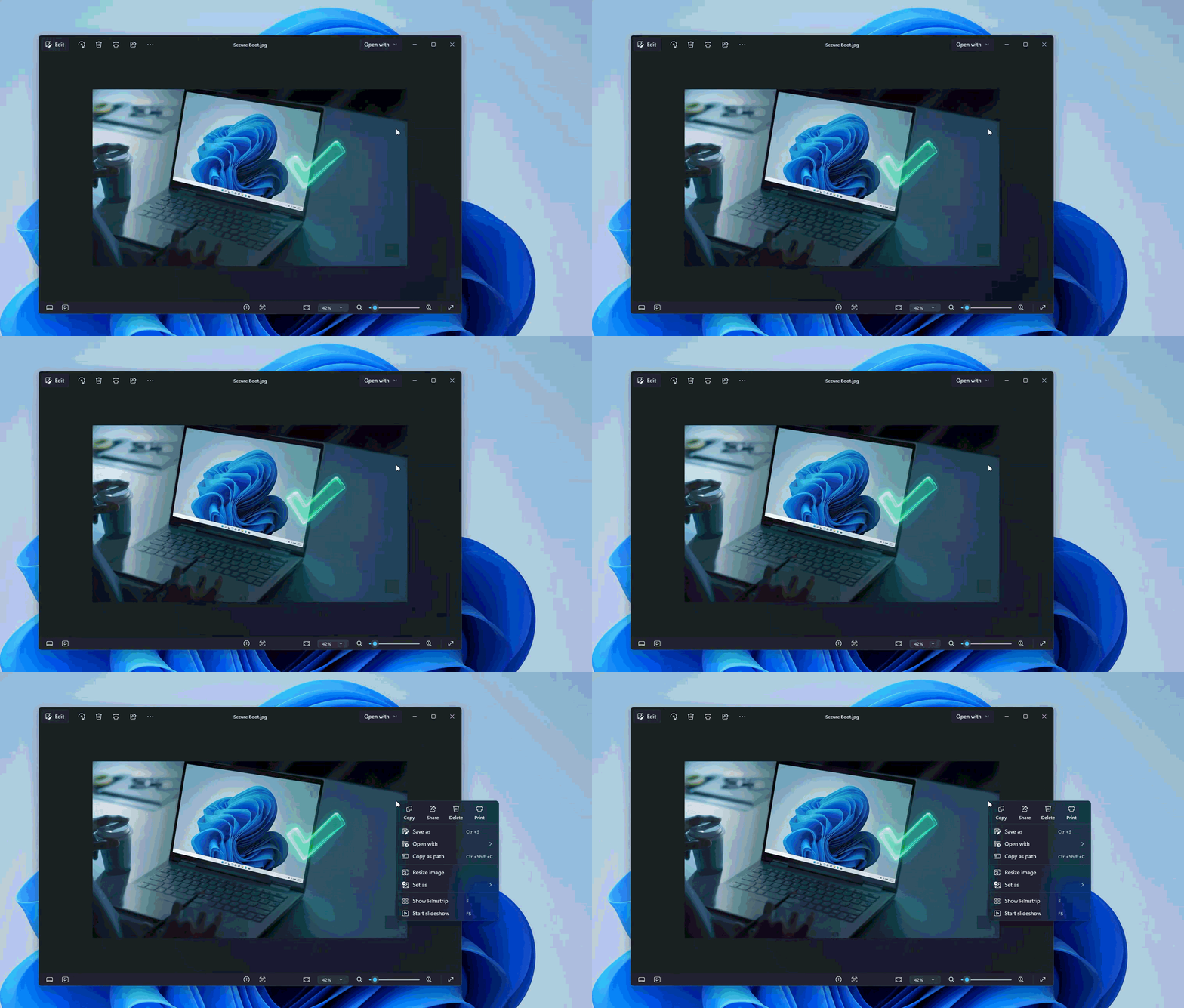
Other performance improvements include faster startup times and smoother zooming. Lag is less noticeable on low-end hardware, while large photos now open almost immediately instead of after a brief delay.
These improvements were achieved through a new multi-process architecture for the photo viewer, which has made photo loading nearly twice as fast.
Other Improvements Rolling Out to MS Photos on Windows 11
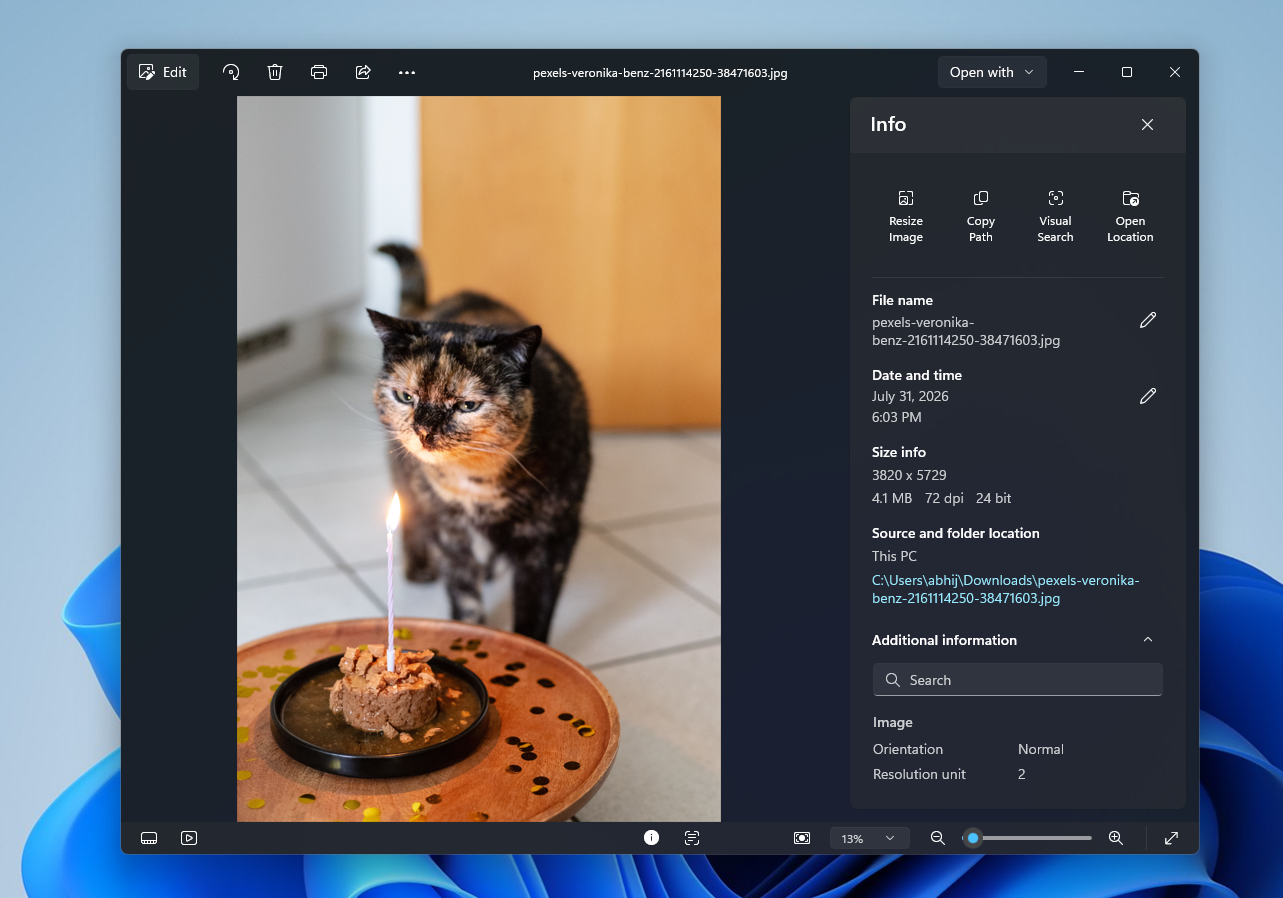
MS has rebuilt the Info pane, which now includes options such as Resize Image, Copy Path, Visual Search, and Open Location. Some of these options were previously available through the right-click menu, indicating that MS has reorganized them rather than removing them entirely.
MS Photos also offers improved support for HEIC images, allowing users to edit HEIC files without changing their format. The app can now open SVG files without requiring third-party software.
Windows Latest depends on readers like you. Make us your Preferred source on Google Discover and Google Search, and help our independent reporting reach more people.
